# Intuition Protocol - Complete Documentation
> This file contains comprehensive documentation for the Intuition protocol, including all guides, API references, and technical documentation.
Intuition is a permissionless protocol for creating verifiable, tokenized attestations on a Layer 3 blockchain. Developers build context-aware applications using semantic triples (subject-predicate-object relationships) backed by economic incentives through bonding curves.
## Key Concepts
- **Atoms**: Universal identifiers for any entity, concept, or piece of data — the nodes in the knowledge graph
- **Triples**: Subject-predicate-object claims connecting atoms — the edges in the knowledge graph
- **Signals**: Staked conviction (deposits/redemptions) on atoms and triples — the weights in the knowledge graph
## Routing Guide
- SDK docs: /docs/intuition-sdk/…
- GraphQL API: /docs/graphql-api/…
- Smart Contracts: /docs/intuition-smart-contracts/…
- Protocol package: /docs/protocol/…
- Tutorials: /docs/tutorials/…
- Core concepts: /docs/intuition-concepts/…
For a curated index of the most important pages, see: https://docs.intuition.systems/llms.txt
Because this file is large, agents should prefer https://docs.intuition.systems/llms.txt first, then fetch specific pages or chunk this file by `Source:` sections.
---
title: "Contribution Guidelines"
description: "Guidelines for contributing to Intuition projects across all repositories including intuition-ts, intuition-rs, intuition-mcp-server, and intuition-contracts-v2"
last_updated: "2026-01-05T17:16:01-08:00"
source: "https://docs.intuition.systems/docs/contribution-guidelines"
---
# Contribution Guidelines
Thanks for your interest in contributing to 0xIntuition! We're excited to have you join our community of builders working on the trust protocol for the internet.
Please take a moment to review this document before submitting your first pull request. We also strongly recommend that you check for open issues and pull requests to see if someone else is working on something similar.
If you need any help, feel free to reach out to [@0xintuition](https://twitter.com/0xintuition).
## General Guidelines
These guidelines apply across all Intuition repositories. Each repository may have additional specific requirements, so be sure to check the repository-specific sections below.
### Code of Conduct
By participating in this project, you agree to abide by our community standards. We expect all contributors to be respectful, inclusive, and constructive in their interactions.
### Getting Started
1. **Fork the repository** you want to contribute to
2. **Clone your fork** locally
3. **Create a new branch** for your feature or fix: `git checkout -b feature/my-new-feature`
4. **Make your changes** following the repository's coding standards
5. **Test your changes** thoroughly
6. **Commit your changes** with a descriptive message
7. **Push to your fork** and **submit a pull request**
### Commit Message Guidelines
We largely follow conventional commit format across all repositories:
- `feat: Description` - for new features
- `fix: Description` - for bug fixes
- `docs: Description` - for documentation updates
- `refactor: Description` - for code refactoring
- `test: Description` - for adding or updating tests
### Pull Request Process
Our PR process is consistent across repositories:
- Provide a clear description of what your PR does
- Reference any related issues
- Ensure all tests pass
- Be responsive to feedback during code review
- Keep PRs focused and atomic when possible
### Versioning
We follow [Semantic Versioning](https://semver.org/) (SemVer) across all our repositories:
- **MAJOR** version for incompatible API changes
- **MINOR** version for backwards-compatible functionality additions
- **PATCH** version for backwards-compatible bug fixes
## Repository-Specific Guidelines
While we maintain consistent practices across all repositories, each has specific setup requirements and workflows. **Always check the individual repository's README and CONTRIBUTING.md (if present) for detailed, repo-specific instructions.**
### intuition-ts
**Description**: TypeScript monorepo containing our SDK, UI components, API interactions, and core applications.
**What's included**:
- SDK packages for protocol and API interactions
- 1ui component library with Storybook
- Core applications and utilities
**Contributing**: This repository has comprehensive contribution guidelines. Please read the [CONTRIBUTING.md](https://github.com/0xIntuition/intuition-ts/blob/main/CONTRIBUTING.md) file for detailed instructions on:
- Monorepo structure and workspace commands
- Development setup with pnpm and Nx
- Testing requirements and changesets workflow
- Component development guidelines
### intuition-rs
**Description**: Rust workspace containing the backend infrastructure, indexing services, and data processing pipeline.
**What's included**:
- CLI tools and TUI client
- Event consumers (raw, decoded, resolver)
- Indexing services (envio-indexer, substreams-sink)
- Database models and RPC proxy
- Docker and Kubernetes deployment configurations
**Contributing**:
- Install [Rust](https://rustup.rs/) and [cargo-make](https://github.com/sagiegurari/cargo-make)
- Follow the setup instructions in the [README](https://github.com/0xIntuition/intuition-rs/blob/main/README.md)
- Run tests with `cargo nextest run`
- Use `cargo make` commands for common development tasks
- Note: This repository follows Rust-specific conventions for code style and testing
### intuition-mcp-server
**Description**: Model Context Protocol server for interacting with the Intuition knowledge graph, enabling powerful AI integrations.
**What's included**:
- HTTP stream server with MCP protocol support
- Tools for extracting triples and searching entities
- Account and relationship management APIs
- Client SDK and examples
**Contributing**:
- Requires Node.js 14+ and pnpm
- Follow setup instructions in the [README](https://github.com/0xIntuition/intuition-mcp-server/blob/main/README.md)
- Test locally with `pnpm run start:http`
- See the Contributing section in the README for MCP-specific development guidelines
### intuition-contracts-v2
**Description**: Smart contracts for Intuition V2 protocol built with Foundry, handling core protocol logic and token economics.
**What's included**:
- Core protocol smart contracts
- Deployment and migration scripts
- Comprehensive test suite
- Gas optimization and security features
**Contributing**:
- Install [Foundry](https://book.getfoundry.sh/getting-started/installation)
- Install [Bun](https://bun.sh/) for Node.js package management
- Follow setup instructions in the [README](https://github.com/0xIntuition/intuition-contracts-v2/blob/main/README.md)
- Run tests with `forge test`
- Use `forge fmt` for code formatting and `bun run lint` for linting
- Follow Solidity best practices and security guidelines for smart contract development
## Getting Help
- **GitHub Issues**: Use the Issues tab in the relevant repository for bug reports and feature requests
- **Twitter**: Follow [@0xintuition](https://twitter.com/0xintuition) for updates
- **Documentation**: Visit our [docs site](https://docs.intuition.systems) for comprehensive guides
## What to Contribute
We welcome contributions of all kinds:
- **Bug fixes** - Help us identify and resolve issues
- **Feature development** - Build new capabilities for the protocol
- **Documentation** - Improve guides, examples, and API documentation
- **Testing** - Add test coverage and improve quality assurance
- **Examples** - Create tutorials and sample applications
- **Performance** - Optimize existing code and infrastructure
Thank you for contributing to the future of decentralized trust! 🚀
---
title: "Data Populator (Deprecated)"
description: "Documentation for the Intuition Data Populator application"
last_updated: "2026-01-05T17:16:01-08:00"
source: "https://docs.intuition.systems/docs/experimental-applications/data-populator"
---
# Data Populator (Deprecated)
# Data Populator
The **Intuition Data Populator** is a specialized tool designed to help users and developers efficiently populate the Intuition knowledge graph with high-quality, structured data. This application streamlines the process of creating atoms, triples, and establishing meaningful relationships within the decentralized knowledge network.
## Why did we create the Data Populator?
Do you have a large amount of data you want to add to the Intuition System, but not enough time or patience to manually create each data point as an atom or triple in the Portal? Look no further! The Data Populator V1 is here!
## What it does, in brief
You can use the Data Populator to load CSV files which contain long lists of atom data. The user interface will allow you to perform some basic proofreading of the data, and when you're ready you can submit it to the Intuition System in one fell swoop. This works by batching all of the atom data together into very large EVM transactions, after automatically pinning and filtering the metadata onto IPFS. This is very similar to the behavior in the Portal App, except it's designed to work with much larger volumes of data.
## Where you can access it
There are two deployments for the Data Populator - one for testing, which runs on Base Sepolia, and one for production which runs on Base.
- **Testnet Data Populator**: [https://data-populator-dev.onrender.com](https://data-populator-dev.onrender.com)
- **Mainnet Data Populator**: [https://upload.intuition.systems](https://upload.intuition.systems)
It's strongly recommended, especially for first time users, to start off with the **Testnet** version to verify everything looks good with your data before spending real Base Ethereum on populating it.
## Overview
The Data Populator serves as a bridge between traditional data sources and the Intuition ecosystem, enabling users to:
- **Bulk import data** - Efficiently create multiple atoms and triples from structured datasets
- **Validate data quality** - Ensure imported data meets Intuition's standards and requirements
- **Establish relationships** - Create meaningful connections between imported entities
- **Maintain data integrity** - Preserve the semantic structure and provenance of imported information
## Key Features
### 🔄 **Bulk Data Import**
- Import large datasets in various formats (CSV, JSON, XML)
- Automated atom and triple creation from structured data
- Batch processing for efficient handling of large datasets
- Progress tracking and error reporting
### ✅ **Data Validation**
- Automatic validation of data structure and format
- Quality checks for imported atoms and triples
- Duplicate detection and resolution
- Semantic consistency verification
### 🔗 **Relationship Mapping**
- Automatic creation of triples based on imported relationships
- Support for complex relationship structures
- Mapping of traditional data schemas to Intuition's semantic model
- Preservation of data provenance and metadata
### 🎯 **Quality Assurance**
- Data quality scoring and reporting
- Conflict resolution for conflicting claims
- Automated tagging and categorization
- Integration with Intuition's trust mechanisms
## Use Cases
### 🎓 **Academic Research**
- Import research datasets and establish connections between findings
- Create atoms for research entities, methodologies, and conclusions
- Build knowledge graphs for specific research domains
- Enable collaborative research through shared knowledge structures
### 💼 **Business Intelligence**
- Import organizational data and establish entity relationships
- Create comprehensive knowledge graphs for business domains
- Enable data-driven decision making through structured insights
- Facilitate cross-organizational knowledge sharing
### 📚 **Content Curation**
- Import content from various sources and establish semantic relationships
- Create comprehensive knowledge graphs for specific domains
- Enable content discovery and recommendation systems
- Build curated collections of related information
## Instruction Guide
### Authentication
The first thing you will need to do, if you haven't already, is authenticate and log into the system. If you are not authenticated yet, you will be shown a **Connect** button. Click the connect button and authorize using your method of choice. Follow the prompts shown on screen to complete the log-in process.
### User Interface Overview
After logging in, you'll see the main interface with:
- **Top menu bar**: Contains a helpful tooltip toggle button and a history button
- **Version indicator**: Shows which version of the Data Populator app you're using (TESTNET or MAINNET)
- **Four main tabs**: Select Atom Type, Load CSV, Publish Atoms, and Tag Atoms
### Select Atom Type
As of right now, you have 3 options here. Most users can stick with the default value of **Schema.org <Thing>** to create and tag basic metadata atoms. If you want to populate **CAIP-10** atoms or **Raw URI** atoms, you can select either option from the drop-down before pressing **Continue**.
#### **Schema.org <Thing>**
We currently support 1 type from schema.org, the **<Thing>**. Most of the atoms in the Intuition Portal are **<Thing>**s. The **<Thing>** has 6 fields:
| Field | Description |
|-------|-------------|
| @context | This will always be [https://schema.org](https://schema.org/) - it's used to identify where the metadata type is defined |
| @type | This will always be **<Thing>** - it's used to determine which metadata type is being used |
| name | This is the name of your atom. This could be the name of an article, person, place, or thing |
| description | A description of your atom. This is a more in-depth blob of text which helps people understand the thing being referenced |
| image | A URL pointing to an image for your atom. This might point to a logo, a twitter avatar, or anything which visually demonstrates the thing being referenced |
| url | A URL pointing to a website for your atom. This could be a social media profile, the website for a business, an article, or anything else on the web |
#### **CAIP-10**
A `CAIP-10` is a string of text which is used to reference smart contracts. `CAIP-10` atoms comprise of only one variable, the `CAIP-10` itself. The `CAIP-10` identifier is comprised of 4 `:` delimited values:
`CAIP10` `:` `[NAMESPACE]` `:` `[CHAIN_ID]` `:` `[ADDRESS]`
**Examples:**
```
# Ethereum mainnet (canonicalized with EIP-55 checksum)
CAIP10:eip155:1:0xab16a96D359eC26a11e2C2b3d8f8B8942d5Bfcdb
# Bitcoin mainnet
CAIP10:bip122:000000000019d6689c085ae165831e93:128Lkh3S7CkDTBZ8W7BbpsN3YYizJMp8p6
# Cosmos Hub
CAIP10:cosmos:cosmoshub-3:cosmos1t2uflqwqe0fsj0shcfkrvpukewcw40yjj6hdc0
```
You can read more about the `CAIP-10` standard here: [https://chainagnostic.org/CAIPs/caip-10](https://chainagnostic.org/CAIPs/caip-10)
#### **Raw URI**
The `Intuition System` also uses `Raw URI`s. These cannot be proofread, and are for advanced users only. One example use case for these is the [https://schema.org/keywords](https://schema.org/keywords) `Raw URI`. The `Intuition Portal` uses this as a `Predicate` in `Semantic Triples` in order to denote that something has a `Tag Keyword`.
### Load CSV
The `Load CSV` box allows you to load a `.csv` file from your PC which contains numerous `Atom`s.
#### **Schema.org <Thing> CSV Example:**
```csv
@context,@type,name,url,description,image
https://schema.org,Thing,Google,https://www.google.com,"A website where you can search for stuff.",https://google.com/google_logo.jpg
https://schema.org,Thing,Facebook,https://www.facebook.com,"A social media website.",https://facebook.com/facebook_logo.jpg
```
#### **CAIP-10 CSV Example:**
```csv
CAIP10
eip155:1:0x1234567890abcdef1234567890aBcdef12345678
eip155:1:0x1234567890abcfeF1234567890aBCDEf12345675
eip155:1:0x1234567890aBcdeF1234567890AbcDef12345672
```
**Important Notes:**
- The column order, capitalization, and naming is crucial - ensure it matches the specification before exporting
- If there's anything weird going on with your `.csv` file, the Data Populator will show you a `Proofreading` window which flags any unusual characters or errors
- The application will attempt to fix any errors on its own, and can automatically checksum Ethereum addresses
### Publish Atoms
The `Publish Atoms` tab shows you some basic information about the `Atoms` you have loaded. Once you've reviewed them, you can select them and `publish` them using the `Publish Selected Atoms` button.
**Publishing Process:**
1. Select atoms using the checkbox on the left of their rows
2. Press `Publish Selected Atoms`
3. Confirm the transaction in the dialog
4. Approve the EVM transaction in your wallet
5. Wait for confirmation and see green "Atom Already Exists" icons
### Atoms View
The `Atoms View` appears below all four tabs in the application, and displays the `Atoms` you currently have loaded. It has several features:
- **Edit and Preview**: Cells can be selected and freely edited
- **Sort Data**: Click on any column header to sort the data
- **Duplicate Detection**: Identify partial duplicates before publishing
- **Delete Rows**: Select unwanted rows and press `Delete Row`
- **Save CSV**: Save a new copy to your PC after making edits
- **Add New Row**: Manually enter atom data directly into the Data Populator
### Tag Atoms
If you want to add your newly published `Atoms` to a `List`, you can use the `Tag Atoms` feature:
1. **Create the Tag**: Fill out the tag metadata fields and press `Create Tag`
2. **Publish Tag**: The tag will be published as another `Atom` in the system
3. **Tag Selected Atoms**: Once the tag exists, press `Tag Selected Atoms` to associate your atoms with it
**Important**: Be precise while entering metadata. Each `Atom's` uniqueness is determined by the exact contents of its data.
### History Window
If you press the `View Your History` button near the top-right corner of the screen, a new window will appear showing:
- History of all the `Atoms`, `Triples` (`Tags`), and `Requests` that you've submitted
- Ability to `Save` `.csv` files that you've previously submitted
- Helpful when working on multiple machines or collaborating with others
## Getting Started
### **Prerequisites**
- Access to the Intuition network
- Structured data in supported formats
- Understanding of Intuition's atom and triple concepts
- Familiarity with the data you want to import
### **Installation**
The Data Populator is available as a web application and can be accessed through the Intuition ecosystem.
### **Basic Workflow**
1. **Prepare your data** - Ensure your data is in a supported format and properly structured
2. **Validate data** - Use the built-in validation tools to check data quality
3. **Map relationships** - Define how your data relationships should be represented as triples
4. **Import data** - Execute the import process with appropriate settings
5. **Review results** - Check the imported atoms and triples for accuracy
6. **Iterate** - Refine your import process based on results
## Data Formats
### 📄 **Supported Formats**
- **CSV** - Comma-separated values with headers
- **JSON** - Structured JSON objects and arrays
- **XML** - Extensible Markup Language documents
- **Excel** - Microsoft Excel spreadsheets
### 📋 **Data Structure Requirements**
- Clear entity identification
- Relationship definitions
- Metadata and provenance information
- Quality indicators and confidence scores
## Best Practices
### Data Preparation
- Clean and normalize your data before import
- Ensure consistent naming conventions
- Validate data quality and completeness
- Document data sources and transformation processes
### Relationship Mapping
- Clearly define how traditional relationships map to triples
- Consider the semantic meaning of relationships
- Plan for relationship validation and verification
- Account for relationship confidence and uncertainty
### Quality Control
- Implement comprehensive validation checks
- Monitor import success rates and error patterns
- Establish feedback loops for continuous improvement
- Maintain data provenance and audit trails
## Integration
### With Intuition Portal
- Imported data appears in the Portal for user interaction
- Users can stake on imported atoms and triples
- Integration with Portal's tagging and list features
- Support for Portal's social features and user interactions
### With Developer Tools
- Programmatic access to imported data through APIs
- Integration with custom applications and workflows
- Support for automated data processing and analysis
- Compatibility with Intuition's developer ecosystem
## Advanced Features
### Custom Mappings
- Define custom mapping rules for complex data structures
- Support for domain-specific ontologies and schemas
- Flexible relationship mapping and transformation
- Integration with external data sources and APIs
### Automated Processing
- Scheduled data imports and updates
- Real-time data synchronization
- Automated quality monitoring and reporting
- Integration with external data pipelines
### Analytics and Reporting
- Import statistics and success rates
- Data quality metrics and trends
- Usage analytics and impact assessment
- Performance monitoring and optimization
## Development
The Data Populator is part of the Intuition ecosystem and follows the same development principles:
- **Open source** - Available for community contribution and improvement
- **Modular design** - Flexible architecture for custom extensions
- **API-first** - Programmatic access for integration with other tools
- **Community-driven** - Development guided by user needs and feedback
## Getting Help
For support with the Data Populator:
- Check the [Intuition documentation](/guides) for detailed guides
- Visit the [GitHub repository](https://github.com/0xIntuition) for technical details
- Join the [community discussions](https://discord.gg/RgBenkX4mx) for user support
- Review the [API documentation](/docs/getting-started/developer-stack) for integration help
## Getting Started
### 🚀 **Ready to populate your data?**
**[Testnet Data Populator](https://data-populator-dev.onrender.com)** - Start here for testing
**[Mainnet Data Populator](https://upload.intuition.systems)** - Production environment
## Related Resources
**[Portal](/docs/portal)** - Main interface for interacting with the knowledge graph
**[Explorer](/docs/intuition-network)** - Network exploration and transaction monitoring
**[Developer Tools](/docs/getting-started/developer-stack)** - Programmatic access and integration
**[API Documentation](/docs/graphql-api/overview)** - Technical integration guides
---
title: "Farcaster Frames"
description: "Documentation for the Intuition Farcaster Frames integration"
last_updated: "2026-02-11T09:19:02-05:00"
source: "https://docs.intuition.systems/docs/experimental-applications/farcaster-frames"
---
# Farcaster Frames
The **Intuition Farcaster Frames** integration brings the power of Intuition's knowledge graph directly into the Farcaster social network. This integration enables users to create, verify, and interact with Intuition atoms and triples through interactive frames embedded in Farcaster posts, creating a seamless bridge between social media and decentralized knowledge.
## Overview
Farcaster Frames provide an interactive way for users to engage with Intuition's knowledge graph without leaving the Farcaster platform. Users can:
- **Create identities** - Generate Intuition atoms directly from Farcaster posts
- **Make claims** - Create triples and assertions through interactive frames
- **Stake on content** - Participate in the Token Curated Registry via frame interactions
- **Verify information** - Check the authenticity of claims and identities
- **Build reputation** - Establish credibility through social interactions
## Key Features
### Interactive Identity Creation
- Create Intuition atoms through simple frame interactions
- Add metadata and descriptions to identities
- Link Farcaster profiles to Intuition identities
- Build reputation through social validation
### Claim Verification
- Verify claims and assertions through frame interactions
- Stake on claims to express agreement or disagreement
- View community sentiment and staking activity
- Access detailed claim analytics and provenance
### Social Integration
- Seamless integration with Farcaster's social features
- Cross-platform identity and reputation building
- Social proof through community interactions
- Viral content discovery and sharing
### Trust Network Building
- Connect Farcaster users through Intuition's trust network
- Build reputation through social interactions
- Access personalized recommendations based on your network
- Establish credibility through community validation
## How It Works
### Frame Structure
Farcaster Frames are interactive HTML elements embedded in Farcaster posts that enable users to:
1. **View Information** - Display Intuition data and claims
2. **Take Actions** - Create atoms, make claims, or stake on content
3. **Get Results** - Receive confirmation and view outcomes
4. **Share Results** - Post outcomes back to Farcaster
### Integration Flow
1. **Frame Creation** - Developers create frames with Intuition functionality
2. **User Interaction** - Users interact with frames in Farcaster posts
3. **Blockchain Action** - Frame triggers Intuition blockchain transactions
4. **Result Display** - Frame shows transaction results and next steps
5. **Social Sharing** - Users can share results back to Farcaster
## Use Cases
### Content Creators
- **Create Brand Identities** - Establish verified identities for your content
- **Make Claims** - Assert expertise and achievements through frames
- **Build Reputation** - Earn reputation through community validation
- **Monetize Content** - Stake on your own content and earn rewards
### Researchers and Academics
- **Share Research** - Create atoms for research findings and methodologies
- **Verify Claims** - Use frames to verify research claims and relationships
- **Build Credibility** - Establish academic reputation through community validation
- **Collaborate** - Connect with other researchers through the trust network
### Business and Organizations
- **Establish Credibility** - Create verified organizational identities
- **Share Achievements** - Make claims about partnerships and accomplishments
- **Build Trust** - Leverage social proof for business relationships
- **Network** - Connect with partners and customers through the trust network
### Developers and Builders
- **Integrate Intuition** - Add Intuition functionality to your Farcaster apps
- **Build Frames** - Create custom frames with Intuition features
- **Access Data** - Use Intuition data in your applications
- **Contribute** - Help build the Intuition ecosystem
## Frame Types
### Identity Creation Frames
- **Simple Identity** - Basic atom creation with minimal metadata
- **Rich Identity** - Detailed atom creation with extensive metadata
- **Profile Linking** - Link Farcaster profiles to Intuition identities
- **Verification** - Verify existing identities through social proof
### Claim Creation Frames
- **Simple Claim** - Basic triple creation with three atom references
- **Rich Claim** - Detailed claim creation with evidence and context
- **Claim Discovery** - Search and discover existing claims
- **Claim Verification** - Verify claims through community validation
### Staking Frames
- **Positive Staking** - Stake on claims to express agreement
- **Negative Staking** - Stake against claims to express disagreement
- **Vault Overview** - View vault statistics and your position
- **Performance Tracking** - Monitor staking performance and returns
### Social Frames
- **Follow User** - Follow other users and build your network
- **Reputation Check** - View reputation scores and trust relationships
- **Recommendations** - Get personalized content recommendations
- **Network Analysis** - Analyze your trust network and connections
## Technical Implementation
### Frame Development
Frames are built using standard web technologies:
```html
Intuition Identity Creation
Create Your Identity
```
### SDK Integration
The Intuition Frame SDK provides easy integration:
```javascript
// Initialize the Intuition Frame SDK
const intuitionFrame = new IntuitionFrame({
network: 'mainnet',
wallet: 'metamask',
});
// Create an atom (identity)
const result = await intuitionFrame.createAtom({
name: 'Alice Johnson',
description: 'Software Engineer at Tech Corp',
metadata: {
profession: 'Software Engineer',
company: 'Tech Corp',
},
});
// Display the result
frame.postMessage({
type: 'identity-created',
atomId: result.atomId,
transactionHash: result.transactionHash,
});
```
### Frame Validation
All frames must meet Farcaster's validation requirements:
- **Security** - Secure implementation with proper input validation
- **Performance** - Fast loading and responsive interaction
- **Accessibility** - Accessible to users with disabilities
- **Compliance** - Follow Farcaster's content and behavior guidelines
## Best Practices
### Frame Design
- **Simple Interface** - Keep frames simple and easy to use
- **Clear Actions** - Make it obvious what actions users can take
- **Immediate Feedback** - Provide immediate feedback for user actions
- **Error Handling** - Gracefully handle errors and edge cases
### Content Strategy
- **Valuable Content** - Create frames that provide real value to users
- **Social Sharing** - Encourage users to share frame results
- **Community Building** - Use frames to build and engage communities
- **Reputation Building** - Help users build reputation through frame interactions
### Technical Considerations
- **Performance** - Optimize frames for fast loading and interaction
- **Security** - Implement proper security measures and input validation
- **Scalability** - Design frames to handle high user volumes
- **Monitoring** - Track frame usage and performance metrics
## Integration Examples
### Identity Verification Frame
```javascript
// Frame for verifying user identity
const verificationFrame = {
title: 'Verify Your Identity',
description: 'Create a verified identity on Intuition',
actions: [
{
label: 'Create Identity',
action: 'create-atom',
parameters: {
name: '{{user.name}}',
description: 'Farcaster user: {{user.username}}',
},
},
],
};
```
### Claim Verification Frame
```javascript
// Frame for verifying claims
const claimFrame = {
title: 'Verify This Claim',
description: 'Stake on whether this claim is true',
actions: [
{
label: 'Agree',
action: 'stake-positive',
parameters: {
claimId: '{{claim.id}}',
amount: '0.01',
},
},
{
label: 'Disagree',
action: 'stake-negative',
parameters: {
claimId: '{{claim.id}}',
amount: '0.01',
},
},
],
};
```
## Analytics and Metrics
### Frame Performance
- **Usage Statistics** - Track frame views and interactions
- **Conversion Rates** - Measure frame completion rates
- **User Engagement** - Monitor user engagement and retention
- **Social Sharing** - Track frame sharing and viral spread
### Intuition Integration
- **Atom Creation** - Track atoms created through frames
- **Claim Activity** - Monitor claim creation and staking activity
- **User Growth** - Measure user acquisition through frames
- **Network Effects** - Track network growth and engagement
## Development Resources
### Documentation
- [Farcaster Frames Documentation](https://docs.farcaster.xyz/developers/frames)
- [Intuition API Documentation](/docs/graphql-api/overview)
- [Frame SDK Documentation](https://github.com/0xIntuition/intuition-frame)
### Tools and SDKs
- **Intuition Frame SDK** - Official SDK for building Intuition frames
- **Frame Templates** - Pre-built templates for common use cases
- **Testing Tools** - Tools for testing frames in development
- **Analytics Dashboard** - Dashboard for tracking frame performance
### Community
- **Developer Community** - Join the Intuition developer community
- **Frame Showcase** - Browse examples of Intuition frames
- **Support Channels** - Get help with frame development
- **Contribution Guidelines** - Guidelines for contributing to the ecosystem
## Related Resources
- [Portal](/docs/portal) - Main web interface for Intuition
- [MetaMask Snap](/docs/experimental-applications/metamask-snap) - MetaMask integration
- [Browser Extension](/docs/experimental-applications/metamask-snap) - Chrome extension
- [Developer Tools](/docs/getting-started/developer-stack) - Programmatic access
- [API Documentation](/docs/graphql-api/overview) - Technical guides
- [Community](https://discord.gg/0xintuition) - Join the Intuition community
---
title: "MCP Server"
description: "Documentation for the Intuition MCP Server"
last_updated: "2026-01-05T17:16:01-08:00"
source: "https://docs.intuition.systems/docs/experimental-applications/mcp-server"
---
# MCP Server
# Intuition MCP Server
The Intuition MCP Server is an HTTP stream server designed to interact with the Intuition knowledge graph, enabling AI models and applications to query and manage data through powerful tools built on the Model Context Protocol.
## Overview
The Intuition MCP Server acts as a bridge between AI applications and the Intuition protocol, providing:
- **Structured data extraction** from natural language using triple extraction
- **Comprehensive search** for entities (atoms), accounts, and concepts
- **Social graph exploration** with followers and following relationships
- **Account information** retrieval with detailed connection data
- **List management** for curated entity collections
This server supports both modern Streamable HTTP and legacy Server-Sent Events (SSE) transports for maximum compatibility.
## GitHub Repository
Intuition MCP Server
Open-source Model Context Protocol server for knowledge graph interactions
target="_blank"
rel="noopener noreferrer"
onMouseOver={(e) => e.currentTarget.style.transform = 'scale(1.05)'}
onMouseOut={(e) => e.currentTarget.style.transform = 'scale(1)'}
View on GitHub →
## Getting Started
### Prerequisites
- Node.js 14+
- pnpm (install globally with `npm install -g pnpm`)
### Installation
1. **Clone the repository**:
```bash
git clone https://github.com/0xIntuition/intuition-mcp-server
cd intuition-mcp-server
```
2. **Install dependencies**:
```bash
pnpm install
```
3. **Start the server**:
```bash
pnpm run start:http
```
The server will be available at the configured host and port (e.g., http://localhost:3001).
## Available Tools
The MCP Server provides several powerful tools for interacting with the Intuition knowledge graph. All tools return responses sorted by relevance and include comprehensive information.
### search_atoms
Searches for entities (accounts, concepts, people) by name, description, URL, or ENS domain.
**Input Schema**:
```json
{
"queries": ["ethereum", "vitalik.eth", "defi protocols"]
}
```
**Usage**: Find atoms related to your search terms with detailed information and connections.
### get_account_info
Retrieves detailed information about an account using its address or identifier.
**Input Schema**:
```json
{
"identifier": "0x1234567890123456789012345678901234567890"
}
```
**Usage**: Get comprehensive account details including connections and activity.
### search_lists
Searches for curated lists of entities by name or description.
**Input Schema**:
```json
{
"query": "top defi protocols"
}
```
**Usage**: Find organized collections of related entities with ranking and metadata.
### get_following
Retrieves atoms that an account follows, optionally filtered by predicate.
**Input Schema**:
```json
{
"account_id": "0x3e2178cf851a0e5cbf84c0ff53f820ad7ead703b",
"predicate": "recommend"
}
```
**Usage**: Explore what entities an account follows or recommends.
### get_followers
Retrieves followers of an account, optionally filtered by predicate.
**Input Schema**:
```json
{
"account_id": "0x3e2178cf851a0e5cbf84c0ff53f820ad7ead703b",
"predicate": "follow"
}
```
**Usage**: See who follows or recommends a specific account.
### search_account_ids
Resolves identifiers (like ENS domains) to account addresses.
**Input Schema**:
```json
{
"identifier": "vitalik.eth"
}
```
**Usage**: Convert ENS names or other identifiers to blockchain addresses.
## Client Integration
### Using the MCP SDK
The server uses the Model Context Protocol SDK for client interactions. Here's a basic client setup:
```typescript
import { Client } from '@modelcontextprotocol/sdk/client/index.js';
import { StreamableHTTPClientTransport } from '@modelcontextprotocol/sdk/client/streamableHttp.js';
async function connectToMcpServer(url: string) {
const client = new Client({
name: 'intuition-client',
version: '1.0.0',
});
const transport = new StreamableHTTPClientTransport(new URL(url));
await client.connect(transport);
return client;
}
// Usage
const client = await connectToMcpServer('http://localhost:3001');
const response = await client.callTool('search_atoms', {
queries: ['ethereum']
});
```
### API Endpoints
The server provides these endpoints:
- `/mcp` - Streamable HTTP transport (recommended)
- `/sse` - Server-Sent Events transport (legacy support)
## Architecture
The MCP Server operates as an HTTP stream server, leveraging the Model Context Protocol to handle streaming requests and responses. This makes it ideal for real-time applications and large-scale data queries.
### Request Flow
1. **Client Request**: Application sends request to MCP endpoint
2. **Tool Processing**: Server processes the request using appropriate tool
3. **Knowledge Graph Query**: Server queries Intuition protocol
4. **Response Streaming**: Results are streamed back to client
5. **Client Processing**: Application handles streaming response data
## Deployment
The repository includes deployment configuration:
- **Dockerfile**: Ready for deployment to services like Render or any Docker-compatible host
- **render.yaml**: Configuration for Render deployment
- **Environment setup**: Configurable for different deployment environments
### Environment Variables
Configure these environment variables for your deployment:
- `PORT`: Server port (default: 3001)
- `HOST`: Server host (default: localhost)
- API credentials and other service-specific configurations
## Contributing
We welcome contributions to the Intuition MCP Server! To contribute:
1. Fork the repository
2. Create a feature branch (`git checkout -b feature/your-feature`)
3. Commit your changes (`git commit -m "Add your feature"`)
4. Push to the branch (`git push origin feature/your-feature`)
5. Open a pull request
Please ensure your code follows the project's coding standards and includes tests.
## Support and Resources
- **[GitHub Repository](https://github.com/0xIntuition/intuition-mcp-server)**: Source code, issues, and contributions
- **[Model Context Protocol](https://modelcontextprotocol.io)**: Learn more about the MCP specification
- **[Intuition Protocol](https://docs.intuition.systems)**: Comprehensive protocol documentation
## License
The Intuition MCP Server is open-source software licensed under the MIT License. See the [LICENSE](https://github.com/0xIntuition/intuition-mcp-server/blob/main/LICENSE) file for details.
---
title: "MetaMask Snap"
description: "Documentation for the Intuition MetaMask Snap"
last_updated: "2026-02-11T09:19:02-05:00"
source: "https://docs.intuition.systems/docs/experimental-applications/metamask-snap"
---
# MetaMask Snap
The **Intuition MetaMask Snap** extends MetaMask's functionality to seamlessly integrate with the Intuition knowledge graph. This Snap enables users to interact with Intuition's decentralized identity and reputation system directly through their MetaMask wallet, providing a familiar and secure interface for managing atoms, triples, and staking operations.
## Overview
The MetaMask Snap serves as a bridge between traditional Web3 wallet functionality and Intuition's knowledge graph, enabling users to:
- **Manage identities** - Create and manage Intuition atoms directly from MetaMask
- **Make claims** - Create triples and assertions about entities in the knowledge graph
- **Stake on content** - Participate in the Token Curated Registry by staking on atoms and triples
- **Access trust networks** - View and interact with reputation and trust data
- **Cross-platform integration** - Use Intuition features across any dApp that supports MetaMask
## Key Features
### 🆔 **Identity Management**
- Create and manage Intuition atoms (identities) directly from MetaMask
- View your created atoms and their associated vaults
- Manage atom metadata and relationships
- Export and backup identity data
### 📝 **Claim Creation**
- Create triples (claims) using the Subject-Predicate-Object structure
- Stake on existing claims to express agreement or disagreement
- View claim details and associated vault information
- Manage your claim portfolio and staking positions
### 💰 **Staking Operations**
- Deposit ETH into atom and triple vaults
- Withdraw staked amounts and earned fees
- View staking history and performance metrics
- Monitor vault share prices and market dynamics
### 🤝 **Trust Network Integration**
- View reputation scores and trust relationships
- Follow other users and build your social graph
- Access personalized recommendations based on your network
- Verify claims and identities through the trust network
## Installation
### **Prerequisites**
- MetaMask wallet installed in your browser
- Access to the Intuition network
- Understanding of basic Intuition concepts (atoms, triples, vaults)
### **Installation Steps**
1. **Open MetaMask** - Ensure you have MetaMask installed and unlocked
2. **Navigate to Snaps** - Go to the MetaMask Snaps directory or use the direct installation link
3. **Install Intuition Snap** - Click "Install" on the Intuition MetaMask Snap
4. **Grant Permissions** - Approve the necessary permissions for the Snap to function
5. **Connect to Intuition** - Link your MetaMask wallet to the Intuition network
6. **Start Using** - Begin creating identities, making claims, and staking on content
## Getting Started
### First-Time Setup
1. **Create Your First Identity** - Use the Snap to create your first atom (identity)
2. **Make Your First Claim** - Create a triple to make an assertion about something
3. **Stake on Content** - Deposit ETH to signal agreement with existing claims
4. **Build Your Network** - Follow other users and build your trust network
### Basic Workflow
1. **Access the Snap** - Open MetaMask and navigate to the Intuition Snap
2. **Choose an Action** - Select from Create Identity, Make Claim, or Stake
3. **Fill in Details** - Provide the necessary information for your chosen action
4. **Confirm Transaction** - Review and approve the transaction in MetaMask
5. **Monitor Results** - Track your transaction and view the results
## Features in Detail
### Identity Creation
- **Simple Interface** - Easy-to-use forms for creating atoms
- **Metadata Support** - Add rich metadata to your identities
- **IPFS Integration** - Automatic upload of identity data to IPFS
- **Vault Association** - Each identity gets its own vault for staking
### Claim Management
- **Triple Creation** - Create Subject-Predicate-Object relationships
- **Claim Discovery** - Search and discover existing claims
- **Staking Interface** - Easy staking on positive or negative vaults
- **Claim Analytics** - View claim performance and community sentiment
### Staking Interface
- **Vault Overview** - View total assets, share prices, and your position
- **Deposit/Withdraw** - Simple interface for staking and unstaking
- **Fee Tracking** - Monitor earned fees and performance
- **Market Data** - Real-time vault statistics and trends
### Trust Network
- **Reputation Scores** - View trust scores for entities and users
- **Social Connections** - Follow users and build your network
- **Recommendations** - Get personalized content recommendations
- **Verification** - Verify claims and identities through the network
## Security Features
### Wallet Integration
- **Secure Storage** - All Intuition data stored securely in MetaMask
- **Private Keys** - Your private keys never leave MetaMask
- **Transaction Signing** - All transactions signed through MetaMask's secure interface
- **Permission Management** - Granular control over Snap permissions
### Network Security
- **Blockchain Verification** - All operations verified on the Intuition blockchain
- **Immutable Records** - All atoms and triples permanently recorded
- **Audit Trail** - Complete transaction history and provenance
- **Fraud Prevention** - Built-in mechanisms to prevent malicious activity
## Use Cases
### Content Creators
- Create identities for your content and brand
- Make claims about your expertise and achievements
- Build reputation through community staking
- Monetize your knowledge and contributions
### Researchers
- Create atoms for research entities and findings
- Make claims about research relationships and conclusions
- Build collaborative knowledge graphs
- Establish credibility through community validation
### Business Users
- Create organizational identities and relationships
- Make claims about business partnerships and achievements
- Build trust networks with partners and customers
- Leverage reputation for business opportunities
### Developers
- Integrate Intuition features into your dApps
- Access trust and reputation data programmatically
- Build applications that leverage the knowledge graph
- Contribute to the Intuition ecosystem
## Advanced Features
### API Integration
- **Programmatic Access** - Use the Snap's API for custom integrations
- **Webhook Support** - Receive notifications for important events
- **Data Export** - Export your Intuition data for external use
- **Custom Interfaces** - Build custom interfaces using the Snap's capabilities
### Analytics and Reporting
- **Performance Tracking** - Monitor your staking performance and returns
- **Network Analysis** - Analyze your trust network and connections
- **Claim Analytics** - Track the performance of your claims
- **Reputation Metrics** - Monitor your reputation score and trends
### Automation
- **Automated Staking** - Set up automated staking strategies
- **Claim Monitoring** - Get alerts for important claim updates
- **Portfolio Management** - Automated portfolio rebalancing
- **Social Automation** - Automated following and network building
## Troubleshooting
### Common Issues
- **Installation Problems** - Ensure MetaMask is up to date and properly configured
- **Transaction Failures** - Check gas settings and network connectivity
- **Permission Errors** - Review and update Snap permissions as needed
- **Sync Issues** - Refresh the Snap to sync with the latest blockchain state
### Getting Help
- **Documentation** - Review this guide and related documentation
- **Community Support** - Join the Intuition community for user support
- **Technical Support** - Contact the development team for technical issues
- **GitHub Issues** - Report bugs and feature requests on GitHub
## Development
The MetaMask Snap is open source and welcomes contributions:
- **GitHub Repository** - [https://github.com/0xIntuition/intuition-snap](https://github.com/0xIntuition/intuition-snap)
- **Documentation** - Comprehensive developer documentation
- **Testing** - Extensive test suite and quality assurance
- **Community** - Active development community and support
## Related Resources
- [Portal](/docs/portal) - Main web interface for Intuition
- [Browser Extension](/docs/experimental-applications/metamask-snap) - Chrome extension for web browsing
- [Developer Tools](/docs/getting-started/developer-stack) - Programmatic access and integration
- [API Documentation](/docs/graphql-api/overview) - Technical integration guides
- [Community](https://discord.gg/0xintuition) - Join the Intuition community
---
title: "Architecture"
description: "Technical architecture of Intuition's three-layer system - Network, Protocol, and Subnet"
last_updated: "2026-02-19T15:00:01-05:00"
source: "https://docs.intuition.systems/docs/getting-started/architecture"
---
# Architecture
# Technical Architecture
Intuition's architecture consists of three tightly integrated layers that work together to create a high-performance, decentralized knowledge graph. This document provides a technical deep-dive into each layer and how they interconnect.
## Architecture Overview

Intuition's architecture is designed for **speed**, **scale**, and **interoperability**. By separating concerns across three specialized layers, we achieve optimal performance while maintaining decentralization and cross-chain compatibility.
```mermaid
graph TB
subgraph "Application Layer"
SDK[TypeScript SDK]
API[GraphQL/REST APIs]
APPS[dApps & Integrations]
end
subgraph "Rust Subnet"
INDEX[Indexing Engine]
TRANSFORM[Data Transformer]
CACHE[Cache Layer]
QUERY[Query Engine]
end
subgraph "Intuition Protocol"
VAULT[EthMultiVault]
ATOM[AtomWallet]
CURVE[Bonding Curves]
end
subgraph "Intuition Network"
L3[Base L3 - Orbit Stack]
METALAYER[Metalayer Standards]
METATOKEN[Metatoken Bridge]
end
SDK --> API
API --> QUERY
QUERY --> CACHE
CACHE --> TRANSFORM
TRANSFORM --> INDEX
INDEX --> VAULT
VAULT --> L3
ATOM --> L3
CURVE --> L3
L3 --> METALAYER
L3 --> METATOKEN
style L3 fill:#e1f5fe
style VAULT fill:#fff3e0
style INDEX fill:#e8f5e9
```
## Layer 1: Intuition Network (Base L3)
### Overview
The Intuition Network is an **EVM-compatible Layer 3** built on Base using the Orbit stack. This provides the ultra-fast, low-cost transaction environment essential for high-frequency knowledge graph operations.
### Why Layer 3?
Traditional L1s and even L2s are too expensive and slow for the granular operations required by a knowledge graph. Every atom creation, triple attestation, and signal update needs to be economically viable. The L3 architecture provides:
- **Sub-cent transaction costs** - Making micro-attestations economically feasible
- **Sub-second finality** - Enabling real-time knowledge graph updates
- **Massive throughput** - Supporting millions of daily knowledge operations
- **EVM compatibility** - Leveraging existing tooling and developer knowledge
### Technical Specifications
**Performance**
- Block time: ~250ms
- Transaction throughput: 10,000+ TPS
- Finality: < 1 second
- Gas costs: < $0.001 per tx
**Stack Components**
- **Base Layer**: Orbit framework on Base
- **Consensus**: Optimistic rollup with fraud proofs
- **Execution**: EVM-compatible runtime
- **Data Availability**: Base for settlement
**Interoperability**
- **Metalayer**: Cross-chain messaging protocol
- **Metatoken**: Unified token standard
- **Bridge**: Native Base ↔ L3 bridge
- **Standards**: ERC-1155, ERC-4626, ERC-4337
### Cross-Chain Interoperability
The Network leverages **Caldera's Metalayer and Metatoken standards** for seamless cross-chain operations:
```solidity
// Example: Cross-chain atom reference
interface IMetalayerBridge {
function attestCrossChain(
uint256 chainId,
uint256 atomId,
bytes calldata data
) external returns (bytes32 messageId);
function resolveAtom(
uint256 chainId,
uint256 atomId
) external view returns (string memory uri);
}
```
This enables atoms and triples to reference data across any supported chain, creating a truly interoperable knowledge graph.
## Layer 2: Intuition Protocol (On-Chain Logic)
### Overview
The Intuition Protocol implements all on-chain logic for the knowledge graph through a suite of smart contracts. This is where atoms are created, triples are formed, and economic incentives are enforced.
### Core Contract Architecture
#### **EthMultiVault**
The economic engine managing all vault operations:
```solidity
contract EthMultiVault {
// Core vault operations
function deployVault(uint256 atomId) external returns (address vault);
function deposit(uint256 vaultId, uint256 amount) external;
function redeem(uint256 vaultId, uint256 shares) external;
// Bonding curve integration
function calculatePrice(uint256 supply) public view returns (uint256);
function calculateShares(uint256 deposit, uint256 totalSupply) external view;
}
```
**Key Features:**
- Automated vault deployment for atoms/triples
- Dynamic pricing via bonding curves
- Share-based ownership model
- Fee distribution to stakers
#### **AtomWallet**
Primary interface for creating and managing knowledge graph primitives:
```solidity
contract AtomWallet {
// Atom operations
function createAtom(string memory uri) external returns (uint256 atomId);
// Triple operations
function createTriple(
uint256 subjectId,
uint256 predicateId,
uint256 objectId
) external returns (uint256 tripleId);
// Signal operations
function depositAtom(uint256 atomId, uint256 amount) external;
function depositTriple(uint256 tripleId, uint256 amount, bool isPositive) external;
}
```
**Key Features:**
- Gas-efficient batch operations
- Account abstraction support (ERC-4337)
- Multi-signature capabilities
- Upgradeable proxy pattern
### Economic Mechanics
The Protocol implements sophisticated economic incentives:
**Bonding Curves**
- Automated price discovery
- Early adopter rewards
- Exponential growth model
- Anti-manipulation mechanics
**Fee Distribution**
- Creator fees: 5% of deposits
- Protocol fees: 2% of deposits
- Staker rewards: Proportional shares
- Compound interest mechanics
**Vault Mechanics**
- Positive/negative signal vaults
- Automatic liquidity provision
- Rage quit protection
- Time-weighted averaging
### State Management
The Protocol maintains the complete on-chain state of the knowledge graph:
```typescript
interface OnChainState {
atoms: Map;
triples: Map;
signals: Map>;
}
```
## Layer 3: Rust Subnet (Off-Chain Infrastructure)
### Overview
The Rust Subnet is Intuition's high-performance off-chain infrastructure that indexes on-chain state, resolves off-chain data references, and serves the unified knowledge graph through APIs.
**Why Rust?**
The Subnet is built in Rust for maximum performance and reliability:
- **Memory safety** without garbage collection
- **Concurrent processing** for parallel indexing
- **Zero-cost abstractions** for efficient data structures
- **WebAssembly compatibility** for edge deployment
### Core Components
#### **Event Processing Pipeline**
Processes blockchain events through multiple stages:
```rust
// Consumer modes for different processing stages
pub enum ConsumerMode {
Raw(RawConsumerContext), // Raw event ingestion
Decoded(DecodedConsumerContext), // Event decoding
Resolver(ResolverConsumerContext), // Data resolution
}
impl ConsumerMode {
pub async fn process_message(&self, message: String) -> Result<(), ConsumerError> {
match self {
ConsumerMode::Raw(context) => {
self.raw_message_store_and_relay(message, context).await
}
ConsumerMode::Decoded(context) => {
self.handle_decoded_message(message, context).await
}
ConsumerMode::Resolver(context) => {
self.handle_resolved_message(message, context).await
}
}
}
}
```
- Real-time event processing through SQS queues
- Multi-stage pipeline (Raw → Decoded → Resolved)
- Chain reorganization handling
- Parallel processing across consumers
#### **Data Resolver**
Resolves and enriches on-chain references with off-chain data:
```rust
pub struct ResolverConsumerContext {
pub client: Arc,
pub image_guard_url: String,
pub ipfs_resolver: IPFSResolver,
pub mainnet_client: Arc, RootProvider>>>,
pub pg_pool: PgPool,
pub reqwest_client: reqwest::Client,
}
impl ResolverConsumerContext {
pub async fn resolve_atom_data(&self, atom_uri: &str) -> Result {
match atom_uri {
uri if uri.starts_with("ipfs://") => {
self.ipfs_resolver.fetch_content(uri).await
}
uri if uri.starts_with("http") => {
self.reqwest_client.get(uri).send().await?.json().await
}
addr if is_ethereum_address(addr) => {
self.resolve_ens_name(addr).await
}
}
}
}
```
- IPFS content resolution via Pinata
- HTTP/HTTPS metadata fetching
- ENS name resolution on mainnet
- Image validation through image-guard service
#### **Database Integration**
Processes and stores structured data for API consumption:
```rust
pub struct DecodedConsumerContext {
pub base_client: Arc, RootProvider>>>,
pub pg_pool: PgPool,
pub backend_schema: String,
}
impl DecodedConsumerContext {
pub async fn handle_decoded_message(&self, message: DecodedMessage) -> Result<(), ConsumerError> {
match &message.body {
EthMultiVaultEvents::AtomCreated(atom_data) => {
atom_data.handle_atom_creation(self, &message).await?;
}
EthMultiVaultEvents::TripleCreated(triple_data) => {
triple_data.handle_triple_creation(self, &message).await?;
}
EthMultiVaultEvents::Deposited(deposit_data) => {
deposit_data.handle_deposit_creation(self, &message).await?;
}
}
Ok(())
}
}
```
- PostgreSQL with Hasura GraphQL layer
- Real-time event storage and indexing
- Complex relationship mapping
- Optimized queries with database migrations
### Data Pipeline
The Subnet implements a sophisticated data pipeline:
```mermaid
graph LR
subgraph "Input"
CHAIN[Chain Events]
IPFS[IPFS Data]
HTTP[HTTP Sources]
end
subgraph "Processing"
INDEX[Indexer]
VALIDATE[Validator]
TRANSFORM[Transformer]
ENRICH[Enricher]
end
subgraph "Storage"
GRAPH[Graph DB]
SEARCH[Search Index]
CACHE[Redis Cache]
end
subgraph "Output"
GQL[GraphQL API]
REST[REST API]
WS[WebSocket]
end
CHAIN --> INDEX
IPFS --> TRANSFORM
HTTP --> TRANSFORM
INDEX --> VALIDATE
VALIDATE --> TRANSFORM
TRANSFORM --> ENRICH
ENRICH --> GRAPH
ENRICH --> SEARCH
GRAPH --> CACHE
CACHE --> GQL
CACHE --> REST
CACHE --> WS
```
### API Layer
The Subnet exposes multiple API interfaces:
**GraphQL API**
```graphql
query GetAtomWithTriples($termId: String!) {
atom(term_id: $termId) {
label
image
term {
vaults(where: { curve_id: { _eq: "1" } }) {
total_shares
current_share_price
}
}
as_subject_triples(limit: 10) {
predicate { label }
object { label }
}
}
}
```
**REST API**
```http
GET /api/v1/atoms/123
GET /api/v1/triples?subject=123
POST /api/v1/search
WebSocket /ws/subscriptions
```
**Real-time Subscriptions**
```graphql
subscription WatchPositions($cursor: [positions_stream_cursor_input]!) {
positions_stream(cursor: $cursor, batch_size: 10) {
id
shares
vault { current_share_price }
}
}
```
## Data Flow Architecture
### Transaction Lifecycle
Understanding how data flows through the system is crucial for developers:
1. **User Action** → SDK creates transaction
2. **Network Processing** → L3 validates and includes in block
3. **Protocol Execution** → Smart contracts update state
4. **Event Emission** → Contracts emit events
5. **Subnet Indexing** → Events processed and indexed
6. **Data Resolution** → Off-chain data fetched and cached
7. **API Response** → Unified data served to applications
**Average End-to-End Latency: < 2 seconds**
### State Synchronization
The system maintains consistency across all layers:
```typescript
interface SyncStrategy {
// Real-time sync for recent blocks
realtimeSync: {
blockLag: 2,
confirmations: 1,
retryPolicy: ExponentialBackoff
};
// Batch sync for historical data
batchSync: {
chunkSize: 1000,
parallelWorkers: 10,
checkpointInterval: 100
};
// Consistency checks
validation: {
stateRootVerification: true,
periodicReconciliation: '1h',
alertThreshold: 0.001 // 0.1% discrepancy
};
}
```
## Performance Optimizations
### Caching Strategy
Multi-layer caching for optimal performance:
**L1: CDN Edge Cache**
- Static content
- Popular queries
- 5-minute TTL
**L2: Redis Cache**
- Query results
- Session data
- 1-hour TTL
**L3: Application Cache**
- Computed values
- Aggregate data
- 24-hour TTL
### Query Optimization
The Subnet employs sophisticated query optimization:
- **Query planning** - Analyzes queries to determine optimal execution path
- **Parallel execution** - Breaks queries into independent subqueries
- **Index utilization** - Maintains specialized indexes for common patterns
- **Result streaming** - Streams large results instead of loading all at once
## Security Architecture
### Smart Contract Security
- **Audited contracts** by leading security firms
- **Upgradeable proxies** with time-locked admin functions
- **Rate limiting** on sensitive operations
- **Emergency pause** functionality
### API Security
- **JWT authentication** for protected endpoints
- **Rate limiting** per API key
- **DDoS protection** at edge layer
- **Input validation** and sanitization
### Data Integrity
- **Merkle proofs** for on-chain data
- **IPFS content addressing** for immutable references
- **Signature verification** for attestations
- **Consensus validation** across indexer nodes
## Development Patterns
### Recommended Integration Flow
For developers building on Intuition, we recommend:
1. **Use the TypeScript SDK** for all contract interactions
2. **Query via GraphQL** for complex data needs
3. **Subscribe to WebSockets** for real-time updates
4. **Cache aggressively** at the application layer
5. **Batch operations** when possible to reduce costs
### Example: Creating and Querying Atoms
```typescript
import { createMultivaultClient } from '@0xintuition/sdk'
import { GraphQLClient } from 'graphql-request'
import { API_URL_PROD } from '@0xintuition/graphql'
// Using the SDK to create an atom
const multivault = createMultivaultClient(walletClient)
const { atomId } = await multivault.createAtom({
uri: 'ipfs://QmXoypizjW3WknFiJnKLwHCnL72vedxjQkDDP1mXWo6uco'
})
// Querying via GraphQL
const graphqlClient = new GraphQLClient(API_URL_PROD)
const data = await graphqlClient.request(`
query GetAtom($termId: String!) {
atom(term_id: $termId) {
label
image
creator { label }
term {
vaults(where: { curve_id: { _eq: "1" } }) {
total_shares
current_share_price
position_count
}
}
}
}
`, { termId: atomId })
```
## Deployment Architecture
### Infrastructure Setup
**Network Nodes**
- Distributed globally
- Auto-scaling groups
- Multi-region failover
- 99.99% uptime SLA
**Subnet Infrastructure**
- Kubernetes clusters
- Horizontal pod autoscaling
- Rolling deployments
- Blue-green releases
**Data Storage**
- PostgreSQL with replication
- Redis sentinel clusters
- IPFS pinning services
- S3-compatible object storage
## Next Steps
Ready to start building? Explore these resources:
**[Smart Contracts](/docs/intuition-smart-contracts)** - Deep dive into Protocol contracts
**[GraphQL API](/docs/graphql-api/overview)** - Learn the query interface
**[SDK Guide](/docs/intuition-sdk/quick-start)** - Start building applications
**[Deployments](/docs/intuition-smart-contracts/deployments)** - Contract addresses
---
title: "Choose Your Path"
description: "Find the best way to get started with Intuition based on your goals"
last_updated: "2026-02-11T09:19:02-05:00"
source: "https://docs.intuition.systems/docs/getting-started/choose-your-path"
---
# Choose Your Path
Not sure where to start? Pick the path that matches your goal.
## I Want to...
### Build a Frontend App (Most Common)
**Use the SDK** - High-level TypeScript SDK with React hooks.
- Best for: Web apps, dashboards, social platforms
- Abstracts complexity
- React integration ready
- **Start here:** [SDK Quick Start](/docs/intuition-sdk/quick-start)
### Query Data Only (No Writes)
**Use GraphQL API** - Read-only queries for the knowledge graph.
- Best for: Analytics, dashboards, data visualization
- No wallet needed for reads
- Powerful filtering and aggregation
- **Start here:** [GraphQL Setup](/docs/graphql-api/getting-started/client-setup)
### Build Smart Contract Integration
**Use Protocol Package** - Low-level contract interactions.
- Best for: Other smart contracts, custom logic, gas optimization
- Direct contract calls
- Full control
- **Start here:** [Protocol Configuration](/docs/protocol/getting-started/configuration)
### Understand the System First
**Read Concepts** - Learn how Intuition works.
- Atoms, Triples, Signals
- Economics and incentives
- Architecture
- **Start here:** [Primitives Overview](/docs/intuition-concepts/primitives)
### See Complete Examples
**Follow Tutorials** - Build real applications step-by-step.
- Reputation system
- Curated lists
- Social attestations
- **Start here:** [Tutorials](/docs/tutorials/overview)
## Decision Tree
```mermaid
graph TD
A[What are you building?] --> B[Web Application]
A --> C[Smart Contract]
A --> D[Data Analysis]
A --> E[Just Learning]
B --> F[Use SDK]
C --> G[Use Protocol Package]
D --> H[Use GraphQL API]
E --> I[Read Concepts]
F --> J[SDK Quick Start]
G --> K[Protocol Setup]
H --> L[GraphQL Setup]
I --> M[Primitives Overview]
```
### Build a Frontend App (Most Common)
**Use the SDK** - High-level TypeScript SDK with React hooks.
- Best for: Web apps, dashboards, social platforms
- Abstracts complexity
- React integration ready
### Query Data Only (No Writes)
**Use GraphQL API** - Read-only queries for the knowledge graph.
- Best for: Analytics, dashboards, data visualization
- No wallet needed for reads
- Powerful filtering and aggregation
### Build Smart Contract Integration
**Use Protocol Package** - Low-level contract interactions.
- Best for: Other smart contracts, custom logic, gas optimization
- Direct contract calls
- Full control
### Understand the System First
**Read Concepts** - Learn how Intuition works.
- Atoms, Triples, Signals
- Economics and incentives
- Architecture
### See Complete Examples
**Follow Tutorials** - Build real applications step-by-step.
- Reputation system
- Curated lists
- Social attestations
## Comparison Table
| Goal | Tool | Complexity | Best For |
|------|------|-----------|----------|
| Build web app | SDK | Low | Frontend developers |
| Query data | GraphQL | Low | Analytics, read-only |
| Contract integration | Protocol | High | Solidity developers |
| Learn system | Concepts | N/A | Everyone |
## Still Unsure?
Join our [Discord](https://discord.gg/RgBenkX4mx) and ask the community!
## Next Steps
Once you've chosen your path:
1. Follow the quick start guide for your chosen tool
2. Read through the [Core Concepts](/docs/intuition-concepts/primitives)
3. Try a [Tutorial](/docs/tutorials/overview)
4. Join the [Community](/docs/resources/community-and-support)
---
title: "Developer Stack"
description: "Choose the right tool for building with Intuition"
last_updated: "2026-01-05T17:16:01-08:00"
source: "https://docs.intuition.systems/docs/getting-started/developer-stack"
---
# Developer Stack
# Developer Tools
Choose the right tool for your use case.
## SDK (Recommended for Most Developers)
High-level TypeScript SDK with React integration.
**Use when:**
- Building web applications
- Want simplicity and speed
- Need React hooks
- Prefer abstraction over low-level control
**[→ SDK Overview](/docs/intuition-sdk/quick-start)**
## Protocol Package
Low-level contract interactions for advanced use cases.
**Use when:**
- Integrating with other smart contracts
- Need maximum control and flexibility
- Optimizing gas costs
- Building on Solidity
**[→ Protocol Overview](/docs/protocol/getting-started/overview)**
## GraphQL API
Query the knowledge graph with GraphQL.
**Use when:**
- Read-only queries
- Building analytics dashboards
- Data visualization
- No wallet needed for reads
**[→ GraphQL Overview](/docs/graphql-api/overview)**
## Smart Contracts
Direct contract interactions and ABIs.
**Use when:**
- Building with Solidity
- Need contract addresses
- Verifying on-chain data
- Auditing contracts
**[→ Contracts Overview](/docs/intuition-smart-contracts)**
## Comparison
| Feature | SDK | Protocol | GraphQL | Contracts |
|---------|-----|----------|---------|-----------|
| Abstraction | High | Low | N/A | Lowest |
| React Hooks | ✅ Yes | ❌ No | ❌ No | ❌ No |
| TypeScript | ✅ Yes | ✅ Yes | ✅ Yes | Solidity |
| Writes | ✅ Yes | ✅ Yes | Limited | ✅ Yes |
| Reads | ✅ Yes | ✅ Yes | ✅ Yes | ✅ Yes |
| Learning Curve | Easy | Medium | Easy | Hard |
## Still Unsure?
See [Choose Your Path](/docs/getting-started/choose-your-path) for a decision tree.
---
title: "Integrations"
description: "Integrate Intuition with various platforms and tools"
last_updated: "2026-01-05T17:16:01-08:00"
source: "https://docs.intuition.systems/docs/getting-started/integrations"
---
# Integrations
Intuition integrates with various platforms and tools to extend its capabilities beyond the core knowledge graph protocol.
## AI Integration
Use Intuition's knowledge graph with AI systems and agents to create persistent, verifiable memory and context.
- **AI Overview** - AI capabilities and use cases (Coming Soon)
- **MCP Server** - Model Context Protocol integration (Coming Soon)
**Use cases:**
- **AI agents with persistent memory** - Store and retrieve agent knowledge on-chain
- **LLM context enhancement** - Provide verified context to language models
- **Knowledge graph reasoning** - Enable semantic reasoning over structured data
- **Semantic search for AI** - Query knowledge graphs for relevant information
## Coming Soon
We're working on integrations with leading platforms across multiple categories:
### Social Platforms
Build social experiences with verifiable attestations:
- **Farcaster Frames** - Embed Intuition attestations in Farcaster
- **Lens Protocol** - Integrate with decentralized social graphs
- **Twitter/X** - Share and verify claims on traditional social media
### Identity & Naming
Connect identity systems to atoms:
- **ENS Integration** - Link ENS names to Intuition atoms
- **DID Standards** - Decentralized identifier support (W3C)
- **Sismo Connect** - Privacy-preserving credential verification
### Storage & Data
Extend atom data with decentralized storage:
- **IPFS/Filecoin** - Store atom metadata and large files
- **Arweave** - Permanent storage for important attestations
- **Ceramic Network** - Composable data streams
### DeFi & Governance
Bring attestations to DeFi and DAOs:
- **Snapshot** - On-chain voting with attestation-based eligibility
- **Tally** - DAO governance integration
- **Safe (Gnosis)** - Multi-sig attestations and approvals
### Developer Tools
Enhanced developer experience:
- **Hardhat Plugin** - Deploy and test Intuition contracts
- **Foundry Integration** - Testing framework support
- **Ethers.js Plugin** - Simplified SDK integration
### Oracles & Data
Connect off-chain data to the knowledge graph:
- **Chainlink** - Oracle integration for external data
- **The Graph** - Subgraph integration
- **API3** - First-party oracle data
## Request an Integration
Have an integration idea? We'd love to hear from you!
**Ways to get involved:**
- **[Community Forum](https://atlas.discourse.group)** - Propose and discuss integrations
- **[Discord](https://discord.gg/RgBenkX4mx)** - Chat with the team and community
- **[GitHub](https://github.com/0xIntuition)** - Submit integration proposals
## Building Your Own Integration
Intuition's open architecture makes it easy to build custom integrations:
1. **[SDK Overview](/docs/intuition-sdk/quick-start)** - Start with the TypeScript SDK
2. **[Protocol Overview](/docs/protocol/getting-started/overview)** - Direct smart contract integration
3. **[GraphQL API](/docs/graphql-api/overview)** - Query the knowledge graph
## Examples
See these integration patterns:
- **[Atoms Guide](/docs/intuition-sdk/atoms-guide)** - Working with atoms
- **[Triples Guide](/docs/intuition-sdk/triples-guide)** - Creating attestations
- **[Vaults Guide](/docs/intuition-sdk/vaults-guide)** - Vault operations
## Stay Updated
Follow our progress on upcoming integrations:
- **[Twitter](https://twitter.com/0xIntuition)** - Integration announcements
- **[Blog](https://intuition.systems/blog)** - Deep dives and tutorials
- **[Newsletter](https://intuition.systems/newsletter)** - Monthly updates
---
title: "Intuition Kits"
description: "Jump-start your development with our official Intuition kits and resources. These pre-configured templates and official tools provide everything you need to build Intuition-powered applications."
last_updated: "2026-01-05T17:16:01-08:00"
source: "https://docs.intuition.systems/docs/getting-started/intuition-kits"
---
# Intuition Kits
Jump-start your development with our official Intuition kits and resources. These pre-configured templates and official tools provide everything you need to build Intuition-powered applications.
## Official Kits
### Core Development Tools
| Resource | Description | Primary Use |
|----------|-------------|-------------|
| **[intuition-ts](https://github.com/0xIntuition/intuition-ts)** | TypeScript SDK and tools | Main SDK for application development |
| **[intuition-contracts-v2](https://github.com/0xIntuition/intuition-contracts-v2)** | Smart contracts and protocol implementation | Core protocol and contract development |
| **[intuition-rs](https://github.com/0xIntuition/intuition-rs)** | Rust implementation | High-performance applications and services |
### Integration Tools
| Resource | Description | Primary Use |
|----------|-------------|-------------|
| **[intuition-mcp-server](https://github.com/0xIntuition/intuition-mcp-server)** | MCP server implementation | AI integration and model context protocol |
### Documentation & Ecosystem
| Resource | Description |
|----------|-------------|
| **[intuition-docs](https://github.com/0xIntuition/intuition-docs)** | Documentation and guides |
## Getting Started with Official Resources
### TypeScript SDK (intuition-ts)
The official TypeScript SDK provides the core functionality for interacting with the Intuition protocol:
```bash
# Install the SDK
npm install @0xintuition/sdk
# Basic usage
import { createAtomFromString } from '@0xintuition/sdk'
const config = {
walletClient,
publicClient,
ethMultiVaultAddress
}
const result = await createAtomFromString(config, 'Hello World')
```
### Smart Contracts (intuition-contracts-v2)
The protocol implementation includes all necessary smart contracts:
```bash
# Clone the contracts repository
git clone https://github.com/0xIntuition/intuition-contracts-v2.git
cd intuition-contracts-v2
# Install dependencies
npm install
# Compile contracts
npm run compile
```
## Community Kits
### Coming Soon
Community-built kits and templates will be available here soon. We're working on creating a platform for the Intuition community to share their starter kits, templates, and specialized solutions.
Stay tuned for:
- Community-contributed starter kits
- Industry-specific templates
- Specialized use case solutions
- Community showcase and reviews
## Development Workflow
1. **Choose your starting point**: SDK, contracts, or ecosystem tools
2. **Set up your environment**: Configure wallet connections and network settings
3. **Build your application**: Use the SDK to create atoms, triples, and relationships
4. **Test and deploy**: Use the provided testing frameworks and deployment scripts
## Next Steps
- Learn about [Smart Contracts](/docs/protocol/getting-started/overview) for advanced features
- Check out the [GraphQL API](/docs/graphql-api/overview) for data integration
- Explore the [SDK Guide](/docs/intuition-sdk/quick-start) for application development
Start building with the official Intuition resources and join the community!
---
title: "Overview"
description: "Learn about Intuition's core concepts, architecture, and economic model"
last_updated: "2026-01-05T17:16:01-08:00"
source: "https://docs.intuition.systems/docs/getting-started/overview"
---
# Overview
## Intuition at a Glance
Intuition is a decentralized system that makes attestations viable as a meta for digital expression.
A universal language for signed data.
Instead of information living as unstructured, siloed, minimally-attributable data in Web2 platforms, Intuition turns information into verifiable, tokenized, and portable objects that can flow across apps, chains, and agents.
The result is a Semantic Web of Trust, powered the world's first token-curated knowledge graph — a network where information isn't just stored, but structured, incentivized, and made usable for developers and AI systems alike — all while maintaining verifiable provenance and attribution.
---
## The Three Pillars of Intuition
1. Intuition Network
A custom Layer 3 blockchain settling to Base, built on Arbitrum Orbit with AnyTrust DA for scale and low-cost interactions — about 10,000 cheaper and 100x faster than most of the competition.
2. Intuition Protocol
The rules and logic for how knowledge is represented and monetized.
The Protocol is the grammar of programmable attestations — a universal language for expressing who said what, about what, at what time, and with what conviction.
3. Rust Subnet
A high-performance indexing and query layer built for developers.
The Subnet turns raw attestations into actionable intelligence, powering AI agents, decentralized apps, and enterprise systems.
---
## Core Primitives
Intuition is built on three simple primitives that combine to create powerful applications:
### Atoms
Unique, persistent identifiers for any concept or entity—people, objects, ideas, smart contracts, or raw data. Think of them as the "nodes" in the knowledge graph or the "words" in the Intuition dictionary.
- Anyone can create them permissionlessly
- Each has an on-chain vault with bonding curves
- Economics drive convergence to canonical versions
### Triples
Structured relationships in the form [Subject]-[Predicate]-[Object]. These are the "sentences" of the Intuition system, connecting atoms to express facts, claims, and relationships.
- Example: `[Vitalik] - [founderOf] - [Ethereum]`
- Link three atom IDs to make assertions
- Support both positive and negative attestations
- Form the "edges" connecting nodes in the graph
- Triples can be nested as atoms in other triples
### Signals
Tokenized stakes that weight attestations with economic confidence. Signals show "who is attesting to what" and create economic skin in the game.
- Represents community trust through staking
- Shows collective confidence levels
- Creates economic incentives for accuracy
- Provides the "weights" in the knowledge graph
**[→ Deep dive into Primitives](/docs/intuition-concepts/primitives)**
---
## How It Fits Together
Together, they form the rails of a programmable knowledge economy where:
---
## Why This Matters for Developers
Building on Intuition means you don't have to reinvent trust, identity, or data models from scratch.
Attestations and identifiers give you:
💾 Memory
Agents and apps don't start from zero; they inherit context.
🔐 Trust
Every claim is signed, staked, and auditable.
🎯 Alignment
Incentives built into the data layer itself.
🌐 Portability
Your users' context and reputation follow them across apps.
🔌 Interoperability
Shared identifiers and standards mean your app plugs into a larger ecosystem by default.
Intuition provides the foundation. You build the apps, agents, and experiences that bring it to life.
---
title: "Use Cases"
description: "Discover how to build amazing applications with Intuition's decentralized knowledge graph - from list curation to verification and fraud protection"
last_updated: "2026-01-05T17:16:01-08:00"
source: "https://docs.intuition.systems/docs/getting-started/use-cases"
---
# Use Cases
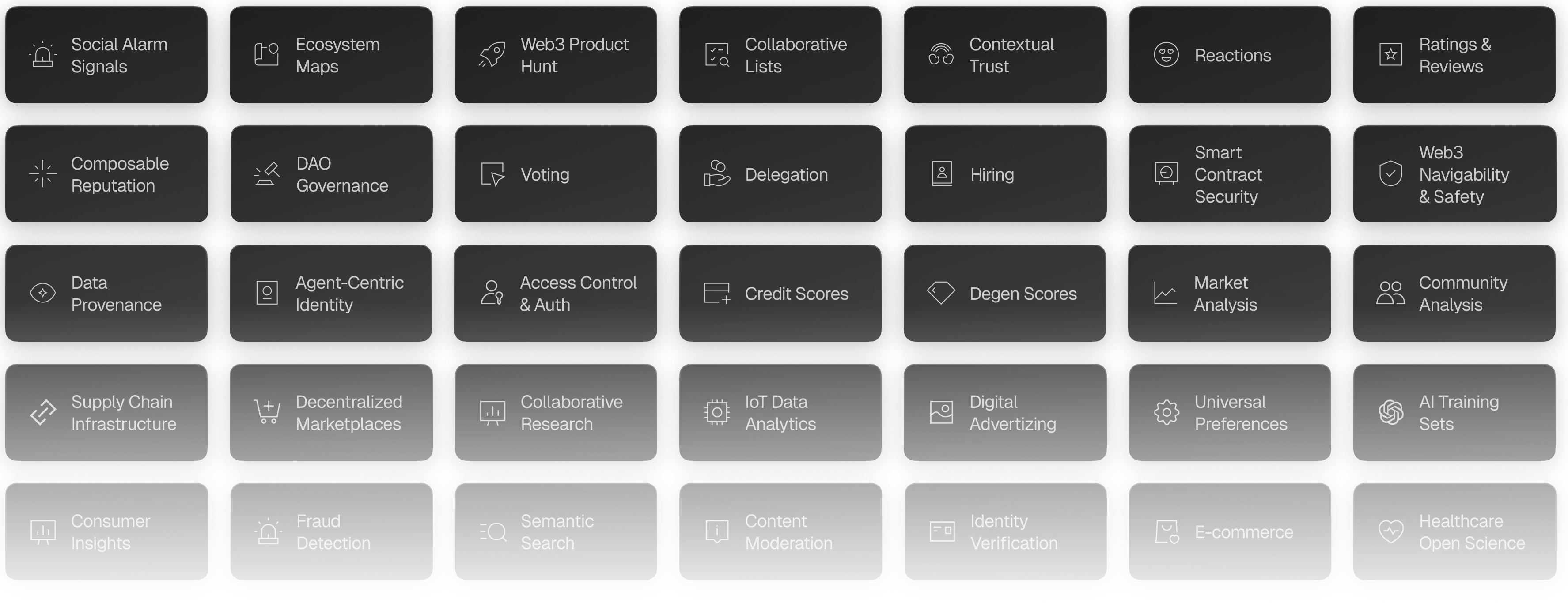
This article outlines use cases that take advantage of Intuition's unique knowledge graph and claim infrastructure. There are many more ways to use Intuition (and we would love to see what you come up with!), but here are some ideas to get you started.
## List Curation & Ranking Systems
Intuition can be used to create permissionless, community-curated ranked lists and registries. Anyone can create a list that groups together identities with a common claim about them (such as sharing a common tag, use case, purpose, etc). The list can then be curated by the original uploader and anyone else on the platform by adding additional identities or supporting/opposing each item with a financial stake to change it’s ranking. Users can filter and sort results from that list to find what matters to them. They can see the global list of everything added by anyone, just their own contributions, or items vetted by people they follow or trust.
- Web3 Ecosystem: Curate trusted smart contracts, addresses, DeFi protocols, memecoins, NFT communities, and Web3 games based on reputation formed by on-chain metadata and user attestations
- AI resources: Find and orchestrate trusted AI agents based on rich metadata and on-chain reputation, know the best models based on community feedback, and train AI with validated data sources and efficiently structured knowledge
- Entertainment and media: Rank top and emerging music, movies, news sources, podcasts, sports teams, and more based on staked TRUST “support” positions and attestations from users you follow who share your taste
- Data and Research: Find the most reliable data sources and reports based on peer review attestations and supporting positions from trusted colleagues
- Consumer Products: Find and help rank top-rated consumer products, applications, and more
- Product improvements: Have your community share their top feature requests and bugs to fix so you can prioritize which to tackle first
- Travel: Uncover popular travel destinations through collective recommendations
## Verification and Fraud Protection
Intuition helps trusted experts flag potentially dangerous websites, smart contracts, products, and more using structure claims to help everyday consumers stay safe.
- Decentralized Information Validation: Engage a distributed community to verify and endorse the accuracy and authenticity of any data (e.g. smart contracts, information, packaged good supply chains, images, news, etc)
- Fraud Detection and Alerts: Engage a worldwide team of incentivized auditors and moderators to report potentially dangerous or fraudulent activities, including crypto scams and malicious AI agents, and alert users when they are about to engage with a threat on the Web.
- Curator & Auditor Recognition: Rank individuals—whether they're auditing contracts or curating news—based on their proficiency, accuracy, and community credibility. This ensures a transparent trajectory in both contract auditing and news curation.
## Community-Owned Social Platforms
Intuition creates on-chain decentralized identities for people and concepts, and allows any account to make verifiable claims about themselves and others. These primitives can form the basis of powerful social networks, driven by publicly visible and searchable graphs of verified connections and attestations.
- Portable On-Chain Identity: Each person on the social network gets a self-sovereign identity, allowing them to own their verifiable data (claims by and about them) and make it portable to any other system, instead of being locked into keeping their data with a single platform.
- Advanced Signaling and Verification: Transform traditional up-vote/down-vote and/or likes/dislikes into attestations, offering richer feedback and community insights for debates, conversations, and more.
- Member Credibility: Promote trust between distributed community members by highlighting verifiable achievements and certifications, providing community reputation attestations and scores, and more.
## Incentivized Ratings and Referrals
Using claims, Intuition can provide on-chain ratings and referrals for media, software, travel destinations, and more. Tastemakers can earn money by being early to place support or oppose financial positions to rate promising items they know their communities will find relevant, capturing fees when subsequent reviewers follow suite.
- Attestation-Backed Ratings: Transition from simplistic star ratings to attestations, ensuring each review reflects a more comprehensive and verified experience
- Transparent Reviewer Profiles: Utilize attestations to validate reviewer authenticity, experience, and expertise, giving more weight to trusted community members' feedback
- Community-Driven Trustworthiness: Allow community members to vouch for or against reviews, enhancing the credibility of feedback and reducing the impact of fraudulent reviews.
- Simple Referrals: Businesses can request referrals for their offerings from tastemakers, rewarding those tastemakers financially when others catch on, place their own support position, and make the offering go viral.
- Review Aggregation & Insights: Harness the power of structured attestation data to generate summary insights from reviews, helping customers make informed decisions faster and helping businesses understand their strengths and areas of improvement.
## Q&A Platforms
Question and answer platforms can yield results from structured knowledge sharing, support/oppose positions on claims, and in-depth identity and reputation for each participant.
- Claiming Expertise: Users self-attest areas of knowledge, setting the stage for their contributions and peer review.
- Community Attestations: Peer validation of answers allows for real-time quality & sentiment checks.
- Verification: Answer validation is reinforced by the wisdom of the crowd, balancing answer credibility.
- Reputation Building: Continuous positive attestations lead to a trustworthy reputation score, distinguishing genuine experts from the crowd.
## Reputation scores
Intuition facilitates both financial and social signals about identities and claims to help people construct their own sense of reputation for things they encounter. From these primitives, third-party developers can construct reputation scores that make this contextual trust easy to interpret.
- Trustworthiness Index: Evaluate entities based on their past track record and overarching conduct within different contexts.
- Platform Credibility: Prioritize platforms known for specific things - such as undercollateralized lending - spotlighting those with a track record for precise credit evaluations.
- Credit Scoring: Harness the transparency of blockchain for decentralized credit scores, presenting a holistic and immutable snapshot of an individual's or entity's lending history.
- Lending Confidence: Empower lenders to confidently engage in undercollateralized loans, underpinned by clear and transparent Web3 credit reputation metrics.
## Oracles
Decentralized applications can use on-chain claims made by trusted accounts managed by people or secure bots (or a combination of these entities and their collective opinions) in Intuition to trigger other on-chain events.
- Consensus Result Extraction: Derive a data beacon or collective answer based on the weight and credibility of aggregated attestations, and use it to provide triggers for smart contract logic.
- Censorship Resistance: Define trust so that any entity that fits the criteria can support dApps with reliable information to guide actions, free of censorship.
## Business, Employment & Consulting Platforms
Companies and consultancies, as well as the people who work for them, can use decentralized identifiers and claims made by those that have done business with them to determine whether their potential collaborators are trustworthy and fit for the task at hand.
- Professional Credibility: Evaluate the authenticity of individuals, organizations, and services based on proven credentials.
- Expertise Showcase: Verify the skills, experiences, and specializations of consultants to match with appropriate projects or clients.
- Credential-Based Products: Incorporate platforms enhanced with reputation systems to assess credibility and reliability in the consulting domain.
- Collaborative Experiences: Attest to the quality and outcome of consulting projects and share insights from fruitful partnerships.
- Consultation Metrics: Utilize advanced tools and analytics to measure the impact and effectiveness of consulting services offered.
- Transparent Feedback Loop: Allow clients to provide feedback on consulting services, ensuring continual improvement and trust-building in the community.
## Verified Voting
Verified community members can create proposals as identities, then allow other community members to make claims about those proposals with evidence, support or oppose the proposals, or rank the proposals in a list to signal what the community should handle next.
- Identity Assurance: Implement mechanisms to ensure that each vote is tied to a verified identity, eliminating duplicate votes and ensuring transparency.
- Hackathon Judging: Accurately capture and reflect community votes to determine hackathon winners and associated projects, fostering a fair competitive environment.
- DAO Proposal Voting: Promote permissionless executions grounded in community consensus and sentiment, enabling decentralized decisions with integrity.
- Vote Attestation: Allow members to vouch for or challenge voting results, adding an additional layer of community-backed verification to the process.
- Reputation-Based Voting Power: Adjust the weight of votes based on the track record and credibility of members, ensuring experienced voices have a significant say.
## Trading Knowledge
Intuition can help surface knowledgable market voices, and even gather intelligence on bullish opportunities through curated lists of assets with support or oppose positions to signal their attractiveness as an investment.
- Evaluate and ascertain the credibility of traders or investors based on historical decisions, profitability, and ethical behavior.
- Assess and rank trading/investment platforms using community-driven reviews, transaction success rates, and security protocols.
- Determine the trustworthiness of diverse investment assets through community ratings, feedback, and historical performance benchmarks.
## Verifiable Predictions, Claims & Forecasting
Intuition can help people signal what they believe will happen next or be advantageous in the future, making early verifiable claims about events or opportunities and putting financial positions behind them to communicate their certainty. These claims and commitments can be used by others who need to decide what’s most likely to happen in the future, like a perpetual, non-resolving prediction market.
- Know Your Futurist: Elevate trusted voices whose foresight consistently aligns with events and who posses domain knowledge, emphasizing their expertise within the community.
- Provable Track Records: Assess past predictions in the form of claims from thought leaders in Intuition, including any financial stake they placed on the prediction, to determine their likelihood of correctly predicting future events.
---
title: "Why Intuition?"
description: "Understanding the trust crisis Intuition addresses and our mission to rebuild the internet's trust architecture"
last_updated: "2026-01-05T17:16:01-08:00"
source: "https://docs.intuition.systems/docs/getting-started/why-intuition"
---
# Why Intuition?
> **Every interaction online is an attestation.**
> A review or a purchase on Amazon, a comment on Reddit, the watching of a show on Netflix, a retweet, a LinkedIn endorsement, a 'follow', a bookmark, the ordering of an Uber, even a "like" — all are forms of attestations: claims made by things about things.
But attestations today are fragmented, unverifiable, and platform-locked. They don't move with you. They don't carry weight. They aren't semantically structured and unambiguously consumable by machines.
**Intuition changes that.** We've rebuilt attestations as first-class, tokenized primitives — structured, portable, and economically backed. _Attestations on steroids._
## Decentralizing Information with Attestations
**Blockchains decentralized money.
Intuition decentralizes information — by offering next-generation attestation infrastructure.**
An attestation in Intuition isn't just a line of text. It's:
- **Verifiable** — signed and attributable
- **Ownable** — belongs to the creator, not a platform
- **Discoverable** — structured as a Triple (subject → predicate → object)
- **Valuable** — backed by economic incentives through bonding curves
This turns the messy stream of human expression into a global knowledge substrate that's actually useful to developers, communities, and AI agents.
## Information Finance: Attestations as Assets
Intuition pioneers **Information Finance (InfoFi)**: the idea that information can be valued and exchanged just like money.
- **Ideas become assets** — an attestation isn't just data, it's collateralized
- **Reputation becomes capital** — your attestations are your portfolio of credibility
- **Knowledge flows freely** — attestations aren't siloed; they're cross-platform and composable
Attestations are no longer passive byproducts of online activity — they're programmable building blocks for apps and agents.
## The $200 Trillion Problem
The global knowledge economy is worth over **$200 trillion**, yet:
- Most of its value is created by individuals
- Less than 1% of that value flows back to the creators
- Instead, tech monopolies capture and silo it
**The result:** broken rails, misinformation, and AI systems consuming oceans of low-quality data without provenance.
Attestations are the missing rails. When data becomes signed, tokenized, and portable, it allows value to flow back to contributors and trust to flow into the systems that need it most.
## Rebuilding the Rails of Knowledge
Intuition makes attestations first-class protocol objects. That means:
- **Facts, claims, and perspectives** are all structured as attestations
- **Credibility is collateralized** — good attestations earn rewards; bad ones cost you stake
- **Distribution is programmatic** — attestations move frictionlessly across apps, chains, and agents
Think of it as the Ethereum moment for knowledge: where attestations flow as freely as tokens, powering new classes of decentralized infrastructure.
## Programmatic Monetization and Distribution
Attestations aren't just portable — they're **monetizable**.
With Intuition, every attestation can plug into programmatic distribution rails:
- Censorship-resistant search and discovery
- Verifiable knowledge bases
- Open data marketplaces
- Training sets for AI agents
Each attestation carries weight, liquidity, and discoverability, ensuring no single platform can gate what's visible or valuable.
## From Information → Intuition
Why does this matter? Because **raw information without provenance is noise.**
Attestations, structured and economically backed, create a higher-resolution understanding of the world. They transform scattered data into collective intuition — fueling smarter AI, safer markets, and more confident human decision-making.
## Reviving the Semantic Web with Crypto-Economic Consensus
The Semantic Web failed because it required global consensus on standards without incentives to achieve it. Different organizations created competing schemas, vocabularies fragmented, and there was no mechanism to converge on shared identifiers.
**Intuition solves this with crypto-economics** — the same force that achieves distributed consensus in blockchains now drives semantic standardization:
- **Incentivized identifiers** — stake on canonical IDs for entities, creating economic pressure toward convergence
- **Market-driven standards** — the most useful data structures attract the most stake and become de facto standards
- **Emergent interoperability** — economic incentives naturally align participants toward compatible schemas
- **Consensus through collateralization** — disagreements resolve through staking, not committees
Where the Semantic Web asked the world to voluntarily agree on standards, Intuition makes consensus profitable. Attestations become the economic glue that binds distributed actors to shared semantic structures.
## For Developers
If you're building applications that need identity, reputation, trust, or structured data — Intuition isn't optional. It's infrastructure.
Data Layer Included
Inherit identity, reputation, and trust systems. No rebuilding from scratch.
Network Effects
Every attestation joins a liquid ecosystem. Your users' data compounds globally.
Economic Rails
Bonding curves, staking, and rewards built in. Monetization without infrastructure.
AI-Ready
Verifiable context for AI agents. Training data with provenance.
Don't rebuild isolated systems. Plug into shared infrastructure.
---
## For Users
Your data has value. Your opinions matter. Your reputation should be yours.
Own Your Data
Your attestations belong to you, not platforms. Take them anywhere.
Earn Value
Get rewarded when your contributions prove useful to others.
Trust What You See
Know who said what, with what stake behind it.
One Identity
Portable reputation across all apps and chains.
Shape Knowledge
Contribute to humanity's shared knowledge graph.
---
## How It Works: Skin in the Game
On Intuition, every attestation has consequences:
- **Publish a useful attestation** → earn reputation and rewards
- **Publish misinformation** → lose your stake and credibility
- **Signal strong conviction** → stake more on your attestation
- **Build trust** → accumulate a reputation that travels with you
- **Use consensus identifiers** → earn more by aligning with the network
- **Fork data structures** → lose money by fragmenting liquidity
This flips today's internet incentives: no longer "reward the loudest," but reward the most credible and interoperable attestations.
### The Fork Choice Rule for Data
Just like blockchains have fork choice rules that determine the canonical chain, Intuition creates economic pressure toward canonical identifiers and data structures. **When you use consensus identifiers, you tap into existing liquidity pools and network effects. When you create competing forks, you isolate yourself economically.**
**Example:** Imagine two identifiers for "Ethereum":
- **Identifier A**: Used by 10,000 attestations with $1M total stake
- **Identifier B**: Used by 50 attestations with $5K total stake
If you make an attestation about Ethereum:
- Using **Identifier A** → Your attestation joins a liquid market, benefits from network effects, earns higher rewards
- Using **Identifier B** → Your attestation is isolated, has minimal visibility, earns negligible rewards
The economic incentive is clear: converge on consensus or pay the price. This same dynamic applies to data structures, schemas, and semantic relationships. The network naturally evolves toward maximum interoperability because **consensus literally pays.**
## Digital Sovereignty and Data Ownership
**Your attestations are yours.** Not Facebook's, not LinkedIn's, not OpenAI's.
- You **own** them
- You **control** who can access them
- You **capture** the value they generate
- They **travel** with you across every app, chain, or agent
Attestations become the backbone of digital sovereignty.
## The Trust Layer for AI
AI doesn't just need more data — it needs **verifiable attestations about data**:
- Who said it
- With what reputation
- With what conviction
Intuition provides the trust graph of attestations. AI systems can finally ground themselves in data with provenance, weights, and economic signals — not just raw text.
This makes AI more reliable while ensuring humans share in the value of the knowledge they produce.
## What You Can Build
By treating attestations as programmable primitives, you can create:
- **Verifiable identity systems**
- **Reputation networks** powered by attestations
- **Decentralized fact-checking** with stakes
- **AI agents** that reason over attestations as context
- **Information markets** where attestations themselves are the assets
## Join the Movement
Intuition is about reclaiming the internet by giving attestations real weight.
Whether you're a developer, researcher, or community builder, your contributions aren't just ephemeral posts — they're portable, valuable attestations that strengthen the global knowledge graph.
**Together, we can rebuild the web around truth, attribution, and trust.**
---
title: "Choose Appropriate Operators"
description: "Use the right comparison operator for the job"
last_updated: "2026-01-05T17:16:01-08:00"
source: "https://docs.intuition.systems/docs/graphql-api/best-practices/comparison-operators"
---
# Choose Appropriate Operators
Use the right comparison operator for better performance.
## Anti-Pattern
```graphql
# BAD: Using _ilike for exact matches
query GetAccount($address: String!) {
accounts(where: { id: { _ilike: $address } }) {
id
label
}
}
```
## Best Practice
```graphql
# GOOD: Use _eq or primary key lookup
query GetAccount($address: String!) {
account(id: $address) {
id
label
}
}
```
## Operator Guidelines
- **_eq**: Exact matches (fastest)
- **_ilike**: Case-insensitive pattern matching (slower)
- **_in**: Multiple values
- **_gt/_lt**: Comparisons
- **Primary key lookup**: Most efficient (when possible)
---
title: "Use Database Functions"
description: "Leverage backend functions for complex queries"
last_updated: "2026-01-05T17:16:01-08:00"
source: "https://docs.intuition.systems/docs/graphql-api/best-practices/database-functions"
---
# Use Database Functions
Use backend functions for complex queries instead of client-side filtering.
## Anti-Pattern
```graphql
# BAD: Manual filtering for social queries
query GetFollowingManually($address: String!) {
my_positions: positions(where: { account_id: { _eq: $address } }) {
vault {
term {
triple {
# Complex filtering in application code...
}
}
}
}
}
```
## Best Practice
```graphql
# GOOD: Using database functions
query GetFollowingEfficiently($address: String!) {
following(args: { address: $address }) {
id
label
atom {
term_id
label
}
}
}
```
## Available Functions
- `following`: Get accounts a user follows
- `positions_from_following`: Social feed of positions
- `search_term`: Semantic search
- `signals_from_following`: Activity from followed accounts
## Benefits
1. **Faster execution**: Runs in database
2. **Less data transfer**: Filtered server-side
3. **More maintainable**: Logic in one place
---
title: "Error Handling"
description: "Handle GraphQL errors gracefully"
last_updated: "2026-01-05T17:16:01-08:00"
source: "https://docs.intuition.systems/docs/graphql-api/best-practices/error-handling"
---
# Error Handling
Handle GraphQL errors gracefully in your application.
## Error Structure
```json
{
"data": null,
"errors": [
{
"message": "Field 'nonexistent_field' not found in type 'atoms'",
"extensions": {
"path": "$.selectionSet.atoms.selectionSet.nonexistent_field",
"code": "validation-failed"
}
}
]
}
```
## Error Types
- **validation-failed**: Query syntax or schema validation error
- **constraint-violation**: Database constraint violated
- **unexpected**: Internal server error
## Best Practice
```typescript
import { GraphQLClient, ClientError } from 'graphql-request'
try {
const data = await client.request(query, variables)
console.log('Success:', data)
} catch (error) {
if (error instanceof ClientError) {
console.error('GraphQL errors:', error.response.errors)
console.error('Status:', error.response.status)
} else {
console.error('Network error:', error)
}
}
```
## Tips
1. **Check errors array**: GraphQL can return partial data with errors
2. **Log error details**: Include query and variables for debugging
3. **Show user-friendly messages**: Don't expose internal errors
4. **Implement retry logic**: For network failures
---
title: "Efficient Filtering"
description: "Use indexed fields and appropriate operators"
last_updated: "2026-01-05T17:16:01-08:00"
source: "https://docs.intuition.systems/docs/graphql-api/best-practices/filtering"
---
# Efficient Filtering
Filter early and use indexed fields for better performance.
## Best Practice
```graphql
query GetFilteredAtoms($type: atom_type!, $since: timestamptz!) {
atoms(
where: {
type: { _eq: $type }
created_at: { _gte: $since }
}
limit: 100
) {
term_id
label
}
}
```
## Indexed Fields
These fields have database indexes:
- `term_id` (primary key)
- `creator_id`
- `type`
- `created_at`
## Operator Selection
- Use `_eq` for exact matches (not `_ilike`)
- Use `_ilike` only for pattern matching
- Use `_in` for multiple values
- Combine filters with `_and` for specificity
---
title: "Use Fragments"
description: "Reuse field selections with GraphQL fragments"
last_updated: "2026-01-05T17:16:01-08:00"
source: "https://docs.intuition.systems/docs/graphql-api/best-practices/fragments"
---
# Use Fragments
Reuse field selections across queries with GraphQL fragments.
## Anti-Pattern
```graphql
# BAD: Duplicating field selections
query GetTriple($id: String!) {
triple(term_id: $id) {
subject {
term_id
label
creator { id label }
}
predicate {
term_id
label
creator { id label }
}
object {
term_id
label
creator { id label }
}
}
}
```
## Best Practice
```graphql
# GOOD: Using fragments
fragment AtomBasics on atoms {
term_id
label
creator {
id
label
}
}
query GetTriple($id: String!) {
triple(term_id: $id) {
subject { ...AtomBasics }
predicate { ...AtomBasics }
object { ...AtomBasics }
}
}
```
## Benefits
1. **DRY code**: Define once, use everywhere
2. **Easier maintenance**: Update in one place
3. **Consistent data**: Same fields across queries
4. **Better readability**: Named, semantic units
---
title: "Pagination Best Practices"
description: "Efficient pagination with limit and offset"
last_updated: "2026-01-05T17:16:01-08:00"
source: "https://docs.intuition.systems/docs/graphql-api/best-practices/pagination"
---
# Pagination Best Practices
Always use limit and offset for efficient pagination with consistent ordering.
## Best Practice
```graphql
query GetAtomsPage($limit: Int!, $offset: Int!) {
total: atoms_aggregate {
aggregate {
count
}
}
atoms(
limit: $limit
offset: $offset
order_by: { created_at: desc }
) {
term_id
label
}
}
```
## Key Points
1. **Always include order_by** for consistent results
2. **Fetch total count** using aggregates
3. **Use reasonable limits** (10-100 items per page)
4. **Calculate offset** as `(page - 1) * limit`
---
title: "Query Performance"
description: "Optimize GraphQL query performance"
last_updated: "2026-01-05T17:16:01-08:00"
source: "https://docs.intuition.systems/docs/graphql-api/best-practices/performance"
---
# Query Performance
Optimize your GraphQL queries for better performance.
## Performance Checklist
### 1. Use Indexed Fields for Filtering
**Indexed fields:**
- `term_id` (primary keys)
- `creator_id`
- `type`
- `created_at`
- `account_id`
```graphql
# GOOD: Filtering by indexed fields
query GetAtoms($type: atom_type!, $since: timestamptz!) {
atoms(
where: {
type: { _eq: $type }
created_at: { _gte: $since }
}
) {
term_id
label
}
}
```
### 2. Request Only Needed Fields
```graphql
# GOOD: Minimal field selection
query GetAtoms {
atoms(limit: 10) {
term_id
label
}
}
```
### 3. Use Aggregates Instead of Fetching All Nodes
```graphql
# GOOD: Use aggregates for counts
query CountPositions($accountId: String!) {
positions_aggregate(where: { account_id: { _eq: $accountId } }) {
aggregate {
count
}
}
}
```
### 4. Limit Nested Queries
```graphql
# GOOD: Limit depth and breadth
query GetAtomWithTriples($id: String!) {
atom(term_id: $id) {
label
as_subject_triples(limit: 10) {
predicate { label }
object { label }
}
}
}
```
### 5. Use Primary Key Lookups When Possible
```graphql
# GOOD: Direct primary key lookup
query GetAtom($id: String!) {
atom(term_id: $id) {
term_id
label
}
}
```
### 6. Paginate Large Result Sets
```graphql
# GOOD: Always use limit
query GetAtoms($limit: Int!, $offset: Int!) {
atoms(
limit: $limit
offset: $offset
order_by: { created_at: desc }
) {
term_id
label
}
}
```
### 7. Use Pre-Computed Tables
```graphql
# GOOD: Use time-series tables
query GetDailyStats($termId: String!, $curveId: numeric!) {
share_price_change_stats_daily(
where: {
term_id: { _eq: $termId }
curve_id: { _eq: $curveId }
}
limit: 30
) {
bucket
difference
}
}
```
### 8. Leverage Database Functions
```graphql
# GOOD: Use backend functions
query GetFollowing($address: String!) {
following(args: { address: $address }) {
id
label
}
}
```
## Monitoring
- Profile query execution time
- Monitor response payload sizes
- Track cache hit rates
- Watch for N+1 query patterns
---
title: "Use Pre-Computed Statistics"
description: "Leverage time-series tables for analytics"
last_updated: "2026-02-19T15:00:01-05:00"
source: "https://docs.intuition.systems/docs/graphql-api/best-practices/pre-computed-stats"
---
# Use Pre-Computed Statistics
Leverage time-series aggregation tables for efficient analytics.
## Anti-Pattern
```graphql
# BAD: Computing trends from raw events
query GetPriceHistory($termId: String!) {
share_price_changes(
where: { term_id: { _eq: $termId } }
order_by: { updated_at: asc }
) {
updated_at
share_price
total_assets
total_shares
}
}
# Then computing daily aggregates in application code
```
## Best Practice
```graphql
# GOOD: Using pre-computed daily statistics
query GetDailyPriceStats($termId: String!, $curveId: numeric!) {
share_price_change_stats_daily(
where: {
term_id: { _eq: $termId }
curve_id: { _eq: $curveId }
}
order_by: { bucket: desc }
limit: 30
) {
bucket
first_share_price
last_share_price
difference
change_count
}
}
```
## Available Tables
- `share_price_change_stats_hourly/daily/weekly/monthly`
- `signal_stats_hourly/daily/monthly`
## Benefits
1. **Faster queries**: Pre-aggregated data
2. **Less computation**: Done server-side
3. **Smaller payloads**: Aggregated vs raw data
4. **Better UX**: Faster dashboard loading
---
title: "Request Only Needed Fields"
description: "Avoid over-fetching by requesting only required fields"
last_updated: "2026-01-05T17:16:01-08:00"
source: "https://docs.intuition.systems/docs/graphql-api/best-practices/request-only-needed"
---
# Request Only Needed Fields
Avoid over-fetching by requesting only the fields you actually need.
## Anti-Pattern
```graphql
# BAD: Fetching all fields when you only need a few
query GetAtoms {
atoms(limit: 10) {
term_id
data
label
image
emoji
type
wallet_id
block_number
created_at
transaction_hash
creator_id
creator {
id
label
image
atom_id
type
}
# ... many more fields you don't need
}
}
```
## Best Practice
```graphql
# GOOD: Request only what you need
query GetAtoms {
atoms(limit: 10) {
term_id
label
image
}
}
```
## Benefits
1. **Faster queries**: Less data to fetch and serialize
2. **Reduced bandwidth**: Smaller response payloads
3. **Lower memory usage**: Less data to process client-side
4. **Better caching**: Smaller cache footprints
## Tips
- Start minimal and add fields as needed
- Remove unused fields from queries
- Use fragments for commonly requested field sets
- Profile queries to identify over-fetching
---
title: "Subscriptions vs Polling"
description: "When to use subscriptions vs polling"
last_updated: "2026-01-05T17:16:01-08:00"
source: "https://docs.intuition.systems/docs/graphql-api/best-practices/subscriptions-vs-polling"
---
# Subscriptions vs Polling
Choose the right approach for your data update needs.
## Use Subscriptions When
- Building real-time dashboards
- Monitoring live protocol activity
- Data changes frequently (multiple times per minute)
- User expects immediate updates
- Creating notification systems
**Example:**
```graphql
subscription WatchMyPositions($cursor: [positions_stream_cursor_input]!) {
positions_stream(cursor: $cursor, batch_size: 10) {
id
shares
vault { current_share_price }
}
}
```
## Use Polling When
- Data updates infrequently (e.g., daily statistics)
- Real-time updates aren't critical for UX
- Minimizing server connections is important
- Building static reports or analytics
**Example:**
```graphql
query GetStats {
stats {
total_accounts
total_atoms
total_triples
}
}
# Poll every 30 seconds or on user action
```
## Guidelines
- **Polling interval**: 30-60 seconds for most use cases
- **Subscription batch_size**: 10-50 items
- **Handle reconnections**: Store last cursor for resumability
---
title: "Use Variables"
description: "Always use variables for dynamic values"
last_updated: "2026-01-05T17:16:01-08:00"
source: "https://docs.intuition.systems/docs/graphql-api/best-practices/variables"
---
# Use Variables
Always use variables for dynamic values instead of hardcoding.
## Anti-Pattern
```graphql
# BAD: Hardcoding values
query {
atoms(where: { type: { _eq: Person } }) {
term_id
label
}
}
```
## Best Practice
```graphql
# GOOD: Using variables
query GetAtomsByType($type: atom_type!) {
atoms(where: { type: { _eq: $type } }) {
term_id
label
}
}
```
**Variables:**
```json
{
"type": "Person"
}
```
## Benefits
1. **Reusability**: Same query, different values
2. **Type safety**: GraphQL validates variable types
3. **Security**: Prevents injection attacks
4. **Caching**: Better query plan caching
---
title: "Custom Queries"
description: "Common GraphQL query examples and patterns for the Intuition API"
last_updated: "2026-02-28T21:52:51-05:00"
source: "https://docs.intuition.systems/docs/graphql-api/custom-queries"
---
# Custom Queries
This page provides practical examples of common GraphQL queries for the Intuition API.
## Best Practices
1. **Use Fragments**: Create reusable fragments for common fields
2. **Optimize Queries**: Only request the fields you need
3. **Handle Errors**: Always implement proper error handling
4. **Cache Strategically**: Use React Query's caching capabilities
5. **Type Safety**: Leverage generated types for better development experience
## Basic Queries
### Fetching a Single Atom
Use the primary key lookup for fetching a single atom by its `term_id`:
```graphql
query GetAtom($term_id: String!) {
atom(term_id: $term_id) {
term_id
label
image
type
created_at
creator {
id
label
}
value {
thing { name description url }
person { name description url }
organization { name description url }
}
}
}
```
### Fetching Triples
Query triples with Hasura's `where` filtering:
```graphql
query GetTriples($subjectId: String, $predicateLabel: String, $limit: Int = 20) {
triples(
where: {
subject_id: { _eq: $subjectId }
predicate: { label: { _ilike: $predicateLabel } }
}
order_by: { created_at: desc }
limit: $limit
) {
term_id
subject {
term_id
label
}
predicate {
term_id
label
}
object {
term_id
label
}
created_at
}
}
```
### Fetching Signals
Query signal events for a specific atom or account:
```graphql
query GetSignals($accountId: String!, $limit: Int = 20) {
signals(
where: { account_id: { _eq: $accountId } }
order_by: { created_at: desc }
limit: $limit
) {
id
delta
atom_id
triple_id
created_at
account {
label
}
}
}
```
## Advanced Queries
### Search
Use the `search_term` database function for text search:
```graphql
query SearchAtoms($query: String!, $limit: Int = 20) {
search_term(args: { query: $query }, limit: $limit) {
id
type
atom {
label
image
creator {
id
label
}
}
}
}
```
### Pagination
Hasura uses offset-based pagination with `limit` and `offset`:
```graphql
query GetAtomsPaginated($limit: Int!, $offset: Int!) {
atoms_aggregate {
aggregate {
count
}
}
atoms(
limit: $limit
offset: $offset
order_by: { created_at: desc }
) {
term_id
label
image
type
created_at
}
}
```
## React Query Hooks
### Using Generated Hooks
```tsx
import { useGetAtomQuery } from '@0xintuition/graphql'
function AtomViewer({ atomId }: { atomId: string }) {
const { data, isLoading, error } = useGetAtomQuery({
variables: { termId: atomId }
})
if (isLoading) return
Loading...
if (error) return
Error: {error.message}
return (
{data?.atom?.label}
Type: {data?.atom?.type}
)
}
```
### Custom Hooks
```tsx
import { useQuery } from '@tanstack/react-query'
import { GraphQLClient } from 'graphql-request'
import { API_URL_PROD } from '@0xintuition/graphql'
const client = new GraphQLClient(API_URL_PROD)
function useCustomAtomQuery(termId: string) {
return useQuery({
queryKey: ['atom', termId],
queryFn: () => client.request(`
query GetAtom($term_id: String!) {
atom(term_id: $term_id) {
term_id
label
image
type
}
}
`, { term_id: termId }),
enabled: !!termId
})
}
```
---
title: "Activity Feed"
description: "Build real-time activity feed"
last_updated: "2026-02-28T21:52:51-05:00"
source: "https://docs.intuition.systems/docs/graphql-api/examples/activity-feed"
---
# Activity Feed
# Example: Activity Feed
Build an activity feed showing recent protocol activity.
## Query
id: 'recent-activity',
title: 'Recent Protocol Activity',
query: `query GetRecentActivity($limit: Int!) {
deposits(
order_by: { created_at: desc }
limit: $limit
) {
id
sender_id
assets_after_fees
created_at
vault {
term {
atom { label }
redemptions(
order_by: { created_at: desc }
limit: $limit
) {
id
receiver_id
assets
created_at
}`,
variables: {
limit: 10
];
---
title: "Atom with Vault"
description: "Fetch atom details with vault statistics"
last_updated: "2026-01-05T17:16:01-08:00"
source: "https://docs.intuition.systems/docs/graphql-api/examples/atom-with-vault"
---
# Atom with Vault
# Example: Atom with Vault
Fetch atom metadata along with vault statistics.
## Use Case
Display atom information with market data on a detail page.
## Query
id: 'atom-with-vault',
title: 'Atom with Vault Info',
query: `query GetAtomWithVault($atomId: String!, $curveId: numeric!) {
atom(term_id: $atomId) {
term_id
label
image
type
created_at
creator {
id
label
term {
vaults(where: { curve_id: { _eq: $curveId } }) {
curve_id
total_shares
total_assets
current_share_price
market_cap
position_count
}`,
variables: {
atomId: '0x57d94c116a33bb460428eced262b7ae2ec6f865e7aceef6357cec3d034e8ea21',
curveId: '1'
];
## Implementation
```typescript
import { GraphQLClient } from 'graphql-request'
import { API_URL_PROD } from '@0xintuition/graphql'
const client = new GraphQLClient(API_URL_PROD)
const query = `
query GetAtomWithVault($atomId: String!, $curveId: numeric!) {
atom(term_id: $atomId) {
term_id
label
image
term {
vaults(where: { curve_id: { _eq: $curveId } }) {
total_shares
market_cap
position_count
}
}
}
}
`
const data = await client.request(query, {
atomId: '0x...',
curveId: '1'
})
```
---
title: "Complex Filtering"
description: "Multi-criteria search and filtering"
last_updated: "2026-01-05T17:16:01-08:00"
source: "https://docs.intuition.systems/docs/graphql-api/examples/complex-filtering"
---
# Complex Filtering
# Example: Complex Filtering
Implement multi-criteria search across entities.
## Query
id: 'global-search',
title: 'Global Search',
query: `query GlobalSearch($searchTerm: String!, $limit: Int!) {
accounts(
where: {
_or: [
{ label: { _ilike: $searchTerm } }
{ atom: { label: { _ilike: $searchTerm } } }
]
limit: $limit
) {
id
label
image
atoms(
where: { label: { _ilike: $searchTerm } }
limit: $limit
) {
term_id
label
image
type
triples(
where: {
_or: [
{ subject: { label: { _ilike: $searchTerm } } }
{ predicate: { label: { _ilike: $searchTerm } } }
{ object: { label: { _ilike: $searchTerm } } }
]
limit: $limit
) {
term_id
subject { label }
predicate { label }
object { label }
}`,
variables: {
searchTerm: '%ethereum%',
limit: 10
];
---
title: "Multi-Language Examples"
description: "GraphQL API usage in Python, Go, and Rust"
last_updated: "2026-01-05T17:16:01-08:00"
source: "https://docs.intuition.systems/docs/graphql-api/examples/multi-language"
---
# Multi-Language Examples
Use the Intuition GraphQL API across different programming languages.
## Python
```python
from gql import gql, Client
from gql.transport.requests import RequestsHTTPTransport
transport = RequestsHTTPTransport(url='https://mainnet.intuition.sh/v1/graphql')
client = Client(transport=transport)
query = gql('''
query GetAtom($id: String!) {
atom(term_id: $id) {
term_id
label
image
}
}
''')
result = client.execute(query, variable_values={'id': '0x...'})
print(result['atom'])
```
## Go
```go
package main
import (
"context"
"fmt"
"github.com/machinebox/graphql"
)
func main() {
client := graphql.NewClient("https://mainnet.intuition.sh/v1/graphql")
req := graphql.NewRequest(`
query GetAtom($id: String!) {
atom(term_id: $id) {
term_id
label
}
}
`)
req.Var("id", "0x...")
var response struct {
Atom struct {
TermID string `json:"term_id"`
Label string `json:"label"`
} `json:"atom"`
}
client.Run(context.Background(), req, &response)
fmt.Printf("Atom: %+v\n", response.Atom)
}
```
## Rust
```rust
use graphql_client::{GraphQLQuery, Response};
#[derive(GraphQLQuery)]
#[graphql(
schema_path = "schema.graphql",
query_path = "get_atom.graphql",
)]
struct GetAtom;
#[tokio::main]
async fn main() -> Result<(), Box> {
let client = reqwest::Client::new();
let variables = get_atom::Variables {
id: "0x...".to_string(),
};
let response = client
.post("https://mainnet.intuition.sh/v1/graphql")
.json(&GetAtom::build_query(variables))
.send()
.await?
.json::>()
.await?;
Ok(())
}
```
---
title: "Price History"
description: "Analyze price trends over time"
last_updated: "2026-01-05T17:16:01-08:00"
source: "https://docs.intuition.systems/docs/graphql-api/examples/price-history"
---
# Price History
# Example: Price History
Analyze share price trends using time-series data.
## Query
id: 'price-trends',
title: 'Daily Price Trends',
query: `query GetPriceTrends($termId: String!, $curveId: numeric!, $days: Int!) {
share_price_change_stats_daily(
where: {
term_id: { _eq: $termId }
curve_id: { _eq: $curveId }
order_by: { bucket: desc }
limit: $days
) {
bucket
first_share_price
last_share_price
difference
change_count
}`,
variables: {
termId: '0x57d94c116a33bb460428eced262b7ae2ec6f865e7aceef6357cec3d034e8ea21',
curveId: '1',
days: 30
];
---
title: "Social Graph"
description: "Build social feed from followed accounts"
last_updated: "2026-01-05T17:16:01-08:00"
source: "https://docs.intuition.systems/docs/graphql-api/examples/social-graph"
---
# Social Graph
# Example: Social Graph
Build a social activity feed from followed accounts.
## Query
id: 'following-feed',
title: 'Following Activity Feed',
query: `query GetFollowingFeed($address: String!, $limit: Int!) {
following_count: following_aggregate(args: { address: $address }) {
aggregate {
count
positions_from_following(
args: { address: $address }
limit: $limit
order_by: { created_at: desc }
) {
id
shares
created_at
account {
id
label
image
vault {
term_id
term {
atom { label image }
}`,
variables: {
address: '0xd8da6bf26964af9d7eed9e03e53415d37aa96045',
limit: 20
];
---
title: "Real-Time Subscriptions"
description: "Implement real-time updates with subscriptions"
last_updated: "2026-01-05T17:16:01-08:00"
source: "https://docs.intuition.systems/docs/graphql-api/examples/subscriptions"
---
# Real-Time Subscriptions
# Example: Real-Time Subscriptions
Implement real-time position monitoring with subscriptions.
## Subscription
id: 'position-stream',
title: 'Live Position Updates',
query: `subscription WatchPositions(
$cursor: [positions_stream_cursor_input]!
$accountId: String
$batchSize: Int!
) {
positions_stream(
cursor: $cursor
batch_size: $batchSize
where: {
account_id: { _eq: $accountId }
shares: { _gt: "0" }
) {
id
shares
vault {
term_id
current_share_price
}`,
variables: {
cursor: [{
initial_value: { created_at: '2024-12-01T00:00:00Z' },
ordering: 'ASC'
}],
accountId: '0xd8da6bf26964af9d7eed9e03e53415d37aa96045',
batchSize: 10
];
## Implementation
```typescript
import { createClient } from 'graphql-ws'
const client = createClient({
url: 'wss://mainnet.intuition.sh/v1/graphql'
})
client.subscribe(
{
query: subscription,
variables: {
cursor: [{ initial_value: { created_at: '2024-12-01T00:00:00Z' }, ordering: 'ASC' }],
accountId: '0x...',
batchSize: 10
}
},
{
next: (data) => {
console.log('Update:', data)
// Update UI with new position data
},
error: (error) => {
console.error('Subscription error:', error)
},
complete: () => {
console.log('Subscription complete')
}
}
)
```
---
title: "Trending Atoms"
description: "Find top atoms by market cap and activity"
last_updated: "2026-01-05T17:16:01-08:00"
source: "https://docs.intuition.systems/docs/graphql-api/examples/trending-atoms"
---
# Trending Atoms
# Example: Trending Atoms
Find top atoms ranked by vault market cap.
## Query
id: 'trending-atoms',
title: 'Top Atoms by Market Cap',
query: `query GetTrendingAtoms($curveId: numeric!, $limit: Int!) {
vaults(
where: { curve_id: { _eq: $curveId } }
order_by: { market_cap: desc }
limit: $limit
) {
term_id
market_cap
position_count
total_shares
term {
atom {
term_id
label
image
type
}`,
variables: {
curveId: '1',
limit: 20
];
---
title: "Triples Pagination"
description: "Paginate through triples with total count"
last_updated: "2026-01-05T17:16:01-08:00"
source: "https://docs.intuition.systems/docs/graphql-api/examples/triples-pagination"
---
# Triples Pagination
# Example: Triples Pagination
Paginate through triples with total count for UI.
## Query
id: 'triples-page',
title: 'Paginated Triples',
query: `query GetTriplesPage($limit: Int!, $offset: Int!) {
total: triples_aggregate {
aggregate {
count
triples(
limit: $limit
offset: $offset
order_by: { created_at: desc }
) {
term_id
created_at
subject { label image }
predicate { label }
object { label image }
}`,
variables: {
limit: 20,
offset: 0
];
---
title: "User Positions"
description: "Fetch all positions for a user with aggregates"
last_updated: "2026-01-05T17:16:01-08:00"
source: "https://docs.intuition.systems/docs/graphql-api/examples/user-positions"
---
# User Positions
# Example: User Positions
Fetch user positions with aggregate statistics.
## Query
id: 'user-positions',
title: 'User Portfolio',
query: `query GetUserPositions($accountId: String!, $limit: Int!) {
stats: positions_aggregate(where: { account_id: { _eq: $accountId } }) {
aggregate {
count
sum { shares }
positions(
where: { account_id: { _eq: $accountId } }
order_by: { shares: desc }
limit: $limit
) {
id
shares
vault {
term_id
current_share_price
market_cap
term {
atom { label image }
}`,
variables: {
accountId: '0xd8da6bf26964af9d7eed9e03e53415d37aa96045',
limit: 20
];
---
title: "Client Setup"
description: "Set up GraphQL clients in JavaScript, Python, Go, and Rust"
last_updated: "2026-01-05T17:16:01-08:00"
source: "https://docs.intuition.systems/docs/graphql-api/getting-started/client-setup"
---
# Client Setup
The Intuition GraphQL API works with any GraphQL client in any language. This guide provides setup examples for popular clients across different languages.
## JavaScript / TypeScript
For JavaScript/TypeScript projects, import endpoints from the package instead of hardcoding them:
```typescript
import { API_URL_PROD, API_URL_DEV } from '@0xintuition/graphql'
// API_URL_PROD = 'https://mainnet.intuition.sh/v1/graphql'
// API_URL_DEV = 'https://testnet.intuition.sh/v1/graphql'
```
### graphql-request
Lightweight and simple GraphQL client:
```typescript
import { GraphQLClient } from 'graphql-request'
import { API_URL_PROD } from '@0xintuition/graphql'
const client = new GraphQLClient(API_URL_PROD)
const query = `
query GetAtom($id: String!) {
atom(term_id: $id) {
term_id
label
image
}
}
`
const data = await client.request(query, { id: '0x...' })
console.log(data.atom)
```
**Installation**:
```bash
npm install graphql-request graphql
```
[graphql-request documentation](https://github.com/jasonkuhrt/graphql-request)
### Apollo Client
Full-featured GraphQL client with caching and React integration:
```typescript
import { ApolloClient, InMemoryCache, gql } from '@apollo/client'
import { API_URL_PROD } from '@0xintuition/graphql'
const client = new ApolloClient({
uri: API_URL_PROD,
cache: new InMemoryCache()
})
const { data } = await client.query({
query: gql`
query GetAtom($id: String!) {
atom(term_id: $id) {
term_id
label
image
}
}
`,
variables: { id: '0x...' }
})
console.log(data.atom)
```
**Installation**:
```bash
npm install @apollo/client graphql
```
[@apollo/client documentation](https://www.apollographql.com/docs/react/)
### urql
Highly customizable and lightweight GraphQL client:
```typescript
import { createClient } from 'urql'
import { API_URL_PROD } from '@0xintuition/graphql'
const client = createClient({
url: API_URL_PROD
})
const query = `
query GetAtom($id: String!) {
atom(term_id: $id) {
term_id
label
}
}
`
const result = await client.query(query, { id: '0x...' }).toPromise()
console.log(result.data.atom)
```
**Installation**:
```bash
npm install urql graphql
```
[urql documentation](https://formidable.com/open-source/urql/docs/)
### Plain fetch
No dependencies required:
```typescript
import { API_URL_PROD } from '@0xintuition/graphql'
const response = await fetch(API_URL_PROD, {
method: 'POST',
headers: { 'Content-Type': 'application/json' },
body: JSON.stringify({
query: `
query GetAtom($id: String!) {
atom(term_id: $id) {
term_id
label
}
}
`,
variables: { id: '0x...' }
})
})
const { data } = await response.json()
console.log(data.atom)
```
## Python
### gql
Type-safe Python GraphQL client:
```python
from gql import gql, Client
from gql.transport.requests import RequestsHTTPTransport
transport = RequestsHTTPTransport(url='https://mainnet.intuition.sh/v1/graphql')
client = Client(transport=transport)
query = gql('''
query GetAtom($id: String!) {
atom(term_id: $id) {
term_id
label
image
}
}
''')
result = client.execute(query, variable_values={'id': '0x...'})
print(result['atom'])
```
**Installation**:
```bash
pip install gql[requests]
```
[gql documentation](https://gql.readthedocs.io/)
### python-graphql-client
Simple and lightweight GraphQL client:
```python
from python_graphql_client import GraphqlClient
client = GraphqlClient(endpoint='https://mainnet.intuition.sh/v1/graphql')
query = '''
query GetAtom($id: String!) {
atom(term_id: $id) {
term_id
label
image
}
}
'''
data = client.execute(query=query, variables={'id': '0x...'})
print(data['data']['atom'])
```
**Installation**:
```bash
pip install python-graphql-client
```
[python-graphql-client documentation](https://github.com/prisma-labs/python-graphql-client)
## Go
### machinebox/graphql
Simple Go GraphQL client:
```go
package main
import (
"context"
"fmt"
"log"
"github.com/machinebox/graphql"
)
func main() {
client := graphql.NewClient("https://mainnet.intuition.sh/v1/graphql")
req := graphql.NewRequest(`
query GetAtom($id: String!) {
atom(term_id: $id) {
term_id
label
image
}
}
`)
req.Var("id", "0x...")
var response struct {
Atom struct {
TermID string `json:"term_id"`
Label string `json:"label"`
Image string `json:"image"`
} `json:"atom"`
}
if err := client.Run(context.Background(), req, &response); err != nil {
log.Fatal(err)
}
fmt.Printf("Atom: %+v\n", response.Atom)
}
```
**Installation**:
```bash
go get github.com/machinebox/graphql
```
[machinebox/graphql documentation](https://github.com/machinebox/graphql)
## Rust
### graphql-client
Type-safe GraphQL client for Rust:
```rust
use graphql_client::{GraphQLQuery, Response};
use reqwest;
#[derive(GraphQLQuery)]
#[graphql(
schema_path = "schema.graphql",
query_path = "get_atom.graphql",
)]
struct GetAtom;
#[tokio::main]
async fn main() -> Result<(), Box> {
let client = reqwest::Client::new();
let variables = get_atom::Variables {
id: "0x...".to_string(),
};
let response = client
.post("https://mainnet.intuition.sh/v1/graphql")
.json(&GetAtom::build_query(variables))
.send()
.await?
.json::>()
.await?;
if let Some(data) = response.data {
println!("Atom: {:?}", data.atom);
}
Ok(())
}
```
**Installation**:
```toml
[dependencies]
graphql_client = "0.13"
reqwest = { version = "0.11", features = ["json"] }
tokio = { version = "1", features = ["full"] }
```
[graphql-client documentation](https://github.com/graphql-rust/graphql-client)
## Error Handling
All GraphQL responses follow the standard error format:
```json
{
"data": null,
"errors": [
{
"message": "Field 'nonexistent_field' not found in type 'atoms'",
"extensions": {
"path": "$.selectionSet.atoms.selectionSet.nonexistent_field",
"code": "validation-failed"
}
}
]
}
```
**Common error types**:
- **validation-failed**: Query syntax or schema validation error
- **constraint-violation**: Database constraint violated
- **permission-denied**: Access to restricted field (not applicable for public API)
- **unexpected**: Internal server error
**Best practices for error handling**:
```typescript
// Example with graphql-request
import { GraphQLClient, ClientError } from 'graphql-request'
try {
const data = await client.request(query, variables)
console.log('Success:', data)
} catch (error) {
if (error instanceof ClientError) {
console.error('GraphQL errors:', error.response.errors)
console.error('Status:', error.response.status)
} else {
console.error('Network error:', error)
}
}
```
## Next Steps
- [Schema Reference](/docs/graphql-api/getting-started/schema-reference) - Learn about schema features
- [Query Patterns](/docs/graphql-api/queries/atoms/single-atom) - Explore common queries
- [Best Practices](/docs/graphql-api/best-practices/request-only-needed) - Optimize your queries
---
title: "Introduction"
description: "Introduction to the Intuition GraphQL API and its capabilities"
last_updated: "2026-01-05T17:16:01-08:00"
source: "https://docs.intuition.systems/docs/graphql-api/getting-started/introduction"
---
# Introduction
# GraphQL API Introduction
The Intuition GraphQL API provides comprehensive access to the Intuition knowledge graph, including atoms (entities), triples (relationships), vaults (asset pools), and user positions. The API is powered by Hasura and offers rich querying capabilities with filtering, sorting, pagination, and aggregations.
## Public Endpoints
No authentication required to access the GraphQL API:
- **Mainnet**: `https://mainnet.intuition.sh/v1/graphql`
- **Testnet**: `https://testnet.intuition.sh/v1/graphql`
## Interactive Explorers
Explore the API interactively with Apollo Studio Sandbox:
- [Mainnet Explorer](https://studio.apollographql.com/sandbox/explorer?endpoint=https%3A%2F%2Fmainnet.intuition.sh%2Fv1%2Fgraphql)
- [Testnet Explorer](https://studio.apollographql.com/sandbox/explorer?endpoint=https%3A%2F%2Ftestnet.intuition.sh%2Fv1%2Fgraphql)
## Core Concepts
### Atoms
**Atoms** are the fundamental entities in the Intuition knowledge graph. Each atom represents an identity, concept, or piece of data (e.g., a person, organization, tag, or blockchain address).
### Triples
**Triples** are statements that connect atoms in subject-predicate-object relationships. For example: `(Alice, knows, Bob)` or `(Document, hasTag, TypeScript)`.
### Vaults
**Vaults** are asset pools associated with atoms and triples. Users deposit assets into vaults and receive shares based on bonding curves.
### Positions
**Positions** represent user ownership (shares) in vaults. Each position tracks an account's shares in a specific vault.
### Accounts
**Accounts** are blockchain addresses participating in the protocol, including:
- User wallets
- Atom wallets (smart contract wallets for atoms)
- Protocol vaults
### Deposits & Redemptions
**Deposits** are transactions where users add assets to vaults and receive shares. **Redemptions** are the reverse: users burn shares to withdraw assets.
### Events
**Events** capture the complete on-chain event history, including deposits, redemptions, atom creation, triple creation, and more.
### Stats
**Stats** provide protocol-wide statistics and aggregated metrics.
## Key Features
The Hasura-powered GraphQL schema provides:
### Powerful Filtering
Use boolean expressions to filter results with operators like `_eq`, `_neq`, `_gt`, `_gte`, `_lt`, `_lte`, `_in`, `_nin`, `_like`, `_ilike`, `_is_null`, `_and`, `_or`, and `_not`.
### Flexible Sorting
Sort results by multiple fields in ascending or descending order using the `order_by` parameter.
### Pagination
Efficiently paginate through large result sets using `limit` and `offset` parameters.
### Aggregations
Compute statistics like count, sum, average, min, max, standard deviation, and variance without fetching all nodes.
### Relationships
Navigate the knowledge graph through nested queries that follow relationships between atoms, triples, vaults, and positions.
### Primary Key Lookups
Directly fetch individual records by primary key for optimal performance.
### Real-time Subscriptions
Subscribe to real-time updates using cursor-based streaming for live data feeds.
### Database Functions
Leverage backend functions for complex queries like social graph traversal, semantic search, and position filtering.
## Use Cases
The GraphQL API enables a wide range of applications:
- **Knowledge Graph Exploration**: Discover atoms, triples, and their relationships
- **Social Feed Building**: Track positions and activities from followed accounts
- **Analytics Dashboards**: Analyze trends, volumes, and statistics over time
- **Position Monitoring**: Track user positions and vault performance
- **Search Interfaces**: Implement global search across accounts, atoms, and triples
- **Real-time Applications**: Build live dashboards with subscription-based updates
## Next Steps
- [Client Setup](/docs/graphql-api/getting-started/client-setup) - Configure a GraphQL client in your preferred language
- [Schema Reference](/docs/graphql-api/getting-started/schema-reference) - Learn about schema features and introspection
- [Query Patterns](/docs/graphql-api/queries/atoms/single-atom) - Explore common query patterns
## Resources
- **GraphQL Official Docs**: https://graphql.org/learn/
- **Hasura GraphQL Docs**: https://hasura.io/docs/latest/queries/postgres/index/
- **Intuition Protocol Docs**: https://docs.intuition.systems
---
title: "Schema Reference"
description: "GraphQL schema features including filtering, sorting, pagination, and aggregations"
last_updated: "2026-02-19T15:00:01-05:00"
source: "https://docs.intuition.systems/docs/graphql-api/getting-started/schema-reference"
---
# Schema Reference
The Intuition GraphQL API is powered by Hasura, providing a rich set of features for querying and manipulating data.
## Getting the Schema
Generate the GraphQL schema via introspection:
```bash
# Mainnet
npx get-graphql-schema https://mainnet.intuition.sh/v1/graphql > schema.graphql
# Testnet
npx get-graphql-schema https://testnet.intuition.sh/v1/graphql > schema.graphql
```
This schema file can be used with code generation tools to create type-safe clients.
## Filtering with `where` Clauses
Use boolean expressions to filter query results:
```graphql
query GetRecentPersonAtoms {
atoms(
where: {
created_at: { _gte: "2024-01-01" }
type: { _eq: Person }
}
limit: 10
) {
term_id
label
created_at
}
}
```
### Available Operators
**Equality**:
- `_eq` - Equal to
- `_neq` - Not equal to
**Comparisons**:
- `_gt` - Greater than
- `_gte` - Greater than or equal to
- `_lt` - Less than
- `_lte` - Less than or equal to
**Array Operations**:
- `_in` - Value in array
- `_nin` - Value not in array
**Pattern Matching**:
- `_like` - Pattern match (case-sensitive)
- `_ilike` - Pattern match (case-insensitive)
**Null Checks**:
- `_is_null` - Check if null
**Boolean Logic**:
- `_and` - Logical AND
- `_or` - Logical OR
- `_not` - Logical NOT
### Combining Filters
```graphql
query ComplexFilter {
atoms(
where: {
_and: [
{ type: { _eq: Person } }
{
_or: [
{ label: { _ilike: "%ethereum%" } }
{ label: { _ilike: "%bitcoin%" } }
]
}
]
}
) {
term_id
label
}
}
```
## Sorting with `order_by`
Sort results by one or more fields:
```graphql
query GetTopAtoms {
atoms(
order_by: [
{ term: { total_market_cap: desc } }
{ created_at: desc }
]
limit: 10
) {
term_id
label
created_at
}
}
```
**Sort directions**:
- `asc` - Ascending order
- `desc` - Descending order
- `asc_nulls_first` - Ascending, nulls first
- `asc_nulls_last` - Ascending, nulls last
- `desc_nulls_first` - Descending, nulls first
- `desc_nulls_last` - Descending, nulls last
## Pagination
### Offset-Based Pagination
Use `limit` and `offset` for offset-based pagination:
```graphql
query GetAtomsPage($limit: Int!, $offset: Int!) {
atoms(
limit: $limit
offset: $offset
order_by: { created_at: desc }
) {
term_id
label
created_at
}
atoms_aggregate {
aggregate {
count
}
}
}
```
**Variables**:
```json
{
"limit": 20,
"offset": 40
}
```
This fetches page 3 (items 41-60) when using 20 items per page.
**Best practices**:
- Always include `order_by` for consistent pagination
- Fetch total count using `_aggregate` for pagination UI
- Use reasonable limits (10-100 items per page)
## Aggregations
Compute statistics without fetching all nodes:
```graphql
query GetPositionStats($accountId: String!) {
positions_aggregate(where: { account_id: { _eq: $accountId } }) {
aggregate {
count
sum {
shares
}
avg {
shares
}
min {
shares
}
max {
shares
}
stddev {
shares
}
variance {
shares
}
}
}
}
```
### Available Aggregate Functions
**Count Operations**:
- `count` - Total number of rows
**Numeric Aggregations**:
- `sum` - Sum of values
- `avg` - Average value
- `min` - Minimum value
- `max` - Maximum value
**Statistical Functions**:
- `stddev` - Standard deviation
- `stddev_pop` - Population standard deviation
- `stddev_samp` - Sample standard deviation
- `variance` - Variance
- `var_pop` - Population variance
- `var_samp` - Sample variance
### Combining Aggregates with Nodes
```graphql
query GetPositionsWithStats($accountId: String!, $limit: Int!) {
stats: positions_aggregate(where: { account_id: { _eq: $accountId } }) {
aggregate {
count
sum { shares }
}
}
positions(
where: { account_id: { _eq: $accountId } }
limit: $limit
order_by: { shares: desc }
) {
id
shares
}
}
```
## Relationships
Navigate the knowledge graph through nested queries:
```graphql
query GetAtomWithCreator($id: String!) {
atom(term_id: $id) {
term_id
label
creator {
id
label
image
}
term {
vaults(where: { curve_id: { _eq: "1" } }) {
total_shares
current_share_price
}
}
}
}
```
**Key relationships**:
- Atoms → Creator (account)
- Atoms → Term → Vaults
- Triples → Subject/Predicate/Object (atoms)
- Triples → Term → Vaults
- Vaults → Positions
- Positions → Account
- Positions → Vault
## Primary Key Lookups
Direct lookups by primary key are the most efficient:
```graphql
query GetAtom($id: String!) {
atom(term_id: $id) { # Direct lookup by primary key
term_id
label
}
}
```
**Primary keys by entity**:
- `atom(term_id: String!)` - Single atom
- `triple(term_id: String!)` - Single triple
- `account(id: String!)` - Single account
- `vault(term_id: String!, curve_id: numeric!)` - Single vault (composite key)
- `position(id: String!)` - Single position
## Distinct Values
Get distinct values for a field:
```graphql
query GetDistinctAtomTypes {
atoms(distinct_on: [type]) {
type
}
}
```
## Fragments
Reuse field selections across queries:
```graphql
fragment AtomBasics on atoms {
term_id
label
image
type
creator {
id
label
}
}
query GetTriple($id: String!) {
triple(term_id: $id) {
term_id
subject {
...AtomBasics
}
predicate {
...AtomBasics
}
object {
...AtomBasics
}
}
}
```
## Variables
Always use variables for dynamic values:
```graphql
query GetAtomsByType($type: atom_type!, $limit: Int!) {
atoms(
where: { type: { _eq: $type } }
limit: $limit
) {
term_id
label
}
}
```
**Variables**:
```json
{
"type": "Person",
"limit": 20
}
```
## Schema Introspection
Query the schema itself:
```graphql
query IntrospectTypes {
__schema {
types {
name
kind
description
}
}
}
```
```graphql
query IntrospectAtomType {
__type(name: "atoms") {
name
fields {
name
type {
name
kind
}
}
}
}
```
## Code Generation
Use the schema with code generation tools:
**JavaScript/TypeScript**:
- [GraphQL Code Generator](https://the-guild.dev/graphql/codegen) - Generate TypeScript types and hooks
- [Apollo CLI](https://www.apollographql.com/docs/devtools/cli/) - Generate types for Apollo Client
**Python**:
- [Ariadne Codegen](https://ariadnegraphql.org/docs/codegen) - Generate Python types
- [sgqlc](https://github.com/profusion/sgqlc) - Generate Python client code
**Go**:
- [gqlgen](https://gqlgen.com/) - Generate Go server and client code
- [genqlient](https://github.com/Khan/genqlient) - Generate Go client code
**Rust**:
- [graphql-client](https://github.com/graphql-rust/graphql-client) - Typed queries in Rust
- [cynic](https://cynic-rs.dev/) - Type-safe GraphQL client
## Complete Entity Reference
The Intuition GraphQL API exposes 142 root query fields. Every table/view supports standard Hasura operations: list queries with `where`/`order_by`/`limit`/`offset`, `_aggregate` queries, and `_stream` subscriptions.
### Core Entities
| Entity | Primary Key | Description | Docs |
|--------|-------------|-------------|------|
| `atoms` | `term_id` | Fundamental units of knowledge | [Queries](/docs/graphql-api/queries/atoms/single-atom) |
| `triples` | `term_id` | Subject-predicate-object relationships | [Queries](/docs/graphql-api/queries/triples/single-triple) |
| `accounts` | `id` | User accounts and wallets | [Queries](/docs/graphql-api/queries/accounts/overview) |
| `terms` | `id` | Shared term data for atoms and triples (holds `total_assets`, `total_market_cap`, `type`) | |
| `vaults` | `term_id`, `curve_id` | Bonding curve vaults for staking | [Queries](/docs/graphql-api/queries/vaults/vault-details) |
| `positions` | `id` | User stakes in vaults | [Queries](/docs/graphql-api/queries/vaults/user-positions) |
### Atom Value Types
| Entity | Primary Key | Description |
|--------|-------------|-------------|
| `atom_values` | `id` | Union of all atom value types |
| `persons` | `id` | Person atom values |
| `things` | `id` | Thing atom values |
| `organizations` | `id` | Organization atom values |
| `text_objects` | `id` | Text atom values |
| `json_objects` | `id` | JSON atom values |
| `byte_object` | `id` | Byte/binary atom values |
### Activity Entities
| Entity | Primary Key | Description | Docs |
|--------|-------------|-------------|------|
| `signals` | — | Enriched deposit/redemption events | [Queries](/docs/graphql-api/queries/signals/overview) |
| `events` | `id` | Raw blockchain events | [Queries](/docs/graphql-api/queries/events/overview) |
| `deposits` | `id` | Deposit transactions | [Queries](/docs/graphql-api/queries/vaults/deposits-redemptions) |
| `redemptions` | `id` | Redemption transactions | [Queries](/docs/graphql-api/queries/vaults/deposits-redemptions) |
### Position Tracking Views
| Entity | Primary Key | Description | Docs |
|--------|-------------|-------------|------|
| `positions_with_value` | — | Positions enriched with PnL, redeemable value | [Queries](/docs/graphql-api/queries/vaults/positions-with-value) |
| `position_changes` | `id` | Individual position change events | [Queries](/docs/graphql-api/queries/vaults/position-changes) |
| `position_change_daily` | — | Daily aggregated position changes | [Queries](/docs/graphql-api/queries/vaults/position-changes) |
| `position_change_hourly` | — | Hourly aggregated position changes | [Queries](/docs/graphql-api/queries/vaults/position-changes) |
### Graph Structure Views
| Entity | Primary Key | Description | Docs |
|--------|-------------|-------------|------|
| `subject_predicates` | `subject_id`, `predicate_id` | Subject-predicate pair aggregates | [Queries](/docs/graphql-api/queries/triples/subject-predicates) |
| `predicate_objects` | `predicate_id`, `object_id` | Predicate-object pair aggregates | [Queries](/docs/graphql-api/queries/advanced/predicate-objects) |
| `triple_term` | `term_id` | Triple-term aggregate stats | [Queries](/docs/graphql-api/queries/triples/triple-terms) |
| `triple_vault` | `term_id`, `curve_id` | Triple vault-level data | [Queries](/docs/graphql-api/queries/triples/triple-vaults) |
### Statistics & Fees
| Entity | Primary Key | Description | Docs |
|--------|-------------|-------------|------|
| `stats` | `id` | Protocol-wide statistics | [Queries](/docs/graphql-api/queries/stats/protocol-stats) |
| `statHours` | `id` | Hourly protocol stats snapshots | |
| `fee_transfers` | `id` | Protocol fee transfer events | [Queries](/docs/graphql-api/queries/stats/fee-transfers) |
| `protocol_fee_accruals` | `id` | Fee accruals by epoch | [Queries](/docs/graphql-api/queries/stats/fee-accruals) |
### PnL & Leaderboard
| Entity | Primary Key | Description | Docs |
|--------|-------------|-------------|------|
| `pnl_leaderboard_entry` | — | Leaderboard rows (34 fields) | [Queries](/docs/graphql-api/queries/leaderboard/pnl-leaderboard) |
| `pnl_leaderboard_stats` | — | Aggregate leaderboard stats | [Queries](/docs/graphql-api/queries/leaderboard/leaderboard-stats) |
| `account_pnl_rank` | — | Individual account rank/percentile | [Queries](/docs/graphql-api/queries/leaderboard/account-rank) |
### Time-Series (Continuous Aggregates)
Pre-computed at hourly, daily, weekly, and monthly granularities.
| Base Entity | Intervals | Description | Docs |
|-------------|-----------|-------------|------|
| `share_price_change_stats_*` | hourly, daily, weekly, monthly | Share price OHLC-style stats | [Queries](/docs/graphql-api/queries/advanced/time-series) |
| `signal_stats_*` | hourly, daily, weekly, monthly | Signal count and volume | [Queries](/docs/graphql-api/queries/advanced/time-series) |
| `term_total_state_change_stats_*` | hourly, daily, weekly, monthly | Term market cap changes | [Queries](/docs/graphql-api/queries/advanced/time-series) |
| `term_total_state_changes` | — | Raw state change events | [Queries](/docs/graphql-api/queries/advanced/time-series) |
### Price & Share Data
| Entity | Primary Key | Description | Docs |
|--------|-------------|-------------|------|
| `share_price_changes` | — | Vault share price history | [Queries](/docs/graphql-api/queries/vaults/share-price-changes) |
| `chainlink_prices` | `id` | Chainlink oracle price data | |
### Social
| Entity | Primary Key | Description | Docs |
|--------|-------------|-------------|------|
| `books` | `id` | Book entities | |
| `cached_images` | `url` | Cached image data with moderation scores | |
### Cross-Chain
| Entity | Primary Key | Description |
|--------|-------------|-------------|
| `caip10` | `id` | CAIP-10 cross-chain identifier mapping |
### Database Functions (SQL Functions Exposed as Queries)
These functions take an `args` parameter with function-specific inputs and return standard Hasura-filterable results.
| Function | Args | Returns | Description | Docs |
|----------|------|---------|-------------|------|
| `search_term` | `search: String` | `atoms[]` | Full-text search for atoms | [Queries](/docs/graphql-api/queries/search/search-term) |
| `search_term_from_following` | `address: String`, `search: String` | `atoms[]` | Search within followed accounts | [Queries](/docs/graphql-api/queries/search/search-from-following) |
| `search_term_tsvector` | `search: String` | `atoms[]` | Full-text search (tsvector variant) | |
| `search_positions_on_subject` | `addresses: _text`, `search_fields: jsonb` | `positions[]` | Find positions on a subject | [Queries](/docs/graphql-api/queries/search/search-positions) |
| `following` | `address: String` | `accounts[]` | Accounts followed by address | [Queries](/docs/graphql-api/queries/accounts/following) |
| `signals_from_following` | `address: String` | `signals[]` | Signals from followed accounts | [Queries](/docs/graphql-api/queries/signals/signals-from-following) |
| `positions_from_following` | `address: String` | `positions[]` | Positions from followed accounts | [Queries](/docs/graphql-api/queries/accounts/positions-from-following) |
| `get_pnl_leaderboard` | `p_limit`, `p_offset`, `p_sort_by`, ... | `pnl_leaderboard_entry[]` | PnL leaderboard | [Queries](/docs/graphql-api/queries/leaderboard/pnl-leaderboard) |
| `get_pnl_leaderboard_period` | `p_start_date`, `p_end_date`, ... | `pnl_leaderboard_entry[]` | Period-scoped leaderboard | [Queries](/docs/graphql-api/queries/leaderboard/pnl-leaderboard) |
| `get_pnl_leaderboard_stats` | `p_term_id`, `p_time_filter` | `pnl_leaderboard_stats[]` | Leaderboard aggregate stats | [Queries](/docs/graphql-api/queries/leaderboard/leaderboard-stats) |
| `get_vault_leaderboard` | `p_term_id`, `p_curve_id`, ... | `pnl_leaderboard_entry[]` | Vault leaderboard | [Queries](/docs/graphql-api/queries/leaderboard/vault-leaderboard) |
| `get_vault_leaderboard_period` | `p_start_date`, `p_end_date`, ... | `pnl_leaderboard_entry[]` | Period-scoped vault leaderboard | [Queries](/docs/graphql-api/queries/leaderboard/vault-leaderboard) |
| `get_account_pnl_rank` | `p_account_id`, `p_sort_by`, ... | `account_pnl_rank[]` | Account rank + percentile | [Queries](/docs/graphql-api/queries/leaderboard/account-rank) |
### Custom Operations (Hasura Actions)
These are backed by external services (chart-api, IPFS gateway). They use camelCase naming and take a single typed `input` or named argument.
| Operation | Type | Description | Docs |
|-----------|------|-------------|------|
| `getAccountPnlCurrent` | Query | Current account PnL snapshot | [Queries](/docs/graphql-api/queries/pnl/account-pnl-current) |
| `getAccountPnlChart` | Query | Account PnL over time | [Queries](/docs/graphql-api/queries/pnl/account-pnl-chart) |
| `getAccountPnlRealized` | Query | Realized PnL breakdown | [Queries](/docs/graphql-api/queries/pnl/account-pnl-realized) |
| `getPositionPnlChart` | Query | Position-level PnL chart | [Queries](/docs/graphql-api/queries/pnl/position-pnl-chart) |
| `getChartJson` | Query | Chart data as JSON | [Queries](/docs/graphql-api/queries/charts/chart-json) |
| `getChartRawJson` | Query | Raw chart data as JSON | [Queries](/docs/graphql-api/queries/charts/chart-raw-json) |
| `getChartSvg` | Query | Chart rendered as SVG | [Queries](/docs/graphql-api/queries/charts/chart-svg) |
| `getChartRawSvg` | Query | Minimal raw SVG chart | [Queries](/docs/graphql-api/queries/charts/chart-raw-svg) |
| `pinThing` | Mutation | Pin Thing metadata to IPFS | [Mutations](/docs/graphql-api/mutations/pin-thing) |
| `pinPerson` | Mutation | Pin Person metadata to IPFS | [Mutations](/docs/graphql-api/mutations/pin-person) |
| `pinOrganization` | Mutation | Pin Organization metadata to IPFS | [Mutations](/docs/graphql-api/mutations/pin-organization) |
| `uploadImage` | Mutation | Upload image (base64) | [Mutations](/docs/graphql-api/mutations/images/upload-image) |
| `uploadImageFromUrl` | Mutation | Upload image from URL | [Mutations](/docs/graphql-api/mutations/images/upload-image-from-url) |
| `uploadJsonToIpfs` | Mutation | Upload JSON to IPFS | [Mutations](/docs/graphql-api/mutations/images/upload-json-to-ipfs) |
## Next Steps
- [Query Atoms](/docs/graphql-api/queries/atoms/single-atom) - Learn atom query patterns
- [Query Triples](/docs/graphql-api/queries/triples/single-triple) - Learn triple query patterns
- [Query Signals](/docs/graphql-api/queries/signals/overview) - Learn signal query patterns
- [Query Accounts](/docs/graphql-api/queries/accounts/overview) - Learn account query patterns
- [PnL Queries](/docs/graphql-api/queries/pnl/overview) - Track profit and loss
- [Leaderboard](/docs/graphql-api/queries/leaderboard/overview) - PnL and vault leaderboards
- [Charts](/docs/graphql-api/queries/charts/overview) - Chart data and SVG rendering
- [Time-Series](/docs/graphql-api/queries/advanced/time-series) - Pre-computed analytics
- [Best Practices](/docs/graphql-api/best-practices/request-only-needed) - Optimize your queries
---
title: "GraphQL Generator"
description: "Comprehensive guide to the Intuition GraphQL Generator"
last_updated: "2026-02-19T15:00:01-05:00"
source: "https://docs.intuition.systems/docs/graphql-api/graphql-generator"
---
# GraphQL Generator
The Intuition GraphQL package can be used as a GraphQL generator for your custom queries. It provides a type-safe interface for interacting with the Intuition API. It functions as the core data fetching layer, supplying generated types and React Query hooks for easy integration with the semantic knowledge graph.
## Key Features
- Type-safe GraphQL operations leveraging code gen
- React Query hooks for data fetching
- Reusable GraphQL fragments
- Easy to customize to your specific needs
- Supports real-time updates from the Intuition GraphQL API through GraphQL subscriptions
## Installation
The source code for the GraphQL generator is available on GitHub, which you can copy and paste into your own project to use as a GraphQL generator: [`intuition-ts/packages/graphql`](https://github.com/0xIntuition/intuition-ts/tree/main/packages/graphql)
## Schema Management
The package uses a local-first approach for schema management:
- Local `schema.graphql` as source of truth
- Remote schema fallback for resilience
- Automatic schema generation during builds
- Version controlled schema for team consistency
## Package Structure
```bash
graphql/
├── src/
│ ├── client.ts # Client configuration
│ ├── fragments/ # Reusable fragments
│ ├── queries/ # GraphQL queries
│ ├── mutations/ # GraphQL mutations
│ └── generated/ # Generated types
├── schema.graphql # Schema definition
└── codegen.ts # Codegen config
```
Although this package does not include a subscriptions folder, you can easily add one to the generator because the GraphQL API allows subscriptions for real-time updates.
## Package Approach
1. **Schema Updates**
- Uses the local schema committed in the repository as the source for codegen and uses the remote URL as a fallback
2. **Query Organization**
- Uses fragments for reusable fields
- Includes use-case specific queries as well as general purpose queries
3. **Type Safety**
- Leverages generated types from our schema
- Generates React Query hooks as well as document queries that can be used in a server context (or with another client such as Apollo)
4. **Client Configuration**
- Default client configuration can be overridden in each consumer app
- Supports environment-specific API URLs
## Craft your own custom queries
We advise drafting and testing your queries, mutations, and subscriptions before implementing them into code. You should also use a GraphQL explorer to explore the Intuition GraphQL API schema.
For this, you can use [Apollo Explorer](https://studio.apollographql.com/sandbox/explorer) and input the URL of the Intuition testnet GraphQL API: `https://testnet.intuition.sh/v1/graphql`.
## Development Workflow
1. **Code Generation**
- `pnpm codegen:build # Generate types`
- `pnpm codegen:watch # Watch mode for development`
2. **Building**
- `pnpm build # Full build with codegen`
- `pnpm dev # Development mode with watch`
3. **Testing**
- `pnpm test`
## Use your custom React Query hooks
Once you have run the codegen, you can use your custom React Query Hooks in your own components.
```tsx
import { useCustomTriplesQuery } from 'graphql/generated/hooks'
function MyComponent() {
// Query triples based on your custom needs
const { data: triples, isLoading: triplesLoading } = useCustomTriplesQuery({
variables: { limit: 10 }
})
return (
)
}
```
## Available React Hooks
The following groups correspond to the query documents in the `src/queries` subdirectory of the package. Hook names are generated from each document and follow the `useQuery` convention. The complete and canonical list may be found in the directory: [`packages/graphql/src/queries`](https://github.com/0xIntuition/intuition-ts/tree/main/packages/graphql/src/queries)
### Accounts
Get by ID
Search & Filter
### Atoms
Get by ID
Search & Filter
### Claims
Get by ID
Search & Filter
### Events
Get by ID
Search & Filter
### Follows
Get by ID
Search & Filter
### Lists
Get by ID
Search & Filter
### Points
Get by ID
Search & Filter
### Positions
Get by ID
Search & Filter
### Signals
Get by ID
Search & Filter
### Stats
Get
Search & Filter
### Tags
Get by ID
Search & Filter
### Triples
Get by ID
Search & Filter
### Vaults
Get by ID
Search & Filter
These hooks are generated via GraphQL Code Generator and may expand over time as new documents are added. See the package source below for the current and authoritative list.
## Source Code
The GraphQL package source code is available on GitHub: [`intuition-ts/packages/graphql`](https://github.com/0xIntuition/intuition-ts/tree/main/packages/graphql)
## Related Resources
- [GraphQL Code Generator](https://the-guild.dev/graphql/codegen)
- [React Query Documentation](https://tanstack.com/query)
---
title: "Overview"
description: "Introduction to the Intuition GraphQL API and its main features"
last_updated: "2026-02-11T14:23:51-05:00"
source: "https://docs.intuition.systems/docs/graphql-api/overview"
---
# Overview
# GraphQL API Overview
Intuition provides GraphQL APIs for querying its knowledge graph in a convenient and versatile way.
**Available endpoints**
Intuition mainnet
```text
https://mainnet.intuition.sh/v1/graphql
```
target="_blank"
rel="noreferrer"
Try on GraphQL Explorer
Intuition testnet
```text
https://testnet.intuition.sh/v1/graphql
```
target="_blank"
rel="noreferrer"
Try on GraphQL Explorer
Alternatively, you can import these URLs from the GraphQL package:
```ts
import { API_URL_PROD, API_URL_DEV } from '@0xintuition/graphql'
```
If this is your first time using GraphQL, you can learn more at [graphql.org](https://graphql.org/).
There are a few ways to get started with this GraphQL API, depending on the level of abstraction and customization you require :
SDK
Integrate with Intuition smart contracts using our TypeScript SDK.
Custom Queries
Create bespoke GraphQL queries for your specific use case.
### GraphQL Package
Install it with NPM
Install and use the NPM package with ready-made React Query hooks.
Use it as a GraphQL Generator
Use the GraphQL package to generate your own queries and mutations.
## See GraphQL in Action
Check out these complete tutorials using the GraphQL API:
- **[Finding Top Dapps](/docs/tutorials/queries/finding-top-dapps-on-coinbase)** - Query and rank decentralized applications by market cap
- **[Building Activity Feeds](/docs/tutorials/queries/building-user-activity-feeds)** - Create real-time user activity streams
- **[Discovering Trusted Accounts](/docs/tutorials/queries/discovering-most-trusted-accounts)** - Build trust graphs and find reliable accounts
- **[Finding Related Claims](/docs/tutorials/queries/finding-related-claims)** - Traverse the knowledge graph to find connections
[More tutorials →](/docs/tutorials/overview)
## Interactive Playground
Try the Intuition GraphQL API straight from your browser! The playground below connects to the live testnet endpoint and allows you to explore the knowledge graph in real time.
---
title: "Following Query"
description: "Query following relationships in the social graph"
last_updated: "2026-02-28T21:52:51-05:00"
source: "https://docs.intuition.systems/docs/graphql-api/queries/accounts/following"
---
# Following Query
Query the social graph to find who an account follows and who follows them.
## Query Structure
```graphql
query GetFollowing(
$account_id: String!
$limit: Int
$offset: Int
) {
following(
where: { follower_id: { _eq: $account_id } }
limit: $limit
offset: $offset
) {
id
label
image
}
following_aggregate(where: { follower_id: { _eq: $account_id } }) {
aggregate {
count
}
}
}
```
## Variables
```json
{
"account_id": "0xd8da6bf26964af9d7eed9e03e53415d37aa96045",
"limit": 20,
"offset": 0
}
```
## Response Fields
| Field | Type | Description |
|-------|------|-------------|
| `id` | `String` | Account address |
| `label` | `String` | Human-readable name |
| `image` | `String` | Profile image URL |
## Expected Response
```json
{
"data": {
"following": [
{
"id": "0x123...",
"follower": {
"label": "vitalik.eth",
"image": "ipfs://Qm..."
},
"following": {
"label": "alice.eth",
"image": "ipfs://Qm..."
}
}
],
"following_aggregate": {
"aggregate": {
"count": 150
}
}
}
}
```
## Interactive Example
id: 'who-follows',
title: 'Who Account Follows',
query: `query GetFollowing($account_id: String!, $limit: Int!) {
following(
where: { follower_id: { _eq: $account_id } }
limit: $limit
) {
id
label
image
following_aggregate(where: { follower_id: { _eq: $account_id } }) {
aggregate {
count
}`,
variables: {
account_id: '0xd8da6bf26964af9d7eed9e03e53415d37aa96045',
limit: 10
},
id: 'followers',
title: 'Account Followers',
query: `query GetFollowers($account_id: String!, $limit: Int!) {
following(
where: { following_id: { _eq: $account_id } }
limit: $limit
) {
id
label
image
following_aggregate(where: { following_id: { _eq: $account_id } }) {
aggregate {
count
}`,
variables: {
account_id: '0xd8da6bf26964af9d7eed9e03e53415d37aa96045',
limit: 10
},
id: 'mutual-follows',
title: 'Check Mutual Follow',
query: `query CheckMutualFollow($account_a: String!, $account_b: String!) {
a_follows_b: following(where: {
follower_id: { _eq: $account_a }
following_id: { _eq: $account_b }
}) {
id
b_follows_a: following(where: {
follower_id: { _eq: $account_b }
following_id: { _eq: $account_a }
}) {
id
}`,
variables: {
account_a: '0xd8da6bf26964af9d7eed9e03e53415d37aa96045',
account_b: '0xabc...'
];
## Use Cases
### Following List
Get list of accounts a user follows:
```typescript
async function getFollowing(accountId: string, options: {
limit?: number
offset?: number
} = {}) {
const query = `
query GetFollowing($account_id: String!, $limit: Int!, $offset: Int!) {
following(
where: { follower_id: { _eq: $account_id } }
limit: $limit
offset: $offset
) {
id
label
image
}
following_aggregate(where: { follower_id: { _eq: $account_id } }) {
aggregate {
count
}
}
}
`
const data = await client.request(query, {
account_id: accountId,
limit: options.limit || 20,
offset: options.offset || 0
})
return {
accounts: data.following,
total: data.following_aggregate.aggregate.count
}
}
```
### Followers List
Get accounts that follow a user:
```typescript
async function getFollowers(accountId: string) {
const query = `
query GetFollowers($account_id: String!) {
following(
where: { following_id: { _eq: $account_id } }
) {
id
label
image
}
following_aggregate(where: { following_id: { _eq: $account_id } }) {
aggregate {
count
}
}
}
`
const data = await client.request(query, { account_id: accountId })
return {
followers: data.following,
count: data.following_aggregate.aggregate.count
}
}
```
### Check if Following
Check if one account follows another:
```typescript
async function isFollowing(
followerId: string,
followingId: string
): Promise {
const query = `
query CheckFollowing($follower: String!, $following: String!) {
following(where: {
follower_id: { _eq: $follower }
following_id: { _eq: $following }
}) {
id
}
}
`
const data = await client.request(query, {
follower: followerId,
following: followingId
})
return data.following.length > 0
}
```
### React Following Component
```tsx
function FollowingList({ accountId }: { accountId: string }) {
const [tab, setTab] = useState<'following' | 'followers'>('following')
const { data, loading } = useQuery(
tab === 'following' ? GET_FOLLOWING : GET_FOLLOWERS,
{ variables: { account_id: accountId } }
)
const accounts = data?.following?.map(f =>
tab === 'following' ? f.following : f.follower
) || []
const count = data?.following_aggregate?.aggregate?.count || 0
return (
{count} {tab}
{loading ? (
) : (
{accounts.map(account => (
))}
)}
)
}
```
## How Following Works
Following relationships are created through:
1. Creating "Follow" triples (subject follows object)
2. The indexer extracts these into the `following` table
## Best Practices
1. **Paginate lists** - Following lists can be large
2. **Cache counts** - Aggregate counts are relatively stable
3. **Show mutual follows** - Indicate when users follow each other
4. **Use for feeds** - Power social features with following data
## Related
- [Signals from Following](/docs/graphql-api/queries/signals/signals-from-following) - Activity from followed accounts
- [Positions from Following](./positions-from-following) - Positions from followed accounts
- [Social Graph Example](/docs/graphql-api/examples/social-graph) - Building social features
---
title: "List Accounts"
description: "Query multiple accounts with filtering and pagination"
last_updated: "2026-02-28T21:52:51-05:00"
source: "https://docs.intuition.systems/docs/graphql-api/queries/accounts/list-accounts"
---
# List Accounts
Query multiple accounts with filtering, sorting, and pagination.
## Query Structure
```graphql
query GetAccounts(
$where: accounts_bool_exp
$order_by: [accounts_order_by!]
$limit: Int
$offset: Int
) {
accounts(
where: $where
order_by: $order_by
limit: $limit
offset: $offset
) {
id
label
image
type
}
accounts_aggregate(where: $where) {
aggregate {
count
}
}
}
```
## Variables
```json
{
"where": {
"type": { "_eq": "AtomWallet" }
},
"order_by": [{ "label": "asc" }],
"limit": 20,
"offset": 0
}
```
## Response Fields
| Field | Type | Description |
|-------|------|-------------|
| `id` | `String` | Account address |
| `label` | `String` | Human-readable name |
| `image` | `String` | Profile image URL |
| `type` | `String` | Account type |
## Interactive Example
id: 'recent-accounts',
title: 'Recent Accounts',
query: `query GetRecentAccounts($limit: Int!) {
accounts(
limit: $limit
) {
id
label
image
type
}`,
variables: { limit: 10 }
},
id: 'atom-wallets',
title: 'Accounts with Linked Atoms',
query: `query GetAtomWallets($limit: Int!) {
accounts(
where: { type: { _eq: "AtomWallet" } }
limit: $limit
) {
id
label
image
atom {
label
type
}`,
variables: { limit: 10 }
},
id: 'search-accounts',
title: 'Search by Label',
query: `query SearchAccounts($search: String!, $limit: Int!) {
accounts(
where: { label: { _ilike: $search } }
limit: $limit
) {
id
label
image
type
}`,
variables: {
search: '%eth%',
limit: 10
];
## Use Cases
### Search Accounts
Search accounts by label:
```typescript
async function searchAccounts(searchTerm: string, limit: number = 20) {
const query = `
query SearchAccounts($search: String!, $limit: Int!) {
accounts(
where: { label: { _ilike: $search } }
order_by: { label: asc }
limit: $limit
) {
id
label
image
type
}
}
`
const data = await client.request(query, {
search: `%${searchTerm}%`,
limit
})
return data.accounts
}
```
### Paginated Account List
```typescript
async function getAccountsPaginated(page: number, pageSize: number = 20) {
const query = `
query GetAccountsPaginated($limit: Int!, $offset: Int!) {
accounts(
limit: $limit
offset: $offset
) {
id
label
image
type
}
accounts_aggregate {
aggregate {
count
}
}
}
`
const data = await client.request(query, {
limit: pageSize,
offset: (page - 1) * pageSize
})
return {
accounts: data.accounts,
total: data.accounts_aggregate.aggregate.count,
page,
pageSize,
totalPages: Math.ceil(data.accounts_aggregate.aggregate.count / pageSize)
}
}
```
## Filtering Options
### By Type
```graphql
# Only AtomWallet accounts
accounts(where: { type: { _eq: "AtomWallet" } })
# Exclude protocol vaults
accounts(where: { type: { _neq: "ProtocolVault" } })
```
### By Label
```graphql
# Case-insensitive search
accounts(where: { label: { _ilike: "%vitalik%" } })
# Exact match
accounts(where: { label: { _eq: "vitalik.eth" } })
```
## Best Practices
1. **Use pagination** - Always limit results for large datasets
2. **Include aggregate** - Get total count for pagination UI
3. **Use indexes** - Filter by indexed fields (type, label)
4. **Case-insensitive search** - Use `_ilike` for label searches
## Related
- [Single Account](./single-account) - Query individual accounts
- [Following](./following) - Social relationships
- [Aggregations](/docs/graphql-api/queries/advanced/aggregations) - Aggregate patterns
---
title: "Account Queries"
description: "Query account data, social relationships, and positions"
last_updated: "2026-02-19T15:00:01-05:00"
source: "https://docs.intuition.systems/docs/graphql-api/queries/accounts/overview"
---
# Account Queries
Query account information including profile data, social relationships (following), and positions from followed accounts.
## Available Queries
| Query | Description |
|-------|-------------|
| [`account`](./single-account) | Query a single account by address |
| [`accounts`](./list-accounts) | Query multiple accounts with filtering |
| [`following`](./following) | Query following relationships |
| [`positions_from_following`](./positions-from-following) | Query positions from followed accounts |
## What Are Accounts?
Accounts represent Ethereum addresses that have interacted with the Intuition protocol. Each account includes:
- **Identity**: Address, ENS name, and profile metadata
- **Labels**: Human-readable names from atoms
- **Images**: Profile pictures from atoms
- **Social Graph**: Following relationships via triples
- **Positions**: Stakes on atoms and triples
## Quick Start
```typescript
import { GraphQLClient } from 'graphql-request'
import { API_URL_PROD } from '@0xintuition/graphql'
const client = new GraphQLClient(API_URL_PROD)
// Get account details
const query = `
query GetAccount($id: String!) {
account(id: $id) {
id
label
image
type
atom_id
created_at
}
}
`
const data = await client.request(query, {
id: '0xd8da6bf26964af9d7eed9e03e53415d37aa96045'
})
```
## Account Types
| Type | Description |
|------|-------------|
| `Default` | Standard account with no linked atom |
| `AtomWallet` | Account with a linked atom identity |
| `ProtocolVault` | Protocol-controlled vault account |
## Related Documentation
- [Single Account](./single-account) - Query individual accounts
- [List Accounts](./list-accounts) - Query multiple accounts
- [Following](./following) - Social relationships
- [Positions from Following](./positions-from-following) - Social position data
---
title: "Positions from Following"
description: "Query positions held by accounts you follow"
last_updated: "2026-02-28T21:52:51-05:00"
source: "https://docs.intuition.systems/docs/graphql-api/queries/accounts/positions-from-following"
---
# Positions from Following
Query positions (stakes) held by accounts that a user follows. This enables building social portfolio views and discovering popular investments within your network.
## Query Structure
```graphql
query GetPositionsFromFollowing(
$account_id: String!
$limit: Int
$offset: Int
) {
positions_from_following(
args: { account_id: $account_id }
limit: $limit
offset: $offset
order_by: { shares: desc }
) {
id
account_id
account {
label
image
}
vault {
term {
atom {
label
image
}
triple {
subject { label }
predicate { label }
object { label }
}
}
current_share_price
total_shares
}
shares
}
}
```
## Variables
```json
{
"account_id": "0xd8da6bf26964af9d7eed9e03e53415d37aa96045",
"limit": 20,
"offset": 0
}
```
## Response Fields
| Field | Type | Description |
|-------|------|-------------|
| `id` | `String` | Position identifier |
| `account_id` | `String` | Account holding the position |
| `account` | `Account` | Account details |
| `vault` | `Vault` | Vault details with term |
| `shares` | `String` | Number of shares held |
## Expected Response
```json
{
"data": {
"positions_from_following": [
{
"id": "0x123...",
"account_id": "0xabc...",
"account": {
"label": "alice.eth",
"image": "ipfs://Qm..."
},
"vault": {
"term": {
"atom": {
"label": "Ethereum",
"image": "ipfs://Qm..."
},
"triple": null
},
"current_share_price": "1.05",
"total_shares": "1000000000000000000"
},
"shares": "500000000000000000"
}
]
}
}
```
## Interactive Example
id: 'following-positions',
title: 'Positions from Following',
query: `query GetPositionsFromFollowing($account_id: String!, $limit: Int!) {
positions_from_following(
args: { account_id: $account_id }
limit: $limit
order_by: { shares: desc }
) {
account {
label
image
vault {
term {
atom {
label
shares
}`,
variables: {
account_id: '0xd8da6bf26964af9d7eed9e03e53415d37aa96045',
limit: 10
},
id: 'popular-in-network',
title: 'Popular Atoms in Network',
query: `query GetPopularInNetwork($account_id: String!) {
positions_from_following(
args: { account_id: $account_id }
order_by: { shares: desc }
limit: 20
) {
vault {
term {
atom {
term_id
label
image
shares
account {
label
}`,
variables: {
account_id: '0xd8da6bf26964af9d7eed9e03e53415d37aa96045'
];
## Use Cases
### Social Portfolio View
See what accounts you follow are invested in:
```typescript
async function getSocialPortfolio(accountId: string) {
const query = `
query GetSocialPortfolio($account_id: String!) {
positions_from_following(
args: { account_id: $account_id }
order_by: { shares: desc }
limit: 50
) {
account {
id
label
image
}
vault {
term {
atom {
term_id
label
image
}
}
current_share_price
}
shares
}
}
`
const data = await client.request(query, { account_id: accountId })
// Group by atom to find popular investments
const byAtom = data.positions_from_following.reduce((acc, pos) => {
const atomId = pos.vault.term?.atom?.term_id
if (!atomId) return acc
if (!acc[atomId]) {
acc[atomId] = {
atom: pos.vault.term.atom,
holders: [],
totalShares: BigInt(0)
}
}
acc[atomId].holders.push(pos.account)
acc[atomId].totalShares += BigInt(pos.shares)
return acc
}, {})
return Object.values(byAtom).sort((a, b) =>
Number(b.totalShares - a.totalShares)
)
}
```
### Discover Through Network
Find atoms popular among people you follow:
```typescript
async function discoverFromNetwork(accountId: string) {
const query = `
query DiscoverFromNetwork($account_id: String!) {
positions_from_following(
args: { account_id: $account_id }
order_by: { shares: desc }
) {
vault {
id
term {
atom {
term_id
label
image
type
}
}
}
account {
label
}
shares
}
}
`
const data = await client.request(query, { account_id: accountId })
// Aggregate by vault
const vaultStats = new Map()
for (const pos of data.positions_from_following) {
const vaultId = pos.vault.id
if (!vaultStats.has(vaultId)) {
vaultStats.set(vaultId, {
atom: pos.vault.term?.atom,
holders: [],
holderCount: 0
})
}
const stats = vaultStats.get(vaultId)
stats.holders.push(pos.account.label)
stats.holderCount++
}
// Sort by number of followers holding
return Array.from(vaultStats.values())
.sort((a, b) => b.holderCount - a.holderCount)
.slice(0, 10)
}
```
### React Network Positions Component
```tsx
function NetworkPositions({ accountId }: { accountId: string }) {
const { data, loading } = useQuery(GET_POSITIONS_FROM_FOLLOWING, {
variables: { account_id: accountId, limit: 50 }
})
if (loading) return
const positions = data?.positions_from_following || []
// Group positions by atom
const grouped = groupPositionsByAtom(positions)
return (
)
}
```
## Related
- [Search Term](./search-term) - Global search
- [Following](/docs/graphql-api/queries/accounts/following) - Following relationships
---
title: "Search Positions"
description: "Search positions on a specific subject"
last_updated: "2026-02-28T21:52:51-05:00"
source: "https://docs.intuition.systems/docs/graphql-api/queries/search/search-positions"
---
# Search Positions
# Search Positions on Subject
Search for positions (stakes) related to a specific subject. This function takes an array of addresses and a JSONB search fields object to filter positions.
## Query Structure
```graphql
query SearchPositionsOnSubject(
$addresses: _text!
$searchFields: jsonb!
$limit: Int
) {
search_positions_on_subject(
args: {
addresses: $addresses
search_fields: $searchFields
}
limit: $limit
order_by: { shares: desc }
) {
id
account_id
account {
label
image
}
shares
created_at
vault {
term_id
term {
triple {
predicate { label }
object { label }
}
}
}
}
}
```
## Variables
| Variable | Type | Required | Description |
|----------|------|----------|-------------|
| `addresses` | `_text` | Yes | PostgreSQL text array of account addresses to search |
| `search_fields` | `jsonb` | Yes | JSONB object specifying search criteria |
| `limit` | `Int` | No | Maximum results |
```json
{
"addresses": "{0xd8da6bf26964af9d7eed9e03e53415d37aa96045}",
"searchFields": {},
"limit": 20
}
```
The `addresses` parameter uses PostgreSQL's `_text` array format: `{addr1,addr2}` (curly braces, comma-separated, no quotes within the braces).
## Response Fields
The function returns position rows, so all position fields are available:
| Field | Type | Description |
|-------|------|-------------|
| `id` | `String` | Position identifier |
| `account_id` | `String` | Account holding position |
| `account` | `accounts` | Account details (relationship) |
| `shares` | `numeric` | Shares held |
| `created_at` | `timestamptz` | Position creation time |
| `vault` | `vaults` | Associated vault (relationship) |
## Use Cases
### Find Who Believes Something
See all positions from specific accounts:
```typescript
async function getPositionsForAccounts(addresses: string[]) {
const query = `
query GetPositions($addresses: _text!, $searchFields: jsonb!) {
search_positions_on_subject(
args: {
addresses: $addresses
search_fields: $searchFields
}
order_by: { shares: desc }
limit: 50
) {
account {
id
label
image
}
vault {
term {
triple {
predicate { label }
object { label }
}
}
}
shares
}
}
`
// Format as PostgreSQL text array
const pgArray = `{${addresses.join(',')}}`
const data = await client.request(query, {
addresses: pgArray,
searchFields: {}
})
return data.search_positions_on_subject
}
```
## Best Practices
1. **Order by shares** - Show most-supported positions first
2. **Group results** - Aggregate positions by claim
3. **Show supporter count** - Indicate social proof
4. **Link to profiles** - Make supporters clickable
## Related
- [Search Term](./search-term) - Search atoms by text
- [User Positions](/docs/graphql-api/queries/vaults/user-positions) - Account position queries
---
title: "Search Term"
description: "Search atoms and terms by text"
last_updated: "2026-02-28T21:52:51-05:00"
source: "https://docs.intuition.systems/docs/graphql-api/queries/search/search-term"
---
# Search Term
Search for atoms by their label or data content.
## Query Structure
```graphql
query SearchTerm(
$query: String!
$limit: Int
$offset: Int
) {
search_term(
args: { query: $query }
limit: $limit
offset: $offset
) {
id
type
created_at
atom {
label
image
creator {
id
label
image
}
}
}
}
```
## Variables
| Variable | Type | Required | Description |
|----------|------|----------|-------------|
| `query` | `String` | Yes | Search query text |
| `limit` | `Int` | No | Maximum results (default: 20) |
| `offset` | `Int` | No | Pagination offset |
```json
{
"query": "ethereum",
"limit": 10,
"offset": 0
}
```
## Response Fields
The function returns `terms` rows. Metadata fields like `label`, `image`, and `creator` are accessed via the `atom` relationship:
| Field | Type | Description |
|-------|------|-------------|
| `id` | `String` | Unique term identifier |
| `type` | `String` | Term type |
| `created_at` | `DateTime` | Creation timestamp |
| `atom` | `atoms` | Related atom with metadata (label, image, creator) |
| `atom.label` | `String` | Human-readable label |
| `atom.image` | `String` | Image URL (IPFS) |
| `atom.creator` | `accounts` | Creator account (id, label, image) |
## Expected Response
```json
{
"data": {
"search_term": [
{
"id": "0x57d94c116a33bb460428eced262b7ae2ec6f865e7aceef6357cec3d034e8ea21",
"type": "Thing",
"created_at": "2024-01-01T00:00:00Z",
"atom": {
"label": "Ethereum",
"image": "ipfs://QmXnnyufdzAWL5CqZ2RnSNgPbvCc1ALT73s6epPrRnZ1Xy",
"creator": {
"id": "0xd8da6bf26964af9d7eed9e03e53415d37aa96045",
"label": "vitalik.eth",
"image": "ipfs://Qm..."
}
}
}
]
}
}
```
## Interactive Example
id: 'basic-search',
title: 'Basic Search',
query: `query SearchTerm($query: String!, $limit: Int!) {
search_term(args: { query: $query }, limit: $limit) {
id
type
atom {
label
image
}`,
variables: {
query: 'ethereum',
limit: 10
},
id: 'search-with-creator',
title: 'Search with Creator Info',
query: `query SearchTerm($query: String!, $limit: Int!) {
search_term(args: { query: $query }, limit: $limit) {
id
type
created_at
atom {
label
image
creator {
id
label
image
}`,
variables: {
query: 'bitcoin',
limit: 5
];
## Use Cases
### Search Autocomplete
Implement search-as-you-type:
```typescript
import { debounce } from 'lodash'
async function searchAtoms(searchQuery: string, limit: number = 10) {
if (searchQuery.length < 2) return []
const gqlQuery = `
query SearchTerm($query: String!, $limit: Int!) {
search_term(args: { query: $query }, limit: $limit) {
id
type
atom {
label
image
}
}
}
`
const data = await client.request(gqlQuery, { query: searchQuery, limit })
return data.search_term
}
// Debounced version for autocomplete
const debouncedSearch = debounce(searchAtoms, 300)
```
### Filter by Type
Search and filter by atom type:
```typescript
async function searchByType(
searchQuery: string,
type: 'Thing' | 'Person' | 'Organization'
) {
const gqlQuery = `
query SearchByType($query: String!, $type: String!) {
search_term(
args: { query: $query }
where: { type: { _eq: $type } }
limit: 20
) {
id
type
atom {
label
image
}
}
}
`
return client.request(gqlQuery, { query: searchQuery, type })
}
```
## Search Tips
1. **Minimum length**: Search works best with 2+ characters
2. **Case insensitive**: "ethereum" and "Ethereum" return same results
3. **Partial matching**: "eth" matches "Ethereum"
4. **Combine with filters**: Add `where` clause for type/creator filtering
## Best Practices
1. **Debounce input** - Wait 300ms after typing before searching
2. **Show loading state** - Indicate when search is in progress
3. **Handle empty results** - Show helpful message when no matches
4. **Limit results** - Start with 5-10 results, load more on demand
## Related
- [Search from Following](./search-from-following) - Social search
- [Search Positions](./search-positions) - Position search
- [List Atoms](/docs/graphql-api/queries/atoms/list-filter) - Filter-based atom queries
---
title: "Aggregate Signals"
description: "Aggregate statistics for signals"
last_updated: "2026-02-28T21:52:51-05:00"
source: "https://docs.intuition.systems/docs/graphql-api/queries/signals/aggregate-signals"
---
# Aggregate Signals
Query aggregate statistics for signals including counts, sums, and averages.
## Query Structure
```graphql
query GetSignalsAggregate($where: signals_bool_exp) {
signals_aggregate(where: $where) {
aggregate {
count
sum {
delta
}
avg {
delta
}
max {
delta
created_at
}
min {
delta
created_at
}
}
}
}
```
## Variables
```json
{
"where": {
"created_at": { "_gte": "2024-01-01T00:00:00Z" }
}
}
```
## Response Fields
| Field | Type | Description |
|-------|------|-------------|
| `count` | `Int` | Total number of signals |
| `sum.delta` | `String` | Total amount in wei |
| `avg.delta` | `Float` | Average amount |
| `max.delta` | `String` | Maximum amount |
| `max.created_at` | `DateTime` | Most recent signal |
| `min.delta` | `String` | Minimum amount |
| `min.created_at` | `DateTime` | Oldest signal |
## Expected Response
```json
{
"data": {
"signals_aggregate": {
"aggregate": {
"count": 1500,
"sum": {
"delta": "150000000000000000000"
},
"avg": {
"delta": 100000000000000000
},
"max": {
"delta": "10000000000000000000",
"created_at": "2024-01-15T23:59:59Z"
},
"min": {
"delta": "1000000000000000",
"created_at": "2024-01-01T00:00:01Z"
}
}
}
}
}
```
## Interactive Example
id: 'total-stats',
title: 'Total Signal Statistics',
query: `query GetSignalsAggregate {
signals_aggregate {
aggregate {
count
sum {
delta
}`,
variables: {}
},
id: 'deposits-stats',
title: 'Deposit Statistics',
query: `query GetDepositsAggregate {
signals_aggregate(where: { deposit_id: { _is_null: false } }) {
aggregate {
count
sum {
delta
avg {
delta
}`,
variables: {}
},
id: 'account-stats',
title: 'Account Signal Statistics',
query: `query GetAccountStats($account_id: String!) {
deposits: signals_aggregate(where: {
account_id: { _eq: $account_id }
deposit_id: { _is_null: false }
}) {
aggregate {
count
sum { delta }
redemptions: signals_aggregate(where: {
account_id: { _eq: $account_id }
redemption_id: { _is_null: false }
}) {
aggregate {
count
sum { delta }
}`,
variables: {
account_id: '0xd8da6bf26964af9d7eed9e03e53415d37aa96045'
];
## Use Cases
### Protocol Dashboard
Display overall protocol statistics:
```typescript
async function getProtocolStats() {
const query = `
query GetProtocolStats {
deposits: signals_aggregate(where: { deposit_id: { _is_null: false } }) {
aggregate {
count
sum { delta }
}
}
redemptions: signals_aggregate(where: { redemption_id: { _is_null: false } }) {
aggregate {
count
sum { delta }
}
}
total: signals_aggregate {
aggregate {
count
}
}
}
`
const data = await client.request(query)
return {
totalSignals: data.total.aggregate.count,
totalDeposits: data.deposits.aggregate.count,
totalDepositVolume: data.deposits.aggregate.sum.delta,
totalRedemptions: data.redemptions.aggregate.count,
totalRedemptionVolume: data.redemptions.aggregate.sum.delta
}
}
```
### Account Statistics
Get deposit/redemption stats for an account:
```typescript
async function getAccountStats(accountId: string) {
const query = `
query GetAccountStats($account_id: String!) {
deposits: signals_aggregate(where: {
account_id: { _eq: $account_id }
deposit_id: { _is_null: false }
}) {
aggregate {
count
sum { delta }
avg { delta }
}
}
redemptions: signals_aggregate(where: {
account_id: { _eq: $account_id }
redemption_id: { _is_null: false }
}) {
aggregate {
count
sum { delta }
}
}
}
`
const data = await client.request(query, { account_id: accountId })
const depositSum = BigInt(data.deposits.aggregate.sum?.delta || '0')
const redemptionSum = BigInt(data.redemptions.aggregate.sum?.delta || '0')
return {
depositCount: data.deposits.aggregate.count,
depositVolume: depositSum,
redemptionCount: data.redemptions.aggregate.count,
redemptionVolume: redemptionSum,
netFlow: depositSum - redemptionSum
}
}
```
### Time-Based Analysis
Analyze signals over time periods:
```typescript
async function getMonthlyStats(year: number, month: number) {
const startDate = new Date(year, month - 1, 1)
const endDate = new Date(year, month, 0, 23, 59, 59)
const query = `
query GetMonthlyStats($start: timestamptz!, $end: timestamptz!) {
signals_aggregate(where: {
created_at: { _gte: $start, _lte: $end }
}) {
aggregate {
count
sum { delta }
}
}
deposits: signals_aggregate(where: {
created_at: { _gte: $start, _lte: $end }
deposit_id: { _is_null: false }
}) {
aggregate {
count
sum { delta }
}
}
}
`
return client.request(query, {
start: startDate.toISOString(),
end: endDate.toISOString()
})
}
```
## Grouping with nodes
For grouped aggregates, use the `nodes` field:
```graphql
query GetSignalsByAtom {
signals_aggregate(
where: { atom_id: { _is_null: false } }
distinct_on: atom_id
) {
nodes {
atom_id
term {
atom {
label
}
}
}
aggregate {
count
}
}
}
```
## Best Practices
1. **Use filters** - Narrow down aggregates for performance
2. **Handle big numbers** - Use BigInt for wei values
3. **Cache results** - Aggregate queries can be expensive
4. **Combine queries** - Fetch multiple aggregates in one request
## Related
- [List Signals](./list-signals) - Individual signals
- [Signals from Following](./signals-from-following) - Social signals
- [Protocol Stats](/docs/graphql-api/queries/stats/protocol-stats) - Overall statistics
---
title: "List Signals"
description: "Query signals (deposits/redemptions) with filtering and pagination"
last_updated: "2026-02-28T21:52:51-05:00"
source: "https://docs.intuition.systems/docs/graphql-api/queries/signals/list-signals"
---
# List Signals
Query deposit and redemption signals with rich filtering, sorting, and pagination capabilities.
## Query Structure
```graphql
query GetSignals(
$where: signals_bool_exp
$order_by: [signals_order_by!]
$limit: Int
$offset: Int
) {
signals(
where: $where
order_by: $order_by
limit: $limit
offset: $offset
) {
id
delta
account_id
account {
id
label
image
}
atom_id
term {
atom {
term_id
label
image
}
}
triple_id
block_number
created_at
transaction_hash
}
}
```
## Variables
| Variable | Type | Description |
|----------|------|-------------|
| `where` | `signals_bool_exp` | Filter conditions |
| `order_by` | `[signals_order_by!]` | Sort order |
| `limit` | `Int` | Maximum results (default: 20) |
| `offset` | `Int` | Pagination offset |
```json
{
"order_by": [{ "created_at": "desc" }],
"limit": 20,
"offset": 0
}
```
## Response Fields
| Field | Type | Description |
|-------|------|-------------|
| `id` | `String` | Unique signal identifier |
| `delta` | `String` | Amount in wei |
| `account_id` | `String` | Account address |
| `account` | `Account` | Account details with label/image |
| `atom_id` | `String` | Related atom ID (if atom signal) |
| `term` | `Term` | Related term (contains nested `atom` with label/image) |
| `triple_id` | `String` | Related triple ID (if triple signal) |
| `block_number` | `Int` | Block number |
| `created_at` | `DateTime` | Event timestamp |
| `transaction_hash` | `String` | Transaction hash |
## Expected Response
```json
{
"data": {
"signals": [
{
"id": "0x123...-1",
"delta": "1000000000000000000",
"account_id": "0xd8da6bf26964af9d7eed9e03e53415d37aa96045",
"account": {
"id": "0xd8da6bf26964af9d7eed9e03e53415d37aa96045",
"label": "vitalik.eth",
"image": "ipfs://Qm..."
},
"atom_id": "0x57d94c116a33bb...",
"term": {
"atom": {
"id": "0x57d94c116a33bb...",
"label": "Ethereum",
"image": "ipfs://Qm..."
}
},
"triple_id": null,
"block_number": 12345678,
"created_at": "2024-01-15T10:30:00Z",
"transaction_hash": "0xabc..."
}
]
}
}
```
## Interactive Example
id: 'recent-signals',
title: 'Recent Signals',
query: `query GetSignals($limit: Int!) {
signals(limit: $limit, order_by: { created_at: desc }) {
id
delta
account {
label
image
term {
atom {
label
created_at
}`,
variables: { limit: 10 }
},
id: 'account-signals',
title: 'Signals by Account',
query: `query GetAccountSignals($account_id: String!, $limit: Int!) {
signals(
where: { account_id: { _eq: $account_id } }
order_by: { created_at: desc }
limit: $limit
) {
id
delta
term {
atom {
label
triple_id
created_at
}`,
variables: {
account_id: '0xd8da6bf26964af9d7eed9e03e53415d37aa96045',
limit: 20
},
id: 'deposits-only',
title: 'Deposits Only',
query: `query GetDeposits($limit: Int!) {
signals(
order_by: { delta: desc }
limit: $limit
) {
id
delta
account {
label
term {
atom {
label
created_at
}`,
variables: { limit: 10 }
];
## Use Cases
### Activity Feed
Build a real-time activity feed:
```typescript
async function getActivityFeed(limit: number = 50) {
const query = `
query GetActivityFeed($limit: Int!) {
signals(
order_by: { created_at: desc }
limit: $limit
) {
id
delta
account {
id
label
image
}
term {
atom {
label
image
}
}
triple_id
created_at
}
}
`
const data = await client.request(query, { limit })
return data.signals.map(signal => ({
...signal,
message: formatSignalMessage(signal)
}))
}
function formatSignalMessage(signal: Signal): string {
const target = signal.term?.atom?.label ?? `Triple ${signal.triple_id}`
return `${signal.account.label} signaled on ${target}`
}
```
### Account History
Get complete signal history for an account:
```typescript
async function getAccountHistory(
accountId: string,
options: { limit?: number; offset?: number } = {}
) {
const query = `
query GetAccountHistory(
$account_id: String!
$limit: Int!
$offset: Int!
) {
signals(
where: { account_id: { _eq: $account_id } }
order_by: { created_at: desc }
limit: $limit
offset: $offset
) {
id
delta
term {
atom { label }
}
triple_id
created_at
transaction_hash
}
signals_aggregate(where: { account_id: { _eq: $account_id } }) {
aggregate {
count
}
}
}
`
const data = await client.request(query, {
account_id: accountId,
limit: options.limit || 20,
offset: options.offset || 0
})
return {
signals: data.signals,
total: data.signals_aggregate.aggregate.count
}
}
```
### Filter by Date Range
```typescript
async function getSignalsByDateRange(
startDate: Date,
endDate: Date
) {
const query = `
query GetSignalsByDate($start: timestamptz!, $end: timestamptz!) {
signals(
where: {
created_at: { _gte: $start, _lte: $end }
}
order_by: { created_at: desc }
) {
id
delta
account { label }
created_at
}
}
`
return client.request(query, {
start: startDate.toISOString(),
end: endDate.toISOString()
})
}
```
## Filtering Options
### By Amount
```graphql
# Large signals (> 1 ETH)
signals(where: {
delta: { _gt: "1000000000000000000" }
})
```
### By Atom or Triple
```graphql
# Signals for specific atom
signals(where: { atom_id: { _eq: "0x..." } })
# Signals for specific triple
signals(where: { triple_id: { _eq: "0x..." } })
```
## Best Practices
1. **Use pagination** - Always limit results for large datasets
2. **Order by timestamp** - Most recent signals are usually most relevant
3. **Include context** - Fetch account and atom labels for display
4. **Cache appropriately** - Signals are immutable once created
## Related
- [Aggregate Signals](./aggregate-signals) - Signal statistics
- [Signals from Following](./signals-from-following) - Social feed
- [Subscriptions](/docs/graphql-api/subscriptions/overview) - Real-time signals
---
title: "Signals Queries"
description: "Query deposit and redemption signals with rich context"
last_updated: "2026-02-19T15:00:01-05:00"
source: "https://docs.intuition.systems/docs/graphql-api/queries/signals/overview"
---
# Signals Queries
Signals represent deposit and redemption events in the Intuition protocol. Unlike raw blockchain events, signals include enriched context such as account labels, atom metadata, and related positions.
## Available Queries
| Query | Description |
|-------|-------------|
| [`signals`](./list-signals) | Query signals with filtering and pagination |
| [`signals_aggregate`](./aggregate-signals) | Aggregate statistics for signals |
| [`signals_from_following`](./signals-from-following) | Query signals from followed accounts |
## What Are Signals?
Signals are contextual representations of position changes:
- **Deposits**: When an account stakes ETH on an atom or triple
- **Redemptions**: When an account withdraws from a position
Each signal includes:
- The account that made the action
- The target atom or triple
- Amount and shares involved
- Timestamp and block information
- Full context of related entities
## Quick Start
```typescript
import { GraphQLClient } from 'graphql-request'
import { API_URL_PROD } from '@0xintuition/graphql'
const client = new GraphQLClient(API_URL_PROD)
// Get recent signals
const query = `
query GetSignals($limit: Int!) {
signals(limit: $limit, order_by: { block_timestamp: desc }) {
id
signal_type
delta
account {
label
image
}
atom {
label
}
block_timestamp
}
}
`
const data = await client.request(query, { limit: 20 })
```
## Signal Types
| Type | Description |
|------|-------------|
| `Deposit` | Staking ETH on a position |
| `Redemption` | Withdrawing from a position |
## Common Filters
```graphql
# Filter by signal type
signals(where: { signal_type: { _eq: "Deposit" } })
# Filter by account
signals(where: { account_id: { _eq: "0x..." } })
# Filter by atom
signals(where: { atom_id: { _eq: "0x..." } })
# Filter by date range
signals(where: {
block_timestamp: {
_gte: "2024-01-01T00:00:00Z",
_lte: "2024-01-31T23:59:59Z"
}
})
```
## Related Documentation
- [List Signals](./list-signals) - Query signals with filters
- [Aggregate Signals](./aggregate-signals) - Signal statistics
- [Signals from Following](./signals-from-following) - Social signal feed
- [Activity Feed Example](/docs/graphql-api/examples/activity-feed) - Building activity feeds
---
title: "Signals from Following"
description: "Query signals from accounts you follow"
last_updated: "2026-02-28T21:52:51-05:00"
source: "https://docs.intuition.systems/docs/graphql-api/queries/signals/signals-from-following"
---
# Signals from Following
Query signals (deposits and redemptions) from accounts that a specific user follows. This enables building personalized social activity feeds.
## Query Structure
```graphql
query GetSignalsFromFollowing(
$account_id: String!
$limit: Int
$offset: Int
$where: signals_from_following_bool_exp
) {
signals_from_following(
args: { account_id: $account_id }
where: $where
limit: $limit
offset: $offset
order_by: { created_at: desc }
) {
id
delta
account {
id
label
image
}
term {
atom {
term_id
label
image
}
}
triple_id
created_at
}
}
```
## Variables
| Variable | Type | Required | Description |
|----------|------|----------|-------------|
| `account_id` | `String` | Yes | The account whose following list to use |
| `limit` | `Int` | No | Maximum results (default: 20) |
| `offset` | `Int` | No | Pagination offset |
| `where` | `signals_from_following_bool_exp` | No | Additional filters |
```json
{
"account_id": "0xd8da6bf26964af9d7eed9e03e53415d37aa96045",
"limit": 20,
"offset": 0
}
```
## Response Fields
| Field | Type | Description |
|-------|------|-------------|
| `id` | `String` | Signal identifier |
| `delta` | `String` | Amount in wei |
| `account` | `Account` | Account that made the signal |
| `term` | `Term` | Related term (contains nested `atom` with label/image) |
| `triple_id` | `String` | Related triple ID (if triple signal) |
| `created_at` | `DateTime` | Event timestamp |
## Expected Response
```json
{
"data": {
"signals_from_following": [
{
"id": "0x123...-1",
"delta": "1000000000000000000",
"account": {
"id": "0xabc...",
"label": "alice.eth",
"image": "ipfs://Qm..."
},
"term": {
"atom": {
"id": "0x57d94c...",
"label": "Ethereum",
"image": "ipfs://Qm..."
}
},
"triple_id": null,
"created_at": "2024-01-15T10:30:00Z"
}
]
}
}
```
## Interactive Example
id: 'following-signals',
title: 'Signals from Following',
query: `query GetSignalsFromFollowing($account_id: String!, $limit: Int!) {
signals_from_following(
args: { account_id: $account_id }
limit: $limit
order_by: { created_at: desc }
) {
id
delta
account {
label
image
term {
atom {
label
created_at
}`,
variables: {
account_id: '0xd8da6bf26964af9d7eed9e03e53415d37aa96045',
limit: 10
},
id: 'deposits-from-following',
title: 'Deposits from Following',
query: `query GetDepositsFromFollowing($account_id: String!, $limit: Int!) {
signals_from_following(
args: { account_id: $account_id }
where: { deposit_id: { _is_null: false } }
limit: $limit
order_by: { delta: desc }
) {
id
delta
account {
label
term {
atom {
label
created_at
}`,
variables: {
account_id: '0xd8da6bf26964af9d7eed9e03e53415d37aa96045',
limit: 10
];
## Use Cases
### Social Activity Feed
Build a personalized feed showing activity from followed accounts:
```typescript
async function getSocialFeed(
accountId: string,
options: { limit?: number; offset?: number } = {}
) {
const query = `
query GetSocialFeed(
$account_id: String!
$limit: Int!
$offset: Int!
) {
signals_from_following(
args: { account_id: $account_id }
limit: $limit
offset: $offset
order_by: { created_at: desc }
) {
id
delta
account {
id
label
image
}
term {
atom {
label
image
}
}
triple_id
created_at
}
}
`
const data = await client.request(query, {
account_id: accountId,
limit: options.limit || 20,
offset: options.offset || 0
})
return data.signals_from_following.map(signal => ({
...signal,
formattedMessage: formatActivityMessage(signal)
}))
}
function formatActivityMessage(signal: Signal): string {
const target = signal.term?.atom?.label ?? `Triple ${signal.triple_id}`
const amount = formatEther(signal.delta)
return `${signal.account.label} signaled on ${target} (${amount} ETH)`
}
```
### React Social Feed Component
```tsx
function SocialFeed({ accountId }: { accountId: string }) {
const [offset, setOffset] = useState(0)
const LIMIT = 20
const { data, loading, fetchMore } = useQuery(GET_SIGNALS_FROM_FOLLOWING, {
variables: {
account_id: accountId,
limit: LIMIT,
offset: 0
}
})
if (loading && !data) return
const signals = data?.signals_from_following || []
const loadMore = () => {
fetchMore({
variables: { offset: signals.length }
})
}
return (
Activity from People You Follow
{signals.length === 0 ? (
No recent activity from people you follow
) : (
<>
{signals.map(signal => (
))}
>
)}
)
}
function SignalCard({ signal }: { signal: Signal }) {
return (
{signal.account.label}signaled on
{signal.term?.atom?.label ?? `Triple ${signal.triple_id}`}
{formatEther(signal.delta)} ETH
)
}
```
### Filter by Deposits
Show only deposit signals from followed accounts:
```typescript
async function getDepositsFromFollowing(accountId: string) {
const query = `
query GetDepositsFromFollowing($account_id: String!) {
signals_from_following(
args: { account_id: $account_id }
where: { deposit_id: { _is_null: false } }
order_by: { delta: desc }
limit: 50
) {
id
delta
account { label }
term {
atom { label }
}
created_at
}
}
`
return client.request(query, { account_id: accountId })
}
```
## How Following Works
The `signals_from_following` query uses the social graph built from:
- "Follow" triples where the account is the subject
- Positions on "Follow" atoms involving the account
To see who an account follows, use the [Following Query](/docs/graphql-api/queries/accounts/following).
## Best Practices
1. **Implement pagination** - Social feeds can grow large
2. **Show relative timestamps** - "2 hours ago" is more readable
3. **Group by time** - Consider grouping signals by day
4. **Cache appropriately** - Feed data changes frequently
## Related
- [List Signals](./list-signals) - All signals
- [Following Query](/docs/graphql-api/queries/accounts/following) - Who an account follows
- [Subscriptions](/docs/graphql-api/subscriptions/overview) - Real-time updates
---
title: "Fee Accruals"
description: "Query protocol fee accrual records by epoch"
last_updated: "2026-02-19T15:00:01-05:00"
source: "https://docs.intuition.systems/docs/graphql-api/queries/stats/fee-accruals"
---
# Fee Accruals
Query protocol fee accrual records. Fee accruals track protocol fees accumulated per epoch, including the sender and transaction details.
## Query Structure
```graphql
query GetFeeAccruals($limit: Int!, $offset: Int) {
protocol_fee_accruals(
order_by: { created_at: desc }
limit: $limit
offset: $offset
) {
id
amount
epoch
sender_id
sender {
label
image
}
block_number
created_at
transaction_hash
}
protocol_fee_accruals_aggregate {
aggregate {
count
sum {
amount
}
}
}
}
```
## Response Fields
| Field | Type | Nullable | Description |
|-------|------|----------|-------------|
| `id` | `String` | No | Accrual record ID |
| `amount` | `numeric` | No | Fee amount accrued (wei) |
| `epoch` | `numeric` | No | Protocol epoch number |
| `sender_id` | `String` | No | Account that generated the fee |
| `block_number` | `numeric` | No | Block number |
| `created_at` | `timestamptz` | No | Accrual timestamp |
| `transaction_hash` | `String` | No | Transaction hash |
### Relationships
| Field | Type | Description |
|-------|------|-------------|
| `sender` | `accounts` | Account that generated the fee |
## Interactive Example
id: 'recent-accruals',
title: 'Recent Fee Accruals',
query: `query GetRecentAccruals($limit: Int!) {
protocol_fee_accruals(
order_by: { created_at: desc }
limit: $limit
) {
id
amount
epoch
sender {
label
created_at
transaction_hash
protocol_fee_accruals_aggregate {
aggregate {
count
sum { amount }
}`,
variables: { limit: 10 }
},
id: 'accruals-by-epoch',
title: 'Accruals by Epoch',
query: `query GetAccrualsByEpoch($epoch: numeric!, $limit: Int!) {
protocol_fee_accruals(
where: { epoch: { _eq: $epoch } }
order_by: { amount: desc }
limit: $limit
) {
id
amount
sender {
label
created_at
protocol_fee_accruals_aggregate(
where: { epoch: { _eq: $epoch } }
) {
aggregate {
count
sum { amount }
}`,
variables: { epoch: '1', limit: 20 }
];
## Filtering
### By Epoch
```graphql
protocol_fee_accruals(where: {
epoch: { _eq: "1" }
})
```
### By Date Range
```graphql
protocol_fee_accruals(where: {
created_at: {
_gte: "2024-01-01T00:00:00Z",
_lte: "2024-01-31T23:59:59Z"
}
})
```
### By Sender
```graphql
protocol_fee_accruals(where: {
sender_id: { _eq: "0x..." }
})
```
## Fee Accruals vs Fee Transfers
| | `protocol_fee_accruals` | `fee_transfers` |
|--|-------------------------|-----------------|
| **Tracks** | Fee accumulation per epoch | Individual fee transfer events |
| **Granularity** | Per-epoch aggregation | Per-transaction |
| **Has epoch** | Yes | No |
| **Has receiver** | No | Yes (`receiver_id`) |
## Related
- [Fee Transfers](./fee-transfers) - Individual fee transfer events
- [Protocol Stats](./protocol-stats) - Aggregate protocol metrics
---
title: "Fee Transfers"
description: "Query protocol fee transfer events"
last_updated: "2026-02-28T21:52:51-05:00"
source: "https://docs.intuition.systems/docs/graphql-api/queries/stats/fee-transfers"
---
# Fee Transfers
Query protocol fee transfers - the fees collected by the protocol on each transaction.
## Query Structure
```graphql
query GetFeeTransfers(
$where: fee_transfers_bool_exp
$order_by: [fee_transfers_order_by!]
$limit: Int
$offset: Int
) {
fee_transfers(
where: $where
order_by: $order_by
limit: $limit
offset: $offset
) {
id
amount
sender_id
sender {
label
}
receiver_id
receiver {
label
}
block_number
created_at
transaction_hash
}
fee_transfers_aggregate(where: $where) {
aggregate {
count
sum {
amount
}
}
}
}
```
## Variables
```json
{
"order_by": [{ "created_at": "desc" }],
"limit": 20
}
```
## Response Fields
| Field | Type | Description |
|-------|------|-------------|
| `id` | `String` | Transfer identifier |
| `amount` | `String` | Fee amount in wei |
| `sender_id` | `String` | Account that paid the fee |
| `sender` | `Account` | Sender account details |
| `receiver_id` | `String` | Protocol fee receiver address |
| `receiver` | `Account` | Receiver details |
| `block_number` | `Int` | Block number |
| `created_at` | `DateTime` | Transfer timestamp |
| `transaction_hash` | `String` | Transaction hash |
## Expected Response
```json
{
"data": {
"fee_transfers": [
{
"id": "0x123...-1",
"amount": "100000000000000",
"sender_id": "0xabc...",
"sender": {
"label": "alice.eth"
},
"receiver_id": "0xprotocol...",
"receiver": {
"label": "Intuition Protocol"
},
"block_number": 12345678,
"created_at": "2024-01-15T10:30:00Z",
"transaction_hash": "0xdef..."
}
],
"fee_transfers_aggregate": {
"aggregate": {
"count": 5000,
"sum": {
"amount": "1500000000000000000"
}
}
}
}
}
```
## Interactive Example
id: 'recent-fees',
title: 'Recent Fee Transfers',
query: `query GetRecentFees($limit: Int!) {
fee_transfers(
order_by: { created_at: desc }
limit: $limit
) {
id
amount
sender {
label
created_at
fee_transfers_aggregate {
aggregate {
count
sum {
amount
}`,
variables: { limit: 10 }
},
id: 'large-fees',
title: 'Largest Fee Transfers',
query: `query GetLargeFees($limit: Int!) {
fee_transfers(
order_by: { amount: desc }
limit: $limit
) {
id
amount
sender {
label
created_at
transaction_hash
}`,
variables: { limit: 10 }
];
## Use Cases
### Fee Revenue Dashboard
Track protocol fee revenue:
```typescript
async function getFeeRevenue(days: number = 30) {
const startDate = new Date()
startDate.setDate(startDate.getDate() - days)
const query = `
query GetFeeRevenue($start: timestamptz!) {
fee_transfers_aggregate(where: {
created_at: { _gte: $start }
}) {
aggregate {
count
sum {
amount
}
}
}
all_time: fee_transfers_aggregate {
aggregate {
sum {
amount
}
}
}
}
`
const data = await client.request(query, {
start: startDate.toISOString()
})
return {
periodFees: data.fee_transfers_aggregate.aggregate.sum.amount,
periodCount: data.fee_transfers_aggregate.aggregate.count,
allTimeFees: data.all_time.aggregate.sum.amount
}
}
```
### Top Fee Payers
Find accounts that have paid the most fees:
```typescript
async function getTopFeePayers(limit: number = 10) {
const query = `
query GetTopFeePayers($limit: Int!) {
fee_transfers(
order_by: { amount: desc }
limit: $limit
) {
amount
sender {
id
label
image
}
created_at
}
}
`
return client.request(query, { limit })
}
```
## Filtering Options
### By Date Range
```graphql
fee_transfers(where: {
created_at: {
_gte: "2024-01-01T00:00:00Z",
_lte: "2024-01-31T23:59:59Z"
}
})
```
### By Amount
```graphql
# Large fees (> 0.01 ETH)
fee_transfers(where: {
amount: { _gt: "10000000000000000" }
})
```
### By Sender
```graphql
fee_transfers(where: {
sender_id: { _eq: "0x..." }
})
```
## Best Practices
1. **Aggregate for totals** - Use `_aggregate` for sums instead of summing client-side
2. **Format amounts** - Display in ETH, not wei
3. **Cache results** - Fee data is historical and immutable
4. **Link to explorer** - Transaction hashes can link to block explorer
## Related
- [Protocol Stats](./protocol-stats) - Overall protocol statistics
- [Events](/docs/graphql-api/queries/events/overview) - Raw fee transfer events
---
title: "Protocol Stats Queries"
description: "Query protocol-wide statistics and fee transfers"
last_updated: "2026-02-19T15:00:01-05:00"
source: "https://docs.intuition.systems/docs/graphql-api/queries/stats/overview"
---
# Protocol Stats Queries
Query protocol-wide statistics including total value locked (TVL), fee transfers, and aggregate metrics.
## Available Queries
| Query | Description |
|-------|-------------|
| [`stats`](./protocol-stats) | Protocol-wide statistics and metrics |
| [`fee_transfers`](./fee-transfers) | Protocol fee transfer events |
| [`protocol_fee_accruals`](./fee-accruals) | Protocol fee accruals by epoch |
## Quick Start
```typescript
import { GraphQLClient } from 'graphql-request'
import { API_URL_PROD } from '@0xintuition/graphql'
const client = new GraphQLClient(API_URL_PROD)
const query = `
query GetProtocolStats {
stats {
id
total_atoms
total_triples
total_positions
total_signals
total_accounts
total_fees
contract_balance
}
}
`
const data = await client.request(query)
```
## Key Metrics
| Metric | Description |
|--------|-------------|
| `total_atoms` | Total atoms created |
| `total_triples` | Total triples created |
| `total_positions` | Total active positions |
| `total_signals` | Total deposit/redemption signals |
| `total_accounts` | Unique accounts interacted |
| `total_fees` | Protocol fees collected |
| `contract_balance` | Current contract balance |
## Related Documentation
- [Protocol Stats](./protocol-stats) - Detailed statistics
- [Fee Transfers](./fee-transfers) - Fee transfer history
- [Fee Accruals](./fee-accruals) - Fee accruals by epoch
---
title: "Protocol Statistics"
description: "Query protocol-wide statistics and metrics"
last_updated: "2026-02-28T21:52:51-05:00"
source: "https://docs.intuition.systems/docs/graphql-api/queries/stats/protocol-stats"
---
# Protocol Statistics
Query aggregate statistics for the entire Intuition protocol.
## Query Structure
```graphql
query GetProtocolStats {
stats {
id
total_atoms
total_triples
total_positions
total_signals
total_accounts
total_fees
contract_balance
last_updated
}
}
```
## Response Fields
| Field | Type | Description |
|-------|------|-------------|
| `id` | `String` | Stats record ID |
| `total_atoms` | `Int` | Total atoms created |
| `total_triples` | `Int` | Total triples created |
| `total_positions` | `Int` | Total active positions |
| `total_signals` | `Int` | Total signals (deposits + redemptions) |
| `total_accounts` | `Int` | Unique accounts that have interacted |
| `total_fees` | `String` | Total protocol fees in wei |
| `contract_balance` | `String` | Current contract balance in wei |
| `last_updated` | `DateTime` | Last update timestamp |
## Expected Response
```json
{
"data": {
"stats": [
{
"id": "1",
"total_atoms": 15420,
"total_triples": 42350,
"total_positions": 8750,
"total_signals": 25000,
"total_accounts": 3200,
"total_fees": "1500000000000000000",
"contract_balance": "500000000000000000000",
"last_updated": "2024-01-15T10:30:00Z"
}
]
}
}
```
## Interactive Example
id: 'protocol-stats',
title: 'Protocol Statistics',
query: `query GetProtocolStats {
stats {
total_atoms
total_triples
total_positions
total_accounts
total_fees
contract_balance
last_updated
}`,
variables: {}
];
## Use Cases
### Dashboard Overview
Display protocol metrics on a dashboard:
```typescript
async function getProtocolOverview() {
const query = `
query GetProtocolOverview {
stats {
total_atoms
total_triples
total_positions
total_accounts
total_fees
contract_balance
}
}
`
const data = await client.request(query)
const stats = data.stats[0]
return {
atoms: stats.total_atoms,
triples: stats.total_triples,
positions: stats.total_positions,
users: stats.total_accounts,
tvl: formatEther(stats.contract_balance),
fees: formatEther(stats.total_fees)
}
}
```
### React Stats Component
```tsx
function ProtocolStats() {
const { data, loading } = useQuery(GET_PROTOCOL_STATS)
if (loading) return
const stats = data?.stats?.[0]
return (
)
}
```
## Best Practices
1. **Cache results** - Stats update periodically, not in real-time
2. **Format large numbers** - Use locale formatting for readability
3. **Convert wei** - Display ETH values instead of wei
4. **Show update time** - Indicate when stats were last refreshed
## Related
- [Fee Transfers](./fee-transfers) - Detailed fee history
- [Aggregations](/docs/graphql-api/queries/advanced/aggregations) - Custom aggregations
---
title: "Counter Triples"
description: "Query opposing triple positions"
last_updated: "2026-01-05T17:16:01-08:00"
source: "https://docs.intuition.systems/docs/graphql-api/queries/triples/counter-triples"
---
# Counter Triples
Query triples along with their counter (opposing) triples to see both sides of a claim.
## Query Structure
```graphql
query GetTripleWithCounter($id: String!, $curveId: numeric!) {
triple(term_id: $id) {
term_id
subject { label }
predicate { label }
object { label }
term {
vaults(where: { curve_id: { _eq: $curveId } }) {
total_shares
market_cap
}
}
counter_term {
vaults(where: { curve_id: { _eq: $curveId } }) {
total_shares
market_cap
}
}
}
}
```
## Interactive Example
id: 'with-counter',
title: 'Triple with Counter',
query: `query GetTripleWithCounter($id: String!, $curveId: numeric!) {
triple(term_id: $id) {
term_id
subject { label }
predicate { label }
object { label }
term {
vaults(where: { curve_id: { _eq: $curveId } }) {
total_shares
market_cap
position_count
counter_term_id
counter_term {
vaults(where: { curve_id: { _eq: $curveId } }) {
total_shares
market_cap
position_count
}`,
variables: {
id: '0xffb30efde2b49a7deadd920a7df684595ed4a291a582033c16b0795796965600',
curveId: '2'
];
## Best Practices
1. **Include counter_term** for opposing positions
2. **Compare market caps** to see which side is favored
3. **Filter by curve_id** for specific vaults
4. **Show both sides** in UI for balanced view
---
title: "Filter by Predicate-Object"
description: "Query predicate-object aggregations and collections"
last_updated: "2026-01-05T17:16:01-08:00"
source: "https://docs.intuition.systems/docs/graphql-api/queries/triples/filter-by-predicate-object"
---
# Filter by Predicate-Object
Use the denormalized `predicate_objects` table to efficiently query pre-aggregated collections.
## Query Structure
```graphql
query GetPredicateObjects($predicateId: String!, $limit: Int!) {
predicate_objects(
where: { predicate_id: { _eq: $predicateId } }
order_by: { triple_count: desc }
limit: $limit
) {
predicate_id
object_id
triple_count
total_market_cap
total_position_count
object {
term_id
label
image
}
}
}
```
## Interactive Example
id: 'popular-collections',
title: 'Popular Collections',
query: `query GetPopularCollections($predicateId: String!, $limit: Int!) {
predicate_objects(
where: { predicate_id: { _eq: $predicateId } }
order_by: { triple_count: desc }
limit: $limit
) {
object { term_id label image }
triple_count
total_market_cap
}`,
variables: {
predicateId: '0x...',
limit: 20
];
## Best Practices
1. **Use for aggregations** instead of manually counting triples
2. **Order by triple_count** for popular collections
3. **Filter by predicate** to find specific relationship types
4. **More efficient** than aggregating raw triples
---
title: "Filter Triples by Subject"
description: "Find all triples with a specific atom as subject"
last_updated: "2026-01-05T17:16:01-08:00"
source: "https://docs.intuition.systems/docs/graphql-api/queries/triples/filter-by-subject"
---
# Filter Triples by Subject
Query all triples where a specific atom is the subject.
## Query Structure
```graphql
query GetTriplesBySubject($subjectId: String!, $limit: Int!) {
triples(
where: { subject_id: { _eq: $subjectId } }
order_by: { created_at: desc }
limit: $limit
) {
term_id
predicate { label }
object { label image }
}
}
```
## Interactive Example
id: 'by-subject',
title: 'Triples by Subject',
query: `query GetTriplesBySubject($subjectId: String!, $limit: Int!) {
triples(
where: { subject_id: { _eq: $subjectId } }
order_by: { created_at: desc }
limit: $limit
) {
term_id
predicate { term_id label }
object { term_id label image }
created_at
}`,
variables: {
subjectId: '0xf12dba36ffebb8e05ae49d3f9220b1994295662ccdc573f44aff7b51f8ad8fd6',
limit: 20
];
## Best Practices
1. **Use indexed subject_id field** for performance
2. **Order by created_at** for chronological results
3. **Include limit** to prevent over-fetching
4. **Filter by predicate** to narrow relationship types
---
title: "Nested Triple Queries"
description: "Query complex nested triple relationships"
last_updated: "2026-01-05T17:16:01-08:00"
source: "https://docs.intuition.systems/docs/graphql-api/queries/triples/nested-queries"
---
# Nested Triple Queries
Query triples with nested relationships to explore the knowledge graph.
## Query Structure
```graphql
query GetNestedTriples($subjectId: String!, $depth: Int!) {
triples(where: { subject_id: { _eq: $subjectId } }, limit: $depth) {
term_id
predicate { label }
object {
term_id
label
as_subject_triples(limit: 5) {
predicate { label }
object { label }
}
}
}
}
```
## Best Practices
1. **Limit nesting depth** to 2-3 levels maximum
2. **Use limits** on nested queries
3. **Avoid circular references** in graph traversal
4. **Consider performance** with deep nesting
---
title: "Single Triple Query"
description: "Fetch individual triple details by term ID"
last_updated: "2026-01-05T17:16:01-08:00"
source: "https://docs.intuition.systems/docs/graphql-api/queries/triples/single-triple"
---
# Single Triple Query
Fetch detailed information about a specific triple using its term ID.
## Query Structure
```graphql
query GetTriple($id: String!) {
triple(term_id: $id) {
term_id
created_at
subject {
term_id
label
image
}
predicate {
term_id
label
}
object {
term_id
label
image
}
}
}
```
## Interactive Example
id: 'basic-triple',
title: 'Basic Triple Query',
query: `query GetTriple($id: String!) {
triple(term_id: $id) {
term_id
created_at
subject { term_id label image }
predicate { term_id label }
object { term_id label image }
}`,
variables: {
id: '0xffb30efde2b49a7deadd920a7df684595ed4a291a582033c16b0795796965600'
},
id: 'triple-with-vault',
title: 'Triple with Vault Details',
query: `query GetTripleWithVault($id: String!, $curveId: numeric!) {
triple(term_id: $id) {
term_id
subject { label }
predicate { label }
object { label }
term {
vaults(where: { curve_id: { _eq: $curveId } }) {
total_shares
market_cap
position_count
counter_term {
vaults(where: { curve_id: { _eq: $curveId } }) {
total_shares
market_cap
}`,
variables: {
id: '0xffb30efde2b49a7deadd920a7df684595ed4a291a582033c16b0795796965600',
curveId: '2'
];
## Best Practices
1. **Use primary key lookup** for single triples
2. **Include vault data** when needed for market information
3. **Query counter triple** to see opposing positions
4. **Handle null responses** when triple doesn't exist
---
title: "Subject Predicates"
description: "Query subject-predicate relationship aggregates"
last_updated: "2026-02-19T15:00:01-05:00"
source: "https://docs.intuition.systems/docs/graphql-api/queries/triples/subject-predicates"
---
# Subject Predicates
Query aggregated subject-predicate pairs across the knowledge graph. Each record represents a unique (subject, predicate) combination with aggregate stats across all triples sharing that pair.
## Query Structure
```graphql
query GetSubjectPredicates($subjectId: String!, $limit: Int!) {
subject_predicates(
where: { subject_id: { _eq: $subjectId } }
order_by: { triple_count: desc }
limit: $limit
) {
subject_id
predicate_id
triple_count
total_position_count
total_market_cap
subject {
label
image
}
predicate {
label
}
triples(limit: 5) {
term_id
object {
label
}
}
}
}
```
## Response Fields
| Field | Type | Nullable | Description |
|-------|------|----------|-------------|
| `subject_id` | `String` | No | Subject atom ID |
| `predicate_id` | `String` | No | Predicate atom ID |
| `triple_count` | `Int` | No | Number of triples with this subject-predicate pair |
| `total_position_count` | `Int` | No | Total positions across all triples |
| `total_market_cap` | `numeric` | No | Combined market cap of all triples |
### Relationships
| Field | Type | Description |
|-------|------|-------------|
| `subject` | `atoms` | Subject atom entity |
| `predicate` | `atoms` | Predicate atom entity |
| `triples` | `[triples]` | All triples with this subject-predicate pair |
| `triples_aggregate` | `triples_aggregate` | Aggregate over triples |
## Primary Key Lookup
```graphql
query GetSubjectPredicate($subjectId: String!, $predicateId: String!) {
subject_predicates_by_pk(
subject_id: $subjectId
predicate_id: $predicateId
) {
triple_count
total_position_count
total_market_cap
triples {
term_id
object { label }
}
}
}
```
## Interactive Example
id: 'subject-predicates',
title: 'Subject Predicates',
query: `query GetSubjectPredicates($subjectId: String!, $limit: Int!) {
subject_predicates(
where: { subject_id: { _eq: $subjectId } }
order_by: { triple_count: desc }
limit: $limit
) {
predicate_id
triple_count
total_position_count
total_market_cap
predicate { label }
triples(limit: 3) {
object { label }
}`,
variables: {
subjectId: '0x57d94c116a33bb460428eced262b7ae2ec6f865e7aceef6357cec3d034e8ea21',
limit: 10
];
## Use Cases
### Knowledge Graph Exploration
Find all predicates used with a subject and their objects:
```typescript
async function exploreEntity(subjectId: string) {
const query = `
query ExploreEntity($subjectId: String!) {
subject_predicates(
where: { subject_id: { _eq: $subjectId } }
order_by: { total_market_cap: desc }
) {
predicate { label }
triple_count
total_market_cap
triples(order_by: { term: { total_market_cap: desc } }, limit: 5) {
object { label image }
}
}
}
`
return client.request(query, { subjectId })
}
```
## Related
- [Filter by Predicate/Object](./filter-by-predicate-object) - Filter triples by predicate and object
- [Filter by Subject](./filter-by-subject) - Filter triples by subject
- [Nested Queries](./nested-queries) - Complex triple relationship traversal
---
title: "Triple Terms"
description: "Query triple-term relationship data with aggregate stats"
last_updated: "2026-02-19T15:00:01-05:00"
source: "https://docs.intuition.systems/docs/graphql-api/queries/triples/triple-terms"
---
# Triple Terms
Query the `triple_term` view to get aggregate statistics for triple-term pairs. Each record links a triple's term to its counter-term with position and market cap data.
## Query Structure
```graphql
query GetTripleTerms($termId: String!, $limit: Int!) {
triple_terms(
where: { term_id: { _eq: $termId } }
order_by: { total_market_cap: desc }
limit: $limit
) {
term_id
counter_term_id
total_assets
total_market_cap
total_position_count
updated_at
term {
type
}
counter_term {
type
}
}
}
```
## Response Fields
| Field | Type | Nullable | Description |
|-------|------|----------|-------------|
| `term_id` | `String` | No | Term ID |
| `counter_term_id` | `String` | No | Counter-term ID |
| `total_assets` | `numeric` | No | Total assets across vaults |
| `total_market_cap` | `numeric` | No | Combined market cap |
| `total_position_count` | `bigint` | No | Total number of positions |
| `updated_at` | `timestamptz` | No | Last update timestamp |
### Relationships
| Field | Type | Description |
|-------|------|-------------|
| `term` | `terms` | Term entity |
| `counter_term` | `terms` | Counter-term entity |
## Single Lookup
```graphql
query GetTripleTerm($termId: String!) {
triple_term(term_id: $termId) {
term_id
counter_term_id
total_assets
total_market_cap
total_position_count
}
}
```
## Interactive Example
id: 'triple-terms',
title: 'Triple Terms by Market Cap',
query: `query GetTripleTerms($limit: Int!) {
triple_terms(
order_by: { total_market_cap: desc }
limit: $limit
) {
term_id
counter_term_id
total_market_cap
total_position_count
updated_at
}`,
variables: { limit: 20 }
];
## Related
- [Triple Vaults](./triple-vaults) - Vault-level data for triples
- [Counter Triples](./counter-triples) - Counter-triple relationships
- [Single Triple](./single-triple) - Query individual triples
---
title: "Triple Vaults"
description: "Query vault-level data for triples including market cap and position counts"
last_updated: "2026-02-19T15:00:01-05:00"
source: "https://docs.intuition.systems/docs/graphql-api/queries/triples/triple-vaults"
---
# Triple Vaults
Query the `triple_vault` view to get vault-level data for triples, including market cap, position counts, shares, and asset totals per curve.
## Query Structure
```graphql
query GetTripleVaults($termId: String!, $limit: Int!) {
triple_vaults(
where: { term_id: { _eq: $termId } }
order_by: { market_cap: desc }
limit: $limit
) {
term_id
counter_term_id
curve_id
total_assets
total_shares
market_cap
position_count
block_number
log_index
updated_at
}
}
```
## Response Fields
| Field | Type | Nullable | Description |
|-------|------|----------|-------------|
| `term_id` | `String` | No | Term ID |
| `counter_term_id` | `String` | No | Counter-term ID |
| `curve_id` | `numeric` | No | Bonding curve ID |
| `total_assets` | `numeric` | No | Total assets in the vault |
| `total_shares` | `numeric` | No | Total shares issued |
| `market_cap` | `numeric` | No | Vault market capitalization |
| `position_count` | `bigint` | No | Number of positions in this vault |
| `block_number` | `numeric` | No | Block number of last update |
| `log_index` | `bigint` | No | Log index |
| `updated_at` | `timestamptz` | No | Last update timestamp |
### Relationships
| Field | Type | Description |
|-------|------|-------------|
| `term` | `terms` | Term entity |
| `counter_term` | `terms` | Counter-term entity |
## Single Lookup
```graphql
query GetTripleVault($termId: String!, $curveId: numeric!) {
triple_vault(term_id: $termId, curve_id: $curveId) {
total_assets
total_shares
market_cap
position_count
}
}
```
## Interactive Example
id: 'triple-vaults',
title: 'Top Triple Vaults',
query: `query GetTopTripleVaults($limit: Int!) {
triple_vaults(
order_by: { market_cap: desc }
limit: $limit
) {
term_id
counter_term_id
curve_id
market_cap
position_count
total_assets
total_shares
}`,
variables: { limit: 20 }
];
## Use Cases
### Compare For/Against Vaults
```typescript
async function getTripleVaultPair(termId: string) {
const query = `
query GetVaultPair($termId: String!) {
for: triple_vault(term_id: $termId, curve_id: 1) {
total_assets
total_shares
market_cap
position_count
}
against: triple_vault(term_id: $termId, curve_id: 2) {
total_assets
total_shares
market_cap
position_count
}
}
`
return client.request(query, { termId })
}
```
## Related
- [Triple Terms](./triple-terms) - Aggregate stats across curves
- [Counter Triples](./counter-triples) - Counter-triple relationships
- [Vault Details](/docs/graphql-api/queries/vaults/vault-details) - General vault queries
---
title: "Deposits & Redemptions"
description: "Query deposit and redemption transaction history"
last_updated: "2026-02-28T21:52:51-05:00"
source: "https://docs.intuition.systems/docs/graphql-api/queries/vaults/deposits-redemptions"
---
# Deposits & Redemptions
Query transaction history for deposits and redemptions.
## Query Structure
```graphql
query GetTransactionHistory($termId: String!, $curveId: numeric!, $limit: Int!) {
deposits(
where: {
term_id: { _eq: $termId }
curve_id: { _eq: $curveId }
}
order_by: { created_at: desc }
limit: $limit
) {
id
sender_id
assets_after_fees
shares
created_at
}
redemptions(
where: {
term_id: { _eq: $termId }
curve_id: { _eq: $curveId }
}
order_by: { created_at: desc }
limit: $limit
) {
id
receiver_id
assets
shares
created_at
}
}
```
## Best Practices
1. **Filter by term and curve** for specific vault
2. **Order by created_at** for chronological history
3. **Use limit** to paginate results
4. **Combine deposits and redemptions** for full history
---
title: "Position Changes"
description: "Track position change history with daily and hourly aggregates"
last_updated: "2026-02-19T15:00:01-05:00"
source: "https://docs.intuition.systems/docs/graphql-api/queries/vaults/position-changes"
---
# Position Changes
Track individual position changes and view pre-aggregated daily/hourly summaries. Position changes record every deposit and redemption event that modifies a position.
## Individual Changes
### Query Structure
```graphql
query GetPositionChanges(
$accountId: String!
$termId: String!
$limit: Int!
) {
position_changes(
where: {
account_id: { _eq: $accountId }
term_id: { _eq: $termId }
}
order_by: { created_at: desc }
limit: $limit
) {
id
account_id
term_id
curve_id
event_type
assets_in
assets_out
shares_delta
block_number
created_at
transaction_hash
}
}
```
### Response Fields (`position_changes`)
| Field | Type | Nullable | Description |
|-------|------|----------|-------------|
| `id` | `bigint` | No | Change record ID |
| `account_id` | `String` | No | Account that made the change |
| `term_id` | `String` | No | Term ID |
| `curve_id` | `numeric` | No | Bonding curve ID |
| `event_id` | `String` | No | Associated event ID |
| `event_type` | `String` | No | Type of event (deposit/redemption) |
| `assets_in` | `numeric` | No | Assets deposited |
| `assets_out` | `numeric` | No | Assets redeemed |
| `shares_delta` | `numeric` | No | Change in shares (positive for deposits, negative for redemptions) |
| `block_number` | `numeric` | No | Block number |
| `log_index` | `bigint` | No | Log index within block |
| `created_at` | `timestamptz` | No | Event timestamp |
| `transaction_hash` | `String` | No | Transaction hash |
#### Relationships
| Field | Type | Description |
|-------|------|-------------|
| `account` | `accounts` | Account that made the change |
| `term` | `terms` | Associated term |
| `vault` | `vaults` | Associated vault |
## Daily Aggregates
Pre-computed daily summaries of position changes, bucketed by day.
```graphql
query GetDailyPositionChanges(
$accountId: String!
$termId: String!
$limit: Int!
) {
position_change_daily(
where: {
account_id: { _eq: $accountId }
term_id: { _eq: $termId }
}
order_by: { bucket: desc }
limit: $limit
) {
bucket
account_id
term_id
curve_id
assets_in_period
assets_out_period
shares_delta_period
transaction_count
}
}
```
### Response Fields (`position_change_daily`)
| Field | Type | Description |
|-------|------|-------------|
| `bucket` | `timestamptz` | Day bucket timestamp |
| `account_id` | `String` | Account ID |
| `term_id` | `String` | Term ID |
| `curve_id` | `numeric` | Bonding curve ID |
| `assets_in_period` | `numeric` | Total assets deposited in this day |
| `assets_out_period` | `numeric` | Total assets redeemed in this day |
| `shares_delta_period` | `numeric` | Net share change for the day |
| `transaction_count` | `numeric` | Number of transactions in this day |
## Hourly Aggregates
Same structure as daily, bucketed by hour.
```graphql
query GetHourlyPositionChanges(
$accountId: String!
$termId: String!
$limit: Int!
) {
position_change_hourly(
where: {
account_id: { _eq: $accountId }
term_id: { _eq: $termId }
}
order_by: { bucket: desc }
limit: $limit
) {
bucket
account_id
term_id
curve_id
assets_in_period
assets_out_period
shares_delta_period
transaction_count
}
}
```
The hourly view has the same fields as daily. The `transaction_count` type is `bigint` (vs `numeric` for daily).
## Interactive Example
id: 'position-changes',
title: 'Recent Position Changes',
query: `query GetPositionChanges($accountId: String!, $limit: Int!) {
position_changes(
where: { account_id: { _eq: $accountId } }
order_by: { created_at: desc }
limit: $limit
) {
id
term_id
event_type
assets_in
assets_out
shares_delta
created_at
transaction_hash
}`,
variables: {
accountId: '0xd8da6bf26964af9d7eed9e03e53415d37aa96045',
limit: 20
},
id: 'daily-summary',
title: 'Daily Position Summary',
query: `query GetDailyChanges($accountId: String!, $limit: Int!) {
position_change_daily(
where: { account_id: { _eq: $accountId } }
order_by: { bucket: desc }
limit: $limit
) {
bucket
term_id
assets_in_period
assets_out_period
shares_delta_period
transaction_count
}`,
variables: {
accountId: '0xd8da6bf26964af9d7eed9e03e53415d37aa96045',
limit: 30
];
## Use Cases
### Activity Timeline
```typescript
async function getPositionActivity(accountId: string, termId: string) {
const query = `
query GetActivity($accountId: String!, $termId: String!) {
position_changes(
where: {
account_id: { _eq: $accountId }
term_id: { _eq: $termId }
}
order_by: { created_at: desc }
limit: 50
) {
event_type
assets_in
assets_out
shares_delta
created_at
transaction_hash
}
position_changes_aggregate(
where: {
account_id: { _eq: $accountId }
term_id: { _eq: $termId }
}
) {
aggregate {
count
sum {
assets_in
assets_out
}
}
}
}
`
return client.request(query, { accountId, termId })
}
```
## Related
- [Positions with Value](./positions-with-value) - Enriched position data
- [User Positions](./user-positions) - Basic position queries
- [Deposits & Redemptions](./deposits-redemptions) - Transaction history
---
title: "Positions with Value"
description: "Query positions enriched with computed PnL and value data"
last_updated: "2026-02-19T15:00:01-05:00"
source: "https://docs.intuition.systems/docs/graphql-api/queries/vaults/positions-with-value"
---
# Positions with Value
Query positions enriched with computed value fields including PnL, redeemable assets, and theoretical value. This is a view that extends the base `positions` table with real-time calculations.
## Query Structure
```graphql
query GetPositionsWithValue($accountId: String!, $limit: Int!) {
positions_with_value(
where: { account_id: { _eq: $accountId } }
order_by: { redeemable_assets: desc }
limit: $limit
) {
id
account_id
term_id
curve_id
shares
redeemable_assets
theoretical_value
pnl
pnl_pct
total_deposit_assets_after_total_fees
total_redeem_assets_for_receiver
created_at
updated_at
}
}
```
## Response Fields
| Field | Type | Description |
|-------|------|-------------|
| `id` | `String` | Position identifier |
| `account_id` | `String` | Account holding the position |
| `term_id` | `String` | Term ID for the vault |
| `curve_id` | `numeric` | Bonding curve ID |
| `shares` | `numeric` | Number of shares held |
| `redeemable_assets` | `numeric` | Current redeemable value in assets |
| `theoretical_value` | `numeric` | Theoretical position value |
| `pnl` | `numeric` | Profit and loss (assets) |
| `pnl_pct` | `numeric` | PnL as percentage |
| `total_deposit_assets_after_total_fees` | `numeric` | Total deposited (after fees) |
| `total_redeem_assets_for_receiver` | `numeric` | Total redeemed |
| `block_number` | `bigint` | Block number of last update |
| `log_index` | `bigint` | Log index |
| `transaction_hash` | `String` | Last transaction hash |
| `created_at` | `timestamptz` | Position creation time |
| `updated_at` | `timestamptz` | Last update time |
### Relationships
| Field | Type | Description |
|-------|------|-------------|
| `account` | `accounts` | Account that holds this position |
| `term` | `terms` | Associated term entity |
| `vault` | `vaults` | Associated vault |
## Interactive Example
id: 'positions-with-value',
title: 'Positions with Value',
query: `query GetPositionsWithValue($accountId: String!, $limit: Int!) {
positions_with_value(
where: { account_id: { _eq: $accountId } }
order_by: { redeemable_assets: desc }
limit: $limit
) {
id
term_id
curve_id
shares
redeemable_assets
pnl
pnl_pct
account {
label
}`,
variables: {
accountId: '0xd8da6bf26964af9d7eed9e03e53415d37aa96045',
limit: 10
];
## Use Cases
### Portfolio Dashboard
```typescript
import { GraphQLClient } from 'graphql-request'
import { API_URL_PROD } from '@0xintuition/graphql'
const client = new GraphQLClient(API_URL_PROD)
async function getPortfolio(accountId: string) {
const query = `
query GetPortfolio($accountId: String!) {
positions_with_value(
where: {
account_id: { _eq: $accountId }
shares: { _gt: "0" }
}
order_by: { redeemable_assets: desc }
) {
term_id
curve_id
shares
redeemable_assets
pnl
pnl_pct
vault {
current_share_price
market_cap
}
}
positions_with_value_aggregate(
where: {
account_id: { _eq: $accountId }
shares: { _gt: "0" }
}
) {
aggregate {
count
sum {
redeemable_assets
pnl
}
}
}
}
`
return client.request(query, { accountId })
}
```
## Compared to `positions`
| Feature | `positions` | `positions_with_value` |
|---------|-------------|------------------------|
| Base fields | id, shares, account_id, term_id, curve_id | Same |
| PnL fields | No | `pnl`, `pnl_pct` |
| Value fields | No | `redeemable_assets`, `theoretical_value` |
| Deposit/redeem totals | No | `total_deposit_assets_after_total_fees`, `total_redeem_assets_for_receiver` |
## Related
- [User Positions](./user-positions) - Basic position queries
- [Position Changes](./position-changes) - Position change history
- [PnL Queries](/docs/graphql-api/queries/pnl/overview) - Account-level PnL
---
title: "Share Price Changes"
description: "Track share price changes over time"
last_updated: "2026-02-28T21:52:51-05:00"
source: "https://docs.intuition.systems/docs/graphql-api/queries/vaults/share-price-changes"
---
# Share Price Changes
Track how share prices change over time.
## Query Structure
```graphql
query GetPriceHistory($termId: String!, $curveId: numeric!, $limit: Int!) {
share_price_changes(
where: {
term_id: { _eq: $termId }
curve_id: { _eq: $curveId }
}
order_by: { block_timestamp: desc }
limit: $limit
) {
share_price
block_timestamp
block_number
transaction_hash
}
}
```
## Best Practices
1. **Use time-series tables** for aggregated data
2. **Filter by term and curve** for specific vault
3. **Track price over time** using `share_price` and `block_timestamp`
4. **Use daily/hourly stats** for charts
---
title: "Top Vaults"
description: "Query top vaults by market cap and activity"
last_updated: "2026-01-05T17:16:01-08:00"
source: "https://docs.intuition.systems/docs/graphql-api/queries/vaults/top-vaults"
---
# Top Vaults
Query top vaults ranked by market cap, position count, or other metrics.
## Query Structure
```graphql
query GetTopVaults($curveId: numeric!, $limit: Int!) {
vaults(
where: { curve_id: { _eq: $curveId } }
order_by: { market_cap: desc }
limit: $limit
) {
term_id
market_cap
total_shares
current_share_price
position_count
term {
atom { label image }
triple {
subject { label }
predicate { label }
object { label }
}
}
}
}
```
## Interactive Example
id: 'top-by-market-cap',
title: 'Top by Market Cap',
query: `query GetTopVaults($curveId: numeric!, $limit: Int!) {
vaults(
where: { curve_id: { _eq: $curveId } }
order_by: { market_cap: desc }
limit: $limit
) {
term_id
market_cap
position_count
term {
atom { label image }
}`,
variables: {
curveId: '1',
limit: 20
];
## Best Practices
1. **Order by market_cap** for TVL ranking
2. **Filter by curve_id** for specific bonding curve
3. **Include term data** for display
4. **Use limit** to show top N vaults
---
title: "User Positions"
description: "Query user positions in vaults"
last_updated: "2026-01-05T17:16:01-08:00"
source: "https://docs.intuition.systems/docs/graphql-api/queries/vaults/user-positions"
---
# User Positions
Query all positions held by a specific account.
## Query Structure
```graphql
query GetUserPositions($accountId: String!, $limit: Int!) {
positions(
where: { account_id: { _eq: $accountId } }
order_by: { shares: desc }
limit: $limit
) {
id
shares
vault {
term_id
current_share_price
term {
atom { label image }
triple {
subject { label }
predicate { label }
object { label }
}
}
}
}
}
```
## Interactive Example
id: 'user-positions',
title: 'User Positions',
query: `query GetUserPositions($accountId: String!, $limit: Int!) {
positions(
where: { account_id: { _eq: $accountId } }
order_by: { shares: desc }
limit: $limit
) {
id
shares
vault {
term_id
current_share_price
market_cap
}`,
variables: {
accountId: '0xd8da6bf26964af9d7eed9e03e53415d37aa96045',
limit: 20
];
## Best Practices
1. **Order by shares** to show largest positions first
2. **Include vault data** for context
3. **Use aggregates** for totals
4. **Filter by shares > 0** for active positions
---
title: "Vault Details"
description: "Query vault statistics and information"
last_updated: "2026-01-05T17:16:01-08:00"
source: "https://docs.intuition.systems/docs/graphql-api/queries/vaults/vault-details"
---
# Vault Details
Fetch comprehensive vault statistics including shares, assets, price, and positions.
## Query Structure
```graphql
query GetVault($termId: String!, $curveId: numeric!) {
vault(term_id: $termId, curve_id: $curveId) {
term_id
curve_id
total_shares
total_assets
current_share_price
market_cap
position_count
}
}
```
## Interactive Example
id: 'vault-stats',
title: 'Vault Statistics',
query: `query GetVaultStats($termId: String!, $curveId: numeric!) {
vault(term_id: $termId, curve_id: $curveId) {
term_id
curve_id
total_shares
total_assets
current_share_price
market_cap
position_count
positions_aggregate {
aggregate {
count
sum { shares }
avg { shares }
}`,
variables: {
termId: '0x57d94c116a33bb460428eced262b7ae2ec6f865e7aceef6357cec3d034e8ea21',
curveId: '1'
];
## Best Practices
1. **Use composite key** (term_id, curve_id) for lookup
2. **Include aggregates** for statistics
3. **Cache market data** as it updates frequently
---
title: "Reads"
description: "Guide to read data using GraphQL queries in the Intuition API"
last_updated: "2026-02-28T21:52:51-05:00"
source: "https://docs.intuition.systems/docs/graphql-api/reads"
---
# Reads
## GraphQL API
Our GraphQL API provides a flexible and efficient way to interact with our atomic data structure system. Through this documentation, you'll learn how to query and manipulate atomic data using our GraphQL endpoints. To help you explore and test the API interactively, we've integrated Apollo Explorer sandbox environments throughout this documentation.
These interactive playgrounds allow you to experiment with queries in real-time, seeing exactly how the API responds to different inputs and parameters.
This documentation will be split into sections by primitive, such as `Atoms`, `Triples`, and so on.
We maintain a GraphQL SDK for our API that includes these queries with additional hooks for React developers to use directly in their apps. You can find it here: [https://github.com/0xIntuition/intuition-ts/tree/main/packages/graphql](https://github.com/0xIntuition/intuition-ts/tree/main/packages/graphql)
Our SDK utilizes GraphQL Codegen and Fragments, but for the sake of clarity and simplicity the query examples in the playgrounds won't utilize Fragments.
## Best Practices
1. **Use the SDK**: Leverage our GraphQL SDK for type-safe queries
2. **Optimize Queries**: Only request the fields you need
3. **Handle Loading States**: Always show loading indicators
4. **Implement Error Boundaries**: Catch and handle errors gracefully
5. **Use Pagination**: Implement proper pagination for large datasets
6. **Cache Strategically**: Use React Query's caching capabilities
## Backend Architecture Overview
This architecture diagram illustrates the data flow and integration stack for the Intuition backend. We ingest data from two primary RPC sources: our EthMultiVault contract and a ChainLinkOracle contract. This blockchain data is processed in a Docker environment indexed through Substreams, parsing and structuring the data into a PostgreSQL database.
Hasura then provides a GraphQL API layer on top of Postgres, enabling flexible data querying powering our app layers. This architecture provides efficient blockchain data indexing, reliable storage, and scalable API access. Our upcoming GraphQL SDK will further streamline the process for app developers looking to consume our data for building and extending the Intuition protocol.
## GraphQL Playground
The interactive Apollo Sandbox below lets you explore our GraphQL API in real-time. You can write and execute queries, inspect the schema, and see live responses from our API. We've set up this environment to help you get familiar with our data structure and available operations.
Try starting with some basic queries like fetching atoms or exploring relationship triples. Here's a query to get you started:
You can copy and paste the code snippet below into the sandbox above to view the results.
```graphql
query GetAtoms(
$limit: Int
$offset: Int
$orderBy: [atoms_order_by!]
$where: atoms_bool_exp
) {
total: atoms_aggregate(where: $where) {
aggregate {
count
}
}
atoms(limit: $limit, offset: $offset, order_by: $orderBy, where: $where) {
# Basic metadata
term_id
data
image
label
emoji
type
wallet_id
creator {
id
label
image
}
# Transaction details
block_number
created_at
updated_at
transaction_hash
creator_id
# Vault details
term {
vaults(where: { curve_id: { _eq: "1" } }, order_by: { curve_id: asc }) {
position_count
total_shares
current_share_price
market_cap
positions_aggregate {
aggregate {
count
sum {
shares
}
}
}
positions {
id
account {
label
id
}
shares
}
}
}
# Value metadata
value {
person {
name
image
description
url
}
thing {
name
image
description
url
}
organization {
name
image
description
url
}
account {
id
label
image
}
}
}
}
```
You can start with this initial `GetAtoms` query in the Apollo Sandbox or write your own. The schema Explorer (docs tab) on the left side of the sandbox shows all available queries, mutations, and types. As you type, you'll get real-time autocompletion and documentation hints to help you build your queries. You can then click the play button to see the response and then adjust your query as you explore our data.
Need inspiration? Check out the example queries in the GraphQL API Example Queries page to get started, or jump right in and start exploring!
## Query Examples
### GetAtoms
The `GetAtoms` query is the primary way to fetch atom data from the Intuition system. It provides comprehensive information about atoms including metadata, transaction details, and vault information.
```graphql
query GetAtoms(
$limit: Int
$offset: Int
$orderBy: [atoms_order_by!]
$where: atoms_bool_exp
) {
total: atoms_aggregate(where: $where) {
aggregate {
count
}
}
atoms(limit: $limit, offset: $offset, order_by: $orderBy, where: $where) {
# Basic metadata
term_id
data
image
label
emoji
type
wallet_id
creator {
id
label
image
}
# Transaction details
block_number
created_at
updated_at
transaction_hash
creator_id
# Vault details
term {
vaults(where: { curve_id: { _eq: "1" } }, order_by: { curve_id: asc }) {
position_count
total_shares
current_share_price
market_cap
positions_aggregate {
aggregate {
count
sum {
shares
}
}
}
positions {
id
account {
label
id
}
shares
}
}
}
# Value metadata
value {
person {
name
image
description
url
}
thing {
name
image
description
url
}
organization {
name
image
description
url
}
account {
id
label
image
}
}
}
}
```
### GetAccounts
Query account information including balances and positions.
```graphql
query GetAccounts($limit: Int, $offset: Int) {
accounts(limit: $limit, offset: $offset) {
id
label
image
positions {
id
shares
vault {
term_id
curve_id
current_share_price
term {
atom {
label
image
}
}
}
}
}
}
```
### GetTriples
Fetch relationship triples between atoms.
```graphql
query GetTriples(
$limit: Int
$offset: Int
$orderBy: [triples_order_by!]
$where: triples_bool_exp
) {
total: triples_aggregate(where: $where) {
aggregate {
count
}
}
triples(limit: $limit, offset: $offset, order_by: $orderBy, where: $where) {
term_id
counter_term_id
created_at
subject {
term_id
label
image
data
type
value {
thing {
description
url
}
person {
description
url
}
organization {
description
url
}
}
}
predicate {
term_id
label
image
data
type
}
object {
term_id
label
image
data
type
value {
thing {
description
url
}
person {
description
url
}
organization {
description
url
}
}
}
# Vault details for pro/counter positions
term {
vaults(where: { curve_id: { _eq: "2" } }) {
total_shares
current_share_price
market_cap
position_count
}
}
counter_term {
vaults(where: { curve_id: { _eq: "2" } }) {
total_shares
current_share_price
market_cap
position_count
}
}
}
}
```
### GetPositions
Query user positions in atom vaults.
```graphql
query GetPositions(
$limit: Int
$offset: Int
$orderBy: [positions_order_by!]
$where: positions_bool_exp
) {
total: positions_aggregate(where: $where) {
aggregate {
count
sum {
shares
}
}
}
positions(limit: $limit, offset: $offset, order_by: $orderBy, where: $where) {
id
created_at
updated_at
shares
account {
id
label
image
}
vault {
created_at
updated_at
term {
atom {
term_id
label
image
term {
vaults(where: { curve_id: { _eq: "1" } }) {
term_id
total_shares
current_share_price
position_count
}
}
}
triple {
term_id
subject {
term_id
label
image
}
predicate {
term_id
label
image
}
object {
term_id
label
image
}
term {
vaults(where: { curve_id: { _eq: "2" } }) {
market_cap
current_share_price
position_count
}
}
}
}
}
}
}
```
### GetVaults
Fetch vault information including share prices and positions.
```graphql
query GetVaults($limit: Int, $offset: Int) {
vaults(limit: $limit, offset: $offset) {
term_id
curve_id
term {
atom {
label
image
}
}
current_share_price
total_shares
position_count
positions_aggregate {
aggregate {
count
sum {
shares
}
}
}
}
}
```
## Utilities
### Search and Filtering
```graphql
query SearchAtoms($query: String!, $limit: Int) {
search_term(args: { query: $query }, limit: $limit) {
id
type
atom {
label
image
creator {
id
label
}
}
}
}
```
### Pagination
Hasura uses offset-based pagination with `limit` and `offset`:
```graphql
query GetAtomsPaginated($limit: Int!, $offset: Int!) {
atoms_aggregate {
aggregate {
count
}
}
atoms(
limit: $limit
offset: $offset
order_by: { created_at: desc }
) {
term_id
label
image
type
}
}
```
## React Integration
### Using the GraphQL SDK
```tsx
import { useGetAtomsQuery } from '@0xintuition/graphql'
function AtomList() {
const { data, loading, error } = useGetAtomsQuery({
variables: {
limit: 10,
offset: 0
}
})
if (loading) return
Loading...
if (error) return
Error: {error.message}
return (
{data?.atoms.map(atom => (
{atom.label}
Type: {atom.type}
))}
)
}
```
---
*For more examples and advanced patterns, check out our [GraphQL SDK](https://github.com/0xIntuition/intuition-ts/tree/main/packages/graphql) and [Example Queries](/docs/graphql-api/examples/atom-with-vault) page.*
---
title: "Subscriptions Overview"
description: "Real-time subscriptions with cursor-based streaming"
last_updated: "2026-02-28T21:52:51-05:00"
source: "https://docs.intuition.systems/docs/graphql-api/subscriptions/overview"
---
# Subscriptions Overview
The GraphQL API supports real-time subscriptions for live data updates using cursor-based streaming.
## Basic Subscription Pattern
```graphql
subscription WatchAtoms(
$cursor: [atoms_stream_cursor_input]!
$batchSize: Int!
) {
atoms_stream(
cursor: $cursor
batch_size: $batchSize
) {
term_id
label
created_at
}
}
```
## Variables
```json
{
"cursor": [{
"initial_value": { "created_at": "2024-01-01T00:00:00Z" },
"ordering": "ASC"
}],
"batchSize": 10
}
```
## Cursor Configuration
- **initial_value**: Starting point for the stream
- **ordering**: Sort direction (ASC or DESC)
- **batch_size**: Number of items per batch
## When to Use Subscriptions
**Use subscriptions when:**
- Building real-time dashboards
- Monitoring live protocol activity
- Creating notification systems
- Data changes frequently
**Use polling when:**
- Data updates infrequently
- Real-time updates aren't critical
- Minimizing server connections
## Available Streaming Subscriptions
The API provides streaming subscriptions for all major entities:
### Core Entity Streams
| Subscription | Description |
|--------------|-------------|
| `atoms_stream` | New and updated atoms |
| `triples_stream` | New and updated triples |
| `accounts_stream` | Account updates |
| `positions_stream` | Position changes |
| `vaults_stream` | Vault updates |
### Activity Streams
| Subscription | Description |
|--------------|-------------|
| `signals_stream` | Real-time deposits and redemptions |
| `events_stream` | Raw blockchain events |
| `deposits_stream` | Deposit events |
| `redemptions_stream` | Redemption events |
### Position Tracking Streams
| Subscription | Description |
|--------------|-------------|
| `positions_with_value_stream` | Position updates with computed PnL/value |
| `position_changes_stream` | Individual position change events |
### Price & Stats Streams
| Subscription | Description |
|--------------|-------------|
| `share_price_changes_stream` | Share price updates |
| `chainlink_prices_stream` | Oracle price updates |
| `fee_transfers_stream` | Protocol fee transfers |
| `protocol_fee_accruals_stream` | Protocol fee accrual events |
| `stats_stream` | Protocol statistics updates |
### Time-Series Streams
| Subscription | Description |
|--------------|-------------|
| `share_price_change_stats_hourly_stream` | Hourly price stat updates |
| `share_price_change_stats_daily_stream` | Daily price stat updates |
| `signal_stats_hourly_stream` | Hourly signal stat updates |
| `signal_stats_daily_stream` | Daily signal stat updates |
| `term_total_state_changes_stream` | Term state change updates |
### Graph Structure Streams
| Subscription | Description |
|--------------|-------------|
| `terms_stream` | Term entity updates |
| `triple_terms_stream` | Triple-term relationship updates |
| `triple_vaults_stream` | Triple vault data updates |
| `subject_predicates_stream` | Subject-predicate pair updates |
### Leaderboard Streams
| Subscription | Description |
|--------------|-------------|
| `pnl_leaderboard_entry_stream` | PnL leaderboard updates |
| `pnl_leaderboard_stats_stream` | Leaderboard aggregate stats updates |
| `account_pnl_rank_stream` | Account rank changes |
### Social Streams
| Subscription | Description |
|--------------|-------------|
| `following_stream` | Following relationship changes |
## WebSocket Connection
Connect using a WebSocket client:
```typescript
import { createClient } from 'graphql-ws'
const client = createClient({
url: 'wss://mainnet.intuition.sh/v1/graphql',
})
// Subscribe to signals
const unsubscribe = client.subscribe(
{
query: `
subscription WatchSignals($cursor: [signals_stream_cursor_input]!) {
signals_stream(cursor: $cursor, batch_size: 10) {
id
signal_type
delta
account {
label
}
atom {
label
}
block_timestamp
}
}
`,
variables: {
cursor: [{
initial_value: { block_timestamp: new Date().toISOString() },
ordering: 'ASC'
}]
}
},
{
next: (data) => {
console.log('New signal:', data)
},
error: (error) => {
console.error('Subscription error:', error)
},
complete: () => {
console.log('Subscription complete')
}
}
)
```
## Example: Live Activity Feed
```typescript
import { createClient } from 'graphql-ws'
const client = createClient({
url: 'wss://mainnet.intuition.sh/v1/graphql',
})
function createActivityFeed(onSignal: (signal: Signal) => void) {
return client.subscribe(
{
query: `
subscription LiveActivityFeed($cursor: [signals_stream_cursor_input]!) {
signals_stream(cursor: $cursor, batch_size: 5) {
id
signal_type
delta
account {
label
image
}
atom {
label
image
}
triple {
subject { label }
predicate { label }
object { label }
}
block_timestamp
}
}
`,
variables: {
cursor: [{
initial_value: { block_timestamp: new Date().toISOString() },
ordering: 'ASC'
}]
}
},
{
next: (result) => {
const signals = result.data?.signals_stream || []
signals.forEach(onSignal)
},
error: console.error
}
)
}
```
## Example: Position Price Alerts
```typescript
function watchPositionPrices(
vaultId: string,
onPriceChange: (price: string) => void
) {
return client.subscribe(
{
query: `
subscription WatchVaultPrice(
$vault_id: String!
$cursor: [share_price_changes_stream_cursor_input]!
) {
share_price_changes_stream(
cursor: $cursor
batch_size: 1
where: { vault_id: { _eq: $vault_id } }
) {
share_price
block_timestamp
}
}
`,
variables: {
vault_id: vaultId,
cursor: [{
initial_value: { block_timestamp: new Date().toISOString() },
ordering: 'ASC'
}]
}
},
{
next: (result) => {
const changes = result.data?.share_price_changes_stream || []
changes.forEach(change => onPriceChange(change.share_price))
}
}
)
}
```
## Best Practices
1. **Store last cursor** to resume after disconnection
2. **Use batch_size** to control data flow (10-50)
3. **Filter subscriptions** with where clauses
4. **Handle reconnections** gracefully
5. **Implement exponential backoff** for reconnection attempts
6. **Clean up subscriptions** when components unmount
## Related
- [Real-time Positions](/docs/graphql-api/subscriptions/real-time-positions) - Position updates
- [Price Updates](/docs/graphql-api/subscriptions/price-updates) - Price streaming
- [Subscriptions vs Polling](/docs/graphql-api/best-practices/subscriptions-vs-polling) - When to use each
---
title: "Price Updates"
description: "Subscribe to share price changes in real-time"
last_updated: "2026-02-28T21:52:51-05:00"
source: "https://docs.intuition.systems/docs/graphql-api/subscriptions/price-updates"
---
# Price Updates
# Price Update Subscriptions
Subscribe to real-time share price changes.
## Subscription Structure
```graphql
subscription WatchPriceChanges(
$cursor: [share_price_changes_stream_cursor_input]!
$termId: String!
$batchSize: Int!
) {
share_price_changes_stream(
cursor: $cursor
batch_size: $batchSize
where: { term_id: { _eq: $termId } }
) {
term_id
curve_id
share_price
block_timestamp
block_number
transaction_hash
}
}
```
## Best Practices
1. **Filter by term_id** for specific vault
2. **Use batch_size** to control update frequency
3. **Track price changes** using `share_price` and `block_timestamp`
4. **Update charts** with new data points
---
title: "Real-Time Positions"
description: "Subscribe to position changes in real-time"
last_updated: "2026-01-05T17:16:01-08:00"
source: "https://docs.intuition.systems/docs/graphql-api/subscriptions/real-time-positions"
---
# Real-Time Positions
# Real-Time Position Updates
Subscribe to position changes for live portfolio tracking.
## Subscription Structure
```graphql
subscription WatchPositions(
$cursor: [positions_stream_cursor_input]!
$accountId: String
$batchSize: Int!
) {
positions_stream(
cursor: $cursor
batch_size: $batchSize
where: {
account_id: { _eq: $accountId }
shares: { _gt: "0" }
}
) {
id
shares
vault {
term_id
current_share_price
}
}
}
```
## Best Practices
1. **Filter by account** for user-specific updates
2. **Filter shares > 0** for active positions only
3. **Update UI state** with new data
4. **Resume from last cursor** after disconnection
---
title: "Use Cases"
description: "Real-world examples and step-by-step tutorials to use the Intuition GraphQL API"
last_updated: "2026-01-05T17:16:01-08:00"
source: "https://docs.intuition.systems/docs/graphql-api/use-cases/overview"
---
# Use Cases
# GraphQL API Use Cases
This section contains practical, step-by-step tutorials for common use cases when working with the Intuition GraphQL API. Each example explains how to build real-world applications with our semantic knowledge graph.
## Available Examples
Select a use case above to see detailed step-by-step implementation guides.
Finding the Top dApps on Coinbase
Query and rank decentralized applications based on market data.
Discovering the Most Trusted Accounts
Find highly trusted accounts based on stake and activity.
Building User Activity Feeds
Create personalized activity streams for users.
Finding Related Claims
Discover linked triples and relationship patterns.
---
title: "Writes"
description: "Guide to write data using GraphQL mutations in the Intuition API"
last_updated: "2026-02-28T21:52:51-05:00"
source: "https://docs.intuition.systems/docs/graphql-api/writes"
---
# Writes
## Understanding Mutations vs Smart Contract Operations
The Intuition GraphQL API provides mutations for **off-chain operations** like uploading metadata to IPFS. For **on-chain operations** like creating atoms, triples, and positions, you must use the [Intuition SDK](/docs/intuition-sdk/installation-and-setup) or interact directly with the smart contracts.
**GraphQL mutations** handle:
- Uploading metadata to IPFS (pinThing, pinPerson, pinOrganization)
**Smart contract operations** handle:
- Creating atoms
- Creating triples
- Taking positions (depositing/redeeming)
- All on-chain state changes
Use the [SDK](/docs/intuition-sdk/installation-and-setup) for smart contract interactions.
## Available Mutations
### IPFS & Metadata Mutations
| Mutation | Description | Documentation |
|----------|-------------|---------------|
| `pinThing` | Pin Thing metadata to IPFS | [Pin Thing](/docs/graphql-api/mutations/pin-thing) |
| `pinPerson` | Pin Person metadata to IPFS | [Pin Person](/docs/graphql-api/mutations/pin-person) |
| `pinOrganization` | Pin Organization metadata to IPFS | [Pin Organization](/docs/graphql-api/mutations/pin-organization) |
| `uploadImage` | Upload base64 image to IPFS | [Upload Image](/docs/graphql-api/mutations/images/upload-image) |
| `uploadImageFromUrl` | Upload image from URL to IPFS | [Upload from URL](/docs/graphql-api/mutations/images/upload-image-from-url) |
| `uploadJsonToIpfs` | Upload JSON metadata to IPFS | [Upload JSON](/docs/graphql-api/mutations/images/upload-json-to-ipfs) |
Chart and PnL operations are **queries**, not mutations. See:
- [PnL Queries](/docs/graphql-api/queries/pnl/overview) - Profit & Loss tracking
- [Chart Queries](/docs/graphql-api/queries/charts/overview) - Chart generation
## Pin Mutations
### pinThing Mutation
Pin a Thing entity to IPFS:
```graphql
mutation PinThing($thing: PinThingInput!) {
pinThing(thing: $thing) {
uri
}
}
```
**Variables:**
```json
{
"thing": {
"name": "Ethereum",
"description": "A decentralized blockchain platform",
"image": "ipfs://QmXnnyufdzAWL5CqZ2RnSNgPbvCc1ALT73s6epPrRnZ1Xy",
"url": "https://ethereum.org"
}
}
```
### pinPerson Mutation
Pin a Person entity to IPFS:
```graphql
mutation PinPerson($person: PinPersonInput!) {
pinPerson(person: $person) {
uri
}
}
```
**Variables:**
```json
{
"person": {
"name": "Vitalik Buterin",
"description": "Co-founder of Ethereum",
"email": "vitalik@ethereum.org",
"identifier": "vitalik.eth",
"image": "ipfs://Qm...",
"url": "https://vitalik.ca"
}
}
```
### pinOrganization Mutation
Pin an Organization entity to IPFS:
```graphql
mutation PinOrganization($organization: PinOrganizationInput!) {
pinOrganization(organization: $organization) {
uri
}
}
```
**Variables:**
```json
{
"organization": {
"name": "Ethereum Foundation",
"description": "Non-profit supporting Ethereum",
"email": "info@ethereum.org",
"image": "ipfs://Qm...",
"url": "https://ethereum.foundation"
}
}
```
## Image Upload Mutations
### uploadImage
Upload a base64-encoded image:
```graphql
mutation UploadImage($image: UploadImageInput!) {
uploadImage(image: $image) {
images {
url
original_url
safe
score
model
created_at
}
}
}
```
### uploadImageFromUrl
Upload an image from a URL:
```graphql
mutation UploadImageFromUrl($image: UploadImageFromUrlInput!) {
uploadImageFromUrl(image: $image) {
images {
url
original_url
safe
score
}
}
}
```
### uploadJsonToIpfs
Upload JSON metadata:
```graphql
mutation UploadJsonToIpfs($json: jsonb!) {
uploadJsonToIpfs(json: $json) {
hash
name
size
}
}
```
## Complete Workflow Example
Here's how to prepare metadata for atom creation:
```typescript
import { GraphQLClient } from 'graphql-request'
import { API_URL_PROD } from '@0xintuition/graphql'
import { createMultivaultClient } from '@0xintuition/sdk'
const graphqlClient = new GraphQLClient(API_URL_PROD)
// Step 1: Upload image to IPFS (via GraphQL)
const imageResult = await graphqlClient.request(`
mutation UploadImageFromUrl($image: UploadImageFromUrlInput!) {
uploadImageFromUrl(image: $image) {
images {
url
}
}
}
`, { image: { url: 'https://example.com/logo.png' } })
// Step 2: Upload metadata to IPFS (via GraphQL)
const metadataResult = await graphqlClient.request(`
mutation PinThing($thing: PinThingInput!) {
pinThing(thing: $thing) {
uri
}
}
`, {
thing: {
name: 'My Project',
description: 'Description of my project',
image: imageResult.uploadImageFromUrl.images[0].url,
url: 'https://example.com'
}
})
// Step 3: Create atom on-chain (via SDK)
const multivault = createMultivaultClient(walletClient)
const atomId = await multivault.createAtom({
uri: metadataResult.pinThing.uri
})
```
## Best Practices
### 1. Complete Metadata
Provide comprehensive metadata for better discoverability:
```typescript
const thing = {
name: 'Project Name', // Required
description: 'Full description', // Recommended
image: 'ipfs://...', // Recommended
url: 'https://...' // Optional
}
```
### 2. Use IPFS URLs
Always reference images using IPFS URLs for permanence:
```typescript
// Good - permanent
image: 'ipfs://QmXnnyufdzAWL5CqZ2RnSNgPbvCc1ALT73s6epPrRnZ1Xy'
// Avoid - may change
image: 'https://example.com/image.png'
```
### 3. Error Handling
```typescript
try {
const result = await graphqlClient.request(UPLOAD_IMAGE, { image: input })
console.log('Uploaded:', result.uploadImage.images[0].url)
} catch (error) {
if (error.message.includes('File too large')) {
console.error('Image exceeds size limit')
} else if (error.message.includes('Invalid')) {
console.error('Invalid image format')
}
}
```
### 4. Size Limits
| Upload Type | Maximum Size |
|-------------|--------------|
| Image (base64) | 5 MB |
| Image from URL | 10 MB |
| JSON | 1 MB |
## TypeScript Integration
Use the `@0xintuition/graphql` package for type-safe mutations:
```typescript
import {
usePinThingMutation,
useUploadImageFromUrlMutation
} from '@0xintuition/graphql'
function CreateAtomForm() {
const [pinThing] = usePinThingMutation()
const [uploadImage] = useUploadImageFromUrlMutation()
const handleSubmit = async (data: FormData) => {
// Upload image first
const imageResult = await uploadImage({
variables: { image: { url: data.imageUrl } }
})
// Then pin metadata
const thingResult = await pinThing({
variables: {
thing: {
name: data.name,
description: data.description,
image: imageResult.data.uploadImageFromUrl.images[0].url,
url: data.url
}
}
})
// Use the IPFS URI for atom creation
const ipfsUri = thingResult.data.pinThing.uri
// ... create atom via SDK
}
return
}
```
## Related Resources
- [PnL Queries](/docs/graphql-api/queries/pnl/overview) - Profit & Loss tracking
- [Chart Queries](/docs/graphql-api/queries/charts/overview) - Chart generation
- [SDK Documentation](/docs/intuition-sdk/installation-and-setup) - On-chain operations
- [GraphQL Reads](/docs/graphql-api/reads) - Query documentation
---
title: "Introduction"
description: "Introduction to Intuition - the decentralized protocol for building the world's first open, semantic, and token-curated knowledge graph"
last_updated: "2026-01-05T17:16:01-08:00"
source: "https://docs.intuition.systems/docs"
---
# Introduction
**Intuition is a decentralized protocol for building the world's first open, semantic, and token-curated knowledge graph.** It provides the infrastructure for verifiable attestations, portable identity, and trustful interactions at scale—creating a universal data layer that enables information to flow freely across applications, blockchains, and AI agents.
## What is Intuition?
While blockchains have historically decentralized money, **Intuition decentralizes information**—specifically its trust, ownership, discoverability, and monetization. By transforming unstructured, siloed data into structured, verifiable, and economically-backed attestations, Intuition creates a Semantic Web of Trust that makes knowledge programmable and interoperable.
### Core Capabilities
- **Universal Identity**: Decentralized identifiers (DIDs) for people, concepts, organizations, and AI agents with portable, self-sovereign identity management
- **Verifiable Attestations**: Structured claims (subject-predicate-object triples) that are signed, attributable, and economically staked
- **Knowledge Graph**: A semantic layer where facts and opinions coexist with verifiable provenance and economic signals
- **Economic Incentives**: Bonding curves and cryptoeconomic mechanisms that align participants toward canonical standards and high-quality data
## The Architecture
Intuition consists of four foundational layers:
### 1. Intuition Network
A custom Layer 3 blockchain settling to Base, built on Arbitrum Orbit with AnyTrust DA for scalability and cost-efficiency—approximately 10,000x cheaper and 100x faster than traditional alternatives.
### 2. Intuition Protocol
The rules and primitives for representing, incentivizing, and monetizing knowledge through:
- **Atoms**: Unique identifiers for any entity or concept
- **Triples**: Structured attestations linking atoms in subject-predicate-object relationships
- **Signals**: Economic stakes that weight attestations with conviction and accountability
### 3. Rust Subnet
A high-performance indexing and query layer providing real-time APIs and GraphQL endpoints for querying the knowledge graph at scale.
### 4. SDK
The developer interface providing TypeScript SDKs, client libraries, and comprehensive developer tools that enable seamless integration with the Intuition stack. The SDK abstracts the complexity of working with the underlying layers, offering type-safe methods for creating atoms, triples, and signals, as well as querying the knowledge graph.
## Why Intuition Matters
Current information systems suffer from fragmentation, lack of provenance, misaligned incentives, and centralized control. Intuition addresses these challenges by:
- **Making attestations portable**: Your data, identity, and reputation travel with you across platforms
- **Establishing provenance**: Every claim is signed, timestamped, and attributable to its source
- **Aligning incentives**: Economic mechanisms reward accuracy and discourage misinformation
- **Enabling interoperability**: Shared identifiers and standards create a composable knowledge ecosystem
- **Empowering creators**: Data contributors own and monetize their attestations rather than enriching platforms
## Use Cases
Intuition enables a wide range of applications:
- **Decentralized identity and reputation systems**
- **Verifiable credentials and attestations**
- **AI agents with trusted context and memory**
- **Collaborative knowledge curation and fact-checking**
- **Information markets and data monetization**
- **Cross-platform social graphs and preferences**
## Getting Started
Whether you're building applications, contributing data, or exploring the knowledge graph, Intuition provides the tools and infrastructure you need:
- **Developers**: Use our SDKs, APIs, and smart contracts to integrate attestations into your applications
- **Contributors**: Create and stake attestations to build reputation and earn rewards
- **Applications**: Leverage the knowledge graph for trusted context, identity, and data
- **AI Systems**: Access verifiable, semantically-structured training data with provenance
## Learn More
- [Introduction](/docs/getting-started/overview) — Understand Intuition's vision and the problems it solves
- [Quickstart](/docs/quick-start/using-the-sdk) — Get started building with Intuition
- [Primitives](/docs/intuition-concepts/primitives) — Deep dive into Atoms, Triples, and Signals
- [Developer Tools](/docs/getting-started/developer-stack) — Explore SDKs, APIs, and integration guides
- [Network](/docs/intuition-network) — Learn about the Intuition Network architecture
- [Economics](/docs/intuition-concepts/economics) — Understand the cryptoeconomic incentive model
## For AI Agents
Intuition documentation is optimized for AI agent access:
- [llms.txt](/llms.txt) — Concise documentation index for LLM consumption
- [llms-full.txt](/llms-full.txt) — Complete documentation in LLM-friendly format
---
**Intuition transforms information from passive data into programmable, verifiable, and valuable attestations—building the trust layer for the decentralized web.**
---
title: "Create Atom"
description: "Learn how to create atoms and manage their associated vaults"
last_updated: "2026-01-05T17:16:01-08:00"
source: "https://docs.intuition.systems/docs/interaction-guide/create-atom"
---
# Create Atom
Creating atoms in the Intuition protocol involves interacting with the EthMultiVault contract to establish new entities in the knowledge graph. This process includes creating the atom itself and managing its associated vault.
## Prerequisites
This implementation guide assumes that you've completed the setup steps in the [Overview](/docs/interaction-guide/overview) guide. Steps for creating the `createMultivaultContract` and the `publicClient` referenced in this implementation example can be found in the overview.
## Implementation
We recommend creating a `multivault.ts` that includes the following atom creation functionality:
Core Atom Creation Pattern
{`// Create atom with initial deposit
const createAtomConfig = {
...multiVaultContract,
functionName: 'createAtom',
args: [atomData, initialDeposit],
// Execute transaction
const hash = await walletClient.writeContract(createAtomConfig)
// Wait for confirmation
const receipt = await publicClient.waitForTransactionReceipt({ hash })`}
## Complete Example
Here is a full example of the atom creation pattern used in the `createAtom` function:
Full Implementation
{`export async function createAtom(
contract: string,
atomData: string,
initialDeposit: bigint,
walletClient: WalletClient,
publicClient: PublicClient
) {
const multiVaultContract = createMultiVaultContract(contract)
// Prepare atom creation transaction
const createAtomConfig = {
...multiVaultContract,
functionName: 'createAtom',
args: [atomData, initialDeposit],
try {
// Execute the transaction
const hash = await walletClient.writeContract(createAtomConfig)
// Wait for transaction confirmation
const receipt = await publicClient.waitForTransactionReceipt({ hash })
// Parse events to get atom ID
const atomCreatedEvent = receipt.logs.find(
log => log.eventName === 'AtomCreated'
if (!atomCreatedEvent) {
throw new Error('Atom creation event not found')
const atomId = atomCreatedEvent.args.atomId
const vaultId = atomCreatedEvent.args.vaultId
return {
success: true,
atomId,
vaultId,
transactionHash: hash,
receipt
} catch (error) {
return {
success: false,
error: error.message
}`}
## Key Functions
We use this pattern to create atoms and manage their lifecycle:
createAtom
Creates a new atom with optional initial deposit and returns atom/vault IDs.
validateAtomData
Validates atom data format and ensures it meets protocol requirements.
estimateAtomCost
Estimates the cost of creating an atom including fees and gas costs.
## Usage Example
Basic Atom Creation
{`// Create a new atom
const atomData = "did:ethr:mainnet:0x1234567890abcdef"
const initialDeposit = parseEther("0.1")
const result = await createAtom(
MULTIVAULT_CONTRACT_ADDRESS,
atomData,
initialDeposit,
walletClient,
publicClient
if (result.success) {
console.log({
atomId: result.atomId,
vaultId: result.vaultId,
transactionHash: result.transactionHash
} else {
console.error('Atom creation failed:', result.error)
}`}
## Error Handling
Common Error Scenarios
Insufficient Funds
Ensure wallet has sufficient ETH for gas and deposit amount.
Invalid Atom Data
Validate atom data format before submission.
Network Issues
Handle RPC failures and network connectivity issues.
## Best Practices
- Always validate atom data before submission
- Estimate costs before executing transactions
- Implement proper error handling and user feedback
- Use multicall patterns for batch operations
- Monitor transaction status and provide confirmation feedback
## Next Steps
After creating atoms, explore:
- [Create Triple](/docs/interaction-guide/create-triple) - Learn how to create relationships between atoms
- [Deposit & Return](/docs/interaction-guide/deposit-return) - Manage vault deposits and withdrawals
- [Retrieve Vault Details](/docs/interaction-guide/retrieve-vault-details) - Get comprehensive vault information
For a full reference implementation, see the [Intuition TypeScript SDK](https://github.com/0xIntuition/intuition-ts).
---
title: "Create Triple"
description: "Learn how to create triples and manage their relationships"
last_updated: "2026-01-05T17:16:01-08:00"
source: "https://docs.intuition.systems/docs/interaction-guide/create-triple"
---
# Create Triple
Creating triples in the Intuition protocol involves establishing relationships between atoms through the EthMultiVault contract. This process creates both the triple structure and its associated vaults for positive and negative positions.
## Prerequisites
This implementation guide assumes that you've completed the setup steps in the [Overview](/docs/interaction-guide/overview) guide and have existing atoms to work with.
## Implementation
We recommend creating a `multivault.ts` that includes the following triple creation functionality:
Core Triple Creation Pattern
{`// Create triple with initial deposit
const createTripleConfig = {
...multiVaultContract,
functionName: 'createTriple',
args: [subjectId, predicateId, objectId, initialDeposit],
// Execute transaction
const hash = await walletClient.writeContract(createTripleConfig)`}
## Key Functions
We use this pattern to create triples and manage their lifecycle:
createTriple
Creates a new triple with optional initial deposit and returns triple/vault IDs.
validateTripleComponents
Validates that subject, predicate, and object atoms exist and are valid.
estimateTripleCost
Estimates the cost of creating a triple including fees and gas costs.
## Usage Example
Basic Triple Creation
{`// Create a new triple
const subjectId = 123n // Atom ID for "Alice"
const predicateId = 456n // Atom ID for "knows"
const objectId = 789n // Atom ID for "Bob"
const initialDeposit = parseEther("0.1")
const result = await createTriple(
MULTIVAULT_CONTRACT_ADDRESS,
subjectId,
predicateId,
objectId,
initialDeposit,
walletClient,
publicClient
)`}
## Vault Management
Each triple creates two vaults:
Positive Vault
For users who believe the triple is true. Deposits here signal agreement.
Negative Vault
For users who believe the triple is false. Deposits here signal disagreement.
## Best Practices
- Validate all atom IDs before creating triples
- Check for existing triples to avoid duplicates
- Estimate costs before executing transactions
- Implement proper error handling and user feedback
- Use multicall patterns for batch operations
## Next Steps
After creating triples, explore:
- [Deposit & Return](/docs/interaction-guide/deposit-return) - Manage vault deposits and withdrawals
- [Retrieve Vault Details](/docs/interaction-guide/retrieve-vault-details) - Get comprehensive vault information
For a full reference implementation, see the [Intuition TypeScript SDK](https://github.com/0xIntuition/intuition-ts).
---
title: "Deposit & Return"
description: "Manage deposits and withdrawals from vaults with proper fee handling"
last_updated: "2026-01-05T17:16:01-08:00"
source: "https://docs.intuition.systems/docs/interaction-guide/deposit-return"
---
# Deposit & Return
Managing deposits and withdrawals from vaults in the Intuition protocol involves interacting with the EthMultiVault contract to stake and unstake tokens. This process includes proper fee handling and share price calculations.
## Prerequisites
This implementation guide assumes that you've completed the setup steps in the [Overview](/docs/interaction-guide/overview) guide. Steps for creating the `createMultivaultContract` and the `publicClient` referenced in this implementation example can be found in the overview.
## Implementation
We recommend creating a `multivault.ts` that includes the following deposit and withdrawal functionality:
Core Deposit Pattern
{`// Deposit into vault
const depositConfig = {
...multiVaultContract,
functionName: 'deposit',
args: [vaultId, amount],
// Execute transaction
const hash = await walletClient.writeContract(depositConfig)`}
## Key Functions
We use these patterns to manage vault deposits and withdrawals:
deposit
Deposit tokens into a vault and receive shares based on current share price.
withdraw
Withdraw tokens from a vault by burning shares at current share price.
estimateDeposit
Estimate the number of shares received for a given deposit amount.
## Usage Examples
Fee charged when depositing into a vault, calculated as a percentage of deposit.
Exit Fee
Fee charged when withdrawing from a vault, calculated as a percentage of withdrawal.
Protocol Fee
Fee collected by the protocol for maintaining the system and infrastructure.
## Share Price Dynamics
Bonding Curve Mechanics
Price Discovery
Share price increases as more tokens are deposited into the vault.
Early Adopter Advantage
Early depositors receive more shares for the same token amount.
Liquidity Provision
Vaults provide continuous liquidity for depositors and withdrawers.
## Best Practices
- Always estimate fees before executing transactions
- Consider share price impact when depositing large amounts
- Implement proper error handling for failed transactions
- Monitor vault state and share prices before transactions
- Use multicall patterns for batch operations
- Provide clear feedback to users about fee structures
## Next Steps
After managing deposits and withdrawals, explore:
- [Retrieve Vault Details](/docs/interaction-guide/retrieve-vault-details) - Get comprehensive vault information
- [Create Atom](/docs/interaction-guide/create-atom) - Create atoms to deposit into
- [Create Triple](/docs/interaction-guide/create-triple) - Create triples with associated vaults
For a full reference implementation, see the [Intuition TypeScript SDK](https://github.com/0xIntuition/intuition-ts).
---
title: "Overview"
description: "Introduction to Intuition contract interactions and smart contract operations"
last_updated: "2026-01-05T17:16:01-08:00"
source: "https://docs.intuition.systems/docs/interaction-guide/overview"
---
# Overview
# Contract Interactions Overview
The Intuition protocol's smart contracts manage complex state involving Atoms, Triples, and their associated vaults. When interacting with these primitives, we recommend retrieving state data directly from the EthMultiVault contract.
## Key Concepts
Multicall Operations
Batch multiple read-only contract calls into a single request to reduce RPC calls and improve performance.
State Management
Retrieve comprehensive vault information including assets, share prices, and user positions.
Configuration Access
Access global protocol configuration including fee structures and minimum deposits.
## Implementation Approach
We utilize multicall operations that batch multiple read-only contract calls into a single request. This approach significantly reduces RPC calls and provides data you'll need for contract interactions, such as the `atomCost` that is referenced in the contract interaction guides.
Learn how to create new atoms and manage their associated vaults.
Create Triple
Understand how to create triples and manage their relationships.
Deposit & Return
Manage deposits and withdrawals from vaults with proper fee handling.
Retrieve Vault Details
Get comprehensive vault information including assets, prices, and positions.
## Prerequisites
Before diving into contract interactions, ensure you have:
- Basic understanding of Intuition's core concepts (Atoms, Triples, Vaults)
- Familiarity with Ethereum development and smart contract interactions
- Knowledge of multicall patterns and batch operations
- Access to the Intuition SDK and development environment
## Next Steps
Explore the specific interaction guides to learn how to:
- Create and manage atoms and triples
- Handle deposits and withdrawals
- Retrieve vault state information
- Implement proper error handling and validation
Each guide provides detailed implementation examples and best practices for working with Intuition's smart contracts.
---
title: "Retrieve Vault Details"
description: "Get comprehensive vault information including assets, prices, and positions"
last_updated: "2026-01-05T17:16:01-08:00"
source: "https://docs.intuition.systems/docs/interaction-guide/retrieve-vault-details"
---
# Retrieve Vault Details
The Intuition protocol's EthMultiVault contract manages complex state involving Atoms, Triples, and their associated vaults. When interacting with these primitives, we recommend retrieving the state data directly from the EthMultiVault contract.
We utilize multicall operations that batch multiple read-only contract calls into a single request. This approach significantly reduces RPC calls and provides data you'll need for contract interactions, such as the `atomCost` that is referenced in the contract interaction guides.
## Implementation
This implementation guide assumes that you've completed the steps in the [Overview](/docs/interaction-guide/overview) guide. Steps for creating the `createMultivaultContract` and the `publicClient` referenced in this implementation example can be found in the overview.
We recommend creating a `multivault.ts` that includes the following:
Core Multicall Configuration
{`// createMultiVaultcontract
const multiVaultContract = createMultiVaultContract(contract)
// Core multicall configuration
const coreContractConfigs = [
...multiVaultContract,
functionName: 'vaults',
args: [vid],
},
...multiVaultContract,
functionName: 'currentSharePrice',
args: [vid],
},
// ... additional calls
]
// Execute multicall
const resp: MulticallResponse[] = await publicClient.multicall({
contracts: coreContractConfigs,
})`}
## Complete Example
Here is a full example of the multicall pattern used in the `getMultivaultConfig` function:
Full Implementation
{`export async function getMultiVaultConfig(contract: string) {
const multiVaultContract = createMultiVaultContract(contract)
const coreContractConfigs = [
...multiVaultContract,
functionName: 'generalConfig',
args: [],
},
...multiVaultContract,
functionName: 'vaultFees',
args: [0],
},
...multiVaultContract,
functionName: 'atomConfig',
args: [],
},
]
const resp: MulticallResponse[] = await publicClient.multicall({
contracts: coreContractConfigs,
const admin = resp[0].result[0] as \`0x\${string}\`
const protocol_vault = resp[0].result[1] as \`0x\${string}\`
const fee_denominator = resp[0].result[2] as bigint
const formatted_fee_denominator = formatUnits(fee_denominator, 18)
const min_deposit = resp[0].result[3] as bigint
const formatted_min_deposit = formatUnits(min_deposit, 18)
const min_share = resp[0].result[4] as bigint
const formatted_min_share = formatUnits(min_share, 18)
const entry_fee = resp[1].result[0] as bigint
const formatted_entry_fee = formatUnits(entry_fee, 18)
const exit_fee = resp[1].result[1] as bigint
const formatted_exit_fee = formatUnits(exit_fee, 18)
const protocol_fee = resp[1].result[2] as bigint
const formatted_protocol_fee = formatUnits(protocol_fee, 18)
const atom_cost = resp[2].result[0] as bigint
const formatted_atom_cost = formatUnits(atom_cost, 18)
const atom_creation_fee = resp[2].result[1] as bigint
const formatted_atom_creation_fee = formatUnits(atom_creation_fee, 18)
return {
admin,
protocol_vault,
fee_denominator: fee_denominator.toString(),
formatted_fee_denominator,
min_deposit: min_deposit.toString(),
formatted_min_deposit,
min_share: min_share.toString(),
formatted_min_share,
entry_fee: entry_fee.toString(),
formatted_entry_fee,
exit_fee: exit_fee.toString(),
formatted_exit_fee,
protocol_fee: protocol_fee.toString(),
formatted_protocol_fee,
atom_cost: atom_cost.toString(),
formatted_atom_cost,
atom_creation_fee: atom_creation_fee.toString(),
formatted_atom_creation_fee,
} as MultivaultConfig
}`}
## Key Functions
We use this multicall pattern to retrieve configuration that we're able to use throughout the app:
getVaultDetails
Retrieves comprehensive vault information including total assets, conviction, current share price, fee configurations, user-specific positions, and counter-vault details.
getMultiVaultConfig
Retrieves global protocol configuration including fee structures, minimum deposits, and protocol admin addresses.
## Usage Example
The full `getVaultDetails` function follows the same pattern used in the `getMultiVaultConfig` example but is too large to include in the docs. We recommend looking at the [Intuition TypeScript SDK](https://github.com/0xIntuition/intuition-ts/blob/main/apps/portal/app/.server/multivault.ts) for a full reference implementation.
Basic Usage
{`// Fetch vault and countervault details with user positions:
const vaultDetails = await getVaultDetails(
MULTIVAULT_CONTRACT_ADDRESS,
vaultId,
userWallet,
counterVaultId
// Access formatted values such as atom_cost and triple_cost
console.log({
atomCost: vaultDetails.atom_cost,
tripleCost: vaultDetails.triple_cost,
})`}
## Reference Implementation
For a full example of how we implement all of our EthMultiVault multicalls, you can look at a reference implementation in our monorepo:
- [https://github.com/0xIntuition/intuition-ts/blob/main/apps/portal/app/.server/multivault.ts](https://github.com/0xIntuition/intuition-ts/blob/main/apps/portal/app/.server/multivault.ts)
## Best Practices
- Use multicall patterns to reduce RPC calls and improve performance
- Always handle errors gracefully when retrieving vault data
- Cache vault details when possible to reduce redundant calls
- Validate returned data before using it in your application
- Monitor vault state changes and update your UI accordingly
## Next Steps
After retrieving vault details, explore:
- [Create Atom](/docs/interaction-guide/create-atom) - Create atoms and manage their vaults
- [Create Triple](/docs/interaction-guide/create-triple) - Create triples with associated vaults
- [Deposit & Return](/docs/interaction-guide/deposit-return) - Manage vault deposits and withdrawals
For a full reference implementation, see the [Intuition TypeScript SDK](https://github.com/0xIntuition/intuition-ts).
---
title: "System Architecture"
description: "Overview of Intuition's technical architecture and design principles"
last_updated: "2026-01-05T17:16:01-08:00"
source: "https://docs.intuition.systems/docs/intuition-concepts/architecture"
---
# System Architecture
This guide provides an overview of Intuition's technical architecture and how the various components work together.
## High-Level Architecture
Intuition is built as a multi-layer system:
### Layer 1: On-Chain Primitives
- **Smart Contracts**: Core protocol logic
- **MultiVault System**: Atom and Triple vaults
- **Bonding Curves**: Price discovery mechanisms
- **ERC-1155 Tokens**: Atom and Triple representations
### Layer 2: Off-Chain Data
- **IPFS/Arweave**: Decentralized storage for Atom data
- **DIDs**: Decentralized identifier resolution
- **Metadata**: Rich context and descriptions
### Layer 3: Indexing & Query
- **GraphQL API**: Efficient data querying
- **PostgreSQL**: Indexed on-chain data
- **Real-time Subscriptions**: Live updates
- **Aggregation Tables**: Pre-computed statistics
### Layer 4: Application Layer
- **SDK**: Developer-friendly abstractions
- **React Hooks**: Frontend integrations
- **UI Components**: Reusable interface elements
## Core Components
### MultiVault Contract
Central smart contract managing:
- Atom creation and storage
- Triple creation and validation
- Vault deposits and redemptions
- Fee distribution
- Share calculations
Key functions:
```solidity
createAtom(bytes atomData)
createTriple(uint256 subject, uint256 predicate, uint256 object)
deposit(uint256 vaultId, uint256 amount)
redeem(uint256 vaultId, uint256 shares)
```
### Trust Bonding Contract
Manages staking and rewards:
- Epoch-based rewards
- Lock mechanisms
- Utilization tracking
- APY calculations
### Atom Warden
Controls Atom wallets:
- Grants agency to Atoms
- Manages Atom-owned assets
- Executes transactions on behalf of Atoms
## Data Flow
### Creating an Atom
1. User submits atomData
2. Data hashed to generate unique ID
3. Check for existing Atom with same ID
4. If new, mint ERC-1155 token
5. Create associated vault
6. Emit AtomCreated event
7. Optional: Initial deposit to signal
### Creating a Triple
1. Verify subject, predicate, object Atoms exist
2. Generate Triple ID from component hashes
3. Create Triple vault (for)
4. Create counter-triple vault (against)
5. Emit TripleCreated event
6. Optional: Initial deposit to signal
### Staking/Signaling
1. User deposits tokens into vault
2. Bonding curve calculates shares to mint
3. Distribute fees to existing shareholders
4. Mint shares to depositor
5. Update vault TVL
6. Emit Deposited event
7. Index in GraphQL database
## Event System
### Key Events
```solidity
event AtomCreated(uint256 indexed vaultId, bytes atomData)
event TripleCreated(uint256 indexed vaultId, uint256 subject, uint256 predicate, uint256 object)
event Deposited(uint256 indexed vaultId, address indexed depositor, uint256 amount, uint256 shares)
event Redeemed(uint256 indexed vaultId, address indexed redeemer, uint256 shares, uint256 amount)
event FeeTransfer(uint256 indexed vaultId, address indexed recipient, uint256 amount)
```
### Event Processing
1. Smart contract emits event
2. Indexer catches event
3. Parse event data
4. Update PostgreSQL tables
5. Trigger GraphQL subscriptions
6. Notify connected clients
## Security Model
### Access Control
- Permissionless Atom/Triple creation
- Wallet-controlled deposits/redemptions
- Protocol-controlled fee distribution
- Governance-controlled parameters
### Economic Security
- Bonding curves prevent manipulation
- Fees deter spam and abuse
- Staking aligns incentives
- Slashing for malicious behavior (potential)
### Data Integrity
- Deterministic Atom IDs prevent duplicates
- IPFS ensures data availability
- On-chain proofs of existence
- DIDs provide verifiable credentials
## Scalability Considerations
### On-Chain Efficiency
- Batch operations where possible
- Optimized storage patterns
- Event-based indexing
- Layer 2 compatibility planned
### Off-Chain Scaling
- GraphQL for efficient queries
- Aggregation tables for statistics
- Caching strategies
- CDN for static content
### Future Optimizations
- ZK-proofs for privacy
- Optimistic rollups for throughput
- Sharding for data distribution
- Cross-chain bridges
---
## Next Steps
- [Protocol Overview](/docs/protocol/getting-started/overview) - Detailed contract documentation
- [SDK Overview](/docs/intuition-sdk/quick-start) - Using the SDK
- [GraphQL API](/docs/graphql-api/overview) - Querying the system
---
title: "Bonding Curves"
description: "How bonding curves create markets for knowledge"
last_updated: "2026-01-05T17:16:01-08:00"
source: "https://docs.intuition.systems/docs/intuition-concepts/economics/bonding-curves"
---
# Bonding Curves
Bonding curves are a core economic primitive in Intuition, determining how the price of shares changes as more users stake tokens in Atom and Triple vaults.
## What is a Bonding Curve?
A bonding curve is a mathematical function that defines the relationship between the supply of tokens and their price. In Intuition:
- Price increases as more tokens are staked
- Price decreases as tokens are withdrawn
- Creates continuous liquidity
- Eliminates need for order books
## How Bonding Curves Work
### Basic Mechanics
1. **Initial Price**: First stake gets shares at base price
2. **Progressive Pricing**: Each subsequent stake pays slightly more
3. **Continuous Market**: No waiting for buyers/sellers
4. **Deterministic**: Price is always calculable from supply
### Example Progression
```
Stake 1: 100 tokens → 100 shares (price: 1.00)
Stake 2: 100 tokens → 95 shares (price: 1.05)
Stake 3: 100 tokens → 91 shares (price: 1.10)
Stake 4: 100 tokens → 87 shares (price: 1.15)
```
## Curve Types in Intuition
### Linear Curve
Simple linear progression:
- Price = basePrice + (supply * slope)
- Predictable, straightforward
- Used for most standard vaults
### Offset Progressive Curve
More complex pricing with offset:
- Allows for custom curve shapes
- Can have different growth rates
- Used for specialized vaults
## Bonding Curve Demo
## Dynamic Pricing Benefits
Intuition uses bonding curves to create dynamic pricing mechanisms that automatically adjust based on supply and demand. This sophisticated approach provides multiple benefits:
Automated Market Making
Liquidity is provided automatically through mathematical curves, eliminating the need for traditional order books or manual market makers.
Early Incentives
Early participants get better prices, encouraging adoption and rewarding pioneers who identify valuable data structures before they become widely recognized.
Supply Control
Prices increase as more tokens are minted, preventing inflation while ensuring scarcity creates value for established data structures.
Economic Alignment
Pricing automatically reflects the value of underlying assets, ensuring market mechanisms accurately represent the true worth of data and relationships.
## Economic Implications
### For Early Stakers
**Advantages:**
- Get shares at lower prices
- Earn fees from all future stakers
- Benefit from price appreciation
- Higher ownership percentage
**Risks:**
- May not attract later stakers
- TVL could remain low
- Limited fee generation if unused
### For Later Stakers
**Advantages:**
- Join proven, popular data
- Higher confidence in value
- More established signal
**Disadvantages:**
- Pay premium prices
- Lower ownership percentage
- Less potential upside
## Liquidity Benefits
### Always Available
- No need to find counterparty
- Instant stake/unstake
- Deterministic pricing
- No slippage from order books
### Price Discovery
- Continuous price updates
- Reflects real demand
- Self-balancing mechanism
- Market-driven valuations
## Curve Parameters
### Configurable Elements
1. **Base Price**: Starting price for first share
2. **Curve Slope**: Rate of price increase
3. **Curve Type**: Linear vs progressive
4. **Reserve Ratio**: Backing percentage
### Governance
- Curve parameters may be adjustable
- Community governance controls changes
- Different curves for different vault types
- Balances accessibility and sustainability
---
## Next Steps
- [Fees & Rewards](/docs/intuition-concepts/economics/fees-and-rewards) - Understanding the fee structure
- [Tokenomics](/docs/intuition-concepts/economics/tokenomics) - Learn about $TRUST token utility
- [Incentive Design](/docs/intuition-concepts/economics/incentive-design) - How economics drive consensus
---
title: "Fees and Rewards"
description: "Understanding fee structure and reward mechanisms"
last_updated: "2026-01-05T17:16:01-08:00"
source: "https://docs.intuition.systems/docs/intuition-concepts/economics/fees-and-rewards"
---
# Fees and Rewards
# Fees & Rewards
In the Intuition system, interactions incur fees similar to gas costs in blockchain transactions. These fees serve critical roles in maintaining system integrity, incentivizing contributions, and fostering high-quality data.
## Purpose of Fees
### Preventing Abuse and Attacks
Decentralized systems face risks such as Sybil and DoS attacks. Intuition mitigates these through economic disincentives:
- Fees deter malicious activity by imposing costs
- Network resilience: attacks inadvertently benefit the system through fee payments
- Similar to how Ethereum benefits from all transaction fees
### Encouraging Active Participation
Economic incentives motivate meaningful contributions:
- Historical challenge: Web2 platforms (Amazon, Yelp, Wikipedia) struggle with participation
- Intuition mirrors blockchain block rewards model
- Tangible incentives for creating valuable data
### Promoting High-Quality Data
Shifts focus from quantity to quality:
- Economic mechanisms discourage irrelevant data
- Rewards align with data quality and usage
- Reduces "junk data" proliferation
### Establishing Standards Through Incentives
Traditional standards creation is challenging ("standards hell"):
- Applies blockchain consensus principles to social consensus
- Financial rewards for distributed agreement
- Extends to data structures, schemas, formats, identifiers
## Fee Types
Every interaction with the knowledge graph involves two types of fees:
- **Gas fees**: Network transaction fees paid to the maintainers of the Intuition Network for processing transactions
- **Protocol fees**: Fees that flow through the Intuition protocol to reward data contributors and maintain the ecosystem
Because Intuition breaks data down into discrete, tokenized units, the system is aware of 'who owns what data' at any given point in time. Because of this, the system is able to programmatically flow value — such as these fees — through data as that data is interacted with.
## Fee Allocation
When users interact with or create data, these combined fees support both network operations and data contributor rewards through the following mechanisms:
Purchasing Equity in the Data
To purchase tokens of an Atom or Triple, users deposit $TRUST (the native token of the Intuition Network and Protocol) into the Vault of the respective Atom or Triple. You pay a protocol fee proportional to your deposit amount. In return, you receive tokens of that specific Atom or Triple, entitling you to rewards generated by that data point proportional to your ownership percentage.
Rewarding Prior Contributors
When interacting with data, part of the protocol fee is distributed to all existing shareholders (prior contributors). This encourages early, meaningful contributions, as users who add valuable data will continue to be rewarded over time through protocol fees, while gas fees go to network validators.
Protocol Maintenance
A portion of the protocol fee is paid to the Intuition protocol for platform maintenance and development. This ensures Intuition can be self-sustaining and exist in perpetuity, without risk of shutting down.
## Fee Structure Details
### Entry Fees
- Charged when depositing into vaults
- Distributed to existing shareholders
- Incentivizes early discovery
- Amount varies by bonding curve position
### Exit Fees
- May be charged on withdrawal
- Helps stabilize vaults
- Prevents rapid speculation
- Protects remaining stakers
### Protocol Fees
- Portion goes to protocol treasury
- Funds development and maintenance
- Supports ecosystem growth
- Governed by community
### Atom Deposit Fraction
- Special fee for Atom interactions
- Ensures Atom owners benefit when used in Triples
- Aligns incentives across primitives
- Creates value flow through graph structure
## Fractals Data Structure Incentives
The data model (Atoms, Triples, Signal) enables programmatic value distribution:
### Example: YouTube Video Like
1. User creates Triple: `[User] [likes] [YouTube Video]`
2. Creation fee rewards owners of component Atoms
3. Initial deposit grants Triple ownership
4. Future deposits reward this user
5. Value flows through entire structure
This ensures:
- High-quality data remains prominent
- Incentives align with accuracy
- Meaningful contributions rewarded
- Natural quality filtering
## Reward Distribution
### Share-Proportional Rewards
Rewards distributed based on ownership:
```typescript
yourReward = totalFees * (yourShares / totalShares)
```
### Temporal Advantages
Early participants benefit more:
- Better share prices
- Longer fee accumulation period
- Compound growth effects
### Usage-Based Generation
More useful data generates more fees:
- Popular Atoms referenced frequently
- Valuable Triples queried often
- Infrastructure data constantly used
## Aligning Incentives with Data Structure
Economic model motivates users to:
- **Converge on Entities**: Consensus on key data points
- **Adopt Effective References**: Best ways to structure data
- **Support Quality**: Back accurate, useful information
- **Create Standards**: Emerge organically through use
Drives fractal consensus from individual Atoms to complex nested Triples.
## Self-Regulating Ecosystem
Economic integration achieves:
- **System Security**: Fees deter attacks
- **Meaningful Contributions**: Rewards motivate quality
- **Structured Consensus**: Incentive-driven standardization
- **Sustainable Growth**: Value flows support development
---
## Next Steps
- [Bonding Curves](/docs/intuition-concepts/economics/bonding-curves) - Understand pricing mechanics
- [Tokenomics](/docs/intuition-concepts/economics/tokenomics) - Learn about $TRUST token
- [Incentive Design](/docs/intuition-concepts/economics/incentive-design) - How economics drive consensus
---
title: "Incentive Design"
description: "How economics drive consensus and reduce fragmentation"
last_updated: "2026-01-05T17:16:01-08:00"
source: "https://docs.intuition.systems/docs/intuition-concepts/economics/incentive-design"
---
# Incentive Design
Intuition's economic model is carefully designed to solve fundamental challenges in decentralized knowledge systems: fragmentation, quality control, and consensus formation.
## Reducing Fragmentation
In many systems, user-generated tags and classifications, known as **folksonomies**, can lead to fragmented and disorganized data. Different people might use different labels for the same thing, making it hard to gather or analyze information effectively. Intuition solves this by encouraging users to converge on a common set of identifiers.
Intuition acts as a consensus mechanism not just for identifiers, but also for data structures—it is essentially a consensus mechanism for the 'state of the state' of decentralized systems, where participants are economically incentivized to converge on consensus identifiers and data structures.
## Market-Driven Consensus
Intuition uses a **market-driven consensus** model inspired by blockchain technology. In systems like Proof of Work (PoW) and Proof of Stake (PoS), participants are economically incentivized to act in ways that benefit the network. Users are motivated to use established and widely recognized identifiers because doing so increases their potential rewards from future interactions.
This model mirrors the behavior of prediction markets and automated market makers (AMMs), where participants align with the most trusted and valuable options due to market incentives.
## Token-Curated Graph (TCG)
As users interact with and endorse certain identifiers, Intuition naturally creates a **token-curated graph (TCG)**—a graph of popular, widely used identifiers and data structures. These identifiers become the standard, and the system self-regulates based on user interactions and rewards, ensuring only the most valuable data structures rise to prominence.
### How TCG Works
1. **Network Effects**: Popular identifiers attract more usage
2. **Economic Signals**: Staking patterns reveal community preferences
3. **Quality Filtering**: Valuable data naturally accumulates more stake
4. **Emergent Standards**: Consensus forms organically through market forces
## Keynesian Beauty Contest Application
Intuition also applies the **Keynesian Beauty Contest** concept, where users are rewarded for choosing options they believe others will choose. This drives consensus on data structures and identifiers, as users are motivated to align their actions with the choices of the broader community, ensuring the most popular and widely accepted options become the standard.
### Strategic Behavior
- Users predict which identifiers will become canonical
- Early adoption of future standards yields higher rewards
- Community alignment is incentivized over fragmentation
- Consensus emerges from collective intelligence
## Early Adopter Advantage
Users who are quick to interact with new data—whether it's creating or endorsing an identity or claim—are rewarded more as the data gains traction. This system encourages users to contribute and adopt important data early, creating a race to establish high-quality, valuable information that others will rely on.
The earlier you participate, the more rewards you can earn over time as others use the same data. Early contributors receive ongoing distributions from all future interactions with their contributed data.
### Reward Mechanisms for Early Adopters
- **Better Pricing**: Lower entry costs on bonding curves
- **Larger Ownership**: Higher percentage of total shares
- **Ongoing Fees**: Continuous rewards from future participants
- **Compound Growth**: Reinvestment opportunities multiply returns
## Convergence Incentives
The economic model creates powerful incentives for convergence:
### For Data Creators
- First-mover advantage for valuable identifiers
- Ongoing rewards as usage grows
- Reputation building through quality contributions
- Economic exposure to data success
### For Data Consumers
- Lower costs when using established identifiers
- Access to higher quality, verified data
- Network effects increase data utility
- Confidence in widely-adopted standards
## Consensus Mechanisms
### Social Consensus
Unlike traditional blockchain consensus (PoW, PoS), Intuition enables consensus on:
- Data structures and schemas
- Canonical identifiers for entities
- Standard predicates and relationships
- Quality and accuracy of information
### Economic Alignment
The system aligns economic incentives with consensus goals:
- Rewards for standardization over fragmentation
- Penalties (higher costs) for creating duplicates
- Benefits for early identification of winning standards
- Sustainable model for long-term participation
## Anti-Fragmentation Design
### Traditional Problems
Without economic incentives:
- Multiple competing identifiers for same entity
- Inconsistent data structures and formats
- Low-quality, unverified information
- Difficulty achieving agreement on standards
### Intuition's Solutions
Economic mechanisms that:
- Make convergence more profitable than fragmentation
- Reward early adopters of canonical identifiers
- Create network effects around quality data
- Enable market-driven quality control
## Summary
By integrating these economic principles, Intuition creates a dynamic, decentralized ecosystem where users are continuously rewarded for valuable contributions, and the community naturally converges on high-quality, standardized data structures.
This economic framework ensures sustainable growth while maintaining the platform's security and reliability, creating a virtuous cycle of value creation and distribution that benefits all participants in the Intuition ecosystem.
---
## Next Steps
- [Tokenomics](/docs/intuition-concepts/economics/tokenomics) - Understand $TRUST token utility
- [Bonding Curves](/docs/intuition-concepts/economics/bonding-curves) - Learn about dynamic pricing
- [Fees & Rewards](/docs/intuition-concepts/economics/fees-and-rewards) - See how rewards flow
---
title: "Economics"
description: "Understanding Intuition's token-curated knowledge graph economics"
last_updated: "2026-01-05T17:16:01-08:00"
source: "https://docs.intuition.systems/docs/intuition-concepts/economics"
---
# Economics
# Economics Overview
Intuition is built on the idea that information deserves its own decentralized distribution and financial rails.
Just as blockchains turned money into programmable assets, Intuition turns information into tokenized, ownable, and composable units that anyone can create and monetize in.
At the core are Atoms (entities) and Triples (relationships). As users publish, curate, and stake on these objects, they generate a token-curated knowledge graph where ownership weights are represented by positions in $TRUST — the native token of the Intuition Network and Protocol.
## The Vision
The economics of Intuition transform every digital interaction into an economic opportunity. Every like, comment, review, connection, and action you take across the web becomes an economic bet, allowing you to buy meaningful ownership in any piece of data.
The goal is not to tokenize data just for the sake of a token. The economics of Intuition are designed to:
1. Incentivize Expression
2. Incentivize Convergence on Canonical Identifiers
3. Incentivize Consensus on Standards and Structures
---
## $TRUST Token
The native token $TRUST enables users to:
- Accumulate stake in the information you believe in
- Retain true ownership of what you create
- Earn as that data gains traction and value across the network
### External Resources
For deeper understanding of Intuition's economic foundations:
- **[Trust Whitepaper](https://cdn.prod.website-files.com/65cdf366e68587fd384547f0/68316bdfe42a265d3dc45498_trust-whitepaper.pdf)** - Comprehensive overview of the economic model and theoretical foundations
- **[$TRUST Tokenomics Dashboard](https://app.forgd.com/share/trust/9837b0d0-e11f-410f-80e6-62a0b6fe13ff/public)** - Detailed token economics, distribution, and utility
---
## Example Flow: How the Incentives Work
### 1. Expression
**Alice creates a new Atom: a DID for Tesla, Inc.**
- She publishes an attestation: `[Tesla] – [foundedBy] – [Elon Musk]`, staking $TRUST behind it
- Because she was first, she captures the early-mover rewards
### 2. Convergence
**Bob considers creating his own identifier for Tesla**
- But Alice's Atom already has traction, with value flowing into its bonding curve
- The economics reward Bob for using the existing canonical DID instead of fragmenting the graph
### 3. Consensus on Standards
**Carol proposes that `foundedBy` and `headquarteredIn` should be standard predicates for corporate entities**
- The network's incentive structure rewards attestations that align with these schemas
- As more users adopt them, `foundedBy` becomes a consensus-backed data standard
### 4. Ongoing Rewards
**As developers and AI agents query Tesla-related data, fees flow back to the identifiers and attestations that power those queries**
- Alice, Bob, and Carol all share in the economic upside of having built durable, widely used pieces of the graph
---
## Reward Dynamics
To maximize engagement and data quality, the system favors contributions that are:
New or Early
First-mover advantages for valuable identifiers and attestations
Widely Useful
Network effects amplify rewards for commonly referenced knowledge
Standards-Aligned
Stronger incentives for adopting schemas and canonical identifiers
Future-Facing
Forward-looking value assessment ensures durable contributions
---
## Next Steps
Explore the specific mechanisms that power Intuition's economics:
- [Tokenomics](/docs/intuition-concepts/economics/tokenomics) - Deep dive into $TRUST token distribution and utility
- [Bonding Curves](/docs/intuition-concepts/economics/bonding-curves) - How dynamic pricing creates markets for knowledge
- [Fees & Rewards](/docs/intuition-concepts/economics/fees-and-rewards) - Understanding the fee structure and reward mechanisms
- [Incentive Design](/docs/intuition-concepts/economics/incentive-design) - How economics drive consensus and reduce fragmentation
---
title: "$TRUST Tokenomics"
description: "Understanding the $TRUST token distribution and utility"
last_updated: "2026-01-05T17:16:01-08:00"
source: "https://docs.intuition.systems/docs/intuition-concepts/economics/tokenomics"
---
# $TRUST Tokenomics
$TRUST is the native token of the Intuition Network and Protocol, designed to enable economic participation in the decentralized knowledge graph.
## Token Purpose
The $TRUST token serves as the fundamental economic unit within Intuition, enabling:
- **Ownership in Data**: Stake $TRUST to acquire ownership shares in Atoms and Triples
- **Reward Mechanism**: Earn rewards as your contributed data gains traction and usage
- **Economic Signaling**: Express confidence in specific data points through token deposits
- **Network Incentives**: Align participant behavior with network growth and data quality
## Token Utility
### Staking and Ownership
When you deposit $TRUST into an Atom or Triple vault:
- You receive shares representing ownership in that data point
- Your ownership percentage determines your share of future rewards
- Early stakers benefit from lower prices on the bonding curve
- Ownership grants you economic exposure to data usage and popularity
### Earning Mechanisms
$TRUST holders can earn through:
- **Protocol Fees**: Distributed proportionally to data owners when others interact with their data
- **Network Effects**: More valuable data generates more fees for stakeholders
- **Early Adoption**: First movers capture outsized rewards for creating valuable identifiers
- **Compound Growth**: Reinvest rewards to increase ownership stakes
### Governance and Participation
While initially focused on economic participation, $TRUST may evolve to include:
- Protocol parameter governance
- Standards and schema proposals
- Community-driven ecosystem development
- Treasury allocation decisions
## Distribution Model
The $TRUST token distribution is designed to:
- Reward early contributors and builders
- Incentivize long-term network participation
- Support sustainable ecosystem growth
- Align stakeholder incentives with protocol success
## Staking Mechanisms
### Vault Deposits
Depositing $TRUST into vaults involves:
1. Selecting an Atom or Triple to stake on
2. Choosing deposit amount
3. Paying protocol fees (which reward existing stakeholders)
4. Receiving shares based on bonding curve pricing
5. Earning proportional rewards from future deposits
### Redemption
When withdrawing $TRUST:
- Redeem shares for underlying assets
- Price determined by bonding curve at redemption time
- May incur exit fees to stabilize vaults
- Reduces your ownership percentage in that data
## Economic Security
The token model provides security through:
- **Economic Disincentives**: Fees deter spam and malicious activity
- **Stake-Weighted Reputation**: Larger stakes signal stronger conviction
- **Attack Resistance**: Attacks inadvertently benefit the system through fee payments
- **Sustainable Incentives**: Self-funding model supports long-term viability
## External Resources
For comprehensive information about $TRUST tokenomics:
- **[Trust Whitepaper](https://cdn.prod.website-files.com/65cdf366e68587fd384547f0/68316bdfe42a265d3dc45498_trust-whitepaper.pdf)** - Full technical and economic specification
- **[$TRUST Tokenomics Dashboard](https://app.forgd.com/share/trust/9837b0d0-e11f-410f-80e6-62a0b6fe13ff/public)** - Live tokenomics data, distribution details, and analytics
---
## Next Steps
- [Bonding Curves](/docs/intuition-concepts/economics/bonding-curves) - Understand how $TRUST pricing works
- [Fees & Rewards](/docs/intuition-concepts/economics/fees-and-rewards) - Learn how rewards are distributed
- [Incentive Design](/docs/intuition-concepts/economics/incentive-design) - Explore economic incentive mechanisms
---
title: "Atom Best Practices"
description: "Patterns and guidelines for creating high-quality, reusable Atoms in the Intuition ecosystem"
last_updated: "2026-01-05T17:16:01-08:00"
source: "https://docs.intuition.systems/docs/intuition-concepts/primitives/Atoms/best-practices"
---
# Atom Best Practices
This guide provides comprehensive best practices for creating effective, reusable Atoms that contribute to a high-quality Intuition knowledge graph.
## Creating Effective Atoms
### 1. Leverage Deterministic IDs
Remember that identical atomData will always produce the same Atom ID. This ensures:
- No duplicate Atoms for the same data
- Predictable, verifiable identifiers
- Consistent references across the network
```typescript
// Same data = same Atom ID
const atom1 = createAtom({ data: "Ethereum" })
const atom2 = createAtom({ data: "Ethereum" })
// atom1.id === atom2.id (always true)
```
### 2. Check for Similar Atoms
Before creating new Atoms, search for existing canonical Atoms:
- Reduces fragmentation
- Leverages existing Signal
- Improves data consistency
- Benefits from accumulated trust
### 3. Use Clear, Descriptive Data
Choose unambiguous, descriptive data values:
**Good:**
```json
{ "data": "Machine Learning" }
{ "data": "Vitalik Buterin" }
{ "data": "2024-01-15T10:00:00Z" }
```
**Avoid:**
```json
{ "data": "ML" } // Ambiguous
{ "data": "VB" } // Unclear
{ "data": "today" } // Not specific
```
### 4. Maintain Single Purpose
Each Atom should represent one thing:
**Good:**
```javascript
const ethereum = { data: "Ethereum" }
const blockchain = { data: "blockchain" }
const platform = { data: "platform" }
// Combine via Triple
[Ethereum] - [is a] - [blockchain platform]
```
**Avoid:**
```javascript
// Too much packed into one Atom
const composite = { data: "Ethereum is a blockchain platform founded in 2015" }
```
### 5. Consider Reusability
Design Atoms that others will want to reference:
- Use common terminology
- Follow domain conventions
- Keep scope focused
- Think composably
## Atom Design Patterns
Think of Atoms as **words in the Intuition dictionary**:
- They are the lego-like pieces that snap into many contexts
- Community Signal concentrates on the words that matter most
- Triples form the "sentences" that connect these dictionary words together
### Pattern: Universal Concepts
Create Atoms for widely-applicable concepts:
```
[true]
[false]
[yes]
[no]
[member of]
[created by]
[owns]
```
### Pattern: Domain-Specific Terms
Use precise domain language:
```
[smart contract]
[ERC-20 token]
[liquidity pool]
[validator node]
```
### Pattern: Temporal Markers
Include specific timestamps or dates:
```
[2024-01-15]
[Q1 2024]
[2024-01-15T10:30:00Z]
```
## Integration with Triples
Atoms gain their true power when connected via Triples:
### Subject Atoms
The entity being described:
```
[Alice]
[Ethereum]
[USDC Token]
```
### Predicate Atoms
The relationship or property:
```
[owns]
[created]
[member of]
[deployed on]
```
### Object Atoms
The value or target:
```
[Bob]
[blockchain]
[Ethereum network]
[2024-01-15]
```
This separation allows each component to be independently verified, updated, and trusted.
## Naming Conventions
### Consistency Rules
1. **Use camelCase for property names** in structured data
2. **Maintain consistent terminology** across related atoms
3. **Follow established domain conventions**
4. **Use singular form** unless specifically plural
### Examples
**Good:**
```json
{
"type": "concept",
"content": "Smart Contract",
"category": "blockchain"
}
```
**Consistent:**
```json
{
"type": "entity",
"content": "Uniswap Protocol",
"category": "defi"
}
```
## Metadata Best Practices
### Required Metadata
Always include:
- Creation timestamps
- Creator's DID
- Version information for mutable atoms
```json
{
"metadata": {
"created": "2024-01-15T10:30:00Z",
"creator": "did:ethr:mainnet:0x123...",
"version": "1.0",
"lastModified": "2024-01-15T10:30:00Z"
}
}
```
### Optional but Recommended
```json
{
"metadata": {
"description": "Brief description of the Atom",
"tags": ["relevant", "keywords"],
"category": "domain-category",
"source": "https://source-url.com",
"license": "CC-BY-4.0"
}
}
```
## Scalable Design
### Design for Composability
Create Atoms that can be combined in multiple ways:
```javascript
// Reusable building blocks
const alice = { data: "Alice" }
const bob = { data: "Bob" }
const friendOf = { data: "friend of" }
const knows = { data: "knows" }
// Multiple compositions
[Alice] - [friend of] - [Bob]
[Alice] - [knows] - [Bob]
```
### Consider Future Extensibility
Design with growth in mind:
- Use versioning
- Include extension points
- Maintain backward compatibility
- Document changes
### Maintain Backward Compatibility
When updating Atoms:
- Preserve existing fields
- Add new fields carefully
- Document breaking changes
- Consider migration paths
## Common Pitfalls to Avoid
### 1. Overly Broad Atoms
**Avoid:**
```json
{ "data": "Technology" } // Too broad
```
**Better:**
```json
{ "data": "Blockchain Technology" }
{ "data": "AI Technology" }
```
### 2. Redundant Information
**Avoid:**
```json
{
"data": "Ethereum blockchain cryptocurrency"
}
```
**Better:**
```json
// Separate Atoms connected via Triples
[Ethereum] - [is a] - [blockchain]
[Ethereum] - [is a] - [cryptocurrency]
```
### 3. Time-Sensitive Data Without Timestamps
**Avoid:**
```json
{ "data": "Current CEO" }
```
**Better:**
```json
[Company X] - [has CEO] - [Person Y]
// Add temporal context via Triple metadata
```
### 4. Ambiguous References
**Avoid:**
```json
{ "data": "Paris" } // City or person?
```
**Better:**
```json
{ "data": "Paris, France" }
{ "data": "Paris Hilton" }
```
## Performance Considerations
### Optimize for Queries
- Use indexed fields
- Keep data structures flat when possible
- Minimize nested complexity
- Consider query patterns
### Balance Detail and Size
- Include necessary context
- Avoid bloat
- Use references for large data
- Store heavy content off-chain (IPFS)
## Quality Checklist
Before creating an Atom, verify:
- [ ] Clear, unambiguous data
- [ ] Single, focused purpose
- [ ] Follows naming conventions
- [ ] Includes required metadata
- [ ] Checked for existing similar Atoms
- [ ] Designed for reusability
- [ ] Appropriate granularity
- [ ] Verifiable content
- [ ] Respects community standards
- [ ] Documented if complex
---
## Next Steps
- [Triple Fundamentals](../triples/fundamentals) - Learn how to connect Atoms into meaningful relationships
- [Signal Fundamentals](../signals/fundamentals) - Understand how to build trust in your Atoms
- [Atom Structuring](./structuring) - Review advanced structuring techniques
---
title: "Atom Fundamentals"
description: "Understanding Atoms - the fundamental units of data in the Intuition knowledge graph"
last_updated: "2026-01-05T17:16:01-08:00"
source: "https://docs.intuition.systems/docs/intuition-concepts/primitives/Atoms/fundamentals"
---
# Atom Fundamentals
Atoms are the foundational building blocks of Intuition's knowledge graph – the words in our global dictionary. Think of Intuition as a vast, collaborative dictionary where anyone can create a new word, and each word has its own globally persistent, unique digital identifier that can be used to reference it across the entire internet.
## What are Atoms?
A system facilitating the arrival at social consensus around globally persistent canonical identifiers for all things demands that these identifiers possess a few key attributes.
Decentralized Identifiers
These identifiers should be decentralized identifiers, providing unique, secure, and verifiable identification without any reliance on a central authority.
Associated Data
These identifiers should have a sufficient amount of associated data to ensure precise referencing of specific entities, concepts, or pieces of information.
Agent-Centric State
These identifiers must have some agent-centric state that is capable of tracking the usage of the identifier across contexts.
## The Atom Solution
To solve for these requirements, the concepts of Atoms emerge as the foundation of the Intuition framework, representing the most fundamental units of data. These units can range from a single word to a complex concept, serving as discrete, manageable, and referenceable pieces of information that facilitate seamless data integration and manipulation across the web.
In the spirit of the Semantic Web and linked data, an Atom can correspond to virtually anything:
- **People**: User identities, profiles, public figures
- **Organizations**: Companies, DAOs, institutions, projects
- **Addresses**: Cryptocurrency wallets, smart contracts, validators
- **Documents**: Files, articles, research papers, certificates
- **Temporal markers**: Dates, timestamps, time periods
- **Categories**: Tags, classifications, taxonomies
- **Concepts**: Ideas, words, phrases, abstract notions
Key Benefits of Atoms
Universal Reference
Start to reference data universally across the web.
User Equity
Grant users equity in data as they signal its relevancy through usage.
Active Participation
Reward users for signaling the relevancy of data, encouraging active participation.
Each Atom is made universally referenceable through a decentralized identifier. This approach ensures that every Atom is uniquely identifiable and can be consistently referenced across the web, maintaining data integrity and meaning regardless of the system or context.
## Technical Architecture
### Core Structure
Under the hood, creating a new Atom mints a tokenized record using the ERC-1155 multi-token standard that includes:
1. **Unique Atom ID**: A permanent, immutable identifier deterministically derived from the atomData
2. **Atom Data**: Can contain any arbitrary data (URIs, text, JSON, references to external resources)
3. **Associated Smart Contract Wallet**: Enabling the Atom itself to own assets and interact with contracts
Each Atom's unique ID is deterministically generated based on its `atomData` field – meaning the same data will always produce the same Atom ID. This ensures that duplicate Atoms cannot be created for identical data, and anyone can independently verify an Atom's ID by hashing its data.
Every Atom carries `atomData` which can contain any arbitrary information relevant to that entity. For example:
- An Atom for "Solar Energy" might contain a link to a Wikipedia page about solar power
- An Atom for a user's identity might contain a DID document reference or profile JSON
- An Atom for a document might contain an IPFS content hash
- An Atom for a concept might contain a simple text string or structured JSON data
The uniqueness of each Atom is enforced by hashing its underlying data, preventing duplicate Atoms for the same piece of data. This approach allows Atoms to segment data into discrete, manageable units that can be easily combined and reused across diverse contexts and applications.
### Decentralized Identifiers (DIDs)
Example DID
{`// An example DID
did:ethr:mainnet:0x3b0bc51ab9de1e5b7b6e34e5b960285805c41736
// An example DID Document
"id": "did:ethr:mainnet:0x3b0bc51ab9de1e5b7b6e34e5b960285805c41736",
"verificationMethod": [
"id": "did:ethr:mainnet:0x3b0bc51ab9de1e5b7b6e34e5b960285805c41736#controller",
"type": "EcdsaSecp256k1RecoveryMethod2020",
"controller": "did:ethr:mainnet:0x3b0bc51ab9de1e5b7b6e34e5b960285805c41736",
"blockchainAccountId": "eip155:1:0x3b0BC51Ab9De1e5B7B6E34E5b960285805C41736"
],
"authentication": [
"did:ethr:mainnet:0x3b0bc51ab9de1e5b7b6e34e5b960285805c41736#controller"
],
"assertionMethod": [
"did:ethr:mainnet:0x3b0bc51ab9de1e5b7b6e34e5b960285805c41736#controller"
],
"@context": [
"https://www.w3.org/ns/did/v1",
"https://w3id.org/security/suites/secp256k1recovery-2020/v2",
"https://w3id.org/security/v3-unstable"
]
}`}
## Components of an Atom
Atom Data
Describes the concept or entity represented by an Atom, typically stored off-chain using decentralized storage solutions like IPFS or Arweave, with a URI pointing to this data stored on-chain.
Atom Wallet
A smart contract wallet associated with each Atom, granting it agency over its identity. This wallet is controlled by a specialized smart contract known as the Atom Warden.
Atom Vault
A mechanism that allows users to deposit tokens into an Atom, signaling its relevance and support within the system. The Total Value Locked (TVL) in an Atom Vault indicates the Atom's acceptance and importance.
### Staking Vaults and Bonding Curves
Each Atom has one or more Vaults attached to it for staking. These vaults operate on a bonding curve, meaning:
- The cost to acquire a stake (or "share") in an Atom increases as more is already staked
- Early stakers get a larger stake for their investment
- Latecomers pay a premium for popular Atoms
This mechanism incentivizes early discovery of important Atoms and creates a form of priority signaling – the community collectively "bids up" the Atoms deemed valuable or relevant by risking capital in their vaults.
### Atom Creation Process
## Data Requirements
To ensure reliable referencing of entities, concepts, or data within an Atom, each Atom must include at least minimal corresponding data. This data can be of any type, stored anywhere, and presented in any format.
Recommended Data Practices
Verifiable Data Registry
Use a Verifiable Data Registry to strengthen data usability through guarantees around immutability, availability, liveness, and persistence.
Supported Structures
Adhere to supported data structures and schemas for better interoperability and reliability.
Timestamp Inclusion
For mutable data, include a timestamp to ensure future references understand exactly what the data represented at the moment of attestation.
## Atom Ownership and Token Curated Registries
Given the permissionless nature of the system, multiple Atoms may be representative of the same concept. To foster consensus on high-quality Atoms and establish canonical identifiers for all things, Intuition employs the concept of a Token Curated Registry (TCR).
TCR Benefits
Fractional Ownership
Users gain fractional ownership over the Atoms they interact with and receive a portion of the interaction fees each respective Atom generates.
Incentivized Engagement
This model incentivizes engagement with popular Atoms, encouraging active participation in the ecosystem.
Quality Ranking
A TCR emerges, ranking Atoms based on their relevance using metrics such as an Atom's Total Value Locked (TVL).
As users increasingly interact with these Atoms, a TCR emerges, ranking Atoms based on their relevance using metrics such as an Atom's Total Value Locked (TVL). This mechanism facilitates ecosystem convergence on and easy discoverability of the most valuable and widely accepted Atoms/identifiers representing each concept.
## Atoms as Building Blocks
Atoms are categorized into three primary roles within semantic structures:
### Subjects
The entity or concept being described in a relationship.
### Predicates
The relationship or attribute that connects subjects to objects.
### Objects
The value or characteristic attributed to the subject through the predicate.
This structure facilitates the creation of **Triples** that articulate specific assertions or facts about the world, which we'll explore in the next section.
---
## Next Steps
Now that you understand Atom fundamentals, explore:
- [Atom Structuring](./structuring) - Learn advanced techniques for structuring Atoms effectively
- [Atom Best Practices](./best-practices) - Discover patterns and guidelines for creating high-quality Atoms
- [Triple Fundamentals](../triples/fundamentals) - Learn how Atoms combine to form relationships
- [Signal Fundamentals](../signals/fundamentals) - Understand how users interact with Atoms through signaling
---
title: "Atom Structuring"
description: "Advanced techniques for structuring Atoms effectively in the Intuition knowledge graph"
last_updated: "2026-01-05T17:16:01-08:00"
source: "https://docs.intuition.systems/docs/intuition-concepts/primitives/Atoms/structuring"
---
# Atom Structuring
Understanding how to properly structure Atoms is crucial for building effective applications on the Intuition protocol. This guide covers advanced techniques and patterns for creating well-designed, reusable Atoms.
## Design Principles: Atomic Granularity
A crucial best practice is keeping information modular and atomic. You are economically incentivized to create "flatter" Atoms – each representing a single, minimal concept – rather than packing composite information into one Atom.
### Why Granularity Matters
Consider representing the statement: **"Tiger Research was founded in 2021"**
#### Monolithic Approach (Not Recommended)
```javascript
// One Atom containing all information
const statementAtom = {
data: "Tiger Research was founded in 2021"
}
```
Problems with this approach:
- Hard to verify which part might be incorrect if disputed
- Cannot reuse individual components
- Difficult to update or correct specific elements
- Less composable with other data
#### Atomic Approach (Best Practice)
```javascript
// Three separate Atoms
const tigerResearchAtom = { data: "Tiger Research" }
const foundedInAtom = { data: "founded in" }
const year2021Atom = { data: "2021" }
// Connected via a Triple
const foundingTriple = {
subject: tigerResearchAtom,
predicate: foundedInAtom,
object: year2021Atom
}
```
Benefits of this approach:
- Each piece can be independently verified and traced
- Individual components are reusable (the `[2021]` Atom can be used in countless other triples)
- Corrections can be made to specific elements without discarding everything
- Trust accrued by each Atom benefits all its usages
## Economic Incentives for Granularity
Intuition's economic model naturally guides users toward optimal granularity:
- **Reusable Atoms** accumulate more Signal as they're referenced in multiple Triples
- **High-Signal Atoms** attract more stakes, increasing their network gravity
- **Composite Atoms** with embedded data are less likely to be reused or staked
- **Modular Design** maximizes potential for community adoption and value accrual
## Atom Structure Components
### Basic Structure
An Atom consists of three core components:
1. **Decentralized Identifier (DID)** - Unique identifier for the atom
2. **Data Content** - The actual information being represented
3. **Metadata** - Additional context and properties
### Example Atom Structure
```json
{
"id": "did:ethr:mainnet:0x3b0bc51ab9de1e5b7b6e34e5b960285805c41736",
"data": {
"type": "concept",
"content": "Machine Learning",
"description": "A subset of artificial intelligence that enables systems to learn and improve from experience",
"tags": ["AI", "technology", "computing"]
},
"metadata": {
"created": "2024-01-15T10:30:00Z",
"creator": "did:ethr:mainnet:0x123...",
"version": "1.0"
}
}
```
## Atom Categories
### Concept Atoms
Represent abstract ideas, categories, or classifications.
```json
{
"type": "concept",
"content": "Blockchain Technology",
"category": "technology"
}
```
### Entity Atoms
Represent specific people, places, or things.
```json
{
"type": "entity",
"content": "Ethereum",
"category": "blockchain",
"properties": {
"founded": "2015",
"creator": "Vitalik Buterin"
}
}
```
### Attribute Atoms
Represent characteristics or properties.
```json
{
"type": "attribute",
"content": "Decentralized",
"category": "property",
"appliesTo": ["blockchain", "governance"]
}
```
## Flexibility and Scope
Atoms are not limited to static concepts. They can represent:
- **Dynamic entities**: User-generated content, evolving documents
- **Abstract concepts**: Tags, categories, classifications
- **Data structures**: JSON schemas, configuration templates
- **Content chunks**: Text snippets, code fragments (via IPFS CID)
Regardless of what an Atom represents, the principles remain consistent:
1. Give it a clear, unique identity
2. Include relevant data in the atomData field
3. Keep its scope narrow for maximum verifiability and reusability
## Creating Atoms Programmatically
### Using the SDK
```typescript
import {
createAtomFromString,
getEthMultiVaultAddressFromChainId,
} from '@0xintuition/sdk'
import { createPublicClient, createWalletClient, http } from 'viem'
import { privateKeyToAccount } from 'viem/accounts'
import { sepolia } from 'viem/chains'
// 1) Configure viem clients
const account = privateKeyToAccount(process.env.PRIVATE_KEY as `0x${string}`)
const walletClient = createWalletClient({ account, chain: sepolia, transport: http() })
const publicClient = createPublicClient({ chain: sepolia, transport: http() })
// 2) Resolve MultiVault address for the current chain
const multivaultAddress = getEthMultiVaultAddressFromChainId(sepolia.id)
// 3) Create an Atom from a simple string label
const result = await createAtomFromString(
{ walletClient, publicClient, address: multivaultAddress },
'Machine Learning',
)
console.log('Created atom vaultId:', result.state.vaultId)
```
## Validation Guidelines
Ensure your atoms follow these validation rules:
- **Required Fields**: `id`, `data.content`, `metadata.created`
- **Content Length**: Minimum 1 character, maximum 10,000 characters
- **Tag Count**: Maximum 20 tags per atom
- **Metadata**: Must include creator DID and timestamp
## Atom Relationships
### Direct References
```json
{
"content": "Deep Learning",
"relatedAtoms": [
"did:ethr:mainnet:0x...", // Machine Learning atom
"did:ethr:mainnet:0x..." // Neural Networks atom
]
}
```
### Hierarchical Structure
```json
{
"content": "Artificial Intelligence",
"children": [
"did:ethr:mainnet:0x...", // Machine Learning
"did:ethr:mainnet:0x..." // Expert Systems
]
}
```
## Quality Guidelines
### Content Quality
- Ensure accuracy and verifiability
- Use clear, concise language
- Provide sufficient context
- Avoid redundant or duplicate atoms
### Technical Quality
- Follow proper DID standards
- Include comprehensive metadata
- Use consistent data formats
- Implement proper versioning
### Community Standards
- Respect intellectual property
- Avoid misleading or false information
- Contribute to the ecosystem's growth
- Engage with the community constructively
---
## Next Steps
- [Atom Best Practices](./best-practices) - Detailed guidelines for effective Atom design
- [Triple Fundamentals](../triples/fundamentals) - Learn how to connect Atoms into relationships
- [Signal Fundamentals](../signals/fundamentals) - Understand how to measure Atom usage and relevance
---
title: "Capturing Signal"
description: "Advanced techniques for capturing and interpreting signal in the knowledge graph"
last_updated: "2026-01-05T17:16:01-08:00"
source: "https://docs.intuition.systems/docs/intuition-concepts/primitives/Signals/capturing"
---
# Capturing Signal
This guide covers advanced techniques for capturing signal from users and interpreting signal data within the Intuition ecosystem.
## Signal Capture Mechanisms
### Direct Staking
Users explicitly deposit tokens to signal support or opposition:
```typescript
// Deposit into an Atom vault
await deposit(atomVaultId, amount)
// Deposit into a Triple vault (positive side)
await deposit(tripleVaultIdFor, amount)
// Deposit into counter-triple vault (negative side)
await deposit(counterTripleVaultIdAgainst, amount)
```
### Continuous Markets
Staking is not a one-time vote but a continuous market:
- Add more stake to increase your signal
- Withdraw stake (with potential rewards or penalties)
- Counter-stake on opposite sides for Triples
- Market "odds" constantly adjust to reflect aggregated beliefs
## Interpreting Signal Strength
### Analyzing TVL (Total Value Locked)
Higher TVL generally indicates:
- Greater community interest
- More economic backing
- Higher perceived relevance or truth
- Stronger consensus (for Triples)
### Consensus Metrics
For Triples, analyze the balance between positive and negative vaults:
```typescript
const consensusScore = positiveStake / (positiveStake + negativeStake)
// Result between 0 and 1
// > 0.5 = net positive consensus
// < 0.5 = net negative consensus
// ≈ 0.5 = disputed/uncertain
```
### Attestor Quality
Consider not just the amount staked, but who is staking:
- Number of unique attestors
- Reputation of attestors
- Historical accuracy of attestors
- Domain expertise of attestors
## Advanced Applications
### Following Lists
Instead of creating 1,000 separate "following" claims, use a single Triple:
```
[User X] - [following] - [Creator Y]
```
Multiple users adjust their balances on this Triple to express following. To see all followers, examine who has positive balances.
### Tiered Preferences
Users can express varying levels of interest by staking different amounts:
```typescript
// Strong support
await deposit(tripleVaultId, 100)
// Moderate support
await deposit(tripleVaultId, 10)
// Weak support
await deposit(tripleVaultId, 1)
```
### Prediction Markets
Signal can function as a prediction market mechanism where:
- Early accurate signals are rewarded
- Later participants pay premium prices
- Market prices reflect collective probability assessment
## Economic Dynamics
### Fee Distribution
When someone stakes on an Atom or Triple:
- Existing stakers earn fees from the new deposit
- Fee amount depends on bonding curve position
- Creates incentive to identify valuable data early
### Self-Refinement
The economic model drives system improvement:
1. Stakers who identify valuable data earn more rewards
2. Stakers on unused data earn less
3. Useful information becomes economically advantageous to support
4. Irrelevant claims naturally receive less stake
---
## Next Steps
- [Signal Rewards](./rewards) - Understand fee and reward calculations
- [Signal Fundamentals](./fundamentals) - Review signal basics
---
title: "Signal Fundamentals"
description: "Understanding Signals - the trust and consensus layer of the knowledge graph"
last_updated: "2026-01-05T17:16:01-08:00"
source: "https://docs.intuition.systems/docs/intuition-concepts/primitives/Signals/fundamentals"
---
# Signal Fundamentals
Signals represent the trust, confidence, or relevance that the community assigns to Atoms and Triples in the Intuition knowledge graph. Think of the knowledge graph as a weighted graph where Signal is the weight on each node (Atom) or edge (Triple), indicating how strongly people believe in or care about this information.
## Understanding Signals
Signal, in the context of Intuition, refers to any action or indication that expresses intent, belief, or support. Signals can be classified into three broad categories: explicit signal, implicit signal, and transitive signal.
Signals transform static data into a dynamic, trusted intelligence layer. When someone stakes tokens on an Atom or Triple, they emit a Signal expressing that they find that piece of information important or true.
## Types of Signal
### Explicit Signal
A clear, intentional action taken by a user to express support, belief, or intent. These actions are directly observable and often involve a formal mechanism within the system.
**Examples:**
- Voting mechanisms
- Signed attestations
- Token staking
- Direct claims
### Implicit Signal
Indirect or inferred indications of support, belief, or intent. This signal is not always directly observable and is often deduced from user behavior or patterns.
**Examples:**
- Frequency of queries and references
- Inclusion in other Triples
- Application usage metrics
- Usage patterns
### Transitive Signal
Trust or belief that is passed along through a network of relationships. This type of signal leverages the idea that trust can be extended through connections.
**Example:** If User A attests to something about User B, and User C trusts User A, then User C extends trust to User B.
## Signal in Intuition
Though all systems naturally generate implicit signal, explicit signal in Intuition is expressed in a novel format that enables and incentivizes the creation of many-to-one, non-deterministic attestations.
In Intuition, these semantic statements do not have a single 'issuer' - instead, anyone/anything can signal support or rejection of any existing statement/attestation at any point in time.
## How Signals are Created
The core mechanism for creating signals is through **staking** (also called attesting). When you deposit tokens into an Atom's vault or a Triple's vaults, you're effectively buying "shares" in that piece of information.
### Staking Mechanics
- **Atoms**: Each Atom has a single staking vault
- **Triples**: Each Triple has two vaults (positive and negative)
- **Shares**: Your stake represents proportional ownership and conviction
For example:
- Staking 100 TRUST on the Atom `[Ethereum]` gives you a fraction of total Atom Shares for `[Ethereum]`
- Staking 50 TRUST on `[Alice] is Friend Of [Bob]` in the affirmative vault gives you Triple Shares supporting that friendship claim
### Bonding Curves
The bonding curve mechanics mean share prices depend on existing stake levels:
- Early stakers get better prices
- Later stakers pay more for the same signal increment
- This creates a perpetual prediction market for information
## Atom Signal
Within the Intuition framework, users signal their belief in the relevance of an Atom by adjusting their balance on that Atom.
**Balance Interpretation:**
- **Zero Balance**: No signal, neutral stance
- **Positive Balance**: Indicates belief in relevance (higher = stronger)
- Users earn fees proportional to their ownership stake
## Triple Signal
In the Intuition framework, users signal their belief in both the relevance and truthfulness of a Triple by modifying their balance on that Triple.
**Triple Balance System:**
- **Zero Balance**: No signal, neutral stance
- **Positive Balance**: Affirms the Triple (considered true and relevant)
- **Negative Balance**: Signals rejection (considered false but relevant)
### Example: Trustworthiness Triple
For a Triple asserting `[Vitalik][is][trustworthy]`:
- **Positive Balance**: Believes Vitalik is trustworthy
- **Negative Balance**: Believes Vitalik is not trustworthy
- **Zero Balance**: No opinion on trustworthiness
## Total Value Locked and Consensus
Each Atom and Triple accrues **Total Value Locked (TVL)** in its vaults—a direct measure of tokenized trust. Higher TVL generally implies greater relevance or credibility.
The consensus score weighs multiple variables:
- Amount staked on each side
- Number of distinct attestors
- Past reliability (reputation) of attestors
Creating an Atom or Triple is distinctly different from taking a position on them. While users have the option to both create and take a position at the time of creation, the Initial Deposit is not required. A user who makes no Initial Deposit will only create an Atom or Triple, which does not constitute a Signal.
---
## Next Steps
- [Capturing Signal](./capturing) - Learn advanced techniques for signal capture
- [Signal Rewards](./rewards) - Understand the economic incentives and reward distribution
- [Atom Fundamentals](../atoms/fundamentals) - Review Atom basics
- [Triple Fundamentals](../triples/fundamentals) - Review Triple basics
---
title: "Signal Rewards"
description: "Understanding fee structures and reward distribution for signal participants"
last_updated: "2026-01-05T17:16:01-08:00"
source: "https://docs.intuition.systems/docs/intuition-concepts/primitives/Signals/rewards"
---
# Signal Rewards
Understanding the economic incentives and reward mechanisms is crucial for participating effectively in the Intuition signal economy.
## Fee Structure
### Entry Fees
When a user deposits tokens into an Atom or Triple vault:
- A small fee is charged on the deposit
- Fee goes to existing vault shareholders
- Incentivizes early discovery and staking
### Exit Fees
When a user withdraws their stake:
- A fee may be charged on redemption
- Helps stabilize the vault
- Discourages rapid speculation
### Protocol Fees
A portion of fees goes to:
- Protocol treasury
- Development funding
- Network maintenance
## Reward Distribution
### Share-Based Rewards
When you stake on an Atom or Triple, you receive shares:
```typescript
// Example reward calculation
const yourShares = 45
const totalShares = 1000
const ownershipPercent = yourShares / totalShares // 4.5%
// When new fees come in
const newFees = 100
const yourReward = newFees * ownershipPercent // 4.5 tokens
```
### Bonding Curve Dynamics
The bonding curve affects both:
- **Entry Price**: Later stakers pay more per share
- **Exit Price**: Early stakers can exit at profit if TVL grew
Example progression:
1. First staker: 100 tokens → 100 shares (1:1 ratio)
2. Second staker: 100 tokens → 90 shares (worse ratio)
3. Third staker: 100 tokens → 82 shares (even worse ratio)
### Value Flow Examples
**Popular Identity Atom**:
- Thousands of Triples reference it
- Queries constantly traverse through it
- Early stakers earn fees from every interaction
**Valuable Triple**:
- News services query it
- Financial models reference it
- Token holders earn from all usage
## Economic Incentives
### Early Discovery Rewards
- First stakers get best prices
- Accumulate more shares per token
- Earn fees from all future stakers
- Benefit from TVL growth
### Quality Curation Rewards
- Staking on useful data generates ongoing fees
- Popular Atoms/Triples attract more interaction
- More interaction = more fees to distribute
- Creates virtuous cycle for quality content
### Information as Asset Class
This creates an economy where:
- **Discovery is rewarded**: Find and stake on useful data early
- **Curation has value**: Your stake helps validate quality
- **Usage generates returns**: Popular data pays dividends
- **Information becomes an asset**: Data literally has owners who profit from its use
## Calculating Expected Returns
### Factors Affecting Returns
1. **Your Share Percentage**: Higher ownership = more fees
2. **Vault Activity**: More deposits = more fees distributed
3. **Usage Frequency**: How often the data is queried/used
4. **Time in Vault**: Longer staking = more fee events
### Risk Considerations
- **TVL Decline**: If others withdraw, share value may decrease
- **Competition**: Similar Atoms/Triples may fragment interest
- **Accuracy**: False claims may lose support over time
- **Market Dynamics**: Bonding curve means exit prices vary
## Maximizing Rewards
### Strategies
1. **Early Identification**: Stake on valuable data before others
2. **Quality Focus**: Choose Atoms/Triples likely to be used
3. **Long-Term Holding**: Benefit from accumulated fees
4. **Diversification**: Spread stake across multiple entities
### Anti-Patterns to Avoid
- Staking on duplicate/redundant data
- Following hype without substance
- Short-term speculation
- Ignoring signal quality
---
## Next Steps
- [Economics Overview](../../economics/bonding-curves) - Deep dive into bonding curve mechanics
- [Fees & Rewards](../../economics/fees-rewards) - Detailed fee structure
- [Signal Fundamentals](./fundamentals) - Review signal basics
---
title: "Triple Fundamentals"
description: "Understanding Triples - semantic relationships that form the knowledge graph"
last_updated: "2026-01-05T17:16:01-08:00"
source: "https://docs.intuition.systems/docs/intuition-concepts/primitives/Triples/fundamentals"
---
# Triple Fundamentals
If Atoms are the words in Intuition's global dictionary, Triples are the sentences we create from those words. A Triple connects three Atoms to assert a relationship or fact in the form **[Subject] – [Predicate] – [Object]**.
## Understanding Triples
A Triple is a fundamental data structure that expresses relationships between Atoms, following the classic RDF triple format used in semantic web technologies. This makes Intuition's data inherently machine-readable and structured.
With discrete units of data established through Atoms, defining relationships between these units to form higher-order structures is essential. Intuition achieves this by employing Semantic Triples, ensuring a uniform and discrete structure that can be prescribed a decentralized identifier and have some associated agent-centric state.
## Triple Structure
Triples consist of three elements: Subject, Predicate, and Object, with each element represented as an Atom. This Subject-Predicate-Object format allows users to clearly and explicitly define relationships between Atoms.
Subject
The entity or concept being described in the relationship.
Predicate
The relationship or attribute that connects the subject to the object.
Object
The value or characteristic attributed to the subject through the predicate.
Every Triple represents a claim—it asserts that a Subject has some relationship (Predicate) to an Object. For example:
```
[Alice] -- [lives In] --> [Paris]
```
This Triple asserts a fact about Alice's location, where:
- **Alice** is the subject Atom
- **livesIn** is the predicate Atom (describing the type of relationship)
- **Paris** is the object Atom
Each component of a Triple is an Atom ID under the hood. The system doesn't store free-form text "Alice" or "Paris" but rather pointers to those Atom records, which might contain rich data, alternate labels, and additional metadata.
## Example Triples
### Simple Triple Example
```
Subject: "Bob"
Predicate: "age"
Object: "34"
```
In this example, each component—Subject, Predicate, and Object is an Atom, and the Triple expresses a specific relationship between these Atoms.
### Professional Credential
```
[Dr. Smith] — [has degree] — [Harvard Medical School]
```
Expressing educational credentials as structured data.
### Smart Contract Deployment
```
[UniswapV3] — [was deployed on] — [2021-05-05]
```
Recording blockchain events as semantic relationships.
## Fractal Data Representations
Triples offer a flexible yet structured method for representing data relationships. By allowing Triples to act as Atoms within other Triples, Intuition facilitates the expression, storage, and usage of arbitrarily complex data models that can scale and evolve over time.
This flexibility is crucial for capturing intricate relationships and dynamics within data, enabling users to construct sophisticated applications and services on the Intuition framework. This approach maintains discrete, referenceable units for data at every layer of the structure, ensuring scalability and precision in data representation.
## The Graph Structure
Triples naturally form a graph of nodes and links. You can visualize:
- **Atoms as nodes** in the graph
- **Triples as directed edges** from subject to object, labeled by the predicate
This graph structure enables powerful capabilities:
- Deterministic queries like "find all objects that Alice is connected to via livesIn"
- Traversal of relationships to discover indirect connections
- Pattern matching across the knowledge graph
## Triple Ownership and Token Curated Registries
Akin to the process outlined for Atoms, the structure of Triples allows users to gain fractional ownership of Triples through interaction. Each interaction generates interaction fees, which are distributed to the owners of each respective Triple, creating an incentivized Token Curated Registry (TCR) for data structures.
The TCR encourages system participants to adopt common ways of structuring data by offering economic rewards. This approach promotes an organic, incentive-driven structuring of data, contrasting with more rigid and traditional methods such as standards committees, which often struggle to achieve effective standardization.
## Integration with Other Primitives
### With Atoms
- Triples connect Atoms into meaningful relationships
- Atoms gain context through Triple connections
- Triple predicates can themselves be Atoms for maximum flexibility
### With Signals
- Signals add weight to Triple claims through staking
- Community validates Triples through Signal attestations
- Signal strength directly affects Triple credibility and consensus
## Summary
Triples allow Intuition to form a living, searchable web of knowledge. When adding Triples, the goal is to make each claim as clear and verifiable as possible, selecting the right words (Atoms) from the global dictionary, and then letting the network of users and their Signals determine validity.
With Atoms as the words in our global dictionary and Triples as the sentences we construct from them, we can express any arbitrarily-complex concept while maintaining discrete, referenceable structure.
---
## Next Steps
- [Triple Structuring](./structuring) - Learn advanced techniques for creating effective Triples
- [Nested Triples](./nested-triples) - Understand how to build complex, layered claims
- [Signal Fundamentals](../signals/fundamentals) - Discover how the community validates Triples
---
title: "Nested Triples"
description: "Creating meta-claims and context through nested Triple structures"
last_updated: "2026-01-05T17:16:01-08:00"
source: "https://docs.intuition.systems/docs/intuition-concepts/primitives/Triples/nested-triples"
---
# Nested Triples
# Nested Triples: Meta-Claims & Context
One of Intuition's most powerful features is that Triples can reference other Triples, effectively nesting statements to provide context or provenance. Intuition supports using a Triple itself as a Subject or Object in another Triple.
## Understanding Nested Triples
Think of it as linguistic compression—instead of repeatedly expressing complex relationships, you create them once and reference them by ID. A Triple about "Alice's employment at a specific company with particular conditions" becomes a single referenceable unit.
That unit can then be used in higher-order statements about employment trends, verification claims, or temporal changes. This creates a hierarchy of meaning where complex ideas are built from simpler ones, yet each level remains independently addressable and verifiable.
## Example: Disputing a Claim
Consider an initial Triple:
```
[Bob] -- [isFriendOf] --> [Alice]
```
If Alice disagrees with this claim, we can create a nested Triple:
```
[Alice] -- [disproves] --> (Bob isFriendOf Alice)
```
Here, the Object of the second Triple is not an Atom but a reference to the first Triple (identified by its Triple ID). Alice is essentially asserting that the friendship claim is false.
## Adding Evidence & Sources
You can link Triples to evidence or citations:
```
[Triple X] -- [basedOn] --> [Document Y]
```
This ability to compose Triples into higher-order statements gives the graph a fractal quality—small facts build into bigger facts, and complex relationships can be broken down into simpler ones.
## Linguistic Compression
The result is an extraordinarily efficient knowledge transmission system. Rather than sending verbose descriptions, systems can exchange compact Triple IDs that expand into rich, contextual information.
Each ID carries with it not just data, but the entire graph of relationships, evidence, and community consensus that supports it.
## Use Cases
### Temporal Context
```
[[Alice works at Company X]] -- [valid from] --> [2024-01-01]
[[Alice works at Company X]] -- [valid until] --> [2024-12-31]
```
### Provenance Tracking
```
[[Ethereum is secure]] -- [claimed by] --> [Security Firm Y]
[[Ethereum is secure]] -- [verified on] --> [2024-01-15]
```
### Meta-Information
```
[[Product X is good]] -- [confidence level] --> [0.85]
[[Product X is good]] -- [number of attestors] --> [150]
```
---
## Next Steps
- [Signal Fundamentals](../signals/fundamentals) - Learn how the community validates nested claims
- [Triple Structuring](./structuring) - Review best practices for Triple design
---
title: "Triple Structuring"
description: "Advanced techniques for structuring effective Triples in the knowledge graph"
last_updated: "2026-01-05T17:16:01-08:00"
source: "https://docs.intuition.systems/docs/intuition-concepts/primitives/Triples/structuring"
---
# Triple Structuring
Understanding how to properly structure Triples is essential for building rich, queryable knowledge graphs. This guide covers techniques for creating well-designed semantic relationships.
## Basic Triple Structure
```json
{
"id": "did:ethr:mainnet:0x...",
"subject": "did:ethr:mainnet:0x...",
"predicate": "did:ethr:mainnet:0x...",
"object": "did:ethr:mainnet:0x...",
"metadata": {
"created": "2024-01-15T10:30:00Z",
"creator": "did:ethr:mainnet:0x...",
"confidence": 0.95
}
}
```
## Triple Categories
### 1. Property Triples
Describe attributes or characteristics of entities.
**Example**: "Ethereum is decentralized"
```json
{
"subject": "did:ethr:mainnet:0x...", // Ethereum
"predicate": "did:ethr:mainnet:0x...", // is
"object": "did:ethr:mainnet:0x...", // decentralized
"type": "property"
}
```
### 2. Relationship Triples
Connect entities through specific relationships.
**Example**: "Vitalik Buterin created Ethereum"
```json
{
"subject": "did:ethr:mainnet:0x...", // Vitalik Buterin
"predicate": "did:ethr:mainnet:0x...", // created
"object": "did:ethr:mainnet:0x...", // Ethereum
"type": "relationship"
}
```
### 3. Classification Triples
Establish hierarchical or categorical relationships.
**Example**: "Machine Learning is a subset of AI"
```json
{
"subject": "did:ethr:mainnet:0x...", // Machine Learning
"predicate": "did:ethr:mainnet:0x...", // is a subset of
"object": "did:ethr:mainnet:0x...", // AI
"type": "classification"
}
```
## Creating Triples Programmatically
### Using the SDK
```typescript
import { createAtomFromString, createTripleStatement } from '@0xintuition/sdk'
import { createPublicClient, createWalletClient, http } from 'viem'
import { privateKeyToAccount } from 'viem/accounts'
import { sepolia } from 'viem/chains'
import { getEthMultiVaultAddressFromChainId } from '@0xintuition/sdk'
// Configure viem clients
const account = privateKeyToAccount(process.env.PRIVATE_KEY as `0x${string}`)
const walletClient = createWalletClient({ account, chain: sepolia, transport: http() })
const publicClient = createPublicClient({ chain: sepolia, transport: http() })
// Get MultiVault address
const multivaultAddress = getEthMultiVaultAddressFromChainId(sepolia.id)
// Create a Triple
const result = await createTripleStatement(
{ walletClient, publicClient, address: multivaultAddress },
subjectVaultId,
predicateVaultId,
objectVaultId
)
```
## Best Practices
### 1. Use Atomic Components
- Each component (subject, predicate, object) should be a focused Atom
- Avoid embedding complex data in individual components
- Leverage reusable Atoms for common concepts
### 2. Choose Clear Predicates
- Use widely understood relationship terms
- Be specific but not overly verbose
- Consider standardizing on common predicates
### 3. Maintain Consistency
- Follow naming conventions across related Triples
- Use consistent data types
- Align with community standards
### 4. Enable Composability
- Design Triples that can combine with others
- Consider how Triples might be queried together
- Think about nested Triple possibilities
---
## Next Steps
- [Nested Triples](./nested-triples) - Learn how to create meta-claims and context
- [Signal Fundamentals](../signals/fundamentals) - Understand how to validate Triples
---
title: "Primitives"
description: "Understanding Intuition's core primitives - Atoms, Triples, and Signals - the building blocks of a decentralized knowledge graph"
last_updated: "2026-01-05T17:16:01-08:00"
source: "https://docs.intuition.systems/docs/intuition-concepts/primitives"
---
# Primitives
# Primitives Overview
Intuition's data model is built on three fundamental primitives that work together to create a rich, self-regulating knowledge graph. These primitives form the foundation of the ecosystem and enable the creation of a structured, semantic web of trust.
Atoms
The basic entities or identifiers - unique decentralized identifiers for everything in existence. Think of them as the nodes in the knowledge graph, or the words in the dictionary. Atoms are Intuition's atomic unit of knowledge, enabling unique, persistent, canonical identifiers for all things - not just people.
Triples
Structured relationships or claims linking entities together in Subject-Predicate-Object format. These are the edges in the knowledge graph / the sentences in the language of Intuition. A composition of Atoms - defined as Semantic Triples which represent the relationships between Atoms.
Signals
The weight of Atoms and Triples, derived from the total amount of ETH deposited in Atom and Triple Vaults. These represent the edge weights in the graph, or 'who is saying what about what, with what level of conviction'. The weight of trust or consensus behind each entity or claim, determined by community staking.
---
## The Three Primitives Explained
### Atoms: Universal Identifiers for Everything
An **Atom** is a unique decentralized identifier that can reference literally anything – from people and organizations to concepts, data points, or even raw bytes of information. Each Atom acts as a globally referenceable identity in the Intuition system, with an on-chain ID that serves as its permanent, verifiable address.
The digital universe is vast, where everything from tangible objects to abstract concepts can be endowed with a digital identity. Atoms confer unique recognition and definition to persons, places, ideas, or even memes, ensuring each entity's distinct presence. Within Intuition, every Atom is secured by a unique DID (Decentralized Identifier) and an Ethereum wallet address, establishing a verifiable foundation.
Unlike traditional identifiers that are limited to URIs or specific data formats, Atoms can point to **arbitrary data (bytes)**. This means an Atom can reference:
- **Raw strings**: Direct text like "Alice", "is friend of", or "2024-01-15"
- **URIs**: Web pages, IPFS hashes, blockchain addresses
- **Binary data**: Images, documents, encrypted content
- **Structured data**: JSON objects, protocol buffers, or any serialized format
- **Abstract concepts**: Ideas, emotions, or theoretical constructs
#### Real-World Atom Examples
**Person Atom**
```
Atom ID: 0x123...
Data: "alice.eth" (ENS name as raw string)
```
**Concept Atom**
```
Atom ID: 0x456...
Data: "trustworthy" (abstract quality)
```
**Data Hash Atom**
```
Atom ID: 0x789...
Data: 0xabcd...ef12 (IPFS content hash as bytes)
```
**Date Atom**
```
Atom ID: 0xabc...
Data: "2024-01-15T09:00:00Z" (ISO timestamp)
```
**Smart Contract Atom**
```
Atom ID: 0xdef...
Data: 0x742d35...8930 (Ethereum contract address)
```
Atoms are sometimes called "identities" in the protocol because they give any entity – whether tangible or abstract – a persistent, verifiable digital identity that can be referenced and validated by anyone in the network.
Atoms are categorized into three primary roles within semantic structures: **Subjects**, **Predicates**, and **Objects**. This structure facilitates the creation of **Triples** that articulate specific assertions or facts about the world.
---
### Triples: Expressing Relationships as Claims
A **Triple** is a structured claim that follows the semantic format of **[Subject] – [Predicate] – [Object]**, where each component is itself an Atom. This creates a precise, machine-readable way to express facts, relationships, and assertions about the world.
Triples are higher-order structures within Intuition, used to define relationships between Atoms. Each Triple consists of three components: a Subject, Predicate, and Object, all of which are Atoms. This structure enables precise, machine-readable representations of data, facilitating complex and interconnected attestations.
#### Example Triple Structures
**Social Relationship**
[Alice] — [is friend of] — [Bob]
**Professional Credential**
[Dr. Smith] — [has degree] — [Harvard Medical School]
**Smart Contract Deployment**
[UniswapV3] — [was deployed on] — [2021-05-05]
**Product Rating**
[iPhone 15] — [has rating] — [4.5 stars]
Triples can reference other Triples as Atoms, enabling arbitrarily complex statements. For example:
```
[[Alice is friend of Bob]] — [was established on] — [2024-01-01]
```
This meta-claim adds temporal context to the friendship relationship. Triples can be used as Atoms in other Triples, allowing for the expression of arbitrarily complex statements in a standardized format.
In many contexts, Triples are also referred to as **Claims** or **Attestations** because they represent assertions that can be verified, disputed, or supported by the community.
---
### Signals: Quantified Trust Through Staking
**Signal** represents the aggregated attestation state of an Atom or Triple – essentially, how much the community trusts or believes in that piece of information. Signal is generated through economic staking, where users deposit tokens into an entity's vault to express their conviction.
Signal in Intuition refers to any action that expresses intent, belief, or support within the system. Signals can be explicit, such as voting mechanisms or signed attestations, or implicit, inferred from user behavior.
Positive Signal
Users stake tokens to support an Atom or Triple, indicating they believe it's true, valuable, or important.
Counter Signal
Users can stake against claims they disagree with, creating a market for truth discovery.
Dynamic Updates
Signal changes in real-time as users stake, withdraw, or shift their positions, creating a living consensus.
#### How Signal Works
1. **Staking Mechanism**: Users deposit tokens into Atom or Triple vaults
2. **Weight Calculation**: More stake = stronger signal of trust/importance
3. **Relative Comparison**: Signal strength is evaluated relative to alternatives
4. **Economic Incentives**: Stakers earn fees from future deposits, encouraging early and accurate signaling
#### Signal Mechanisms
Users hold positions on Atoms and Triples, signaling their stance by increasing their balance on the relevant entities. Signals contribute to the nuanced expression of trust and belief, allowing for a dynamic and tiered system of preferences within the decentralized ecosystem.
Creating an Atom or Triple is distinctly different from taking a position on them. While users have the option to both create and take a position on an Atom/Triple at the time of creation, this Initial Deposit is not required. A user who makes no Initial Deposit will only create an Atom or Triple, which does not constitute a Signal.
---
## How the Primitives Work Together
The true power of Intuition emerges when these three primitives interact:
### Many-to-One Attestations
Unlike traditional systems where a single authority issues certificates or attestations, Intuition enables many-to-one non-deterministic attestations:
- Multiple Validators
- Weighted Consensus
- No Single Point of Failure
- Dynamic Evolution
### Composition of Knowledge
Acknowledging the potential for any entity, concept, or piece of data to hold a digital identity opens the door to collaboratively crafting an expansive knowledge graph. By arranging Atoms into Triples, we co-create a graph mapping out entities' interrelations and factual, verifiable assertions about the world.
### Example: Building a Reputation Graph
Consider how these primitives combine to create a decentralized reputation system:
In this example:
- **Atoms** define the entities (Alice, developer, React)
- **Triples** express relationships (Alice is a developer, Alice knows React)
- **Signals** quantify community confidence (1000 TRUST backs the developer claim)
---
## Key Benefits of This Architecture
Universal Composability
Any data type can become an Atom, and any relationship can be expressed as a Triple, creating infinite possibilities for knowledge representation.
Self-Regulating Truth
Economic incentives through Signal staking create a market for truth, where accurate information naturally accumulates more support.
Interoperability
Standardized semantic structure enables different applications to understand and build upon the same knowledge graph.
Progressive Trust
Trust isn't binary – it's a spectrum measured by Signal strength, allowing for nuanced representation of confidence and belief.
---
## Getting Started with Primitives
To begin working with Intuition's primitives, consider these pathways:
### For Developers
1. **Create Atoms** for entities in your domain (users, products, concepts)
2. **Define Triples** to express relationships between those entities
3. **Monitor Signals** to understand community consensus
4. **Build applications** that leverage the knowledge graph
### For Users
1. **Discover existing Atoms** relevant to your interests
2. **Stake on Triples** you believe are true or important
3. **Create new Claims** to contribute knowledge
4. **Earn rewards** from successful early signaling
### For Data Scientists
1. **Analyze Signal patterns** to identify emerging truths
2. **Query the Triple graph** for relationship insights
3. **Track Atom evolution** over time
4. **Build prediction models** based on Signal dynamics
---
## Explore Primitives
Atoms
Deep dive into Atoms - the fundamental building blocks. Learn about their structure, design principles, and best practices for creating effective Atoms.
Triples
Explore Triples - semantic relationships between Atoms. Understand how to structure complex claims, work with nested triples, and query the knowledge graph.
Signals
Master Signals - the trust layer. Learn about staking mechanisms, signal interpretation, reward distribution, and how to leverage signals for consensus.
---
The beauty of Intuition's primitives lies in their simplicity and composability. Three simple concepts – Atoms, Triples, and Signals – combine to create a powerful system for decentralized knowledge and trust.
---
title: "Trust Mechanisms Overview"
description: "Understanding how trust and attestation work in the Intuition ecosystem"
last_updated: "2026-01-05T17:16:01-08:00"
source: "https://docs.intuition.systems/docs/intuition-concepts/trust-mechanisms"
---
# Trust Mechanisms Overview
Intuition creates a decentralized trust layer through its primitives and economic incentives. This guide explains how trust emerges and is validated in the system.
## Many-to-One Attestations
Unlike traditional systems where a single authority issues certificates or attestations, Intuition enables **many-to-one non-deterministic attestations**:
### Key Characteristics
- **Multiple Validators**: Any number of users can signal their belief
- **Weighted Consensus**: Aggregate signal determines confidence level
- **No Single Point of Failure**: Truth emerges from collective validation
- **Dynamic Evolution**: Attestations change as new information emerges
## Trust Generation Mechanisms
### Explicit Trust
Direct attestations through staking:
- Users lock tokens to express belief
- Economic skin in the game
- Clear, verifiable positions
- Trackable over time
### Implicit Trust
Derived from usage patterns:
- Frequency of references
- Inclusion in applications
- Query patterns
- Network effects
### Transitive Trust
Trust propagates through relationships:
- Trusted sources carry more weight
- Web-of-trust effects
- Personalized trust graphs
- Reality Tunnels leverage this
## Attestation Types
### Identity Attestations
Verifying entities are who they claim:
```
[Address X] - [is controlled by] - [Person Y]
[Account] - [verified by] - [KYC Provider]
```
### Fact Attestations
Asserting truth of statements:
```
[Company X] - [acquired] - [Company Y]
[Event Z] - [occurred on] - [Date]
```
### Credential Attestations
Verifying qualifications:
```
[Person] - [has degree from] - [University]
[Developer] - [contributed to] - [Project]
```
## Trust Evaluation
### Factors Considered
1. **Stake Amount**: Economic backing of claim
2. **Attestor Quality**: Reputation and history
3. **Attestor Diversity**: Number of independent validators
4. **Time Factor**: How long has consensus held
5. **Counter-Signal**: Strength of opposing views
### Consensus Calculation
```typescript
// Example simplified consensus
const totalFor = sumStakes(positiveAttestors)
const totalAgainst = sumStakes(negativeAttestors)
const consensus = totalFor / (totalFor + totalAgainst)
// Weighted by attestor reputation
const weightedConsensus = sumWeightedStakes(attestors, reputations)
```
## Trust Discovery
### Finding Trusted Data
Users can filter information by trust criteria:
```typescript
// Minimum trust thresholds
const trustedClaims = query({
minStake: 10000,
minConsensus: 0.8,
minAttestors: 10
})
// Specific attestor requirements
const verified = query({
requireSignalFrom: ["Official Source", "Domain Expert"]
})
```
### Reality Tunnels
Create personalized trust lenses:
- Define whose signals matter to you
- Weight different attestor types
- Filter based on trust criteria
- Multiple valid worldviews
## Verification Mechanisms
### On-Chain Verification
- All stakes are transparent
- View who attested to what
- See stake amounts and timing
- Verify bonding curve positions
### Off-Chain Verification
- IPFS-stored data integrity
- DID document validation
- External source linking
- Cross-reference checking
## Trust Building Over Time
### Reputation Accumulation
- Consistent accurate signals build reputation
- Early correct attestations rewarded
- Historical track record visible
- Stake-weighted influence
### Network Effects
- More participants increase reliability
- Diverse attestors strengthen consensus
- Cross-validation improves accuracy
- System self-improves
## Trust Anti-Patterns
### Centralization Risks
- Whale dominance
- Cartel formation
- Sybil attempts
- Mitigated through diverse signals
### Quality Issues
- Popularity ≠ accuracy
- Echo chambers
- Misinformation campaigns
- Addressed through counter-signals
---
## Next Steps
- [Signal Fundamentals](../primitives/signals/fundamentals) - How trust is expressed
- [Architecture Overview](../architecture/system-design) - System design for trust
- [Economics](../economics/bonding-curves) - Economic trust incentives
---
title: "Intuition Network"
description: "Intuition Network architecture and infrastructure"
last_updated: "2026-02-11T09:19:02-05:00"
source: "https://docs.intuition.systems/docs/intuition-network"
---
# Intuition Network
Intuition Network is a specialized Layer 3 blockchain built on Arbitrum Orbit, optimized for knowledge graph operations and decentralized attestations.
## Architecture
Intuition leverages a multi-layer architecture designed for performance, cost-efficiency, and scalability:
- **Layer 3 on Base** - Built using Arbitrum Orbit technology
- **AnyTrust DA** - Arbitrum's data availability solution for scalability
- **Specialized for Knowledge Graphs** - Optimized for semantic triple operations
- **EVM Compatible** - Full Ethereum smart contract compatibility
### Performance Benefits
- **~10,000x cheaper** than Ethereum mainnet
- **~100x faster** transaction times
- **Block time:** ~2 seconds
- **Transaction finality:** Less than 10 seconds
- **Throughput:** 1000+ TPS
## Network Details
**For developer setup and configuration, see:** [Network Configuration](/docs/quick-start/network-details)
### Testnet
The Intuition testnet is currently active for development and testing.
- **Chain ID:** 13579
- **RPC URL:** https://testnet.rpc.intuition.systems/
- **Explorer:** https://testnet.explorer.intuition.systems
- **Currency:** tTRUST (testnet TRUST)
**Testnet Tools:**
- **Portal** - Web interface for creating atoms and triples
- **Bridge** - Token bridge from Base Sepolia
- **Explorer** - Blockchain explorer at https://testnet.explorer.intuition.systems
- **RPC Endpoints** - API access via https://testnet.rpc.intuition.systems/
### Mainnet
> Coming soon! Testnet is currently active for development.
## Running a Node
Want to run your own Intuition node for indexing and querying the knowledge graph?
**Node Setup** - Contact support for node setup information
Running a node provides:
- **Full data access** - Complete knowledge graph indexing
- **Custom queries** - Direct database access
- **GraphQL API** - Self-hosted query capabilities
- **Privacy** - No reliance on third-party infrastructure
## Infrastructure Components
### RPC Endpoints
Managed infrastructure providing API access to the network:
- **HTTP RPC:** For standard web3 calls
- **WebSocket RPC:** For real-time subscriptions
- **Rate limiting:** Fair usage policies apply
Use the RPC endpoint at https://testnet.rpc.intuition.systems/ for development.
### Indexing Layer
The Rust-based indexing subnet provides:
- **Fast queries** - Optimized database for knowledge graph traversal
- **GraphQL API** - Flexible query language for complex graph operations
- **Real-time updates** - Live data synchronization
- **Semantic search** - Full-text search across atoms and triples
Learn more: [GraphQL API](/docs/graphql-api/overview)
### Settlement Layer
Transactions settle to Base (via Base Sepolia for testnet):
- **Security inheritance** - Leverages Ethereum's security
- **Data availability** - AnyTrust committee ensures data availability
- **Fraud proofs** - Optimistic rollup security model
## Network Economics
### Gas Costs
Gas costs on Intuition are dramatically lower than Ethereum:
- **Atom creation:** ~1/10,000th the cost
- **Triple creation:** ~1/10,000th the cost
- **Vault operations:** ~1/10,000th the cost
### Native Token
**$TRUST** is the native token of Intuition Network:
- **Gas fees** - Pay for transactions
- **Staking** - Signal on atoms and triples
- **Governance** - (Coming soon)
See [Signals](/docs/intuition-concepts/primitives/Signals/fundamentals) for information about staking and token usage.
## Getting Started
### For Users
1. **[Connect to Testnet](/docs/resources/faq#how-do-i-connect-to-the-intuition-testnet)** - Setup your wallet
2. **[Get Test Tokens](https://intuition-testnet.hub.caldera.xyz/)** - Use the faucet
3. **Explore Tools** - Use Portal and Explorer to interact with the network
### For Developers
1. **[Network Configuration](/docs/quick-start/network-details)** - Configure your environment
2. **[SDK Setup](/docs/intuition-sdk/installation-and-setup)** - Install development tools
3. **[Quickstart Guide](/docs/quick-start/using-the-sdk)** - Build something!
### For Node Operators
Contact support for node setup and deployment information.
## Support & Monitoring
- **[Network Status](https://status.intuition.systems)** - Real-time status monitoring
- **[Community Support](/docs/resources/community-and-support)** - Get help
- **[FAQ](/docs/resources/faq)** - Common questions
## Next Steps
Configure Development
Set up your development environment to start building on Intuition.
Run a Node
Self-host the indexing layer for direct database access and GraphQL API.
Use Testnet Tools
Access Portal, Bridge, Explorer, and other testnet services.
---
title: "Intuition Mainnet"
description: "Welcome to the Intuition Mainnet - your development and testing environment for building on the Intuition Network."
last_updated: "2026-01-05T17:16:01-08:00"
source: "https://docs.intuition.systems/docs/intuition-network/mainnet"
---
# Intuition Mainnet
Welcome to the Intuition Mainnet - your development and testing environment for building on the Intuition Network.
Intuition leverages **Caldera's Metalayer** infrastructure to provide seamless cross-chain bridging capabilities. As part of Caldera's **Internet of Chains**, we benefit from a robust, interconnected ecosystem of blockchain networks.
## Network Configuration
| Parameter | Value |
|-----------|-------|
| **Network Name** | Intuition Mainnet |
| **Chain ID** | 1155 |
| **Native Token** | $TRUST |
| **RPC URL** | `https://rpc.intuition.systems/http` |
| **WebSocket URL** | `wss://rpc.intuition.systems/ws` |
| **Block Explorer** | [https://explorer.intuition.systems](https://explorer.intuition.systems) |
## Bridging & Hub
Vist the Intuition Testnet Hub at:
- [https://hub.intuition.systems](https://hub.intuition.systems)
- [https://intuition.hub.caldera.xyz/](https://intuition.hub.caldera.xyz)
The hub creates essential information about the network plus actions like easily adding network details to a wallet and bridging assets between Intuition Mainnet and Base Mainnet.
**You can bridge assets between Intuition Mainnet and Base Mainnet using the hub.**
## Explorer
Access the Intuition Testnet Explorer directly at:
- [https://explorer.intuition.systems](https://explorer.intuition.systems)
The Intuition Explorer is a comprehensive blockchain explorer built on Blockscout, providing detailed insights into all network activity on the Intuition testnet. Monitor transactions, explore blocks, and analyze network performance with this powerful exploration tool.
## RPC
Access the Intuition Testnet RPC directly at:
- [https://rpc.intuition.systems/http](https://rpc.intuition.systems/http)
The Intuition RPC accepts JSON-RPC requests and returns JSON-RPC responses. It provides programmatic access to the Intuition network.
---
title: "Powered By Caldera"
description: "The Intuition Network is powered by Caldera's Metalayer, a cross-chain infrastructure that enables seamless asset transfers between different blockchain networks."
last_updated: "2026-01-05T17:16:01-08:00"
source: "https://docs.intuition.systems/docs/intuition-network/powered-by-caldera"
---
# Powered By Caldera
### Intuition is Powered by Caldera's Metalayer
The Intuition Network is powered by Caldera's Metalayer, a cross-chain infrastructure that enables seamless asset transfers between different blockchain networks.
### What is Caldera's Metalayer?
The Metalayer is Caldera's innovative cross-chain infrastructure that enables:
- **Unified Bridging**: A single interface for transferring assets across multiple chains in the Caldera ecosystem
- **Shared Security**: Leveraging collective security models across interconnected chains
- **Interoperability**: Native communication between different blockchain networks without complex integrations
- **Simplified UX**: One-click bridging experiences that abstract away technical complexity
### The Internet of Chains
Caldera's Internet of Chains represents a new paradigm in blockchain connectivity:
- **Network Effects**: Each new chain added to the ecosystem increases the value for all participants
- **Composability**: Applications can seamlessly interact across different chains without friction
- **Shared Liquidity**: Assets can flow freely between chains, improving capital efficiency
- **Unified Standards**: Common protocols and standards across all connected chains
### Benefits for Intuition Users
By being part of this ecosystem, Intuition users gain:
- **Access to Multiple Networks**: Bridge assets from any chain in the Caldera network
- **Lower Costs**: Shared infrastructure reduces operational costs
- **Enhanced Security**: Battle-tested bridge infrastructure used by multiple production networks
- **Future Connectivity**: Automatic access to new chains as they join the ecosystem
### How It Works
The Metalayer uses advanced cryptographic techniques and consensus mechanisms to ensure:
1. **Asset Security**: Multi-signature validation and fraud proofs protect bridged assets
2. **Fast Finality**: Optimized confirmation times for cross-chain transfers
3. **Reliability**: Redundant infrastructure ensures high availability
4. **Transparency**: All bridge operations are verifiable on-chain
### Learn More
- [Caldera Documentation](https://docs.caldera.xyz)
- [Internet of Chains Overview](https://caldera.xyz/internet-of-chains)
- [Bridge Technical Specifications](https://docs.caldera.xyz/metalayer)
## Support
Need help? Join our [Discord](https://discord.gg/RgBenkX4mx) community for support.
---
title: "Remote Procedure Call (RPC)"
description: "The Intuition RPC (Remote Procedure Call) service provides programmatic access to the Intuition network."
last_updated: "2026-01-05T17:16:01-08:00"
source: "https://docs.intuition.systems/docs/intuition-network/rpc"
---
# Remote Procedure Call (RPC)
The Intuition RPC (Remote Procedure Call) service provides programmatic access to the Intuition network.
RPC endpoints allow developers and applications to:
- Query blockchain data
- Submit transactions
- Monitor network state
- Access historical data
- Interact with smart contracts
## Available Endpoints
### Core RPC Methods
- **eth_getBalance**: Get account balance
- **eth_getBlockByNumber**: Retrieve block information
- **eth_getTransactionByHash**: Get transaction details
- **eth_sendRawTransaction**: Submit signed transactions
- **eth_call**: Execute contract calls
- **eth_getLogs**: Retrieve event logs
## Usage Examples
Using the `viem` library:
```javascript
import { createPublicClient, http } from 'viem'
import { mainnet } from 'viem/chains'
const client = createPublicClient({
chain: mainnet,
transport: http('https://1.rpc.thirdweb.com/...'),
})
```
Using the `ethers` library:
```javascript
import ethers from 'ethers';
// Connect to Intuition RPC
const provider = new ethers.providers.JsonRpcProvider(
'https://rpc.intuition.network'
);
// Query account balance
const balance = await provider.getBalance(address);
// Get latest block
const block = await provider.getBlock('latest');
```
## Authentication
RPC access requires authentication for production use:
---
title: "Intuition Testnet"
description: "Welcome to the Intuition Testnet - your development and testing environment for building on the Intuition Network."
last_updated: "2026-01-05T17:16:01-08:00"
source: "https://docs.intuition.systems/docs/intuition-network/testnet"
---
# Intuition Testnet
Welcome to the Intuition Testnet - your development and testing environment for building on the Intuition Network.
Intuition leverages **Caldera's Metalayer** infrastructure to provide seamless cross-chain bridging capabilities. As part of Caldera's **Internet of Chains**, we benefit from a robust, interconnected ecosystem of blockchain networks.
## Network Configuration
| Parameter | Value |
|-----------|-------|
| **Network Name** | Intuition Testnet |
| **Chain ID** | 13579 |
| **Native Token** | $TTRUST |
| **RPC URL** | `https://testnet.rpc.intuition.systems/http` |
| **WebSocket URL** | `wss://testnet.rpc.intuition.systems/ws` |
| **Block Explorer** | [https://explorer.intuition.systems](https://explorer.intuition.systems) |
## Bridging & Hub
Vist the Intuition Testnet Hub at:
- [https://testnet.hub.intuition.systems](https://testnet.hub.intuition.systems)
- [https://intuition-testnet.hub.caldera.xyz/](https://intuition-testnet.hub.caldera.xyz/)
The hub creates essential information about the network plus actions like easily adding network details to a wallet and bridging assets between Intuition Testnet and Base Sepolia.
## Explorer
Access the Intuition Testnet Explorer directly at:
- [https://testnet.explorer.intuition.systems](https://testnet.explorer.intuition.systems)
- [https://testnet.rpc.intuition.systems](https://testnet.rpc.intuition.systems)
The Intuition Explorer is a comprehensive blockchain explorer built on Blockscout, providing detailed insights into all network activity on the Intuition testnet. Monitor transactions, explore blocks, and analyze network performance with this powerful exploration tool.
## RPC
Access the Intuition Testnet RPC directly at:
- [https://testnet.rpc.intuition.systems/http](https://testnet.rpc.intuition.systems/http)
The Intuition RPC accepts JSON-RPC requests and returns JSON-RPC responses. It provides programmatic access to the Intuition network.
---
title: "Run on Kubernetes Cluster"
description: "A comprehensive Kubernetes-based deployment infrastructure for blockchain indexing and data services, managed with ArgoCD and Terraform."
last_updated: "2026-01-05T17:16:01-08:00"
source: "https://docs.intuition.systems/docs/intuition-node/kubernetes"
---
# Run on Kubernetes Cluster
A comprehensive Kubernetes-based deployment infrastructure for blockchain indexing and data services, managed with ArgoCD and Terraform.
## Architecture Overview
This project deploys a complete blockchain indexing platform on Google Cloud Platform (GCP) using:
- **GKE Cluster**: Multi-node pool Kubernetes cluster
- **ArgoCD**: GitOps-based continuous deployment
- **Terraform**: Infrastructure as Code for GCP resources
- **Kustomize**: Kubernetes manifest management
## Core Services
### Data Layer
- **TimescaleDB**: Time-series database with PostgreSQL extensions and AI capabilities
- **Indexer Database**: Dedicated database for blockchain indexing operations
### Application Services
- **GraphQL Engine**: Hasura GraphQL API for data access
- **IPFS Node**: InterPlanetary File System for decentralized storage
- **Safe Content Service**: Content validation and processing
- **TimescaleDB Vectorizer Worker**: Vector processing for AI/ML workloads
- **Histocrawler**: Historical data crawling and indexing service
- **Image Guard**: Image validation and security service
- **RPC Proxy**: Blockchain RPC request routing and caching
### Consumer Services
- **Decoded Consumer**: Blockchain event decoding and processing
- **IPFS Upload Consumer**: IPFS content upload and management
- **Resolver Consumer**: Data resolution and lookup services
### Management Tools
- **pgAdmin**: PostgreSQL administration interface
- **Ingress Controller**: Traffic routing and load balancing
## Infrastructure Components
### GKE Cluster Suggested Configuration
- **Region**: `us-west2`
- **Project**: `be-cluster`
- **Network**: Custom VPC with private/public subnets
- **Node Pools**:
- `db-pool`: n2-standard-16 (dedicated for databases)
- `app-pool`: e2-standard-2 (application services)
- `consumer-pool`: custom-4-8192 (data processing)
### Storage
- **Persistent Volumes**: GCP Persistent Disk with resizable storage class
- **IPFS Storage**: 50Gi persistent volume for IPFS data
- **Database Storage**: 50Gi for TimescaleDB
## Project Structure
```
gcp-deployment/
├── apps/ # Kubernetes applications
│ ├── consumers/ # Data processing consumers
│ │ ├── decoded/ # Blockchain event decoder
│ │ ├── ipfs-upload/ # IPFS upload processor
│ │ └── resolver/ # Data resolver service
│ ├── graphql/ # Hasura GraphQL engine
│ ├── histocrawler/ # Historical data crawler
│ ├── image-guard/ # Image validation service
│ ├── indexer-db/ # Indexer database
│ ├── ipfs/ # IPFS node
│ ├── pgadmin/ # PostgreSQL admin
│ ├── rpc-proxy/ # RPC request proxy
│ ├── safe-content/ # Content validation service
│ ├── timescale_db/ # TimescaleDB instance
│ ├── timescale_db_vectorizer/ # Vector processing
│ └── ingress/ # Ingress configuration
├── argocd/ # ArgoCD configuration
│ ├── coreapps/ # Core application definitions
│ ├── namespacedapps/ # Namespace-specific apps
│ ├── projects/ # ArgoCD project definitions
│ └── repos/ # Repository secrets
├── terraform/ # Infrastructure as Code
│ └── debug-gke/ # GKE cluster provisioning
└── test-kustomize/ # Kustomize testing
```
## Quick Start
### Prerequisites
- Google Cloud SDK
- Terraform >= 1.0
- kubectl
- ArgoCD CLI
### 1. Deploy Infrastructure
```bash
cd terraform/debug-gke
terraform init
terraform plan
terraform apply
```
### 2. Configure ArgoCD
```bash
# Get GKE credentials
gcloud container clusters get-credentials debug-cluster --region us-west2
# Install ArgoCD
kubectl create namespace argocd
kubectl apply -n argocd -f https://raw.githubusercontent.com/argoproj/argo-cd/stable/manifests/install.yaml
# Apply ArgoCD configuration
kubectl apply -f argocd/
```
### 3. Deploy Applications
Applications are automatically deployed via ArgoCD GitOps. The system monitors the Git repository and applies changes automatically.
## Configuration
### Environment Variables
Key services require environment-specific configuration:
- **GraphQL Engine**: Database connection, CORS settings
- **TimescaleDB**: PostgreSQL credentials, AI extensions
- **IPFS**: Storage paths, network configuration
- **Safe Content**: Content validation rules
- **Histocrawler**: Blockchain endpoints, indexing parameters
- **Image Guard**: Image scanning policies, security rules
- **RPC Proxy**: Upstream RPC endpoints, caching configuration
- **Consumers**: Event processing queues, database connections
### Secrets Management
Secrets are managed through Kubernetes secrets and external secret providers:
- Database credentials
- API keys
- Service account tokens
## Monitoring & Observability
### Health Checks
- Liveness probes configured for all services
- Readiness probes for database services
- Custom health endpoints for GraphQL and IPFS
### Logging
- Structured logging enabled for GraphQL engine
- Query logging for debugging
- WebSocket and HTTP request logging
## Security
### Network Security
- Private GKE cluster with private nodes
- VPC-native networking
- NAT gateway for outbound internet access
- Ingress controller for external access
### Access Control
- Workload Identity for GCP service accounts
- Kubernetes RBAC
- ArgoCD project-based access control
## Development
### Local Development
```bash
# Test Kustomize configurations
cd test-kustomize
kubectl kustomize . | kubectl apply --dry-run=client
# Validate manifests
kubectl kustomize apps/graphql/ | kubectl apply --dry-run=client
```
### Adding New Services
1. Create service directory in `apps/`
2. Add Kubernetes manifests (deployment, service, etc.)
3. Create ArgoCD application definition
4. Update project permissions if needed
## CI/CD Pipeline
The deployment follows GitOps principles:
1. Code changes pushed to Git repository
2. ArgoCD detects changes automatically
3. Applications updated in Kubernetes cluster
4. Health checks validate deployment
## Scaling
### Horizontal Scaling
- Application services can scale horizontally via HPA
- Database services use StatefulSets for data persistence
- IPFS and GraphQL support multiple replicas
### Vertical Scaling
- Node pools can be resized via Terraform
- Storage volumes support online resizing
- Resource limits configured per service
## Troubleshooting
### Common Issues
1. **Database Connection**: Check TimescaleDB service and secrets
2. **IPFS Storage**: Verify PVC and storage class
3. **GraphQL Health**: Check liveness probe and database connectivity
4. **ArgoCD Sync**: Verify repository access and permissions
5. **Consumer Processing**: Check event queue connectivity and processing status
6. **Histocrawler**: Verify blockchain endpoint accessibility
7. **Image Guard**: Check image scanning service health
8. **RPC Proxy**: Validate upstream RPC endpoint connectivity
### Debug Commands
```bash
# Check pod status
kubectl get pods -A
# View logs
kubectl logs -f deployment/graphql-engine
# Check ArgoCD applications
argocd app list
# Validate Terraform state
terraform plan
```
## Additional Resources
- [GKE Documentation](https://cloud.google.com/kubernetes-engine/docs)
- [ArgoCD User Guide](https://argo-cd.readthedocs.io/)
- [TimescaleDB Documentation](https://docs.timescale.com/)
- [Hasura GraphQL Engine](https://hasura.io/docs/)
- [Hasura Documentation](https://hasura.io/docs/)
- [Alchemy Dashboard](https://dashboard.alchemy.com/)
- [Pinata Documentation](https://docs.pinata.cloud/)
---
title: "Local Development Setup"
description: "Set up your local environment for developing and testing Intuition node services."
last_updated: "2026-01-05T17:16:01-08:00"
source: "https://docs.intuition.systems/docs/intuition-node/local-setup"
---
# Local Development Setup
Set up your local environment for developing and testing Intuition node services.
### Using Local Ethereum Node
Add to your `.env` file:
```bash
INTUITION_CONTRACT_ADDRESS=0xB92EA1B47E4ABD0a520E9138BB59dBd1bC6C475B
START_BLOCK=0
```
Create local test data:
```bash
cd integration-tests
npm install
npm run create-predicates
```
### Manual Service Management
```bash
# Start all services
docker-compose -f docker/docker-compose-apps.yml up -d
# Stop all services
./scripts/stop.sh
# View logs
docker-compose -f docker/docker-compose-apps.yml logs -f
```
---
title: "Overview"
description: "Learn how to set up and run your own Intuition node to participate in the network using the official Rust implementation."
last_updated: "2026-01-05T17:16:01-08:00"
source: "https://docs.intuition.systems/docs/intuition-node/overview"
---
# Overview
Learn how to set up and run your own Intuition node to participate in the network using the official Rust implementation.
## What is an Intuition Node?
The `intuition-rs` workspace is a comprehensive Rust workspace for blockchain data indexing and processing, featuring a modular architecture with multiple specialized services. This implementation provides high performance, memory safety, and reliability for running Intuition nodes and backend services.
Running an Intuition node requires Docker, Rust toolchain, and proper environment configuration. This guide provides comprehensive setup instructions for local development and production deployments.
### Supported Contract Versions
- Multivault v2.0
## Why Run a Node?
Running your own Intuition node provides several key benefits:
- **Full Data Access**: Direct access to all blockchain data without relying on third-party services
- **Network Participation**: Actively contribute to the decentralization and resilience of the Intuition network
- **Custom Indexing**: Tailor data indexing and processing to your specific needs
- **Performance Control**: Optimize performance and resource allocation based on your requirements
- **Enhanced Privacy**: Process and query data without exposing your queries to external services
- **Development Freedom**: Ideal for building and testing applications in a controlled environment
## Architecture
This workspace contains the following core services:
Core Services
CLI: Terminal UI client for interacting with the Intuition system
Consumer: Event processing pipeline using Redis Streams (RAW, DECODED, and RESOLVER consumers)
Models: Domain models and data structures for the Intuition system
Infrastructure Services
Hasura: GraphQL API with database migrations and configuration
Image Guard: Image processing and validation service
RPC Proxy: RPC call proxy with caching for eth_call methods
Supporting Services
Histocrawler: Historical data crawler
Shared Utils: Common utilities and shared code
Migration Scripts: Database migration utilities
### Event Processing Pipeline
The system processes blockchain events through multiple stages:
1. **RAW** - Raw event ingestion from blockchain
2. **DECODED** - Event decoding and parsing
3. **RESOLVER** - Data resolution and enrichment
4. **IPFS-UPLOAD** - Upload images to IPFS and track them in the local DB
## Prerequisites
### Required Tools
### Environment Configuration
You'll need to set up environment variables for various services. Create a `.env` file based on the `.env.sample` template with the following required variables:
| Variable | Description | Source |
|----------|-------------|---------|
| `OPENAI_API_KEY` | OpenAI API key for AI features | [OpenAI Platform](https://platform.openai.com/api-keys) |
| `PINATA_GATEWAY_TOKEN` | Pinata gateway token for IPFS | [Pinata Dashboard](https://app.pinata.cloud/developers/gateway-settings) |
| `PINATA_API_JWT` | Pinata API JWT for IPFS uploads | [Pinata Dashboard](https://app.pinata.cloud/developers/api-keys) |
| `BASE_MAINNET_RPC_URL` | Base mainnet RPC endpoint | [Alchemy Dashboard](https://dashboard.alchemy.com/apps) |
| `BASE_SEPOLIA_RPC_URL` | Base sepolia testnet RPC endpoint | [Alchemy Dashboard](https://dashboard.alchemy.com/apps) |
| `ETHEREUM_MAINNET_RPC_URL` | Ethereum mainnet RPC endpoint | [Alchemy Dashboard](https://dashboard.alchemy.com/apps) |
| `LINEA_MAINNET_RPC_URL` | Linea mainnet RPC endpoint | [Alchemy Dashboard](https://dashboard.alchemy.com/apps) |
| `LINEA_SEPOLIA_RPC_URL` | Linea sepolia testnet RPC endpoint | [Alchemy Dashboard](https://dashboard.alchemy.com/apps) |
| `TRUST_TESTNET_RPC_URL` | Trust testnet RPC endpoint (local geth) | Local development |
| `TRUST_MAINNET_RPC_URL` | Trust mainnet RPC endpoint (local geth) | Local development |
| `INDEXER_SCHEMA` | Database schema for indexer (set to "local") | Local development |
| `INTUITION_CONTRACT_ADDRESS` | Intuition contract address | Contract deployment |
## Next Steps
Once you understand the architecture and have the prerequisites ready:
1. Learn about [why we chose Rust](rust-backend.md) for the backend implementation
2. Explore [Local Development Setup](local-setup.md) for development workflows
3. Check [Kubernetes Deployment](kubernetes.md) for production deployments
---
title: "Run an Intuition Node"
last_updated: "2026-01-05T17:16:01-08:00"
source: "https://docs.intuition.systems/docs/intuition-node/run-an-intuition-node"
---
# Run an Intuition Node
## Running the System
### Option 1: Using Published Docker Images (Recommended)
```bash
# Start with local Ethereum node
cargo make start-local
```
### Option 2: Building from Source
```bash
# Build all Docker images from source
cargo make build-docker-images
# Start the system
cargo make start-local
```
### Option 3: Running with Integration Tests
```bash
# Start with tests enabled
cargo make start-local test
```
## Testing
### Run All Tests
```bash
cargo nextest run
```
### Run Integration Tests
```bash
cd integration-tests
export VITE_INTUITION_CONTRACT_ADDRESS=0x....
pnpm test src/follow.test.ts
```
### Run Specific Test Suites
```bash
# Test account operations
pnpm test src/create-person.test.ts
# Test vault operations
pnpm test src/vaults.test.ts
# Test AI agents
pnpm test src/ai-agents.test.ts
```
### Development Testing
#### CLI Tool
```bash
# Run the CLI to verify latest data
./scripts/cli.sh
```
#### Code Quality
```bash
# Format code
cargo make fmt
# Run linter
cargo make clippy
# Run all checks
cargo make check
```
#### Database Operations
```bash
# Start services and run migrations
cargo make start-docker-and-migrate
# Manual migration (if needed)
cp .env.sample .env
source .env
```
## Monitoring and Observability
### Logging
The system includes comprehensive logging capabilities:
**Features:**
- **Structured JSON Logging**: All services output machine-readable logs
- **Container Logs**: Direct access to service logs via Docker
- **Log Filtering**: Easy filtering by log level and service
**Benefits:**
- **Debugging**: Quickly find and analyze issues across services
- **Performance Monitoring**: Track service performance and bottlenecks
- **Audit Trail**: Complete visibility into system operations
**Getting Started:**
1. Start the system: `cargo make start-local`
2. View logs: `docker logs `
3. Filter logs: `docker logs | grep '"level":"INFO"'`
**JSON Logging:**
All consumer services output structured JSON logs with the following fields:
- `timestamp`: ISO 8601 timestamp
- `level`: Log level (INFO, WARN, ERROR, DEBUG)
- `fields.message`: Log message content
- `target`: Module path
- `filename`: Source file name
- `line_number`: Line number in source file
- `threadId`: Thread identifier
**Viewing Logs:**
```bash
# View container logs directly
docker logs decoded_consumer | grep '"level":"INFO"'
docker logs resolver_consumer | grep '"level":"ERROR"'
docker logs ipfs_upload_consumer | grep '"level":"WARN"'
```
## Troubleshooting
### Common Issues
1. **Database connection errors**: Ensure PostgreSQL is running and credentials are correct
2. **RPC endpoint issues**: Verify your Alchemy endpoints are valid and have sufficient quota
3. **Docker resource limits**: Ensure Docker has sufficient memory and CPU allocation
### Getting Help
- Check the [intuition-rs repository](https://github.com/0xIntuition/intuition-rs) for latest updates
- Review the [DeepWiki documentation](https://deepwiki.com/0xIntuition/intuition-rs) for detailed technical information
- Join the Intuition community for support
## Next Steps
Once your node is running successfully:
1. **Monitor the logs** to ensure all services are healthy
2. **Test the CLI tool** to verify data ingestion
3. **Configure monitoring** for production deployments
4. **Join the network** and start contributing to the Intuition ecosystem
The node implementation is under active development, so check the repository regularly for updates and new features.
---
title: "Rust Backend"
description: "The `intuition-rs` repository is organized as a Rust workspace, which provides several key benefits:"
last_updated: "2026-01-05T17:16:01-08:00"
source: "https://docs.intuition.systems/docs/intuition-node/rust-backend"
---
# Rust Backend
## The Intuition Rust Monorepo
The `intuition-rs` repository is organized as a Rust workspace, which provides several key benefits:
### Monorepo Architecture
A monorepo (monolithic repository) consolidates all backend services and shared code in a single repository, offering:
- **Code sharing**: Common utilities and models shared across all services
- **Unified versioning**: All services stay in sync with compatible versions
- **Atomic changes**: Update multiple services in a single commit
- **Simplified dependencies**: Internal dependencies managed through workspace
- **Consistent tooling**: Shared build, test, and lint configurations
### Workspace Organization
The workspace is structured into logical layers:
#### Applications Layer (`apps/`)
Independent services that can be deployed separately:
- Each app has its own binary
- Shared dependencies managed at workspace level
- Services communicate through well-defined interfaces
#### Infrastructure Layer
Supporting services for data storage and APIs:
- Database migrations and schema management
- GraphQL API configuration
- Monitoring and observability tools
#### Shared Libraries
Common code used across multiple services:
- Domain models
- Utility functions
- Shared business logic
### Development Benefits
- **Faster builds**: Cargo caches dependencies and only rebuilds what changed
- **Type safety across services**: Shared types ensure compatibility
- **Easier refactoring**: Changes to shared code immediately show impact
- **Consistent testing**: Run all tests with a single command
## Project Structure
```
intuition-rs/
├── apps/ # Custom Rust applications
│ ├── cli/ # Terminal UI client
│ ├── consumer/ # Event processing pipeline (Redis Streams)
│ ├── histocrawler/ # Historical data crawler
│ ├── image-guard/ # Image processing service
│ ├── models/ # Domain models & data structures
│ ├── rpc-proxy/ # RPC proxy with caching
│ └── shared-utils/ # Common utilities
├── infrastructure/ # Infrastructure components
│ ├── hasura/ # GraphQL API & migrations
│ ├── blockscout/ # Blockchain explorer
│ ├── drizzle/ # Database schema management
│ ├── geth/ # Local Ethereum node config
│ ├── indexer-and-cache-migrations/ # Database migrations
│ ├── migration-scripts/ # Migration utilities
│ └── prometheus/ # Monitoring configuration
├── docker/ # Docker configuration
│ ├── docker-compose-apps.yml # Application services
│ ├── docker-compose-shared.yml # Shared infrastructure
│ └── Dockerfile # Multi-stage build
├── scripts/ # Shell scripts
│ ├── start.sh # System startup
│ ├── stop.sh # System shutdown
│ ├── cli.sh # CLI runner
│ ├── init-dbs.sh # Database initialization
├── integration-tests/ # End-to-end tests
└── README.md # Project documentation
```
### Core Applications
CLI
Terminal UI client for interacting with the Intuition system
Consumer
Event processing pipeline using Redis Streams
Histocrawler
Historical data crawler for blockchain indexing
Image Guard
Image processing and validation service
RPC Proxy
RPC call proxy with intelligent caching
Models
Domain models and data structures
Shared Utils
Common utilities used across services
### Infrastructure Components
The infrastructure layer provides essential services:
- **Hasura**: GraphQL API engine with database migrations
- **Blockscout**: Blockchain explorer for network transparency
- **Drizzle**: Type-safe database schema management
- **Geth**: Local Ethereum node for development
- **Prometheus**: Metrics collection and monitoring
### Development Tools
The repository includes comprehensive tooling:
- **Docker Compose**: Orchestrates all services for local development
- **Cargo Make**: Task automation and build scripts
- **Integration Tests**: End-to-end testing with pnpm
- **Shell Scripts**: Quick commands for common operations
## Why Rust?
The Intuition backend is built with Rust, a systems programming language that offers unique advantages for blockchain infrastructure:
Performance and Efficiency
Zero-cost abstractions: Write high-level code without runtime overhead
Memory efficiency: Minimal memory footprint compared to garbage-collected languages
Concurrent processing: Built-in support for safe concurrent operations
Native performance: Compiles to machine code for maximum speed
Safety and Reliability
Memory safety: Eliminates entire classes of bugs (null pointer dereferences, buffer overflows, data races)
Type safety: Strong static typing catches errors at compile time
Error handling: Explicit error handling through Result types
No runtime crashes: Memory safety guarantees prevent unexpected crashes
Developer Experience
Modern tooling: Cargo package manager and build system
Rich ecosystem: Growing library ecosystem for blockchain and web services
Documentation: Built-in documentation tools and testing framework
Community: Active and supportive open-source community
Blockchain-Specific Benefits
Predictable performance: No garbage collection pauses during critical operations
Resource optimization: Efficient resource usage for indexing large amounts of blockchain data
WebAssembly support: Can compile to WASM for cross-platform compatibility
Security: Memory safety is crucial when handling financial transactions and user data
---
title: "Working with Atoms"
description: "Create and query atoms using the SDK"
last_updated: "2026-01-05T17:16:01-08:00"
source: "https://docs.intuition.systems/docs/intuition-sdk/atoms-guide"
---
# Working with Atoms
**Conceptual overview:** [Atoms Fundamentals](/docs/intuition-concepts/primitives/Atoms/fundamentals)
Atoms are unique identifiers for any entity—people, concepts, smart contracts, or data. This guide covers all ways to create and query atoms using the SDK.
## Table of Contents
- [Creating from Strings](#creating-from-strings)
- [Creating from Thing (JSON-LD)](#creating-from-thing)
- [Creating from Ethereum Accounts](#creating-from-ethereum-accounts)
- [Creating from Smart Contracts](#creating-from-smart-contracts)
- [Creating from IPFS](#creating-from-ipfs)
- [Batch Creation](#batch-creation)
- [Querying Atoms](#querying-atoms)
---
## Creating from Strings
The simplest way to create an atom is from a plain string.
### Function Signature
```typescript
function createAtomFromString(
config: WriteConfig,
data: string,
deposit?: bigint
): Promise
```
### Parameters
| Parameter | Type | Description | Required |
|-----------|------|-------------|----------|
| `config` | `WriteConfig` | Client configuration with wallet, public client, and contract address | Yes |
| `data` | `string` | The text string to create an atom from | Yes |
| `deposit` | `bigint` | Optional initial deposit amount in wei | No |
### Basic Example
```typescript
import {
createAtomFromString,
getMultiVaultAddressFromChainId,
intuitionTestnet,
} from '@0xintuition/sdk'
import { createPublicClient, createWalletClient, http, parseEther } from 'viem'
import { privateKeyToAccount } from 'viem/accounts'
// Setup clients
const account = privateKeyToAccount('0x...')
const publicClient = createPublicClient({
chain: intuitionTestnet,
transport: http(),
})
const walletClient = createWalletClient({
chain: intuitionTestnet,
transport: http(),
account,
})
const address = getMultiVaultAddressFromChainId(intuitionTestnet.id)
// Create atom
const atom = await createAtomFromString(
{ walletClient, publicClient, address },
'developer',
parseEther('0.01') // Optional: 0.01 TRUST initial deposit
)
console.log('Atom ID:', atom.state.termId)
console.log('Transaction:', atom.transactionHash)
```
### Common Use Cases
#### Creating Tags or Labels
```typescript
const tag = await createAtomFromString(
{ walletClient, publicClient, address },
'blockchain'
)
```
#### Creating Simple Identifiers
```typescript
const identifier = await createAtomFromString(
{ walletClient, publicClient, address },
'user-role-admin'
)
```
#### Creating Predicates for Triples
```typescript
// Create predicate atoms for relationships
const hasSkill = await createAtomFromString(
{ walletClient, publicClient, address },
'hasSkill'
)
const worksOn = await createAtomFromString(
{ walletClient, publicClient, address },
'worksOn'
)
```
### Best Practices
#### 1. Use Descriptive Strings
```typescript
// Good - clear and descriptive
await createAtomFromString(config, 'JavaScript Developer')
// Avoid - too vague
await createAtomFromString(config, 'dev')
```
#### 2. Check for Existing Atoms
Before creating an atom, check if it already exists:
```typescript
import { calculateAtomId, getAtomDetails } from '@0xintuition/sdk'
const atomId = calculateAtomId('developer')
const exists = await getAtomDetails(atomId)
if (exists) {
console.log('Atom already exists:', atomId)
} else {
const atom = await createAtomFromString(config, 'developer')
}
```
---
## Creating from Thing
Create atoms from structured JSON-LD objects for rich metadata.
### Function Signature
```typescript
function createAtomFromThing(
config: WriteConfig,
thing: PinThingMutationVariables['thing'],
deposit?: bigint
): Promise
```
### Thing Object Structure
```typescript
type Thing = {
url?: string // Primary URL/website
name?: string // Display name
description?: string // Detailed description
image?: string // Image URL
tags?: string[] // Category tags
twitter?: string // Twitter/X profile
github?: string // GitHub repository
// Additional schema.org Thing properties supported
}
```
### Basic Example
```typescript
import {
createAtomFromThing,
getMultiVaultAddressFromChainId,
intuitionTestnet,
} from '@0xintuition/sdk'
import { parseEther } from 'viem'
// Create atom from Thing
const atom = await createAtomFromThing(
{ walletClient, publicClient, address },
{
url: 'https://www.example.com',
name: 'Example Project',
description: 'A great Web3 project',
image: 'https://example.com/logo.png',
tags: ['web3', 'defi', 'blockchain'],
},
parseEther('0.05')
)
console.log('Atom ID:', atom.state.termId)
console.log('IPFS URI:', atom.uri) // ipfs://bafkrei...
```
### Common Use Cases
#### Creating Organization Atoms
```typescript
const organization = await createAtomFromThing(
{ walletClient, publicClient, address },
{
name: 'Acme Corporation',
description: 'Leading blockchain solutions provider',
url: 'https://acme.com',
image: 'https://acme.com/brand.png',
twitter: 'https://twitter.com/acmecorp',
}
)
```
#### Creating Person Atoms
```typescript
const person = await createAtomFromThing(
{ walletClient, publicClient, address },
{
name: 'Alice Johnson',
description: 'Blockchain developer and researcher',
image: 'https://example.com/alice.jpg',
twitter: 'https://twitter.com/alicecodes',
github: 'github.com/alice',
}
)
```
### How It Works
1. **Pin to IPFS**: The Thing object is automatically pinned to IPFS via the Intuition API
2. **Generate URI**: An IPFS URI is generated (e.g., `ipfs://bafkrei...`)
3. **Create Atom**: The atom is created with the IPFS URI as its data
4. **Return**: Returns the atom details with the IPFS URI
---
## Creating from Ethereum Accounts
Create atoms representing Ethereum wallet addresses.
### Function Signature
```typescript
function createAtomFromEthereumAccount(
config: WriteConfig,
address: Address,
deposit?: bigint
): Promise
```
### Basic Example
```typescript
import {
createAtomFromEthereumAccount,
getMultiVaultAddressFromChainId,
intuitionTestnet,
} from '@0xintuition/sdk'
import { parseEther } from 'viem'
// Create atom from Ethereum address
const atom = await createAtomFromEthereumAccount(
{ walletClient, publicClient, address },
'0xd8dA6BF26964aF9D7eEd9e03E53415D37aA96045',
parseEther('0.01')
)
console.log('Identity Atom ID:', atom.state.termId)
console.log('Address:', atom.uri)
```
### Common Use Cases
#### Creating User Identity Atoms
```typescript
// Create atom for user's wallet
const userAtom = await createAtomFromEthereumAccount(
{ walletClient, publicClient, address },
walletClient.account.address
)
```
#### Building Social Graphs
```typescript
// Create atoms for follower relationships
const alice = await createAtomFromEthereumAccount(
config,
'0xAlice...'
)
const bob = await createAtomFromEthereumAccount(
config,
'0xBob...'
)
// Then create a "follows" triple
const follows = await createAtomFromString(config, 'follows')
const triple = await createTripleStatement(config, {
args: [
[alice.state.termId],
[follows.state.termId],
[bob.state.termId],
[parseEther('0.1')],
],
value: parseEther('0.1'),
})
```
---
## Creating from Smart Contracts
Create atoms representing smart contract addresses.
### Function Signature
```typescript
function createAtomFromSmartContract(
config: WriteConfig,
contractAddress: Address,
deposit?: bigint
): Promise
```
### Basic Example
```typescript
import {
createAtomFromSmartContract,
getMultiVaultAddressFromChainId,
intuitionTestnet,
} from '@0xintuition/sdk'
import { parseEther } from 'viem'
// Create atom for Uniswap contract
const uniswap = await createAtomFromSmartContract(
{ walletClient, publicClient, address },
'0x1f9840a85d5aF5bf1D1762F925BDADdC4201F984', // UNI token
parseEther('0.01')
)
console.log('Contract Atom ID:', uniswap.state.termId)
```
### Common Use Cases
#### Creating Protocol Atoms
```typescript
// Create atoms for DeFi protocols
const aave = await createAtomFromSmartContract(
config,
'0x7Fc66500c84A76Ad7e9c93437bFc5Ac33E2DDaE9' // AAVE token
)
const compound = await createAtomFromSmartContract(
config,
'0xc00e94Cb662C3520282E6f5717214004A7f26888' // COMP token
)
```
---
## Creating from IPFS
Create atoms from IPFS content, either by referencing existing IPFS URIs or uploading new content to Pinata.
### createAtomFromIpfsUri
Create an atom from an existing IPFS URI.
#### Function Signature
```typescript
function createAtomFromIpfsUri(
config: WriteConfig,
ipfsUri: string,
deposit?: bigint
): Promise
```
#### Basic Example
```typescript
import {
createAtomFromIpfsUri,
getMultiVaultAddressFromChainId,
intuitionTestnet,
} from '@0xintuition/sdk'
import { parseEther } from 'viem'
const atom = await createAtomFromIpfsUri(
{ walletClient, publicClient, address },
'ipfs://bafkreib7534cszxn2c6qwoviv43sqh244yfrxomjbealjdwntd6a7atq6u',
parseEther('0.01')
)
console.log('IPFS Atom ID:', atom.state.termId)
```
### createAtomFromIpfsUpload
Upload JSON data to Pinata and create an atom with the resulting IPFS URI.
#### Function Signature
```typescript
function createAtomFromIpfsUpload(
config: WriteConfig & { pinataApiJWT: string },
data: object,
deposit?: bigint
): Promise
```
#### Basic Example
```typescript
import { createAtomFromIpfsUpload } from '@0xintuition/sdk'
import { parseEther } from 'viem'
const atom = await createAtomFromIpfsUpload(
{
walletClient,
publicClient,
address,
pinataApiJWT: 'your-pinata-jwt-token',
},
{
name: 'My Project',
description: 'A blockchain project',
url: 'https://myproject.com',
},
parseEther('0.05')
)
console.log('Atom ID:', atom.state.termId)
console.log('IPFS URI:', atom.uri) // ipfs://bafkrei...
```
---
## Batch Creation
Create multiple atoms in a single transaction for improved efficiency and reduced gas costs.
### Available Batch Functions
- `batchCreateAtomsFromEthereumAccounts` - Batch create account atoms
- `batchCreateAtomsFromSmartContracts` - Batch create contract atoms
- `batchCreateAtomsFromIpfsUris` - Batch create IPFS atoms
- `batchCreateAtomsFromThings` - Batch create Thing atoms
### batchCreateAtomsFromEthereumAccounts
```typescript
import {
batchCreateAtomsFromEthereumAccounts,
getMultiVaultAddressFromChainId,
intuitionTestnet,
} from '@0xintuition/sdk'
import { parseEther } from 'viem'
const addresses = [
'0xd8dA6BF26964aF9D7eEd9e03E53415D37aA96045',
'0x742d35Cc6634C0532925a3b844Bc9e7595f0bEb',
'0x1234567890123456789012345678901234567890',
]
const result = await batchCreateAtomsFromEthereumAccounts(
{ walletClient, publicClient, address },
addresses,
parseEther('0.01') // 0.01 TRUST per atom
)
console.log('Created', result.state.length, 'atoms')
console.log('Atom IDs:', result.state.map(s => s.termId))
console.log('Single transaction:', result.transactionHash)
```
### Gas Savings
Batch creation saves significant gas compared to individual transactions:
| Atoms | Individual Txs | Batch Tx | Savings |
|-------|---------------|----------|---------|
| 1 | ~150k gas | ~150k gas | 0% |
| 5 | ~750k gas | ~300k gas | 60% |
| 10 | ~1.5M gas | ~450k gas | 70% |
| 50 | ~7.5M gas | ~1.5M gas | 80% |
---
## Querying Atoms
Query atom information and calculate atom IDs for existing or potential atoms.
### getAtomDetails
Fetch comprehensive atom details from the Intuition API.
#### Function Signature
```typescript
function getAtomDetails(atomId: string): Promise
```
#### Basic Example
```typescript
import { getAtomDetails } from '@0xintuition/sdk'
const atomId = '0x1234567890abcdef...'
const details = await getAtomDetails(atomId)
console.log('Atom Label:', details.label)
console.log('Creator:', details.creator)
console.log('Vault Shares:', details.vault.totalShares)
console.log('Share Price:', details.vault.currentSharePrice)
```
### calculateAtomId
Calculate the atom ID from atom data without querying the blockchain.
#### Function Signature
```typescript
function calculateAtomId(atomData: string): Hex
```
#### Basic Example
```typescript
import { calculateAtomId } from '@0xintuition/sdk'
// Calculate ID for a string atom
const atomId = calculateAtomId('developer')
console.log('Atom ID:', atomId)
// Calculate ID for an Ethereum address
const addressAtomId = calculateAtomId('0xd8dA6BF26964aF9D7eEd9e03E53415D37aA96045')
console.log('Address Atom ID:', addressAtomId)
// Calculate ID for IPFS URI
const ipfsAtomId = calculateAtomId('ipfs://bafkreib...')
console.log('IPFS Atom ID:', ipfsAtomId)
```
### Use Cases
#### Check if Atom Exists Before Creating
```typescript
import { calculateAtomId, getAtomDetails, createAtomFromString } from '@0xintuition/sdk'
async function createAtomIfNotExists(data: string) {
// Calculate ID
const atomId = calculateAtomId(data)
try {
// Check if exists
const existing = await getAtomDetails(atomId)
console.log('Atom already exists:', atomId)
return existing
} catch (error) {
// Doesn't exist, create it
console.log('Creating new atom')
const atom = await createAtomFromString(config, data)
return atom
}
}
```
#### Batch Query Multiple Atoms
```typescript
import { getAtomDetails } from '@0xintuition/sdk'
async function getMultipleAtoms(atomIds: string[]) {
const atoms = await Promise.all(
atomIds.map(id => getAtomDetails(id))
)
atoms.forEach(atom => {
console.log(`${atom.label}: ${atom.vault.totalShares} shares`)
})
return atoms
}
```
---
## Response Data Structure
After successfully creating an atom, the SDK returns a data object with transaction details and state:
```typescript
type AtomCreationResult = {
uri: string // The atom's data URI (IPFS or raw data)
transactionHash: `0x${string}` // Transaction hash on chain
state: {
creator: Address // Address that created the atom
termId: Hex // Unique atom identifier
atomData: Hex // Encoded atom data
atomWallet: Address // Associated vault wallet address
}
}
```
### Example Usage
```typescript
const result = await createAtomFromString(config, 'developer')
console.log('Transaction:', result.transactionHash)
console.log('Atom ID:', result.state.termId)
console.log('Creator:', result.state.creator)
console.log('Vault Wallet:', result.state.atomWallet)
```
---
## Complete Examples
See working examples in the SDK Examples section
## Next Steps
- [Working with Triples](/docs/intuition-sdk/triples-guide)
- [Working with Vaults](/docs/intuition-sdk/vaults-guide)
- [SDK Integrations](/docs/intuition-sdk/integrations/react)
---
title: "Example: Batch Create Ethereum Accounts"
description: "Create multiple identity atoms from Ethereum addresses in one transaction"
last_updated: "2026-01-05T17:16:01-08:00"
source: "https://docs.intuition.systems/docs/intuition-sdk/examples/batch-ethereum-accounts"
---
# Example: Batch Create Ethereum Accounts
# Example: Batch Create Ethereum Account Atoms
This example demonstrates creating multiple identity atoms from Ethereum addresses in a single transaction.
## Complete Code
```typescript
import {
intuitionTestnet,
getMultiVaultAddressFromChainId,
batchCreateAtomsFromEthereumAccounts,
} from '@0xintuition/sdk'
import { createPublicClient, createWalletClient, http, parseEther, formatEther } from 'viem'
import { privateKeyToAccount } from 'viem/accounts'
async function main() {
// Setup
const account = privateKeyToAccount(process.env.PRIVATE_KEY as `0x${string}`)
const publicClient = createPublicClient({
chain: intuitionTestnet,
transport: http(),
})
const walletClient = createWalletClient({
chain: intuitionTestnet,
transport: http(),
account,
})
const address = getMultiVaultAddressFromChainId(intuitionTestnet.id)
// List of Ethereum addresses
const addresses = [
'0xd8dA6BF26964aF9D7eEd9e03E53415D37aA96045',
'0x742d35Cc6634C0532925a3b844Bc9e7595f0bEb',
'0x1234567890123456789012345678901234567890',
'0x9876543210987654321098765432109876543210',
'0xabcdefabcdefabcdefabcdefabcdefabcdefabcd',
]
console.log(`Creating ${addresses.length} identity atoms...\n`)
const depositPerAtom = parseEther('0.01')
const totalCost = depositPerAtom * BigInt(addresses.length)
console.log('Deposit per atom:', formatEther(depositPerAtom), 'tTRUST')
console.log('Total cost:', formatEther(totalCost), 'tTRUST\n')
// Batch create
const result = await batchCreateAtomsFromEthereumAccounts(
{ walletClient, publicClient, address },
addresses,
depositPerAtom
)
console.log('✓ Created', result.state.length, 'atoms in one transaction!')
console.log(' Transaction:', result.transactionHash)
console.log('\nAtom IDs:')
result.state.forEach((state, i) => {
console.log(` ${i + 1}. ${addresses[i]}`)
console.log(` → ${state.termId}`)
})
console.log('\nSuccess!')
}
main()
.then(() => process.exit(0))
.catch((error) => {
console.error('Error:', error)
process.exit(1)
})
```
## See Also
- [batchCreateAtomsFromEthereumAccounts](../atoms/batch-creation.md)
- [Batch Creation Guide](../atoms/batch-creation.md)
---
title: "Example: Bulk Sync with Cost Estimation"
description: "Use the experimental sync function to estimate costs for bulk operations"
last_updated: "2026-01-05T17:16:01-08:00"
source: "https://docs.intuition.systems/docs/intuition-sdk/examples/bulk-sync-cost-estimation"
---
# Example: Bulk Sync with Cost Estimation
This example demonstrates using the experimental `sync` function to estimate costs for creating a knowledge graph.
## Complete Code
```typescript
import {
intuitionTestnet,
getMultiVaultAddressFromChainId,
sync,
} from '@0xintuition/sdk'
import { createPublicClient, createWalletClient, http, formatEther } from 'viem'
import { privateKeyToAccount } from 'viem/accounts'
async function main() {
// Setup
const account = privateKeyToAccount(process.env.PRIVATE_KEY as `0x${string}`)
const publicClient = createPublicClient({
chain: intuitionTestnet,
transport: http(),
})
const walletClient = createWalletClient({
chain: intuitionTestnet,
transport: http(),
account,
})
const address = getMultiVaultAddressFromChainId(intuitionTestnet.id)
// Define knowledge graph
const knowledgeGraph = {
'Ethereum': {
'isA': 'Blockchain',
'hasLanguage': 'Solidity',
'supports': ['Smart Contracts', 'DeFi', 'NFTs']
},
'Vitalik Buterin': {
'created': 'Ethereum',
'worksOn': 'Blockchain'
},
'Solidity': {
'isA': 'Programming Language',
'usedFor': 'Smart Contracts'
}
}
console.log('Knowledge Graph Structure:')
console.log(JSON.stringify(knowledgeGraph, null, 2))
// 1. Dry run to estimate costs
console.log('\n=== Cost Estimation (Dry Run) ===\n')
const estimation = await sync(
{
address,
publicClient,
walletClient,
dryRun: true,
logger: (msg) => console.log(`[DRY RUN] ${msg}`),
},
knowledgeGraph
)
console.log('\n=== Cost Summary ===')
console.log('Atoms to create:', estimation.atomCount)
console.log('Triples to create:', estimation.tripleCount)
console.log('Deposits needed:', estimation.depositCount)
console.log('')
console.log('Atom cost:', formatEther(estimation.atomCost), 'tTRUST')
console.log('Triple cost:', formatEther(estimation.tripleCost), 'tTRUST')
console.log('Deposit cost:', formatEther(estimation.depositCost), 'tTRUST')
console.log('Total cost:', formatEther(estimation.totalCost), 'tTRUST')
console.log('')
console.log('Your balance:', formatEther(estimation.userBalance), 'tTRUST')
console.log('Sufficient balance:', estimation.hasSufficientBalance ? '✓ Yes' : '✗ No')
// 2. Execute if sufficient balance
if (estimation.hasSufficientBalance) {
console.log('\n=== Executing Sync ===\n')
const confirm = process.argv.includes('--execute')
if (!confirm) {
console.log('Run with --execute flag to execute the sync')
return
}
const result = await sync(
{
address,
publicClient,
walletClient,
batchSize: 50,
logger: console.log,
},
knowledgeGraph
)
console.log('\n✓ Sync completed!')
console.log('Final cost:', formatEther(result.totalCost), 'tTRUST')
} else {
console.log('\n✗ Insufficient balance for sync operation')
console.log('Need:', formatEther(estimation.totalCost - estimation.userBalance), 'more tTRUST')
}
}
main()
.then(() => process.exit(0))
.catch((error) => {
console.error('Error:', error)
process.exit(1)
})
```
## Run the Example
```bash
# Estimate costs only
npx tsx bulk-sync-example.ts
# Execute the sync
npx tsx bulk-sync-example.ts --execute
```
## See Also
- sync Function (Experimental)
- [Batch Creation](../atoms/batch-creation.md)
---
title: "Example: Create Atom from String"
description: "Complete example of creating an atom from a text string"
last_updated: "2026-01-05T17:16:01-08:00"
source: "https://docs.intuition.systems/docs/intuition-sdk/examples/create-atom-from-string"
---
# Example: Create Atom from String
This example demonstrates creating an atom from a plain text string, including setup, error handling, and querying the result.
## Complete Code
```typescript
import {
intuitionTestnet,
getMultiVaultAddressFromChainId,
createAtomFromString,
getAtomDetails,
wait,
} from '@0xintuition/sdk'
import { createPublicClient, createWalletClient, http, parseEther, formatEther } from 'viem'
import { privateKeyToAccount } from 'viem/accounts'
async function main() {
// 1. Setup account and clients
const account = privateKeyToAccount(process.env.PRIVATE_KEY as `0x${string}`)
const publicClient = createPublicClient({
chain: intuitionTestnet,
transport: http(),
})
const walletClient = createWalletClient({
chain: intuitionTestnet,
transport: http(),
account,
})
const address = getMultiVaultAddressFromChainId(intuitionTestnet.id)
console.log('Connected to Intuition Testnet')
console.log('Account:', account.address)
// 2. Check balance
const balance = await publicClient.getBalance({ address: account.address })
console.log('Balance:', formatEther(balance), 'tTRUST')
if (balance < parseEther('0.1')) {
throw new Error('Insufficient balance. Get testnet tokens from faucet.')
}
// 3. Create atom
const atomData = 'TypeScript'
const depositAmount = parseEther('0.01')
console.log(`\nCreating atom: "${atomData}"`)
console.log('Deposit:', formatEther(depositAmount), 'tTRUST')
const atom = await createAtomFromString(
{ walletClient, publicClient, address },
atomData,
depositAmount
)
console.log('\n✓ Atom created successfully!')
console.log(' Atom ID:', atom.state.termId)
console.log(' Creator:', atom.state.creator)
console.log(' Vault:', atom.state.atomWallet)
console.log(' Transaction:', atom.transactionHash)
// 4. Wait for indexing
console.log('\nWaiting for indexing...')
await wait(atom.transactionHash, {
pollingInterval: 1000,
timeout: 30000,
})
// 5. Query atom details
console.log('Fetching atom details...')
const details = await getAtomDetails(atom.state.termId)
console.log('\n✓ Atom Details:')
console.log(' Label:', details.label)
console.log(' Creator:', details.creator)
console.log(' Total Shares:', details.vault.totalShares)
console.log(' Share Price:', details.vault.currentSharePrice)
console.log(' Positions:', details.vault.positionCount)
console.log('\nSuccess!')
}
main()
.then(() => process.exit(0))
.catch((error) => {
console.error('Error:', error)
process.exit(1)
})
```
## Run the Example
```bash
# Set your private key
export PRIVATE_KEY=0xYOUR_PRIVATE_KEY
# Run the script
npx tsx create-atom-example.ts
```
## Expected Output
```
Connected to Intuition Testnet
Account: 0xYourAddress
Balance: 10.5 tTRUST
Creating atom: "TypeScript"
Deposit: 0.01 tTRUST
✓ Atom created successfully!
Atom ID: 0x1234567890abcdef...
Creator: 0xYourAddress
Vault: 0xVaultAddress
Transaction: 0xTransactionHash
Waiting for indexing...
Fetching atom details...
✓ Atom Details:
Label: TypeScript
Creator: 0xYourAddress
Total Shares: 1000000
Share Price: 0.01
Positions: 1
Success!
```
## See Also
- [createAtomFromString](../atoms/create-from-string.md)
- [getAtomDetails](../atoms/querying.md)
- [Quick Start Guide](../getting-started/quick-start.md)
---
title: "Example: Create Triple Statement"
description: "Complete example of creating a subject-predicate-object triple"
last_updated: "2026-01-05T17:16:01-08:00"
source: "https://docs.intuition.systems/docs/intuition-sdk/examples/create-triple-statement"
---
# Example: Create Triple Statement
This example demonstrates creating a complete triple (subject-predicate-object statement).
## Complete Code
```typescript
import {
intuitionTestnet,
getMultiVaultAddressFromChainId,
createAtomFromString,
createTripleStatement,
getTripleDetails,
wait,
} from '@0xintuition/sdk'
import { createPublicClient, createWalletClient, http, parseEther } from 'viem'
import { privateKeyToAccount } from 'viem/accounts'
async function main() {
// Setup
const account = privateKeyToAccount(process.env.PRIVATE_KEY as `0x${string}`)
const publicClient = createPublicClient({
chain: intuitionTestnet,
transport: http(),
})
const walletClient = createWalletClient({
chain: intuitionTestnet,
transport: http(),
account,
})
const address = getMultiVaultAddressFromChainId(intuitionTestnet.id)
console.log('Creating triple: Alice follows Bob\n')
// 1. Create three atoms
console.log('Creating atoms...')
const alice = await createAtomFromString(
{ walletClient, publicClient, address },
'Alice'
)
console.log('✓ Created atom: Alice')
const follows = await createAtomFromString(
{ walletClient, publicClient, address },
'follows'
)
console.log('✓ Created atom: follows')
const bob = await createAtomFromString(
{ walletClient, publicClient, address },
'Bob'
)
console.log('✓ Created atom: Bob')
// 2. Create triple
console.log('\nCreating triple statement...')
const triple = await createTripleStatement(
{ walletClient, publicClient, address },
{
args: [
[alice.state.termId],
[follows.state.termId],
[bob.state.termId],
[parseEther('0.1')],
],
value: parseEther('0.1'),
}
)
const tripleId = triple.state[0].args.tripleId
console.log('✓ Triple created!')
console.log(' Triple ID:', tripleId)
console.log(' Transaction:', triple.transactionHash)
// 3. Wait and query details
console.log('\nWaiting for indexing...')
await wait(triple.transactionHash)
const details = await getTripleDetails(tripleId)
console.log('\n=== Triple Details ===')
console.log('Subject:', details.subject.label)
console.log('Predicate:', details.predicate.label)
console.log('Object:', details.object.label)
console.log('\nFOR Position Shares:', details.vault.totalShares)
console.log('AGAINST Position Shares:', details.counterVault.totalShares)
console.log('\nSuccess!')
}
main()
.then(() => process.exit(0))
.catch((error) => {
console.error('Error:', error)
process.exit(1)
})
```
## See Also
- [createTripleStatement](../triples/create-triple.md)
- [Create Atom Example](./create-atom-from-string.md)
---
title: "Example: Deposit into Vault"
description: "Deposit assets into an atom vault and receive shares"
last_updated: "2026-01-05T17:16:01-08:00"
source: "https://docs.intuition.systems/docs/intuition-sdk/examples/deposit-into-vault"
---
# Example: Deposit into Vault
This example demonstrates depositing assets into a vault and tracking share balances.
## Complete Code
```typescript
import {
intuitionTestnet,
getMultiVaultAddressFromChainId,
createAtomFromString,
deposit,
multiVaultPreviewDeposit,
multiVaultGetShares,
multiVaultCurrentSharePrice,
} from '@0xintuition/sdk'
import { createPublicClient, createWalletClient, http, parseEther, formatEther } from 'viem'
import { privateKeyToAccount } from 'viem/accounts'
async function main() {
// Setup
const account = privateKeyToAccount(process.env.PRIVATE_KEY as `0x${string}`)
const publicClient = createPublicClient({
chain: intuitionTestnet,
transport: http(),
})
const walletClient = createWalletClient({
chain: intuitionTestnet,
transport: http(),
account,
})
const address = getMultiVaultAddressFromChainId(intuitionTestnet.id)
// 1. Create or get atom
console.log('Creating atom...')
const atom = await createAtomFromString(
{ walletClient, publicClient, address },
'DeFi',
parseEther('0.01')
)
const vaultId = atom.state.termId
console.log('✓ Atom ID:', vaultId)
// 2. Check initial share balance
let shares = await multiVaultGetShares(
{ address, publicClient },
{ args: [account.address, vaultId] }
)
console.log('\nInitial shares:', shares.toString())
// 3. Preview deposit
const depositAmount = parseEther('1')
const expectedShares = await multiVaultPreviewDeposit(
{ address, publicClient },
{ args: [vaultId, 1n, depositAmount] }
)
console.log('\nDeposit Preview:')
console.log(' Depositing:', formatEther(depositAmount), 'tTRUST')
console.log(' Expected shares:', expectedShares.toString())
// 4. Execute deposit
console.log('\nDepositing...')
await deposit(
{ walletClient, publicClient, address },
[
account.address,
vaultId,
1n,
depositAmount,
0n,
]
)
console.log('✓ Deposit successful!')
// 5. Check new share balance
shares = await multiVaultGetShares(
{ address, publicClient },
{ args: [account.address, vaultId] }
)
console.log('\nNew share balance:', shares.toString())
// 6. Check share price
const price = await multiVaultCurrentSharePrice(
{ address, publicClient },
{ args: [vaultId, 1n] }
)
console.log('Current share price:', formatEther(price), 'tTRUST')
console.log('\nSuccess!')
}
main()
.then(() => process.exit(0))
.catch((error) => {
console.error('Error:', error)
process.exit(1)
})
```
## See Also
- [deposit](../vaults/deposits.md)
- [Vault Queries](../vaults/queries.md)
- [Vault Previews](../vaults/previews.md)
---
title: "Example: Find Existing Entities"
description: "Search for existing atoms and triples before creating new ones"
last_updated: "2026-01-05T17:16:01-08:00"
source: "https://docs.intuition.systems/docs/intuition-sdk/examples/find-existing-entities"
---
# Example: Find Existing Entities
This example demonstrates how to find existing atoms and triples to avoid creating duplicates.
## Complete Code
```typescript
import {
intuitionTestnet,
getMultiVaultAddressFromChainId,
findAtomIds,
findTripleIds,
calculateAtomId,
calculateTripleId,
createAtomFromString,
createTripleStatement,
} from '@0xintuition/sdk'
import { createPublicClient, createWalletClient, http, parseEther } from 'viem'
import { privateKeyToAccount } from 'viem/accounts'
import type { Hex } from 'viem'
async function main() {
// Setup
const account = privateKeyToAccount(process.env.PRIVATE_KEY as `0x${string}`)
const publicClient = createPublicClient({
chain: intuitionTestnet,
transport: http(),
})
const walletClient = createWalletClient({
chain: intuitionTestnet,
transport: http(),
account,
})
const address = getMultiVaultAddressFromChainId(intuitionTestnet.id)
// 1. Find existing atoms
console.log('=== Finding Atoms ===\n')
const atomData = ['TypeScript', 'JavaScript', 'Python', 'Rust']
const atoms = await findAtomIds(atomData)
console.log('Results:')
atoms.forEach(atom => {
if (atom.term_id) {
console.log(`✓ ${atom.data}: ${atom.term_id}`)
} else {
console.log(`✗ ${atom.data}: not found`)
}
})
// 2. Create missing atoms
const missingAtoms = atoms.filter(a => !a.term_id)
if (missingAtoms.length > 0) {
console.log(`\n=== Creating ${missingAtoms.length} Missing Atoms ===\n`)
for (const atom of missingAtoms) {
const created = await createAtomFromString(
{ walletClient, publicClient, address },
atom.data,
parseEther('0.01')
)
atom.term_id = created.state.termId
console.log(`✓ Created: ${atom.data}`)
}
}
// 3. Find existing triples
console.log('\n=== Finding Triples ===\n')
// Get atom IDs
const tsId = atoms.find(a => a.data === 'TypeScript')?.term_id as Hex
const jsId = atoms.find(a => a.data === 'JavaScript')?.term_id as Hex
if (!tsId || !jsId) {
throw new Error('Missing required atoms')
}
// Create predicate
const compilesTo = await createAtomFromString(
{ walletClient, publicClient, address },
'compilesTo'
)
// Check if triple exists
const tripleCombinations: Array<[Hex, Hex, Hex]> = [
[tsId, compilesTo.state.termId, jsId]
]
const triples = await findTripleIds(
account.address,
tripleCombinations
)
const tripleExists = triples[0]?.term_id
if (tripleExists) {
console.log('✓ Triple already exists:', tripleExists)
} else {
console.log('✗ Triple not found, creating...')
const triple = await createTripleStatement(
{ walletClient, publicClient, address },
{
args: [
[tsId],
[compilesTo.state.termId],
[jsId],
[parseEther('0.1')],
],
value: parseEther('0.1'),
}
)
console.log('✓ Triple created:', triple.state[0].args.tripleId)
}
// 4. Calculate IDs offline
console.log('\n=== Offline ID Calculation ===\n')
const calculatedAtomId = calculateAtomId('NewAtom')
console.log('Predicted atom ID for "NewAtom":', calculatedAtomId)
const calculatedTripleId = calculateTripleId(tsId, compilesTo.state.termId, jsId)
console.log('Predicted triple ID:', calculatedTripleId)
console.log('\nSuccess!')
}
main()
.then(() => process.exit(0))
.catch((error) => {
console.error('Error:', error)
process.exit(1)
})
```
## See Also
- [findAtomIds](../search/advanced-queries.md#findatomids)
- [findTripleIds](../search/advanced-queries.md#findtripleids)
- [calculateAtomId](../atoms/querying.md#calculateatomid)
- [calculateTripleId](../triples/querying.md#calculatetripleid)
---
title: "Example: Global Search"
description: "Search across atoms, accounts, triples, and collections"
last_updated: "2026-01-05T17:16:01-08:00"
source: "https://docs.intuition.systems/docs/intuition-sdk/examples/global-search"
---
# Example: Global Search
This example demonstrates using global search to find entities across the Intuition protocol.
## Complete Code
```typescript
import { globalSearch, getAtomDetails } from '@0xintuition/sdk'
async function main() {
const searchQuery = 'ethereum'
console.log(`Searching for: "${searchQuery}"\n`)
// Perform global search
const results = await globalSearch(searchQuery, {
atomsLimit: 10,
accountsLimit: 5,
triplesLimit: 5,
collectionsLimit: 3,
})
if (!results) {
console.log('Search returned no results')
return
}
// Display atoms
console.log('=== Atoms ===')
console.log(`Found ${results.atoms.length} atoms:\n`)
results.atoms.forEach((atom, i) => {
console.log(`${i + 1}. ${atom.label}`)
console.log(` ID: ${atom.id}`)
})
// Display accounts
console.log('\n=== Accounts ===')
console.log(`Found ${results.accounts.length} accounts:\n`)
results.accounts.forEach((account, i) => {
console.log(`${i + 1}. ${account.label}`)
console.log(` ID: ${account.id}`)
})
// Display triples
console.log('\n=== Triples ===')
console.log(`Found ${results.triples.length} triples:\n`)
results.triples.forEach((triple, i) => {
console.log(`${i + 1}. ${triple.subject.label} ${triple.predicate.label} ${triple.object.label}`)
console.log(` ID: ${triple.id}`)
})
// Get details for first atom
if (results.atoms.length > 0) {
console.log('\n=== First Atom Details ===')
const details = await getAtomDetails(results.atoms[0].id)
console.log('Label:', details.label)
console.log('Creator:', details.creator)
console.log('Total Shares:', details.vault.totalShares)
console.log('Positions:', details.vault.positionCount)
}
console.log('\nSuccess!')
}
main()
.then(() => process.exit(0))
.catch((error) => {
console.error('Error:', error)
process.exit(1)
})
```
## See Also
- [globalSearch](../search/global-search.md)
- [getAtomDetails](../atoms/querying.md)
---
title: "Example: Thing IPFS Pinning"
description: "Create rich entities with JSON-LD and automatic IPFS pinning"
last_updated: "2026-01-05T17:16:01-08:00"
source: "https://docs.intuition.systems/docs/intuition-sdk/examples/thing-ipfs-pinning"
---
# Example: Thing IPFS Pinning
This example demonstrates creating a rich entity (Thing) with automatic IPFS pinning.
## Complete Code
```typescript
import {
intuitionTestnet,
getMultiVaultAddressFromChainId,
createAtomFromThing,
pinThing,
getAtomDetails,
wait,
} from '@0xintuition/sdk'
import { createPublicClient, createWalletClient, http, parseEther } from 'viem'
import { privateKeyToAccount } from 'viem/accounts'
async function main() {
// Setup
const account = privateKeyToAccount(process.env.PRIVATE_KEY as `0x${string}`)
const publicClient = createPublicClient({
chain: intuitionTestnet,
transport: http(),
})
const walletClient = createWalletClient({
chain: intuitionTestnet,
transport: http(),
account,
})
const address = getMultiVaultAddressFromChainId(intuitionTestnet.id)
// Define rich entity
const project = {
url: 'https://github.com/myorg/awesome-project',
name: 'Awesome DeFi Protocol',
description: 'A groundbreaking decentralized finance protocol built on Intuition',
image: 'https://myproject.com/logo.png',
tags: [
'defi',
'protocol',
'typescript',
'smart-contracts',
'intuition'
],
twitter: 'https://twitter.com/awesomedefi',
github: 'github.com/myorg/awesome-project',
}
console.log('=== Project Metadata ===')
console.log(JSON.stringify(project, null, 2))
// 1. Pin to IPFS (without creating atom)
console.log('\n=== Pinning to IPFS ===')
const ipfsUri = await pinThing({ thing: project })
if (!ipfsUri) {
throw new Error('Failed to pin to IPFS')
}
console.log('✓ Pinned to IPFS:', ipfsUri)
// 2. Create atom with Thing (auto-pins and creates atom)
console.log('\n=== Creating Atom ===')
const atom = await createAtomFromThing(
{ walletClient, publicClient, address },
project,
parseEther('0.1')
)
console.log('✓ Atom created!')
console.log(' Atom ID:', atom.state.termId)
console.log(' IPFS URI:', atom.uri)
console.log(' Transaction:', atom.transactionHash)
// 3. Wait for indexing
console.log('\nWaiting for indexing...')
await wait(atom.transactionHash)
// 4. Query details
const details = await getAtomDetails(atom.state.termId)
console.log('\n=== Atom Details ===')
console.log('Label:', details.label)
console.log('Creator:', details.creator)
console.log('Vault ID:', details.vault.id)
console.log('Total Shares:', details.vault.totalShares)
console.log('\nSuccess!')
}
main()
.then(() => process.exit(0))
.catch((error) => {
console.error('Error:', error)
process.exit(1)
})
```
## See Also
- [createAtomFromThing](../atoms/create-from-thing.md)
- [pinThing](../integrations/pinata-ipfs.md)
- [IPFS Integration](../integrations/pinata-ipfs.md)
---
title: "Installation & Setup"
description: "Install the Intuition SDK and configure your development environment"
last_updated: "2026-01-05T17:16:01-08:00"
source: "https://docs.intuition.systems/docs/intuition-sdk/installation-and-setup"
---
# Installation & Setup
The Intuition SDK is a comprehensive TypeScript library for building applications on the Intuition protocol. This guide covers installation, configuration, and getting your development environment ready.
## Prerequisites
- **Node.js**: Version 18.x or higher
- **Package Manager**: npm, pnpm, yarn, or bun
- **TypeScript** (recommended): Version 5.x or higher
## Auto-Generated Package Documentation
For a complete list of `0xintuition/sdk` functions and interfaces, see the [Intuition SDK documentation](https://github.com/0xIntuition/intuition-ts/tree/main/packages/sdk/docs).
- [Intuition SDK NPM](https://www.npmjs.com/package/@0xintuition/sdk)
- [Intuition SDK GitHub](https://github.com/0xIntuition/intuition-ts/tree/main/packages/sdk/docs)
For a complete list of `0xintuition/protocol` functions and interfaces, see the [Intuition Protocol documentation](https://github.com/0xIntuition/intuition-ts/tree/main/packages/protocol/docs).
- [Intuition Protocol NPM](https://www.npmjs.com/package/@0xintuition/protocol)
- [Intuition Protocol GitHub](https://github.com/0xIntuition/intuition-ts/tree/main/packages/protocol/docs)
For a complete list of `0xintuition/graphql` functions and interfaces, see the [Intuition Protocol documentation](https://github.com/0xIntuition/intuition-ts/tree/main/packages/graphql).
- [Intuition Protocol NPM](https://www.npmjs.com/package/@0xintuition/graphql)
- [Intuition Protocol GitHub](https://github.com/0xIntuition/intuition-ts/tree/main/packages/graphql)
## Installation
Install the SDK using your preferred package manager:
The SDK requires **viem@2.x** as a peer dependency. Viem is a lightweight, type-safe Ethereum library that powers all blockchain operations.
## Verify Installation
Create a test file to verify everything is working:
```typescript title="test-install.ts"
import {
intuitionTestnet,
getMultiVaultAddressFromChainId,
} from '@0xintuition/sdk'
console.log('Network:', intuitionTestnet.name)
console.log('Chain ID:', intuitionTestnet.id)
console.log('MultiVault:', getMultiVaultAddressFromChainId(intuitionTestnet.id))
```
Run it with `npx tsx test-install.ts` or your preferred TypeScript runner.
---
## Client Configuration
The SDK uses [Viem](https://viem.sh) clients for blockchain interactions. You need two types:
| Client Type | Purpose | Required For |
|-------------|---------|--------------|
| **Public Client** | Read-only operations | Querying data, checking balances |
| **Wallet Client** | Write operations | Creating atoms, triples, deposits |
### Basic Setup
```typescript
import {
intuitionTestnet,
getMultiVaultAddressFromChainId,
} from '@0xintuition/sdk'
import { createPublicClient, createWalletClient, http } from 'viem'
import { privateKeyToAccount } from 'viem/accounts'
// 1. Create account from private key
const account = privateKeyToAccount('0xYOUR_PRIVATE_KEY')
// 2. Create public client (for reading data)
const publicClient = createPublicClient({
chain: intuitionTestnet,
transport: http(),
})
// 3. Create wallet client (for transactions)
const walletClient = createWalletClient({
chain: intuitionTestnet,
transport: http(),
account,
})
// 4. Get contract address
const address = getMultiVaultAddressFromChainId(intuitionTestnet.id)
```
### Configuration Object
Most SDK functions accept a configuration object:
```typescript
import type { WriteConfig } from '@0xintuition/sdk'
const config: WriteConfig = {
address, // MultiVault contract address
publicClient, // For reading blockchain data
walletClient, // For sending transactions
}
```
---
## Network Configuration
The SDK supports multiple networks with built-in chain definitions.
### Supported Networks
| Network | Chain ID | Type | Status |
|---------|----------|------|--------|
| Intuition Mainnet | 1155 | Production | ✅ Active |
| Intuition Testnet | 13579 | Development | ✅ Active |
| Base Mainnet | 8453 | Production | ✅ Active |
| Base Sepolia | 84532 | Development | ✅ Active |
### Testnet Configuration
```typescript
import { intuitionTestnet } from '@0xintuition/sdk'
import { createPublicClient, http } from 'viem'
const publicClient = createPublicClient({
chain: intuitionTestnet,
transport: http(),
})
// Network details available:
// Chain ID: 13579
// Currency: tTRUST
// RPC: https://testnet.rpc.intuition.systems/http
// Explorer: https://testnet.explorer.intuition.systems
```
### Mainnet Configuration
```typescript
import { intuitionMainnet } from '@0xintuition/sdk'
import { createPublicClient, http } from 'viem'
const publicClient = createPublicClient({
chain: intuitionMainnet,
transport: http(),
})
// Network details available:
// Chain ID: 1155
// Currency: TRUST
// RPC: https://rpc.intuition.systems/http
// Explorer: https://explorer.intuition.systems
```
---
## Contract Addresses
The SDK provides utilities to get contract addresses for any supported network:
```typescript
import {
getMultiVaultAddressFromChainId,
getContractAddressFromChainId,
intuitionDeployments,
} from '@0xintuition/sdk'
// Get MultiVault address (most commonly used)
const multiVaultAddress = getMultiVaultAddressFromChainId(chainId)
// Get other contract addresses
const trustBonding = getContractAddressFromChainId('TrustBonding', chainId)
const wrappedTrust = getContractAddressFromChainId('WrappedTrust', chainId)
```
---
## Account Options
### Private Key
```typescript
import { privateKeyToAccount } from 'viem/accounts'
const account = privateKeyToAccount('0xYOUR_PRIVATE_KEY')
```
### Mnemonic Phrase
```typescript
import { mnemonicToAccount } from 'viem/accounts'
const account = mnemonicToAccount(
'your twelve word mnemonic phrase goes here'
)
```
### Browser Wallet (MetaMask, etc.)
```typescript
import { createWalletClient, custom } from 'viem'
import { intuitionTestnet } from '@0xintuition/sdk'
const walletClient = createWalletClient({
chain: intuitionTestnet,
transport: custom(window.ethereum),
})
```
---
## Environment Variables
Store sensitive data in environment variables:
```bash title=".env"
PRIVATE_KEY=0xYOUR_PRIVATE_KEY
PINATA_API_JWT=your-pinata-jwt-token
```
```typescript title="config.ts"
import { privateKeyToAccount } from 'viem/accounts'
const account = privateKeyToAccount(process.env.PRIVATE_KEY as `0x${string}`)
const pinataApiJWT = process.env.PINATA_API_JWT
```
---
## TypeScript Configuration
For optimal TypeScript support:
```json title="tsconfig.json"
{
"compilerOptions": {
"target": "ES2020",
"module": "ESNext",
"lib": ["ES2020"],
"moduleResolution": "bundler",
"strict": true,
"esModuleInterop": true,
"skipLibCheck": true,
"resolveJsonModule": true
}
}
```
---
## Advanced Configuration
### Custom RPC Endpoint
```typescript
const publicClient = createPublicClient({
chain: intuitionTestnet,
transport: http('https://your-custom-rpc-endpoint.com'),
})
```
### Fallback Transports
Configure backup RPC endpoints for reliability:
```typescript
import { fallback, http } from 'viem'
const publicClient = createPublicClient({
chain: intuitionTestnet,
transport: fallback([
http('https://testnet.rpc.intuition.systems/http'),
http('https://backup-rpc.example.com'),
]),
})
```
### Batch Requests (Multicall)
Enable batching for multiple read operations:
```typescript
const publicClient = createPublicClient({
chain: intuitionTestnet,
transport: http(),
batch: {
multicall: true,
},
})
```
---
## Complete Configuration Example
```typescript title="intuition-client.ts"
import {
intuitionTestnet,
getMultiVaultAddressFromChainId,
} from '@0xintuition/sdk'
import type { WriteConfig } from '@0xintuition/sdk'
import {
createPublicClient,
createWalletClient,
http,
fallback,
} from 'viem'
import { privateKeyToAccount } from 'viem/accounts'
// Account
const account = privateKeyToAccount(process.env.PRIVATE_KEY as `0x${string}`)
// Public client with fallback and batching
const publicClient = createPublicClient({
chain: intuitionTestnet,
transport: fallback([
http('https://testnet.rpc.intuition.systems/http'),
http('https://backup-rpc.example.com'),
]),
batch: {
multicall: true,
},
})
// Wallet client
const walletClient = createWalletClient({
chain: intuitionTestnet,
transport: http('https://testnet.rpc.intuition.systems/http'),
account,
})
// Contract address
const address = getMultiVaultAddressFromChainId(intuitionTestnet.id)
// Export configuration
export const config: WriteConfig = {
address,
publicClient,
walletClient,
pinataApiJWT: process.env.PINATA_API_JWT,
}
```
---
## Optional: Pinata for IPFS
For IPFS operations (uploading metadata), you'll need a Pinata API token:
1. Sign up at [pinata.cloud](https://pinata.cloud)
2. Create an API key and get your JWT token
3. Pass it in the config when using IPFS upload functions
```typescript
import { createAtomFromIpfsUpload } from '@0xintuition/sdk'
const atom = await createAtomFromIpfsUpload(
{
walletClient,
publicClient,
address,
pinataApiJWT: 'your-pinata-jwt-token',
},
{
name: 'My Project',
description: 'A blockchain project',
}
)
```
---
## Local Development
For contributing or testing with a custom build:
---
## Troubleshooting
### Module Resolution Errors
1. Ensure `viem` is version `^2.0.0` or higher
2. Check your `tsconfig.json` module resolution settings
3. Clear cache and reinstall:
```bash
rm -rf node_modules package-lock.json
npm install
```
### Type Errors
1. Ensure TypeScript version is 5.x or higher
2. Update `@types/node` to the latest version
3. Run `npx tsc --noEmit` to check for type errors
---
## Package Information
- **NPM**: [@0xintuition/sdk](https://www.npmjs.com/package/@0xintuition/sdk)
- **Repository**: [github.com/0xIntuition/intuition-ts](https://github.com/0xIntuition/intuition-ts)
- **Discord**: [Intuition Discord](https://discord.gg/RgBenkX4mx)
---
## Next Steps
- [**Quick Start**](./quick-start.md) - Create your first atom and triple
- [**Working with Atoms**](./atoms-guide.md) - Learn about creating atoms
- [**React Integration**](./integrations/react.md) - Use the SDK with React
## See Also
- [Viem Documentation](https://viem.sh)
- [Protocol Package](/docs/protocol/getting-started/overview) - Low-level contract interactions
- [GraphQL API](/docs/graphql-api/overview) - Query protocol data
---
title: "Pinata IPFS Integration"
description: "Upload and pin content to IPFS using Pinata integration"
last_updated: "2026-01-05T17:16:01-08:00"
source: "https://docs.intuition.systems/docs/intuition-sdk/integrations/pinata-ipfs"
---
# Pinata IPFS Integration
Upload and pin content to IPFS using Pinata or the Intuition API.
## pinThing
Pin a Thing object to IPFS via the Intuition API (no Pinata key required).
### Function Signature
```typescript
function pinThing(
variables: PinThingMutationVariables
): Promise
```
### Basic Example
```typescript
import { pinThing } from '@0xintuition/sdk'
const uri = await pinThing({
thing: {
url: 'https://example.com',
name: 'Example Project',
description: 'A great project',
image: 'https://example.com/logo.png',
tags: ['blockchain', 'defi'],
}
})
if (uri) {
console.log('Pinned to IPFS:', uri) // ipfs://bafkreib...
}
```
## uploadJsonToPinata
Upload JSON directly to Pinata (requires Pinata API JWT).
### Function Signature
```typescript
function uploadJsonToPinata(
pinataApiJWT: string,
data: object
): Promise
```
### Basic Example
```typescript
import { uploadJsonToPinata } from '@0xintuition/sdk'
const result = await uploadJsonToPinata(
'your-pinata-jwt-token',
{
name: 'My Data',
description: 'Some metadata',
properties: {
key: 'value'
}
}
)
console.log('IPFS Hash:', result.IpfsHash)
console.log('Size:', result.PinSize, 'bytes')
console.log('URI:', `ipfs://${result.IpfsHash}`)
```
### Return Type
```typescript
type PinataUploadResult = {
IpfsHash: string
PinSize: number
Timestamp: string
}
```
## Getting a Pinata API Key
1. Sign up at [pinata.cloud](https://pinata.cloud)
2. Go to API Keys section
3. Create a new API key
4. Copy the JWT token
5. Store securely in environment variables
```bash title=".env"
PINATA_API_JWT=eyJhbGciOiJIUzI1NiIsInR5cCI6IkpXVCJ9...
```
## Common Use Cases
### Pin Thing and Create Atom
```typescript
import { pinThing, createAtomFromIpfsUri } from '@0xintuition/sdk'
import { parseEther } from 'viem'
const thing = {
url: 'https://myproject.com',
name: 'My Project',
description: 'A blockchain project',
tags: ['defi', 'web3'],
}
// Pin to IPFS
const uri = await pinThing({ thing })
if (uri) {
// Create atom with IPFS URI
const atom = await createAtomFromIpfsUri(
config,
uri,
parseEther('0.05')
)
console.log('Atom created:', atom.state.termId)
}
```
### Upload Custom Metadata
```typescript
import { uploadJsonToPinata } from '@0xintuition/sdk'
const metadata = {
title: 'NFT #1',
description: 'Unique digital asset',
image: 'https://example.com/nft1.png',
attributes: [
{ trait_type: 'Rarity', value: 'Legendary' },
{ trait_type: 'Power', value: 100 },
]
}
const result = await uploadJsonToPinata(
process.env.PINATA_API_JWT,
metadata
)
console.log('Metadata URI:', `ipfs://${result.IpfsHash}`)
```
### Batch Pin Multiple Items
```typescript
import { pinThing } from '@0xintuition/sdk'
async function batchPin(things: any[]) {
const uris = await Promise.all(
things.map(thing => pinThing({ thing }))
)
return uris.filter(uri => uri !== null)
}
// Usage
const projects = [
{ name: 'Project A', url: 'https://a.com' },
{ name: 'Project B', url: 'https://b.com' },
]
const ipfsUris = await batchPin(projects)
console.log('Pinned', ipfsUris.length, 'items to IPFS')
```
## Error Handling
```typescript
import { pinThing } from '@0xintuition/sdk'
async function safePinThing(thing: any) {
try {
const uri = await pinThing({ thing })
if (!uri) {
throw new Error('Pinning returned null')
}
return { success: true, uri }
} catch (error) {
console.error('Failed to pin:', error)
return { success: false, error: error.message }
}
}
// Usage
const result = await safePinThing({ name: 'Test', url: 'https://test.com' })
if (result.success) {
console.log('Pinned:', result.uri)
} else {
console.error('Error:', result.error)
}
```
## Related Functions
- [**createAtomFromThing**](../atoms/create-from-thing.md) - Create atom with auto-pinning
- [**createAtomFromIpfsUri**](../atoms/create-from-ipfs.md) - Create from IPFS URI
- [**createAtomFromIpfsUpload**](../atoms/create-from-ipfs.md#createatomfromipfsupload) - Upload and create
## See Also
- [Example: Thing IPFS Pinning](../examples/thing-ipfs-pinning.md)
- [Pinata Documentation](https://docs.pinata.cloud/)
- [IPFS Documentation](https://docs.ipfs.tech/)
---
title: "React Integration"
description: "Integrate the Intuition SDK with React applications using Wagmi hooks"
last_updated: "2026-01-05T17:16:01-08:00"
source: "https://docs.intuition.systems/docs/intuition-sdk/integrations/react"
---
# React Integration
Use the Intuition SDK with React applications via Wagmi hooks for wallet connectivity and blockchain interactions.
## Setup
Install required dependencies:
```bash
npm install wagmi viem @tanstack/react-query
```
## Wagmi Configuration
Set up Wagmi provider in your app:
```typescript title="wagmi-config.ts"
import { http, createConfig } from 'wagmi'
import { intuitionTestnet } from '@0xintuition/sdk'
import { injected } from 'wagmi/connectors'
export const config = createConfig({
chains: [intuitionTestnet],
connectors: [injected()],
transports: {
[intuitionTestnet.id]: http(),
},
})
```
```typescript title="App.tsx"
import { WagmiProvider } from 'wagmi'
import { QueryClient, QueryClientProvider } from '@tanstack/react-query'
import { config } from './wagmi-config'
const queryClient = new QueryClient()
function App() {
return (
)
}
```
## Creating Atoms
Use SDK functions with Wagmi hooks:
```typescript title="CreateAtomButton.tsx"
import { usePublicClient, useWalletClient, useChainId } from 'wagmi'
import {
createAtomFromString,
getMultiVaultAddressFromChainId,
} from '@0xintuition/sdk'
import { parseEther } from 'viem'
import { useState } from 'react'
export function CreateAtomButton() {
const chainId = useChainId()
const publicClient = usePublicClient()
const { data: walletClient } = useWalletClient()
const [loading, setLoading] = useState(false)
const [atomId, setAtomId] = useState(null)
const handleCreateAtom = async () => {
if (!publicClient || !walletClient) {
alert('Connect wallet first')
return
}
setLoading(true)
try {
const address = getMultiVaultAddressFromChainId(chainId)
const atom = await createAtomFromString(
{ walletClient, publicClient, address },
'My Atom',
parseEther('0.01')
)
setAtomId(atom.state.termId)
console.log('Created atom:', atom.state.termId)
} catch (error) {
console.error('Error:', error)
alert('Failed to create atom')
} finally {
setLoading(false)
}
}
return (
)
}
```
## Advanced Patterns
### Optimistic Updates
```typescript
const createAtom = useMutation({
mutationFn: createAtomFunction,
onMutate: async (newAtom) => {
// Cancel outgoing refetches
await queryClient.cancelQueries({ queryKey: ['search'] })
// Snapshot previous value
const previous = queryClient.getQueryData(['search'])
// Optimistically update
queryClient.setQueryData(['search'], (old: any) => ({
...old,
atoms: [...(old?.atoms || []), { id: 'temp', label: newAtom.data }],
}))
return { previous }
},
onError: (err, newAtom, context) => {
// Rollback on error
queryClient.setQueryData(['search'], context?.previous)
},
onSettled: () => {
queryClient.invalidateQueries({ queryKey: ['search'] })
},
})
```
### Dependent Queries
```typescript
function AtomWithTriples({ atomId }: { atomId: string }) {
const atom = useAtomDetails(atomId)
const triples = useQuery({
queryKey: ['triples', atomId],
queryFn: () => fetchTriplesForAtom(atomId),
enabled: !!atom.data, // Only fetch when atom is loaded
})
return (/* ... */)
}
```
## Related Resources
- [React Integration](./react.md)
- [TanStack Query Documentation](https://tanstack.com/query)
## See Also
- [Wagmi Hooks](https://wagmi.sh)
- [SDK Query Functions](../search/global-search.md)
---
title: "SDK Migration V1 to V2"
description: "Migrating SDK from v1.5 to v2.0"
last_updated: "2026-01-05T17:16:01-08:00"
source: "https://docs.intuition.systems/docs/intuition-sdk/migration-guide"
---
# SDK Migration V1 to V2
# Migrating SDK from v1.5 to v2.0
This guide helps you migrate your code from v1.x to v2.0.0-alpha of the Intuition TypeScript packages. This is a **major version update** with significant breaking changes due to the underlying contract migration from `EthMultiVault` to `MultiVault`.
## Contract Migration Overview
The core smart contract has been upgraded from `EthMultiVault` to `MultiVault`, introducing significant architectural changes that impact all TypeScript libraries built on top.
### Key Contract Changes
#### 1. **ID System Migration**
- **EthMultiVault**: Uses `uint256` for atom/triple IDs
- **MultiVault**: Uses `bytes32` for term IDs (atoms and triples are now "terms")
#### 2. **Terminology Changes**
- **EthMultiVault**: Atoms and Triples as separate entities
- **MultiVault**: Unified "Terms" concept (atoms and triples are both terms)
- **EthMultiVault**: Vault IDs
- **MultiVault**: Term IDs with Curve IDs for bonding curves
#### 3. **Bonding Curve Integration**
- **EthMultiVault**: Limited bonding curve support
- **MultiVault**: Full bonding curve integration with curve IDs for all operations
## Breaking Changes Overview
### Package Version Updates
| Package | Previous Version | New Version |
| ----------------------- | ---------------- | --------------- |
| `@0xintuition/protocol` | `1.0.0-alpha.1` | `2.0.0` |
| `@0xintuition/sdk` | `1.0.0-alpha.3` | `2.0.0` |
| `@0xintuition/graphql` | `1.0.0-alpha.3` | `2.0.0` |
| `@0xintuition/cli` | `0.0.2` | `2.0.0` |
## 1. Contract Migration Impact
### Contract Function Mapping
The migration from `EthMultiVault` to `MultiVault` requires updating all contract interactions. Here's the complete function mapping:
#### Core Creation Functions
##### Atom Creation
```solidity
// EthMultiVault
function createAtom(bytes atomUri) payable returns (uint256)
function batchCreateAtom(bytes[] atomUris) payable returns (uint256[])
// MultiVault
function createAtoms(bytes[] data, uint256[] assets) payable returns (bytes32[])
```
##### Triple Creation
```solidity
// EthMultiVault
function createTriple(uint256 subjectId, uint256 predicateId, uint256 objectId) payable returns (uint256)
function batchCreateTriple(uint256[] subjectIds, uint256[] predicateIds, uint256[] objectIds) payable returns (uint256[])
// MultiVault
function createTriples(bytes32[] subjectIds, bytes32[] predicateIds, bytes32[] objectIds, uint256[] assets) payable returns (bytes32[])
```
#### Deposit Functions
##### EthMultiVault
```solidity
function depositAtom(address receiver, uint256 id) payable returns (uint256)
function depositTriple(address receiver, uint256 id) payable returns (uint256)
function batchDeposit(address receiver, uint256[] termIds, uint256[] amounts) payable returns (uint256[])
```
##### MultiVault
```solidity
function deposit(address receiver, bytes32 termId, uint256 curveId, uint256 minShares) payable returns (uint256)
function depositBatch(address receiver, bytes32[] termIds, uint256[] curveIds, uint256[] assets, uint256[] minShares) payable returns (uint256[])
```
#### Redeem Functions
##### EthMultiVault
```solidity
function redeemAtom(uint256 shares, address receiver, uint256 id) returns (uint256)
function redeemTriple(uint256 shares, address receiver, uint256 id) returns (uint256)
function batchRedeem(uint256 percentage, address receiver, uint256[] ids) returns (uint256[])
```
##### MultiVault
```solidity
function redeem(address receiver, bytes32 termId, uint256 curveId, uint256 shares, uint256 minAssets) returns (uint256)
function redeemBatch(address receiver, bytes32[] termIds, uint256[] curveIds, uint256[] shares, uint256[] minAssets) returns (uint256[])
```
### Contract Address Changes: `EthMultiVault` → `MultiVault`
**Before:**
```typescript
import { EthMultiVaultAbi } from '@0xintuition/protocol'
import { getEthMultiVaultAddress } from '@0xintuition/sdk'
const address = getEthMultiVaultAddress(chainId)
```
**After:**
```typescript
import { intuitionTestnet, MultiVaultAbi } from '@0xintuition/protocol'
import { getMultiVaultAddressFromChainId } from '@0xintuition/sdk'
const address = getMultiVaultAddressFromChainId(intuitionTestnet.id)
```
### Contract Event Changes
#### EthMultiVault Events
```solidity
event AtomCreated(address indexed creator, address indexed atomWallet, bytes atomData, uint256 vaultId)
event TripleCreated(address indexed creator, uint256 subjectId, uint256 predicateId, uint256 objectId, uint256 vaultId)
```
#### MultiVault Events
```solidity
event AtomCreated(address indexed creator, bytes32 indexed termId, bytes atomData, address atomWallet)
event TripleCreated(address indexed creator, bytes32 indexed termId, bytes32 subjectId, bytes32 predicateId, bytes32 objectId)
```
### Data Structure Migration
#### ID Handling Update
```typescript
// Before (EthMultiVault)
const atomId: bigint = 123n;
const tripleId: bigint = 456n;
// After (MultiVault)
const atomId: `0x${string}` = "0x1234..."; // 32-byte hash
const tripleId: `0x${string}` = "0x5678..."; // 32-byte hash
```
#### Query Functions
```solidity
// EthMultiVault
function atoms(uint256 atomId) view returns (bytes)
function getTripleAtoms(uint256 id) view returns (uint256, uint256, uint256)
// MultiVault
function atom(bytes32 atomId) view returns (bytes)
function getAtom(bytes32 atomId) view returns (bytes)
function triple(bytes32 tripleId) view returns (bytes32, bytes32, bytes32)
function getTriple(bytes32 tripleId) view returns (bytes32, bytes32, bytes32)
```
#### Share and Asset Conversions
```solidity
// EthMultiVault
function convertToShares(uint256 assets, uint256 id) view returns (uint256)
function convertToAssets(uint256 shares, uint256 id) view returns (uint256)
// MultiVault
function convertToShares(bytes32 termId, uint256 curveId, uint256 assets) view returns (uint256)
function convertToAssets(bytes32 termId, uint256 curveId, uint256 shares) view returns (uint256)
```
### New MultiVault Features
#### 1. **Utilization Tracking**
```typescript
const userUtilization = await multiVault.getUserUtilizationForEpoch(
userAddress,
epoch,
)
const totalUtilization = await multiVault.getTotalUtilizationForEpoch(epoch)
```
#### 2. **Epoch System**
```typescript
const currentEpoch = await multiVault.currentEpoch()
const lastActiveEpoch = await multiVault.lastActiveEpoch(userAddress)
```
#### 3. **Enhanced Fee Management**
```typescript
// Atom wallet deposit fees
const accumulatedFees =
await multiVault.accumulatedAtomWalletDepositFees(atomWallet)
await multiVault.claimAtomWalletDepositFees(termId)
// Protocol fees by epoch
const protocolFees = await multiVault.accumulatedProtocolFees(epoch)
```
#### 4. **Improved Preview Functions**
```typescript
// Preview with different scenarios
const [shares, assetsAfterFees] = await multiVault.previewDeposit(termId, curveId, assets);
const [shares, assetsAfterFixedFees, assetsAfterFees] = await multiVault.previewAtomCreate(termId, curveId, assets);
```
## 2. TypeScript Library Changes
### Protocol Package (`@0xintuition/protocol`)
#### Atom Creation: Singular → Plural
**Before:**
```typescript
import {
createAtom,
createAtomCalculateBaseCost,
createAtomEncode,
} from '@0xintuition/protocol'
// Single atom creation
await createAtom(config, { args: [atomUri], value })
// Encoding
const encodedData = createAtomEncode(atomUri)
// Cost calculation
const cost = await createAtomCalculateBaseCost(config)
```
**After:**
```typescript
import {
createAtoms,
createAtomsEncode,
getAtomCost,
} from '@0xintuition/protocol'
// Atoms creation (supports single or multiple)
await createAtoms(config, {
args: [
[atomUri1, atomUri2],
[assets1, assets2],
],
value,
})
// Encoding
const encodedData = createAtomsEncode([atomUri1, atomUri2], [assets1, assets2])
// Cost calculation
const cost = await getAtomCost(config)
```
#### Triple Creation: Singular → Plural
**Before:**
```typescript
import {
createTriple,
createTripleCalculateBaseCost,
createTripleEncode,
} from '@0xintuition/protocol'
await createTriple(config, {
args: [subjectId, predicateId, objectId],
value,
})
const encodedData = createTripleEncode(subjectId, predicateId, objectId)
const cost = await createTripleCalculateBaseCost(config)
```
**After:**
```typescript
import {
createTriples,
createTriplesEncode,
getTripleCost,
} from '@0xintuition/protocol'
await createTriples(config, {
args: [
[subjectId1, subjectId2],
[predicateId1, predicateId2],
[objectId1, objectId2],
[assets1, assets2],
],
value,
})
const encodedData = createTriplesEncode(
[subjectId1, subjectId2],
[predicateId1, predicateId2],
[objectId1, objectId2],
[assets1, assets2],
)
const cost = await getTripleCost(config)
```
#### Deposit and Redeem Simplification
**Before:**
```typescript
import {
depositAtom,
depositAtomEncode,
depositTriple,
depositTripleEncode,
redeemAtom,
redeemAtomEncode,
redeemTriple,
redeemTripleEncode,
} from '@0xintuition/protocol'
// Separate functions for atoms and triples
await depositAtom(config, { args: [receiver, atomId], value })
await depositTriple(config, { args: [receiver, tripleId], value })
await redeemAtom(config, { args: [shares, receiver, atomId] })
await redeemTriple(config, { args: [shares, receiver, tripleId] })
```
**After:**
```typescript
import {
deposit,
depositEncode,
redeem,
redeemEncode,
} from '@0xintuition/protocol'
// Unified functions for any vault (atom or triple)
await deposit(config, {
args: [receiver, termId, curveId, assets, minShares],
value,
})
await redeem(config, { args: [receiver, termId, cirveId, shares, minAssets] })
// Unified encoding
const depositData = depositEncode(receiver, vaultId)
const redeemData = redeemEncode(shares, receiver, vaultId)
```
#### Batch Operations Renamed
**Before:**
```typescript
import {
batchCreateAtom,
batchCreateTriple,
batchDepositCurve,
batchRedeemCurve,
} from '@0xintuition/protocol'
```
**After:**
```typescript
import {
createAtoms, // Replaces batchCreateAtom
createTriples, // Replaces batchCreateTriple
depositBatch, // Replaces batchDepositCurve
redeemBatch, // Replaces batchRedeemCurve
} from '@0xintuition/protocol'
```
#### Multicall Function Name
**Before:**
```typescript
import { multiCallIntuitionConfigs } from '@0xintuition/protocol'
const config = await multiCallIntuitionConfigs({ address, publicClient })
```
**After:**
```typescript
import { multicallIntuitionConfig } from '@0xintuition/protocol'
const config = await multicallIntuitionConfig({ address, publicClient })
```
#### Removed EthMultiVault API
**Before:**
```typescript
import { EthMultiVault } from '@0xintuition/protocol'
const ethMultiVault = new EthMultiVault({ publicClient, walletClient })
const result = await ethMultiVault.createAtom('hello')
```
**After:**
```typescript
import {
getMultiVaultAddressFromChainId,
intuitionTestnet,
MultiVaultAbi,
} from '@0xintuition/protocol'
import { getContract } from 'viem'
const multiVault = getContract({
abi: MultiVaultAbi,
address: getMultiVaultAddressFromChainId(intuitionTestnet.id),
client: {
public: publicClient,
wallet: walletClient,
},
})
const atomCost = await multiVault.read.getAtomCost()
const result = await multiVault.createAtoms([['hello'], [atomCost]], {
value: atomCost,
})
```
### Bonding Curve Integration
The new `MultiVault` contract requires curve IDs for all operations:
```typescript
// MultiVault requires curve ID for all operations
const defaultCurveId = await multiVault.getBondingCurveConfig().defaultCurveId
// Use in all deposit/redeem operations
await multiVault.deposit(receiver, termId, defaultCurveId, minShares, {
value: assets,
})
```
### Migration Steps
#### Step 1: Update Function Calls
##### Creating Atoms
```typescript
// Before
const atomId = await ethMultiVault.createAtom(atomData, { value: fee });
// After
const atomIds = await multiVault.createAtoms([atomData], [assets], { value: totalValue });
const atomId = atomIds[0];
```
##### Depositing
```typescript
// Before
const shares = await ethMultiVault.depositAtom(receiver, atomId, { value: assets });
// After
const shares = await multiVault.deposit(receiver, termId, curveId, minShares, { value: assets });
```
##### Redeeming
```typescript
// Before
const assets = await ethMultiVault.redeemAtom(shares, receiver, atomId);
// After
const assets = await multiVault.redeem(receiver, termId, curveId, shares, minAssets);
```
## 3. SDK Package Changes (`@0xintuition/sdk`)
### API Function Renaming
**Before:**
```typescript
import { getAtom, getTriple } from '@0xintuition/sdk'
const atomData = await getAtom('124862')
const tripleData = await getTriple('54670')
```
**After:**
```typescript
import { getAtomDetails, getTripleDetails } from '@0xintuition/sdk'
const atomData = await getAtomDetails(
'0x57d94c116a33bb460428eced262b7ae2ec6f865e7aceef6357cec3d034e8ea21',
)
const tripleData = await getTripleDetails(
'0x4957d3f442acc301ad71e73f26efd6af78647f57dacf2b3a686d91fa773fe0b6',
)
```
### Triple Creation Parameter Changes
**Before:**
```typescript
import { createTripleStatement } from '@0xintuition/sdk'
const triple = await createTripleStatement(config, {
args: [subjectVaultId, predicateVaultId, objectVaultId],
depositAmount: 1000000000000000000n, // Optional
})
```
**After:**
```typescript
import { createTripleStatement } from '@0xintuition/sdk'
const triple = await createTripleStatement(config, {
args: [
[subjectVaultId],
[predicateVaultId],
[objectVaultId],
[1000000000000000000n],
],
value: 1000000000000000000n, // Required
})
```
## 4. Configuration Changes
### EthMultiVault Config
```solidity
struct GeneralConfig {
address admin;
address protocolMultisig;
uint256 feeDenominator;
uint256 minDeposit;
uint256 minShare;
uint256 atomUriMaxLength;
uint256 decimalPrecision;
uint256 minDelay;
}
```
### MultiVault Config
```solidity
struct GeneralConfig {
address admin;
address protocolMultisig;
uint256 feeDenominator;
address trustBonding; // New
uint256 minDeposit;
uint256 minShare;
uint256 atomDataMaxLength; // Renamed
uint256 decimalPrecision;
// minDelay removed
}
```
## 5. Removed Functions
The following functions have been removed and replaced:
### Protocol Package
- `createAtom` → `createAtoms`
- `createTriple` → `createTriples`
- `batchCreateAtom` → `createAtoms`
- `batchCreateTriple` → `createTriples`
- `depositAtom` / `depositTriple` → `deposit`
- `redeemAtom` / `redeemTriple` → `redeem`
- `createAtomCalculateBaseCost` → `getAtomCost`
- `createTripleCalculateBaseCost` → `getTripleCost`
- All curve-specific functions → `depositBatch` / `redeemBatch`
- `atoms-by-hash.ts` file completely removed
### SDK Package
- `createThing` → `createAtomFromThing`
- `createEthereumAccount` → `createAtomFromEthereumAccount`
- `getEthMultiVaultAddress` → `getMultiVaultAddressFromChainId`
- `getAtom` → `getAtomDetails`
- `getTriple` → `getTripleDetails`
## 6. Breaking Changes Summary
1. **All IDs changed from `uint256` to `bytes32`**
2. **Curve ID parameter required for most operations**
3. **Batch functions have different signatures**
4. **Event structures updated**
5. **Some functions renamed or merged**
6. **New slippage protection with `minShares`/`minAssets` parameters**
## 7. Best Practices
1. **Always use the default curve ID** unless you have specific bonding curve requirements
2. **Implement proper slippage protection** with min/max parameters
3. **Handle the new epoch system** for utilization tracking
4. **Update your event listeners** to match new event structures
5. **Use preview functions** to estimate outcomes before transactions
## 📝 Summary
This major version update consolidates and simplifies the API while adding new functionality. The main changes are:
- **Contract Migration**: `EthMultiVault` → `MultiVault` with architectural improvements
- **ID System**: Changed from `uint256` to `bytes32` for all term identifiers
- **Bonding Curves**: Full integration requiring curve IDs for all operations
- **Singular → Plural**: Functions now support batch operations by default
- **Unified APIs**: Simplified deposit/redeem functions for all vault types
- **Enhanced Features**: New utilization tracking, epoch system, and preview functions
- **Event Updates**: Improved event parsing with new event structures
Take your time with the migration and test thoroughly. The new API is more powerful and consistent, providing a better developer experience.
---
title: "Quick Start"
description: "Create your first atom and triple with the Intuition SDK in minutes"
last_updated: "2026-01-05T17:16:01-08:00"
source: "https://docs.intuition.systems/docs/intuition-sdk/quick-start"
---
# Quick Start
Get started with the Intuition SDK by creating your first atom and triple in minutes.
## Auto-Generated Package Documentation
For a complete list of `0xintuition/sdk` functions and interfaces, see the [Intuition SDK documentation](https://github.com/0xIntuition/intuition-ts/tree/main/packages/sdk/docs).
- [Intuition SDK NPM](https://www.npmjs.com/package/@0xintuition/sdk)
- [Intuition SDK GitHub](https://github.com/0xIntuition/intuition-ts/tree/main/packages/sdk/docs)
For a complete list of `0xintuition/protocol` functions and interfaces, see the [Intuition Protocol documentation](https://github.com/0xIntuition/intuition-ts/tree/main/packages/protocol/docs).
- [Intuition Protocol NPM](https://www.npmjs.com/package/@0xintuition/protocol)
- [Intuition Protocol GitHub](https://github.com/0xIntuition/intuition-ts/tree/main/packages/protocol/docs)
For a complete list of `0xintuition/graphql` functions and interfaces, see the [Intuition Protocol documentation](https://github.com/0xIntuition/intuition-ts/tree/main/packages/graphql).
- [Intuition Protocol NPM](https://www.npmjs.com/package/@0xintuition/graphql)
- [Intuition Protocol GitHub](https://github.com/0xIntuition/intuition-ts/tree/main/packages/graphql)
## Overview
In this quick start guide, you'll:
1. Set up the SDK clients
2. Create an atom from a string
3. Create a triple (subject-predicate-object statement)
4. Query atom details
## Prerequisites
- [Installed the SDK](./installation.md)
- Have a wallet with testnet TRUST tokens ([get testnet tokens](https://testnet.faucet.intuition.systems))
- Your wallet private key
## Step 1: Set Up Clients
Create a new file and set up your Viem clients:
```typescript title="quickstart.ts"
import {
intuitionTestnet,
getMultiVaultAddressFromChainId,
createAtomFromString,
createTripleStatement,
getAtomDetails,
} from '@0xintuition/sdk'
import { createPublicClient, createWalletClient, http, parseEther } from 'viem'
import { privateKeyToAccount } from 'viem/accounts'
// Setup account and clients
const account = privateKeyToAccount('0xYOUR_PRIVATE_KEY')
const publicClient = createPublicClient({
chain: intuitionTestnet,
transport: http(),
})
const walletClient = createWalletClient({
chain: intuitionTestnet,
transport: http(),
account,
})
const address = getMultiVaultAddressFromChainId(intuitionTestnet.id)
```
## Step 2: Create Your First Atom
Create an atom from a simple string:
```typescript
// Create an atom
const atom = await createAtomFromString(
{ walletClient, publicClient, address },
'TypeScript',
parseEther('0.01') // Optional: initial deposit of 0.01 TRUST
)
console.log('Created atom!')
console.log('Atom ID:', atom.state.termId)
console.log('Transaction:', atom.transactionHash)
console.log('URI:', atom.uri)
```
Expected output:
```
Created atom!
Atom ID: 0x1234567890abcdef...
Transaction: 0xabcdef1234567890...
URI: TypeScript
```
## Step 3: Query Atom Details
Fetch the atom details from the Intuition API:
```typescript
// Wait a moment for indexing
await new Promise(resolve => setTimeout(resolve, 2000))
// Query atom details
const details = await getAtomDetails(atom.state.termId)
console.log('Atom Details:')
console.log('- Label:', details.label)
console.log('- Creator:', details.creator)
console.log('- Vault Assets:', details.vault.totalShares)
```
## Step 4: Create a Triple
Create a triple (statement) connecting three atoms:
```typescript
// Create three atoms
const alice = await createAtomFromString(
{ walletClient, publicClient, address },
'Alice'
)
const follows = await createAtomFromString(
{ walletClient, publicClient, address },
'follows'
)
const bob = await createAtomFromString(
{ walletClient, publicClient, address },
'Bob'
)
// Create triple: "Alice follows Bob"
const triple = await createTripleStatement(
{ walletClient, publicClient, address },
{
args: [
[alice.state.termId], // subjects
[follows.state.termId], // predicates
[bob.state.termId], // objects
[parseEther('0.1')], // deposit per triple
],
value: parseEther('0.1'), // total transaction value
}
)
console.log('Created triple!')
console.log('Triple ID:', triple.state[0].args.tripleId)
console.log('Transaction:', triple.transactionHash)
```
## Complete Example
Here's the complete quick start script:
```typescript title="quickstart.ts"
import {
intuitionTestnet,
getMultiVaultAddressFromChainId,
createAtomFromString,
createTripleStatement,
getAtomDetails,
} from '@0xintuition/sdk'
import { createPublicClient, createWalletClient, http, parseEther } from 'viem'
import { privateKeyToAccount } from 'viem/accounts'
async function main() {
// Setup
const account = privateKeyToAccount(process.env.PRIVATE_KEY as `0x${string}`)
const publicClient = createPublicClient({
chain: intuitionTestnet,
transport: http(),
})
const walletClient = createWalletClient({
chain: intuitionTestnet,
transport: http(),
account,
})
const address = getMultiVaultAddressFromChainId(intuitionTestnet.id)
// Create an atom
console.log('Creating atom...')
const atom = await createAtomFromString(
{ walletClient, publicClient, address },
'TypeScript',
parseEther('0.01')
)
console.log('✓ Atom created:', atom.state.termId)
// Wait for indexing
await new Promise(resolve => setTimeout(resolve, 2000))
// Query details
const details = await getAtomDetails(atom.state.termId)
console.log('✓ Atom label:', details.label)
// Create three atoms for a triple
console.log('\nCreating atoms for triple...')
const alice = await createAtomFromString(
{ walletClient, publicClient, address },
'Alice'
)
const follows = await createAtomFromString(
{ walletClient, publicClient, address },
'follows'
)
const bob = await createAtomFromString(
{ walletClient, publicClient, address },
'Bob'
)
// Create triple
console.log('Creating triple...')
const triple = await createTripleStatement(
{ walletClient, publicClient, address },
{
args: [
[alice.state.termId],
[follows.state.termId],
[bob.state.termId],
[parseEther('0.1')],
],
value: parseEther('0.1'),
}
)
console.log('✓ Triple created:', triple.state[0].args.tripleId)
console.log('\nSuccess! You created your first atom and triple.')
}
main()
.then(() => process.exit(0))
.catch((error) => {
console.error('Error:', error)
process.exit(1)
})
```
## Run the Example
```bash
# Set your private key
export PRIVATE_KEY=0xYOUR_PRIVATE_KEY
# Run the script
npx tsx quickstart.ts
```
## Understanding the Code
### Atoms
Atoms are the fundamental entities in Intuition. They can represent:
- Simple strings (`"TypeScript"`)
- Ethereum addresses (`"0x1234..."`)
- IPFS content (`"ipfs://bafkreib..."`)
- Rich entities (JSON-LD objects)
### Triples
Triples connect atoms in subject-predicate-object relationships:
- **Subject**: The atom being described (`Alice`)
- **Predicate**: The relationship type (`follows`)
- **Object**: The target atom (`Bob`)
### Deposits
Each atom and triple has a vault for deposits:
- Depositing increases your stake in an entity
- You receive shares based on a bonding curve
- Shares can be redeemed later for assets
## Next Steps
Now that you've created your first atom and triple, explore:
### Atom Operations
- [**Create from Thing**](../atoms/create-from-thing.md) - Create rich entities with metadata
- [**Create from Ethereum Account**](../atoms/create-from-ethereum-account.md) - Create identity atoms
- [**Batch Creation**](../atoms/batch-creation.md) - Create multiple atoms efficiently
### Triple Operations
- [**Querying Triples**](../triples/querying.md) - Fetch triple details
- [**Counter Triples**](../triples/counter-triples.md) - Work with opposing positions
### Vault Operations
- [**Deposits**](../vaults/deposits.md) - Deposit into vaults
- [**Redemptions**](../vaults/redemptions.md) - Redeem shares
### Search & Discovery
- [**Global Search**](../search/global-search.md) - Search across all entities
- [**Semantic Search**](../search/advanced-queries.md) - Find similar content
## Common Issues
### Transaction Reverts
If your transaction reverts, check:
1. You have sufficient TRUST balance
2. The atoms exist before creating a triple
3. The deposit amount is greater than 0
### Indexing Delays
The Intuition API may take a few seconds to index new entities. Add a delay before querying:
```typescript
await new Promise(resolve => setTimeout(resolve, 2000))
```
### Network Errors
Ensure you're connected to the correct network:
```typescript
console.log('Network:', intuitionTestnet.name)
console.log('Chain ID:', intuitionTestnet.id)
```
## See Also
- [Core Concepts](../../../core-concepts/primitives/overview.md) - Understand atoms and triples
- [SDK Examples](../examples/create-atom-from-string.md) - More detailed examples
- [GraphQL Queries](../../graphql-api/queries/atoms/single-atom.md) - Query protocol data
---
title: "Search and Discovery"
description: "Search atoms, triples, and perform advanced queries"
last_updated: "2026-01-05T17:16:01-08:00"
source: "https://docs.intuition.systems/docs/intuition-sdk/search-guide"
---
# Search and Discovery
Discover atoms, triples, accounts, and collections using powerful search capabilities including full-text search, semantic search, and batch entity lookups.
## Table of Contents
- [Global Search](#global-search)
- [Searching Atoms](#searching-atoms)
- [Searching Triples](#searching-triples)
- [Advanced Queries](#advanced-queries)
---
## Global Search
Search across all entity types (atoms, accounts, triples, collections) with a single query.
### Function Signature
```typescript
function globalSearch(
query: string,
options?: GlobalSearchOptions
): Promise
```
### Parameters
| Parameter | Type | Description | Required |
|-----------|------|-------------|----------|
| `query` | `string` | Search query text | Yes |
| `options` | `GlobalSearchOptions` | Search limits per type | No |
### GlobalSearchOptions
```typescript
type GlobalSearchOptions = {
atomsLimit?: number // Default: 5
accountsLimit?: number // Default: 5
triplesLimit?: number // Default: 5
collectionsLimit?: number // Default: 5
}
```
### Basic Example
```typescript
import { globalSearch } from '@0xintuition/sdk'
const results = await globalSearch('ethereum')
if (results) {
console.log('Atoms:', results.atoms.length)
console.log('Accounts:', results.accounts.length)
console.log('Triples:', results.triples.length)
console.log('Collections:', results.collections.length)
}
```
### Advanced Example
Search with custom limits:
```typescript
import { globalSearch } from '@0xintuition/sdk'
async function searchWithLimits(query: string) {
const results = await globalSearch(query, {
atomsLimit: 20, // Get up to 20 atoms
accountsLimit: 10, // Get up to 10 accounts
triplesLimit: 15, // Get up to 15 triples
collectionsLimit: 5, // Get up to 5 collections
})
if (!results) {
console.log('Search failed or returned no results')
return
}
// Display atoms
console.log('\n=== Atoms ===')
results.atoms.forEach(atom => {
console.log(`${atom.label} (ID: ${atom.id})`)
})
// Display triples
console.log('\n=== Triples ===')
results.triples.forEach(triple => {
console.log(
`${triple.subject.label} ${triple.predicate.label} ${triple.object.label}`
)
})
return results
}
// Usage
await searchWithLimits('blockchain')
```
### Common Use Cases
#### Search for Specific Entity Type
```typescript
// Search only for atoms
const results = await globalSearch('defi', {
atomsLimit: 50,
accountsLimit: 0,
triplesLimit: 0,
collectionsLimit: 0,
})
console.log('DeFi atoms:', results.atoms)
```
#### Build Autocomplete
```typescript
async function autocomplete(input: string) {
if (input.length < 2) return []
const results = await globalSearch(input, {
atomsLimit: 10,
accountsLimit: 5,
triplesLimit: 0,
collectionsLimit: 0,
})
if (!results) return []
return [
...results.atoms.map(a => ({ type: 'atom', label: a.label, id: a.id })),
...results.accounts.map(a => ({ type: 'account', label: a.label, id: a.id })),
]
}
// Usage in React
const suggestions = await autocomplete('block')
```
#### Search and Display Details
```typescript
import { globalSearch, getAtomDetails } from '@0xintuition/sdk'
async function searchAndDisplay(query: string) {
const results = await globalSearch(query, { atomsLimit: 5 })
if (!results || results.atoms.length === 0) {
console.log('No atoms found')
return
}
// Get detailed information for first atom
const firstAtom = results.atoms[0]
const details = await getAtomDetails(firstAtom.id)
console.log('First result:', firstAtom.label)
console.log('Creator:', details.creator)
console.log('Vault shares:', details.vault.totalShares)
}
```
### Return Type
```typescript
type GlobalSearchResults = {
atoms: Array<{
id: string
label: string
// Additional atom fields
}>
accounts: Array<{
id: string
label: string
// Additional account fields
}>
triples: Array<{
id: string
subject: { id: string, label: string }
predicate: { id: string, label: string }
object: { id: string, label: string }
// Additional triple fields
}>
collections: Array<{
id: string
label: string
// Additional collection fields
}>
}
```
### Error Handling
The function returns `null` on error:
```typescript
const results = await globalSearch('query')
if (!results) {
console.error('Search failed')
return
}
// Use results
console.log('Found', results.atoms.length, 'atoms')
```
---
## Searching Atoms
Search for atoms using the global search function and other query methods.
### Using Global Search
```typescript
import { globalSearch } from '@0xintuition/sdk'
const results = await globalSearch('blockchain', {
atomsLimit: 20,
accountsLimit: 0, // Skip accounts
triplesLimit: 0, // Skip triples
collectionsLimit: 0, // Skip collections
})
console.log('Found atoms:', results.atoms.length)
results.atoms.forEach(atom => {
console.log(`- ${atom.label} (${atom.id})`)
})
```
### Using findAtomIds
Find atom IDs for known atom data.
#### Basic Example
```typescript
import { findAtomIds } from '@0xintuition/sdk'
const atomData = ['TypeScript', 'JavaScript', 'Python']
const atoms = await findAtomIds(atomData)
atoms.forEach(atom => {
if (atom.term_id) {
console.log(`${atom.data}: ${atom.term_id}`)
} else {
console.log(`${atom.data}: not found`)
}
})
```
---
## Searching Triples
Search for triple statements using various methods.
### Using Global Search
```typescript
import { globalSearch } from '@0xintuition/sdk'
const results = await globalSearch('follows', {
atomsLimit: 0,
accountsLimit: 0,
triplesLimit: 20, // Focus on triples
collectionsLimit: 0,
})
console.log('Found triples:', results.triples.length)
results.triples.forEach(triple => {
console.log(`${triple.subject.label} ${triple.predicate.label} ${triple.object.label}`)
})
```
### Using findTripleIds
Find triple IDs for specific atom combinations.
```typescript
import { findTripleIds } from '@0xintuition/sdk'
const tripleCombinations = [
['0xsubject1', '0xpredicate1', '0xobject1'],
['0xsubject2', '0xpredicate2', '0xobject2'],
]
const triples = await findTripleIds(
walletClient.account.address,
tripleCombinations
)
triples.forEach(triple => {
if (triple.term_id) {
console.log('Found triple:', triple.term_id)
}
})
```
---
## Advanced Queries
Advanced search capabilities including semantic search and batch entity lookups.
### semanticSearch
Search using vector embeddings for semantically similar content.
#### Function Signature
```typescript
function semanticSearch(
query: string,
options?: { limit?: number }
): Promise
```
#### Basic Example
```typescript
import { semanticSearch } from '@0xintuition/sdk'
const results = await semanticSearch('decentralized knowledge graph', {
limit: 10,
})
if (results) {
console.log('Semantically similar atoms:', results.length)
results.forEach(result => {
console.log(`- ${result.label} (similarity: ${result.score})`)
})
}
```
### findAtomIds
Find atom IDs for a batch of atom data strings.
#### Function Signature
```typescript
function findAtomIds(
atomDataArray: string[]
): Promise>
```
#### Basic Example
```typescript
import { findAtomIds } from '@0xintuition/sdk'
const data = ['TypeScript', 'JavaScript', 'Python', 'Rust', 'Go']
const atoms = await findAtomIds(data)
atoms.forEach(atom => {
if (atom.term_id) {
console.log(`Found ${atom.data}: ${atom.term_id}`)
} else {
console.log(`Missing ${atom.data}: not found`)
}
})
```
#### Advanced Example
Check existence before creating:
```typescript
import { findAtomIds, createAtomFromString } from '@0xintuition/sdk'
import { parseEther } from 'viem'
async function createMissingAtoms(atomData: string[]) {
// Find existing atoms
const atoms = await findAtomIds(atomData)
// Filter missing atoms
const missing = atoms.filter(a => !a.term_id)
if (missing.length === 0) {
console.log('All atoms already exist')
return atoms
}
console.log(`Creating ${missing.length} missing atoms...`)
// Create missing atoms
for (const atom of missing) {
const created = await createAtomFromString(
config,
atom.data,
parseEther('0.01')
)
atom.term_id = created.state.termId
console.log(`Created: ${atom.data}`)
}
return atoms
}
// Usage
const atomData = ['developer', 'blockchain', 'web3']
const atoms = await createMissingAtoms(atomData)
```
### findTripleIds
Find triple IDs for specific atom combinations.
#### Function Signature
```typescript
function findTripleIds(
walletAddress: Address,
tripleCombinations: Array<[Hex, Hex, Hex]>
): Promise>
```
#### Basic Example
```typescript
import { findTripleIds } from '@0xintuition/sdk'
const combinations = [
['0xsubject1', '0xpredicate1', '0xobject1'],
['0xsubject2', '0xpredicate2', '0xobject2'],
]
const triples = await findTripleIds(
walletClient.account.address,
combinations
)
triples.forEach(triple => {
if (triple.term_id) {
console.log('Found triple:', triple.term_id)
console.log(' Positions:', triple.positions?.length || 0)
} else {
console.log('Triple does not exist')
}
})
```
#### Advanced Example
Check and create triples:
```typescript
import {
findTripleIds,
createTripleStatement,
calculateTripleId,
} from '@0xintuition/sdk'
import { parseEther } from 'viem'
async function ensureTriples(
combinations: Array<[Hex, Hex, Hex]>
) {
// Check which triples exist
const found = await findTripleIds(
walletClient.account.address,
combinations
)
// Create missing triples
for (let i = 0; i < combinations.length; i++) {
const [subject, predicate, object] = combinations[i]
if (!found[i]?.term_id) {
console.log(`Creating triple: ${subject.slice(0, 10)}...`)
await createTripleStatement(config, {
args: [
[subject],
[predicate],
[object],
[parseEther('0.1')],
],
value: parseEther('0.1'),
})
console.log('Created')
} else {
console.log('Already exists:', found[i].term_id)
}
}
}
```
### Batch Processing
Process large datasets efficiently:
```typescript
import { findAtomIds } from '@0xintuition/sdk'
async function processInBatches(
items: T[],
batchSize: number,
processor: (batch: T[]) => Promise
) {
for (let i = 0; i < items.length; i += batchSize) {
const batch = items.slice(i, i + batchSize)
await processor(batch)
}
}
// Usage
const allData = ['atom1', 'atom2', /* ... hundreds more */]
await processInBatches(allData, 100, async (batch) => {
const atoms = await findAtomIds(batch)
console.log(`Processed ${atoms.length} atoms`)
})
```
---
## Complete Examples
See working examples in the SDK Examples section
## Next Steps
- [Working with Atoms](/docs/intuition-sdk/atoms-guide) - Create and manage atoms
- [Working with Triples](/docs/intuition-sdk/triples-guide) - Build relationships
- [SDK Integrations](/docs/intuition-sdk/integrations/react) - Use with React
---
title: "Working with Triples"
description: "Create and query triples using the SDK"
last_updated: "2026-01-05T17:16:01-08:00"
source: "https://docs.intuition.systems/docs/intuition-sdk/triples-guide"
---
# Working with Triples
**Conceptual overview:** [Triples Fundamentals](/docs/intuition-concepts/primitives/Triples/fundamentals)
Triples are subject-predicate-object statements that connect three atoms to form relationships in the knowledge graph. This guide covers all ways to create and query triples using the SDK.
## Table of Contents
- [Creating Triples](#creating-triples)
- [Batch Creation](#batch-creation)
- [Querying Triples](#querying-triples)
- [Counter-Triples](#counter-triples)
---
## Creating Triples
Create a triple (subject-predicate-object statement) connecting three atoms in a relationship.
### Function Signature
```typescript
function createTripleStatement(
config: WriteConfig,
args: {
args: [
subjects: Hex[],
predicates: Hex[],
objects: Hex[],
deposits: bigint[]
],
value: bigint
}
): Promise
```
### Parameters
| Parameter | Type | Description | Required |
|-----------|------|-------------|----------|
| `config` | `WriteConfig` | Client configuration | Yes |
| `args.args[0]` | `Hex[]` | Subject atom IDs | Yes |
| `args.args[1]` | `Hex[]` | Predicate atom IDs | Yes |
| `args.args[2]` | `Hex[]` | Object atom IDs | Yes |
| `args.args[3]` | `bigint[]` | Deposit per triple | Yes |
| `args.value` | `bigint` | Total transaction value | Yes |
### Returns
```typescript
type TripleCreationResult = {
transactionHash: `0x${string}`
state: Array<{
args: {
tripleId: Hex
subjectId: Hex
predicateId: Hex
objectId: Hex
counterVaultId: Hex
// Additional event fields
}
eventName: 'TripleCreated'
}>
}
```
### Basic Example
Create a simple "Alice follows Bob" triple:
```typescript
import {
createAtomFromString,
createTripleStatement,
getMultiVaultAddressFromChainId,
intuitionTestnet,
} from '@0xintuition/sdk'
import { createPublicClient, createWalletClient, http, parseEther } from 'viem'
import { privateKeyToAccount } from 'viem/accounts'
// Setup
const account = privateKeyToAccount('0x...')
const publicClient = createPublicClient({
chain: intuitionTestnet,
transport: http(),
})
const walletClient = createWalletClient({
chain: intuitionTestnet,
transport: http(),
account,
})
const address = getMultiVaultAddressFromChainId(intuitionTestnet.id)
// Create atoms
const alice = await createAtomFromString(config, 'Alice')
const follows = await createAtomFromString(config, 'follows')
const bob = await createAtomFromString(config, 'Bob')
// Create triple: Alice follows Bob
const triple = await createTripleStatement(
{ walletClient, publicClient, address },
{
args: [
[alice.state.termId], // subjects
[follows.state.termId], // predicates
[bob.state.termId], // objects
[parseEther('0.1')], // deposits
],
value: parseEther('0.1'), // total value
}
)
console.log('Triple ID:', triple.state[0].args.tripleId)
console.log('Transaction:', triple.transactionHash)
```
### Common Use Cases
#### Social Relationships
```typescript
// Alice follows Bob
const followTriple = await createTripleStatement(config, {
args: [
[aliceId],
[followsId],
[bobId],
[parseEther('0.1')],
],
value: parseEther('0.1'),
})
```
#### Skill Attestations
```typescript
// Bob has skill TypeScript
const skillTriple = await createTripleStatement(config, {
args: [
[bobId],
[hasSkillId],
[typeScriptId],
[parseEther('0.05')],
],
value: parseEther('0.05'),
})
```
#### Project Relationships
```typescript
// Project uses Library
const usesTriple = await createTripleStatement(config, {
args: [
[projectId],
[usesId],
[libraryId],
[parseEther('0.2')],
],
value: parseEther('0.2'),
})
```
### Understanding Triples
#### Triple Components
A triple consists of three atoms:
1. **Subject**: The atom being described
2. **Predicate**: The type of relationship
3. **Object**: The target atom
#### Counter Triples
Each triple automatically has a counter-triple representing the opposing position:
```typescript
const triple = await createTripleStatement(config, args)
// The main triple vault (FOR position)
const tripleId = triple.state[0].args.tripleId
// The counter vault (AGAINST position)
const counterVaultId = triple.state[0].args.counterVaultId
```
### Best Practices
#### 1. Create Atoms First
```typescript
// Good - atoms created first
const atom1 = await createAtomFromString(config, 'data1')
const atom2 = await createAtomFromString(config, 'data2')
const atom3 = await createAtomFromString(config, 'data3')
const triple = await createTripleStatement(config, {
args: [[atom1.state.termId], [atom2.state.termId], [atom3.state.termId], [deposit]],
value: deposit,
})
// Avoid - using non-existent atom IDs
const triple = await createTripleStatement(config, {
args: [['0xinvalid...'], ['0xinvalid...'], ['0xinvalid...'], [deposit]],
value: deposit,
}) // Will fail
```
#### 2. Verify Atom IDs
```typescript
import { getAtomDetails } from '@0xintuition/sdk'
async function verifyAtoms(ids: Hex[]) {
for (const id of ids) {
try {
await getAtomDetails(id)
} catch {
console.error('Atom does not exist:', id)
throw new Error(`Invalid atom ID: ${id}`)
}
}
}
// Use before creating triple
await verifyAtoms([subjectId, predicateId, objectId])
const triple = await createTripleStatement(config, args)
```
#### 3. Handle Transaction Value Correctly
```typescript
// The total value must match the sum of deposits
const depositAmount = parseEther('0.1')
const triple = await createTripleStatement(config, {
args: [
[subjectId],
[predicateId],
[objectId],
[depositAmount],
],
value: depositAmount, // Must equal the deposit
})
```
---
## Batch Creation
Create multiple triples in a single transaction for improved efficiency and reduced gas costs.
### Function Signature
```typescript
function batchCreateTripleStatements(
config: WriteConfig,
subjects: Hex[],
predicates: Hex[],
objects: Hex[],
deposits: bigint[]
): Promise
```
### Parameters
| Parameter | Type | Description | Required |
|-----------|------|-------------|----------|
| `config` | `WriteConfig` | Client configuration | Yes |
| `subjects` | `Hex[]` | Array of subject atom IDs | Yes |
| `predicates` | `Hex[]` | Array of predicate atom IDs | Yes |
| `objects` | `Hex[]` | Array of object atom IDs | Yes |
| `deposits` | `bigint[]` | Array of deposit amounts | Yes |
All arrays must be the same length.
### Basic Example
```typescript
import {
batchCreateTripleStatements,
createAtomFromString,
} from '@0xintuition/sdk'
import { parseEther } from 'viem'
// Create atoms
const alice = await createAtomFromString(config, 'Alice')
const bob = await createAtomFromString(config, 'Bob')
const charlie = await createAtomFromString(config, 'Charlie')
const follows = await createAtomFromString(config, 'follows')
// Batch create: Alice follows Bob, Bob follows Charlie
const result = await batchCreateTripleStatements(
config,
[alice.state.termId, bob.state.termId], // subjects
[follows.state.termId, follows.state.termId], // predicates
[bob.state.termId, charlie.state.termId], // objects
[parseEther('0.1'), parseEther('0.1')] // deposits
)
console.log('Created', result.state.length, 'triples')
console.log('Triple IDs:', result.state.map(s => s.args.tripleId))
```
### Advanced Example
Build a complete knowledge graph:
```typescript
import { batchCreateTripleStatements } from '@0xintuition/sdk'
import { parseEther } from 'viem'
async function buildKnowledgeGraph() {
// Create base atoms
const ts = await createAtomFromString(config, 'TypeScript')
const js = await createAtomFromString(config, 'JavaScript')
const web3 = await createAtomFromString(config, 'Web3')
const isA = await createAtomFromString(config, 'isA')
const usedFor = await createAtomFromString(config, 'usedFor')
const language = await createAtomFromString(config, 'Programming Language')
const development = await createAtomFromString(config, 'Development')
// Batch create relationships
const result = await batchCreateTripleStatements(
config,
[ts.state.termId, js.state.termId, ts.state.termId],
[isA.state.termId, isA.state.termId, usedFor.state.termId],
[language.state.termId, language.state.termId, web3.state.termId],
[parseEther('0.1'), parseEther('0.1'), parseEther('0.1')]
)
console.log('Knowledge graph created:', result.state.length, 'relationships')
return result
}
```
### Gas Savings
Batch triple creation saves significant gas:
| Triples | Individual Txs | Batch Tx | Savings |
|---------|---------------|----------|---------|
| 2 | ~400k gas | ~250k gas | 37% |
| 5 | ~1M gas | ~500k gas | 50% |
| 10 | ~2M gas | ~850k gas | 57% |
---
## Querying Triples
Query triple information and calculate triple IDs.
### getTripleDetails
Fetch comprehensive triple details from the Intuition API.
#### Function Signature
```typescript
function getTripleDetails(tripleId: string): Promise
```
#### Parameters
| Parameter | Type | Description | Required |
|-----------|------|-------------|----------|
| `tripleId` | `string` | Triple ID (hex string) | Yes |
#### Returns
```typescript
type TripleDetails = {
id: string
subject: { id: string, label: string }
predicate: { id: string, label: string }
object: { id: string, label: string }
vault: {
totalShares: string
positionCount: number
}
counterVault: {
totalShares: string
positionCount: number
}
creator: Address
// Additional fields
}
```
#### Basic Example
```typescript
import { getTripleDetails } from '@0xintuition/sdk'
const tripleId = '0x4957d3f442acc301...'
const details = await getTripleDetails(tripleId)
console.log('Triple:', details.subject.label, details.predicate.label, details.object.label)
console.log('For Position Shares:', details.vault.totalShares)
console.log('Against Position Shares:', details.counterVault.totalShares)
```
### calculateTripleId
Calculate the triple ID from atom IDs without querying the blockchain.
#### Function Signature
```typescript
function calculateTripleId(
subjectId: Hex,
predicateId: Hex,
objectId: Hex
): Hex
```
#### Basic Example
```typescript
import { calculateTripleId } from '@0xintuition/sdk'
const tripleId = calculateTripleId(
'0x1234...', // subject
'0x5678...', // predicate
'0x9abc...' // object
)
console.log('Triple ID:', tripleId)
```
#### Use Case: Check if Triple Exists
```typescript
import { calculateTripleId, getTripleDetails } from '@0xintuition/sdk'
async function tripleExists(
subjectId: Hex,
predicateId: Hex,
objectId: Hex
): Promise {
const tripleId = calculateTripleId(subjectId, predicateId, objectId)
try {
await getTripleDetails(tripleId)
return true
} catch {
return false
}
}
```
---
## Counter-Triples
Every triple has a counter-triple representing the opposing position. Users can stake either FOR or AGAINST a statement.
### calculateCounterTripleId
Calculate the counter-triple ID from a triple ID.
#### Function Signature
```typescript
function calculateCounterTripleId(tripleId: Hex): Hex
```
#### Parameters
| Parameter | Type | Description | Required |
|-----------|------|-------------|----------|
| `tripleId` | `Hex` | Triple ID | Yes |
#### Basic Example
```typescript
import { calculateCounterTripleId } from '@0xintuition/sdk'
const tripleId = '0x4957d3f442acc301...'
const counterTripleId = calculateCounterTripleId(tripleId)
console.log('Main Triple ID:', tripleId)
console.log('Counter Triple ID:', counterTripleId)
```
### Understanding Counter Triples
#### For and Against Positions
When a triple is created:
- **Main Vault (FOR)**: Users who agree with the statement
- **Counter Vault (AGAINST)**: Users who disagree with the statement
Example: "Alice follows Bob"
- FOR vault: Users who believe Alice follows Bob
- AGAINST vault: Users who believe Alice does NOT follow Bob
### Depositing into Counter Vaults
```typescript
import {
createTripleStatement,
calculateCounterTripleId,
deposit,
} from '@0xintuition/sdk'
import { parseEther } from 'viem'
// Create triple: Alice follows Bob
const triple = await createTripleStatement(config, {
args: [[aliceId], [followsId], [bobId], [parseEther('0.1')]],
value: parseEther('0.1'),
})
const tripleId = triple.state[0].args.tripleId
const counterTripleId = calculateCounterTripleId(tripleId)
// Deposit into FOR vault
await deposit(config, [
walletClient.account.address,
tripleId,
1n,
parseEther('1'),
0n,
])
// Deposit into AGAINST vault
await deposit(config, [
walletClient.account.address,
counterTripleId,
1n,
parseEther('1'),
0n,
])
```
### Use Cases
#### Building Prediction Markets
```typescript
// Create prediction: "Price will go up"
const prediction = await createTripleStatement(config, {
args: [[priceId], [willId], [goUpId], [parseEther('1')]],
value: parseEther('1'),
})
const forId = prediction.state[0].args.tripleId
const againstId = calculateCounterTripleId(forId)
// Users can deposit into either position
console.log('FOR vault:', forId)
console.log('AGAINST vault:', againstId)
```
#### Governance Voting
```typescript
// Proposal: "Accept proposal #42"
const proposal = await createTripleStatement(config, {
args: [[communityId], [acceptsId], [proposal42Id], [parseEther('10')]],
value: parseEther('10'),
})
const yesVoteVault = proposal.state[0].args.tripleId
const noVoteVault = calculateCounterTripleId(yesVoteVault)
// Voting is done via deposits
```
### Querying Counter Vault Details
```typescript
import { getTripleDetails, calculateCounterTripleId } from '@0xintuition/sdk'
async function comparePositions(tripleId: Hex) {
const details = await getTripleDetails(tripleId)
console.log('=== Triple ===')
console.log(`${details.subject.label} ${details.predicate.label} ${details.object.label}`)
console.log('')
console.log('FOR Position:')
console.log(' Shares:', details.vault.totalShares)
console.log(' Positions:', details.vault.positionCount)
console.log('')
console.log('AGAINST Position:')
console.log(' Shares:', details.counterVault.totalShares)
console.log(' Positions:', details.counterVault.positionCount)
// Determine which position has more support
const forShares = BigInt(details.vault.totalShares)
const againstShares = BigInt(details.counterVault.totalShares)
if (forShares > againstShares) {
console.log('\nMajority supports FOR')
} else if (againstShares > forShares) {
console.log('\nMajority supports AGAINST')
} else {
console.log('\nTied')
}
}
```
---
## Complete Examples
See working examples in the SDK Examples section
## Next Steps
- [Working with Vaults](/docs/intuition-sdk/vaults-guide) - Deposit and redeem from vaults
- [Search and Discovery](/docs/intuition-sdk/search-guide) - Find triples
- [SDK Integrations](/docs/intuition-sdk/integrations/react) - Use with React
---
title: "Working with Vaults"
description: "Deposit, redeem, and query vaults using the SDK"
last_updated: "2026-01-05T17:16:01-08:00"
source: "https://docs.intuition.systems/docs/intuition-sdk/vaults-guide"
---
# Working with Vaults
**Conceptual overview:** [Signals Fundamentals](/docs/intuition-concepts/primitives/Signals/fundamentals)
Vaults enable staking on atoms and triples through bonding curve-based share pricing. This guide covers deposits, redemptions, queries, and preview operations.
## Table of Contents
- [Deposits](#deposits)
- [Redemptions](#redemptions)
- [Vault Queries](#vault-queries)
- [Preview Operations](#preview-operations)
---
## Deposits
Deposit assets into atom or triple vaults to receive shares based on bonding curve pricing.
### deposit
Deposit assets into a single vault.
#### Function Signature
```typescript
function deposit(
config: WriteConfig,
args: [
receiver: Address,
termId: Hex,
curveId: bigint,
assets: bigint,
minShares: bigint
]
): Promise
```
#### Parameters
| Parameter | Type | Description | Required |
|-----------|------|-------------|----------|
| `receiver` | `Address` | Address receiving shares | Yes |
| `termId` | `Hex` | Atom or triple ID | Yes |
| `curveId` | `bigint` | Bonding curve ID (use 1n) | Yes |
| `assets` | `bigint` | Amount to deposit (wei) | Yes |
| `minShares` | `bigint` | Minimum shares to receive | Yes |
#### Basic Example
```typescript
import {
deposit,
createAtomFromString,
getMultiVaultAddressFromChainId,
intuitionTestnet,
} from '@0xintuition/sdk'
import { parseEther } from 'viem'
// Create atom
const atom = await createAtomFromString(config, 'DeFi')
const vaultId = atom.state.termId
// Deposit into vault
await deposit(
{ walletClient, publicClient, address },
[
walletClient.account.address, // receiver
vaultId, // termId
1n, // curveId (default curve)
parseEther('1'), // deposit 1 TRUST
0n, // minShares (no slippage protection)
]
)
console.log('Deposited 1 TRUST into vault')
```
#### Advanced Example with Preview
```typescript
import {
deposit,
multiVaultPreviewDeposit,
multiVaultGetShares,
} from '@0xintuition/sdk'
import { parseEther, formatEther } from 'viem'
async function depositWithPreview(vaultId: Hex, amount: bigint) {
try {
// Preview deposit
const expectedShares = await multiVaultPreviewDeposit(
{ address, publicClient },
{ args: [vaultId, 1n, amount] }
)
console.log('Depositing:', formatEther(amount), 'TRUST')
console.log('Expected shares:', expectedShares.toString())
// Execute deposit with slippage protection (2%)
const minShares = (expectedShares * 98n) / 100n
await deposit(
{ walletClient, publicClient, address },
[
walletClient.account.address,
vaultId,
1n,
amount,
minShares, // 2% slippage tolerance
]
)
// Check new balance
const shares = await multiVaultGetShares(
{ address, publicClient },
{ args: [walletClient.account.address, vaultId] }
)
console.log('Deposit successful')
console.log('Total shares:', shares.toString())
} catch (error) {
console.error('Deposit failed:', error)
throw error
}
}
```
### batchDeposit
Deposit into multiple vaults in a single transaction.
#### Function Signature
```typescript
function batchDeposit(
config: WriteConfig,
args: [
receiver: Address,
termIds: Hex[],
curveIds: bigint[],
assetsArray: bigint[],
minSharesArray: bigint[]
]
): Promise
```
#### Basic Example
```typescript
import { batchDeposit } from '@0xintuition/sdk'
import { parseEther } from 'viem'
// Deposit into 3 different vaults
await batchDeposit(
{ walletClient, publicClient, address },
[
walletClient.account.address,
[vault1, vault2, vault3], // termIds
[1n, 1n, 1n], // curveIds
[parseEther('1'), parseEther('0.5'), parseEther('2')], // amounts
[0n, 0n, 0n], // minShares
]
)
console.log('Deposited into 3 vaults')
```
### Common Use Cases
#### Deposit into Atom Vault
```typescript
import { createAtomFromString, deposit } from '@0xintuition/sdk'
import { parseEther } from 'viem'
const atom = await createAtomFromString(config, 'TypeScript')
await deposit(config, [
walletClient.account.address,
atom.state.termId,
1n,
parseEther('0.5'),
0n,
])
```
#### Deposit into Triple Vault (FOR position)
```typescript
import { createTripleStatement, deposit } from '@0xintuition/sdk'
import { parseEther } from 'viem'
const triple = await createTripleStatement(config, tripleArgs)
const tripleId = triple.state[0].args.tripleId
// Deposit into FOR vault
await deposit(config, [
walletClient.account.address,
tripleId,
1n,
parseEther('1'),
0n,
])
```
#### Deposit into Counter Vault (AGAINST position)
```typescript
import { calculateCounterTripleId, deposit } from '@0xintuition/sdk'
import { parseEther } from 'viem'
const counterVaultId = calculateCounterTripleId(tripleId)
// Deposit into AGAINST vault
await deposit(config, [
walletClient.account.address,
counterVaultId,
1n,
parseEther('1'),
0n,
])
```
### Understanding Shares
#### Share Calculation
Shares are calculated based on the bonding curve:
- Early depositors get more shares per TRUST
- Later depositors get fewer shares per TRUST
- Share price increases with total deposits
#### Checking Share Balance
```typescript
import { multiVaultGetShares } from '@0xintuition/sdk'
const shares = await multiVaultGetShares(
{ address, publicClient },
{ args: [walletClient.account.address, vaultId] }
)
console.log('Your shares:', shares.toString())
```
### Slippage Protection
Set `minShares` to protect against price movement:
```typescript
// Get expected shares
const expectedShares = await multiVaultPreviewDeposit(
{ address, publicClient },
{ args: [vaultId, 1n, depositAmount] }
)
// Set 1% slippage tolerance
const minShares = (expectedShares * 99n) / 100n
await deposit(config, [
walletClient.account.address,
vaultId,
1n,
depositAmount,
minShares, // Transaction will revert if shares < minShares
])
```
---
## Redemptions
Redeem shares from atom or triple vaults to receive assets back.
### redeem
Redeem shares from a single vault.
#### Function Signature
```typescript
function redeem(
config: WriteConfig,
args: [
receiver: Address,
termId: Hex,
curveId: bigint,
shares: bigint,
minAssets: bigint
]
): Promise
```
#### Parameters
| Parameter | Type | Description | Required |
|-----------|------|-------------|----------|
| `receiver` | `Address` | Address receiving assets | Yes |
| `termId` | `Hex` | Atom or triple ID | Yes |
| `curveId` | `bigint` | Bonding curve ID (use 1n) | Yes |
| `shares` | `bigint` | Shares to redeem | Yes |
| `minAssets` | `bigint` | Minimum assets to receive | Yes |
#### Basic Example
```typescript
import {
redeem,
multiVaultGetShares,
getMultiVaultAddressFromChainId,
intuitionTestnet,
} from '@0xintuition/sdk'
// Get your share balance
const shares = await multiVaultGetShares(
{ address, publicClient },
{ args: [walletClient.account.address, vaultId] }
)
// Redeem all shares
await redeem(
{ walletClient, publicClient, address },
[
walletClient.account.address, // receiver
vaultId, // termId
1n, // curveId
shares, // redeem all shares
0n, // minAssets
]
)
console.log('Redeemed', shares.toString(), 'shares')
```
#### Advanced Example with Preview
```typescript
import {
redeem,
multiVaultPreviewRedeem,
multiVaultGetShares,
} from '@0xintuition/sdk'
import { formatEther } from 'viem'
async function redeemWithPreview(vaultId: Hex, sharesToRedeem: bigint) {
try {
// Preview redemption
const expectedAssets = await multiVaultPreviewRedeem(
{ address, publicClient },
{ args: [vaultId, 1n, sharesToRedeem] }
)
console.log('Redeeming shares:', sharesToRedeem.toString())
console.log('Expected assets:', formatEther(expectedAssets), 'TRUST')
// Execute with slippage protection (2%)
const minAssets = (expectedAssets * 98n) / 100n
await redeem(
{ walletClient, publicClient, address },
[
walletClient.account.address,
vaultId,
1n,
sharesToRedeem,
minAssets,
]
)
console.log('Redemption successful')
} catch (error) {
console.error('Redemption failed:', error)
throw error
}
}
```
### batchRedeem
Redeem shares from multiple vaults in a single transaction.
#### Function Signature
```typescript
function batchRedeem(
config: WriteConfig,
args: [
receiver: Address,
termIds: Hex[],
curveIds: bigint[],
sharesArray: bigint[],
minAssetsArray: bigint[]
]
): Promise
```
#### Basic Example
```typescript
import { batchRedeem } from '@0xintuition/sdk'
// Redeem from 3 vaults
await batchRedeem(
{ walletClient, publicClient, address },
[
walletClient.account.address,
[vault1, vault2, vault3], // termIds
[1n, 1n, 1n], // curveIds
[shares1, shares2, shares3], // shares to redeem
[0n, 0n, 0n], // minAssets
]
)
console.log('Redeemed from 3 vaults')
```
### Common Use Cases
#### Exit a Position
```typescript
import { multiVaultGetShares, redeem } from '@0xintuition/sdk'
// Get all shares
const shares = await multiVaultGetShares(
{ address, publicClient },
{ args: [walletClient.account.address, vaultId] }
)
// Redeem all
await redeem(config, [
walletClient.account.address,
vaultId,
1n,
shares,
0n,
])
```
#### Partial Redemption
```typescript
// Redeem 50% of shares
const totalShares = await multiVaultGetShares(
{ address, publicClient },
{ args: [walletClient.account.address, vaultId] }
)
const halfShares = totalShares / 2n
await redeem(config, [
walletClient.account.address,
vaultId,
1n,
halfShares,
0n,
])
```
### Understanding Exit Fees
Redemptions may include exit fees:
```typescript
import { multiVaultExitFeeAmount } from '@0xintuition/sdk'
// Calculate exit fee
const exitFee = await multiVaultExitFeeAmount(
{ address, publicClient },
{ args: [vaultId, assets] }
)
console.log('Exit fee:', formatEther(exitFee), 'TRUST')
```
### Slippage Protection
Set `minAssets` to protect against price movement:
```typescript
// Preview redemption
const expectedAssets = await multiVaultPreviewRedeem(
{ address, publicClient },
{ args: [vaultId, 1n, shares] }
)
// Set 1% slippage tolerance
const minAssets = (expectedAssets * 99n) / 100n
await redeem(config, [
walletClient.account.address,
vaultId,
1n,
shares,
minAssets, // Transaction reverts if assets < minAssets
])
```
---
## Vault Queries
Query vault information including share balances, vault details, and asset conversions.
### multiVaultGetShares
Get a user's share balance in a vault.
#### Function Signature
```typescript
function multiVaultGetShares(
config: ReadConfig,
args: { args: [account: Address, termId: Hex] }
): Promise
```
#### Basic Example
```typescript
import { multiVaultGetShares } from '@0xintuition/sdk'
const shares = await multiVaultGetShares(
{ address, publicClient },
{ args: [walletClient.account.address, vaultId] }
)
console.log('Your shares:', shares.toString())
```
### multiVaultGetVault
Get comprehensive vault details.
#### Function Signature
```typescript
function multiVaultGetVault(
config: ReadConfig,
args: { args: [termId: Hex] }
): Promise
```
#### Basic Example
```typescript
import { multiVaultGetVault } from '@0xintuition/sdk'
const vault = await multiVaultGetVault(
{ address, publicClient },
{ args: [vaultId] }
)
console.log('Total assets:', vault.totalAssets)
console.log('Total shares:', vault.totalShares)
```
### multiVaultCurrentSharePrice
Get the current share price for a vault.
#### Function Signature
```typescript
function multiVaultCurrentSharePrice(
config: ReadConfig,
args: { args: [termId: Hex, curveId: bigint] }
): Promise
```
#### Basic Example
```typescript
import { multiVaultCurrentSharePrice } from '@0xintuition/sdk'
import { formatEther } from 'viem'
const price = await multiVaultCurrentSharePrice(
{ address, publicClient },
{ args: [vaultId, 1n] }
)
console.log('Share price:', formatEther(price), 'TRUST')
```
---
## Preview Operations
Preview deposit and redemption operations to calculate expected outcomes before executing transactions.
### multiVaultPreviewDeposit
Preview how many shares you'll receive for a deposit.
#### Function Signature
```typescript
function multiVaultPreviewDeposit(
config: ReadConfig,
args: { args: [termId: Hex, curveId: bigint, assets: bigint] }
): Promise
```
#### Basic Example
```typescript
import { multiVaultPreviewDeposit } from '@0xintuition/sdk'
import { parseEther, formatEther } from 'viem'
const assets = parseEther('1')
const expectedShares = await multiVaultPreviewDeposit(
{ address, publicClient },
{ args: [vaultId, 1n, assets] }
)
console.log('Depositing:', formatEther(assets), 'TRUST')
console.log('Expected shares:', expectedShares.toString())
```
### multiVaultPreviewRedeem
Preview how many assets you'll receive for redeeming shares.
#### Function Signature
```typescript
function multiVaultPreviewRedeem(
config: ReadConfig,
args: { args: [termId: Hex, curveId: bigint, shares: bigint] }
): Promise
```
#### Basic Example
```typescript
import { multiVaultPreviewRedeem } from '@0xintuition/sdk'
import { formatEther } from 'viem'
const shares = 1000000n
const expectedAssets = await multiVaultPreviewRedeem(
{ address, publicClient },
{ args: [vaultId, 1n, shares] }
)
console.log('Redeeming:', shares.toString(), 'shares')
console.log('Expected assets:', formatEther(expectedAssets), 'TRUST')
```
### Use Cases
#### Calculate Slippage Protection
```typescript
import { multiVaultPreviewDeposit, deposit } from '@0xintuition/sdk'
import { parseEther } from 'viem'
const depositAmount = parseEther('1')
// Preview
const expectedShares = await multiVaultPreviewDeposit(
{ address, publicClient },
{ args: [vaultId, 1n, depositAmount] }
)
// Set 2% slippage tolerance
const minShares = (expectedShares * 98n) / 100n
// Deposit with protection
await deposit(config, [
walletClient.account.address,
vaultId,
1n,
depositAmount,
minShares,
])
```
#### Compare Multiple Vaults
```typescript
import { multiVaultPreviewDeposit } from '@0xintuition/sdk'
import { parseEther } from 'viem'
const amount = parseEther('1')
const vaults = [vault1, vault2, vault3]
// Preview all vaults
const previews = await Promise.all(
vaults.map(vaultId =>
multiVaultPreviewDeposit(
{ address, publicClient },
{ args: [vaultId, 1n, amount] }
)
)
)
// Find best vault
const bestIndex = previews.indexOf(Math.max(...previews.map(Number)))
console.log('Best vault:', vaults[bestIndex])
```
---
## Complete Examples
See working examples in the SDK Examples section
## Next Steps
- [Search and Discovery](/docs/intuition-sdk/search-guide) - Find atoms and triples
- [SDK Integrations](/docs/intuition-sdk/integrations/react) - Use with React
- [Protocol Reference](/docs/protocol/api-reference/multivault/vaults) - Low-level vault operations
---
title: "Audit Reports"
description: "Security audit reports for Intuition smart contracts"
last_updated: "2026-01-05T17:16:01-08:00"
source: "https://docs.intuition.systems/docs/intuition-smart-contracts/audit-reports"
---
# Audit Reports
## Overview
This page contains security audit reports for Intuition smart contracts. All contracts undergo rigorous security assessments before deployment.
### Intuition TRUST Token, Bonding and Emissions Audit | Diligence
#### September 2025
- [Diligence Audit Report - 1](https://github.com/0xIntuition/intuition-contracts-v2/blob/main/audits/Diligence-Audit-Report-1.pdf)
### Intuition MultiVault Audit | Diligence
#### September 2025
- [Diligence Audit Report - 2](https://github.com/0xIntuition/intuition-contracts-v2/blob/main/audits/Diligence-Audit-Report-2.pdf)
### Intuition Smart Contracts | Trail of Bits
#### March 2024
- [Intuition Smart Contracts](https://github.com/0xIntuition/intuition-contracts-v0.1/blob/main/audits/tob/Intuition%20Summary%20Report%20-%20ToB%20Audit%201.pdf)
---
title: "Configurations & Fees"
description: "The Intuition protocol smart contracts utilize a configuration system that allows for dynamic adjustment of various parameters effecting the behavior of the protocol. This document outlines the key..."
last_updated: "2026-01-05T17:16:01-08:00"
source: "https://docs.intuition.systems/docs/intuition-smart-contracts/configuration"
---
# Configurations & Fees
The Intuition protocol smart contracts utilize a configuration system that allows for dynamic adjustment of various parameters effecting the behavior of the protocol. This document outlines the key configuration parameters and fees associated with the **mainnet Intuition protocol** deployment.
The smart contract configurations and parameters can be adjusted by governance through onchain proposals, allowing for flexibility and adaptability as the protocol evolves.
## MultiVault
### Atom & Triple Creation Fees
The following fixed fees are applied when creating atoms and triples within the MultiVault:
- **Atom Creation Fee:** 0.1 TRUST (1e17)
- **Triple Creation Fee:** 0.1 TRUST (1e17)
### Deposit & Withdrawal Fees & Minimums
When depositing into an atom or triple, a minimum amount of TRUST is required:
- **Minimum Deposit:** 0.01 TRUST (1e16)
The percentage-based fees are applied to the total TRUST being deposited/withdrawn after accounting for fixed costs:
- **Entry Fee:** 50 (0.5% of deposit)
- **Exit Fee:** 75 (0.75% of deposit)
- **Protocol Fee:** 125 (1.25% of deposit)
- **Atom Deposit Fraction Fee:** 90 (0.9% of deposit into atom from triple)*
\* *This fee is only applied when depositing into a triple, and a portion of the deposit is allocated to the underlying atoms.*
**The percentage fees are calculated using a denominator of 10,000.**
For example, if a user deposits 100 TRUST into an atom, the entry fee would be calculated as follows:
- ```Entry Fee = (50 / 10,000) * 100 TRUST = 0.5 TRUST```
- ```Protocol Fee = (125 / 10,000) * 100 TRUST = 1.25 TRUST```
The total fees for 100 TRUST deposit would be 0.5 TRUST (entry fee) + 1.25 TRUST (protocol fee) = 1.75 TRUST.
### Low-Level Configuration Parameters
The Intuition Smart Contracts also include several low-level configuration parameters that can be adjusted by governance to fine-tune the protocol's behavior. These parameters include:
- **Fee Denominator:** 10000
- **Minimum Shares** : 1e6 (1,000,000 WEI)
- **Atom Data Max Length:** 1000
## TrustBonding & EmissionsController
The TrustBonding, BaseEmissionsController and SatelliteEmissionsController all share the same configuration parameters for emissions. This allows for a consistent emission schedule across the protocol, even though new TRUST tokens are minted on the Base (8453) network and released on the Intuition (1155) network.
- **Emissions Per Epoch:** 2,884,615.3846 (approx 2.88 million TRUST every two weeks for the first year)
- **Emissions Start Timestamp:** 1762268400 (Tues November 4, 2025 10:00:00 EST)
- **Emissions Length:** 1209600 (Two Weeks)
- **Emissions Reduction Points:** 1000 (10%)
- **Emissions Reduction Cliff:** 26 (1 year i.e. two weeks x 26)\*
\* *The emissions reduction cliff indicates that after every 26 emission periods (i.e. every year), the emissions will reduce by the specified reduction points (10%). For example, if the initial emissions are 1000 TRUST per period, after one year (26 periods), the emissions will reduce to 900 TRUST per period.*
## OffsetProgressiveCurve
The Offset Progressive Curve is used to calculate the amount of shares minted when a user deposits. The curve is defined by the following parameters:
- **Offset:** 1e17
- **Slope:** 3e19
The OffsetProgressiveCurve parameters are fixed and cannot be changed by governance.
---
title: "Deployments"
description: "The Intuition protocol contracts are deployed on both the Base Mainnet and the Intuition Layer 3 network, as well as their respective testnets. Below are the details of the deployed contracts,..."
last_updated: "2026-01-05T17:16:01-08:00"
source: "https://docs.intuition.systems/docs/intuition-smart-contracts/deployments"
---
# Deployments
# Contract Deployments
The Intuition protocol contracts are deployed on both the Base Mainnet and the Intuition Layer 3 network, as well as their respective testnets. Below are the details of the deployed contracts, including their addresses and network configurations.
## Mainnet
### Base Mainnet
| Contract | Address |
|---------------|--------------------------------------------|
| Trust (ERC20) | 0x6cd905dF2Ed214b22e0d48FF17CD4200C1C6d8A3 |
### Intuition Mainnet (L3)
| Contract Name | Address |
|-------------------------------|--------------------------------------------|
| WrappedTrust | 0x81cFb09cb44f7184Ad934C09F82000701A4bF672 |
| Upgrades TimelockController | 0x321e5d4b20158648dFd1f360A79CAFc97190bAd1 |
| Parameters TimelockController | 0x71b0F1ABebC2DaA0b7B5C3f9b72FAa1cd9F35FEA |
| MultiVault | 0x6E35cF57A41fA15eA0EaE9C33e751b01A784Fe7e |
| AtomWalletFactory | 0x33827373a7D1c7C78a01094071C2f6CE74253B9B |
| AtomWalletBeacon | 0xC23cD55CF924b3FE4b97deAA0EAF222a5082A1FF |
| AtomWarden | 0x98C9BCecf318d0D1409Bf81Ea3551b629fAEC165 |
| SatelliteEmissionsController | 0x73B8819f9b157BE42172E3866fB0Ba0d5fA0A5c6 |
| TrustBonding | 0x635bBD1367B66E7B16a21D6E5A63C812fFC00617 |
| BondingCurveRegistry | 0xd0E488Fb32130232527eedEB72f8cE2BFC0F9930 |
| LinearCurve | 0xc3eFD5471dc63d74639725f381f9686e3F264366 |
| OffsetProgressiveCurve | 0x23afF95153aa88D28B9B97Ba97629E05D5fD335d |
| Multicall3 | 0xcA11bde05977b3631167028862bE2a173976CA11 |
| EntryPoint | 0x4337084D9E255Ff0702461CF8895CE9E3b5Ff108 |
| SafeSingletonFactory | 0x914d7Fec6aaC8cd542e72Bca78B30650d45643d7 |
## Testnet
### Base Sepolia Testnet
| Contract Name | Address |
|-----------------------------|--------------------------------------------|
| TestTrust | 0xA54b4E6e356b963Ee00d1C947f478d9194a1a210 |
| Upgrades TimelockController | 0x9099BC9fd63B01F94528B60CEEB336C679eb6d52 |
| BaseEmissionsController | 0xC14773Aae24aA60CB8F261995405C28f6D742DCf |
### Intuition Testnet (L3)
| Contract Name | Address |
|-------------------------------|--------------------------------------------|
| WrappedTrust | 0xDE80b6EE63f7D809427CA350e30093F436A0fe35 |
| Upgrades TimelockController | 0x59B7EaB1cFA47F8E61606aDf79a6b7B5bBF1aF26 |
| Parameters TimelockController | 0xcCB113bfFf493d80F32Fb799Dca23686a04302A7 |
| MultiVault | 0x2Ece8D4dEdcB9918A398528f3fa4688b1d2CAB91 |
| AtomWalletFactory | 0xa4e96c6dB8Dd3314c64bF9d0E845A4905a8705d4 |
| AtomWalletBeacon | 0x4B0aC884843576dBA0B0fda925f202aB8b546E33 |
| AtomWarden | 0x040B7760EFDEd7e933CFf419224b57DFB9Eb4488 |
| SatelliteEmissionsController | 0xD3be4d1E56866b98f30Ae6C326F14EF9c6ffBBDF |
| TrustBonding | 0x75dD32b522c89566265eA32ecb50b4Fc4d00ADc7 |
| BondingCurveRegistry | 0x2AFC4949Dd3664219AA2c20133771658E93892A1 |
| LinearCurve | 0x6df5eecd9B14E31C98A027b8634876E4805F71B0 |
| OffsetProgressiveCurve | 0xE65EcaAF5964aC0d94459A66A59A8B9eBCE42CbB |
| Multicall3 | 0xcA11bde05977b3631167028862bE2a173976CA11 |
| EntryPoint | 0x4337084D9E255Ff0702461CF8895CE9E3b5Ff108 |
## Network Details
### Intuition Mainnet Configuration
- **Chain ID**: 1155
- **RPC URL**: `https://rpc.intuition.systems`
- **WebSocket**: `wss://rpc.intuition.systems`
- **Explorer**: `https://explorer.intuition.systems/`
- **Native Token**: $TRUST
### Intuition Testnet Configuration
- **Chain ID**: 13579
- **RPC URL**: `https://testnet.rpc.intuition.systems`
- **WebSocket**: `wss://testnet.rpc.intuition.systems`
- **Explorer**: `https://testnet.explorer.intuition.systems/`
- **Native Token**: $tTRUST
### Base Sepolia Configuration
- **Chain ID**: 84532
- **RPC URL**: `https://sepolia.base.org`
- **Explorer**: `https://sepolia.basescan.org`
- **Native Token**: ETH
### Base Sepolia Configuration
- **Chain ID**: 8453
- **RPC URL**: `https://mainnet.base.org`
- **Explorer**: `https://basescan.org`
- **Native Token**: ETH
## Verified Contracts
All deployed contracts are verified on their respective block explorers. You can view the source code and interact with the contracts directly through the explorer interfaces.
## Contract ABIs
Contract ABIs can be found in the following locations:
- **npm package**: `@0xintuition/protocol`
- **GitHub**: [0xIntuition/intuition-contracts-v2](https://github.com/0xIntuition/intuition-contracts-v2/tree/main/abis)
- **Block Explorer**: Available on verified contract pages
---
title: "Overview"
description: "Overview of Intuition's smart contract architecture and design patterns"
last_updated: "2026-01-05T17:16:01-08:00"
source: "https://docs.intuition.systems/docs/intuition-smart-contracts"
---
# Overview
# Contract Architecture Overview
Intuition's smart contracts are central to the user experience, handling critical onchain activities such as the creation of Atoms (also known as Identities) and Triples (also known as Claims), as well as the staking and rewards.
# MultiVault
The MultiVault contract is the core component of Intuition's architecture, responsible for managing the creation of Atoms/Triples and handling deposits, redemptions, and share distributions. It supports multiple bonding curve implementations through a registry system.
- **Creation**: Users can create Atoms and Triples
- **Deposits**: Users can deposit ETH to receive shares in atoms/triples
- **Redemptions**: Users can redeem shares for ETH
- **Multi-Vault**: Supports multiple bonding curve implementations
- **Share Distribution**: Manages the minting and burning of shares
- **Fee Collection**: Collects small fees to maintain the system
# Trust Token
The Trust Token contract is an ERC-20 compliant token that serves as the native utility token within the Intuition ecosystem. It is used for deposits, staking, governance, and accessing various features of the platform.
- **ERC-20 Compliance**: Fully compliant with the ERC-20 standard
- **Minting and Burning**: Controlled minting and burning of tokens
- **Transfers**: Standard token transfer functionality
The Trust Token contract is **deployed on Base** and is the **native gas token on the Intuition Network L3 chain**.
# Wrapped Trust
The Wrapped Trust contract is an ERC-20 compliant token that lives on the Intuition Network L3 chain. After users bridge their Trust tokens from Base to the Intuition Network L3 chain, they can receive Wrapped Trust tokens by depositing Trust tokens into the Wrapped Trust contract.
**Wrapped Trust tokens can be used for staking in the Trust Bonding contract.**
# Trust Bonding
The Trust Bonding contract is a smart contract introduced in V2. Inheriting from the Curve VotingEscrow contract, it enables staking of Wrapped Trust to earn rewards and participate in governance. Key features include:
- **Staking**: Users can stake Wrapped Trust to earn rewards
- **Locking**: Users can lock their stake for a specified duration to increase voting power
- **Rewards**: Users earn rewards based on their stake and lock duration
- **Governance**: Stakers can participate in governance decisions
# Bonding Curve Registry
The Bonding Curve Registry contract is a registry for bonding curve implementations. It allows the MultiVault contract to look up and use different bonding curve implementations. Key features include:
- **Registration**: Developers can register new bonding curve implementations
- **Lookup**: The MultiVault contract can look up bonding curve implementations by ID
- **Management**: The registry can be managed by the contract owner
# BaseEmissionsController
The BaseEmissionsController contract is responsible for managing the emissions of Trust tokens. It controls the rate at which new Trust tokens are minted and distributed to stakers in the Trust Bonding contract. Key features include:
- **Emission Rate**: Controls the rate of Trust token emissions
- **Distribution**: Distributes newly minted Trust tokens to the SatelliteEmissionsController
- **Bridging**: Uses the Caldera MetaLayer protocol to bridge emissions to the Intuition Network L3 chain
# SatelliteEmissionsController
The SatelliteEmissionsController contract is responsible for managing the emissions of Trust tokens on the Intuition Network L3 chain. It receives emissions from the BaseEmissionsController and distributes them to stakers via the Trust Bonding contract. Key features include:
- **Receiving Emissions**: Receives Trust token emissions from the BaseEmissionsController
- **Distribution**: Distributes Trust tokens to stakers via the Trust Bonding contract
- **Bridging/Burning**: Uses the Caldera MetaLayer protocol to bridge/burn emissions back to Base
---
title: "MultiVault.sol"
description: "Documentation for the MultiVault smart contract"
last_updated: "2026-01-05T17:16:01-08:00"
source: "https://docs.intuition.systems/docs/intuition-smart-contracts/multivault"
---
# MultiVault.sol
The MultiVault contract is the core economic engine of the Intuition protocol, managing deposits, redemptions, and creation of atoms and triples. It implements a sophisticated vault system that supports multiple bonding curves and provides the foundation for the protocol's economic incentives.
The MultiVault is the primary interface for users to interact with the economic aspects of atoms and triples:
### Atom IDs
Atom IDs are generated using a hash function that hashes the Atom's data.
```solidity
function calculateAtomId(bytes memory data) public pure returns (bytes32 id) {
return keccak256(abi.encodePacked(data));
}
```
### Triple IDs
Triple IDs are generated using a hash function that hashes the subject, predicate, and object Atom IDs.
```solidity
function calculateTripleId(
bytes32 subjectId,
bytes32 predicateId,
bytes32 objectId
) public pure returns (bytes32 id) {
return keccak256(abi.encodePacked(subjectId, predicateId, objectId));
}
```
## Smart Contract Writes
The MultiVault contract allows users to create new terms, plus deposit and redeem assets.
### Creating Atoms
An Atom represents an entity within the Intuition ecosystem and is identified by a unique `bytes32` identifier. Atoms can represent objects, individuals, organizations, or any other entity type. Atom data is stored onchain and also emitted for caching/indexing using the `AtomCreated` event.
Any user can create an Atom by calling the `createAtoms` function on the MultiVault contract.
```solidity
function createAtoms(
bytes[] calldata data,
uint256[] calldata assets
)
external
payable
returns (bytes32[] memory)
{
// Atom creation logic
}
```
The function accepts an array of Atom data and an array of asset amounts, allowing for the creation of multiple Atoms in a single transaction.
Creating an Atom requires a fee payment, which is paid in the native blockchain currency (e.g., TRUST on the Intuition Network). In addition to the fee, users can also deposit TRUST tokens when creating an Atom. This deposit acts as a signal, ensuring that users have a vested interest in the integrity of the Atom they are creating.
### Creating Triples
A Triple represents a claim or statement. A triple is structured using a **subject-predicate-object** relationship. For example, in the triple "Alice is a friend of Bob", "Alice" is the subject, "is a friend of" is the predicate, and "Bob" is the object.
```solidity
function createTriples(
bytes32[] calldata subjectIds,
bytes32[] calldata predicateIds,
bytes32[] calldata objectIds,
uint256[] calldata assets
)
external
payable
whenNotPaused
nonReentrant
returns (bytes32[] memory)
{
// Triple creation logic
}
```
### Deposit
Deposits are made in the native blockchain currency (e.g., TRUST). Users can also batch multiple deposits or redemptions into a single transaction for efficiency.
The `deposit` function allows users to deposit assets into a specific term and bonding curve. The user specifies the receiver address, term ID, curve ID, and minimum shares they expect to receive.
The `msg.value` sent with the transaction represents the amount of assets being deposited.
```solidity
function deposit(
address receiver,
bytes32 termId,
uint256 curveId,
uint256 minShares
)
external
payable
whenNotPaused
nonReentrant
returns (uint256)
{
/// Deposit logic
}
```
### Batch Deposit
The `depositBatch` function allows users to make multiple deposits in a single transaction. The user provides arrays of receiver addresses, term IDs, curve IDs, and minimum shares for each deposit.
The `msg.value` sent with the transaction represents the total amount of assets being deposited across all specified deposits. The sum of `assets` must equal `msg.value`.
```solidity
function depositBatch(
address receiver,
bytes32[] calldata termIds,
uint256[] calldata curveIds,
uint256[] calldata assets,
uint256[] calldata minShares
)
external
payable
whenNotPaused
nonReentrant
returns (uint256[] memory shares)
{
/// Batch deposit logic
}
```
### Redeem
The `redeem` function allows users to redeem their shares for the underlying assets. The user specifies the receiver address, term ID, curve ID, and the number of shares they want to redeem.
```solidity
function redeem(
address receiver,
bytes32 termId,
uint256 curveId,
uint256 shares,
uint256 minAssets
)
external
whenNotPaused
nonReentrant
returns (uint256)
{
/// Redemption logic
}
```
### Batch Redeem
The `redeemBatch` function allows users to redeem shares from multiple terms and curves in a single transaction. The user provides arrays of term IDs, curve IDs, shares to redeem, and minimum assets they expect to receive for each redemption.
```solidity
function redeemBatch(
address receiver,
bytes32[] calldata termIds,
uint256[] calldata curveIds,
uint256[] calldata shares,
uint256[] calldata minAssets
)
external
whenNotPaused
nonReentrant
returns (uint256[] memory received)
{
/// Batch redemption logic
}
```
## Smart Contract Reads
### Is Term Created
The `isTermCreated` function checks if a specific term has been created in the MultiVault.
```solidity
function isTermCreated(bytes32 termId) external view returns (bool) {
// Term existence logic
}
```
### Current Share Price
The `currentSharePrice` function returns the current share price for a given term and bonding curve.
```solidity
function currentSharePrice(bytes32 termId, uint256 curveId) external view returns (uint256) {
// Share price calculation logic
}
```
### Preview Atom Create
The `previewAtomCreate` function allows users to preview the cost of creating an Atom with a given set of data.
```solidity
function previewAtomCreate(
bytes32 termId,
uint256 curveId,
uint256 assets
)
external
view
returns (uint256 shares, uint256 assetsAfterFixedFees, uint256 assetsAfterFees)
{
// Atom creation cost preview logic
}
```
### Preview Triple Create
The `previewTripleCreate` function allows users to preview the cost of creating a Triple with given subject, predicate, and object IDs.
```solidity
function previewTripleCreate(
bytes32 termId,
uint256 curveId,
uint256 assets
)
external
view
returns (uint256 shares, uint256 assetsAfterFixedFees, uint256 assetsAfterFees)
{
// Triple creation cost preview logic
}
```
### Preview Deposit
The `previewDeposit` function allows users to preview the number of shares they would receive for a deposit of a given amount of assets into a specific term and bonding curve.
```solidity
function previewDeposit(
bytes32 termId,
uint256 curveId,
uint256 assets
)
public
view
returns (uint256 shares, uint256 assetsAfterFees)
{
// Deposit preview logic
}
```
### Preview Redeem
The `previewRedeem` function allows users to preview the amount of assets they would receive for redeeming a given number of shares from a specific term and bonding curve.
```solidity
function previewRedeem(
bytes32 termId,
uint256 curveId,
uint256 shares
)
public
view
returns (uint256 assetsAfterFees, uint256 sharesUsed)
{
// Redemption preview logic
}
```
## Events
The MultiVault contract emits a number of different events to track key actions:
- `AtomCreated`: Emitted when a new Atom is created.
- `TripleCreated`: Emitted when a new Triple is created.
- `Deposited`: Emitted when a deposit is made.
- `Redeemed`: Emitted when shares are redeemed for assets.
- `SharePriceChanged`: Emitted when the share price for a term and curve changes.
### AtomCreated
```solidity
event AtomCreated(
address indexed creator,
bytes32 indexed termId,
bytes data
);
```
### TripleCreated
```solidity
event TripleCreated(
address indexed creator,
bytes32 indexed tripleId,
bytes32 subjectId,
bytes32 predicateId,
bytes32 objectId
);
```
### Deposited
```solidity
event Deposited(
address indexed sender,
address indexed receiver,
bytes32 indexed termId,
uint256 curveId,
uint256 assets,
uint256 assetsAfterFees,
uint256 shares,
uint256 totalShares,
VaultType vaultType
);
```
### Redeemed
```solidity
event Redeemed(
address indexed sender,
address indexed receiver,
bytes32 indexed termId,
uint256 curveId,
uint256 shares,
uint256 totalShares,
uint256 assets,
uint256 fees,
VaultType vaultType
);
```
### SharePriceChanged
```solidity
event SharePriceChanged(
bytes32 indexed termId,
uint256 indexed curveId,
uint256 sharePrice,
uint256 totalAssets,
uint256 totalShares,
VaultType vaultType
);
```
## Additional Resources
For more detailed information on the MultiVault contract and its functions, please refer to the [Intuition Smart Contract V2 repository](https://github.com/0xIntuition/intuition-contracts-v2).
---
title: "TrustBonding.sol"
description: "Documentation for the TrustBonding smart contract"
last_updated: "2026-01-05T17:16:01-08:00"
source: "https://docs.intuition.systems/docs/intuition-smart-contracts/trust-bonding"
---
# TrustBonding.sol
The TrustBonding contract is the primary smart contract for bonding/staking of TRUST tokens within the Intuition protocol. Responsible for managing emissions of new TRUST tokens for various stakeholders, including atom creators, triple creators, and other participants in the ecosystem.
### Wrapped Trust (wTRUST)
The TrustBonding contract requires users to wrap their TRUST tokens into Wrapped TRUST (wTRUST) before locking them in the voting escrow. This wrapping process is handled by the `WrappedTrust` contract, which allows users to deposit TRUST tokens and receive an equivalent amount of wTRUST tokens.
### Voting Escrow (veTRUST)
The TrustBonding contract inherits from the popular Voting Escrow mechanism, allowing users to lock their TRUST tokens for a specified period in exchange for veTRUST tokens. These veTRUST tokens represent voting power and can be used to influence governance decisions within the Intuition protocol.
The voting escrow mechanism is implemented using the `VotingEscrow` contract, which provides functions for creating locks, increasing lock amounts, and extending lock durations.
Originated from Curve Finance's veCRV model, originally written in Vyper, the Voting Escrow contract has been adapted to Solidity for use in the Intuition protocol and forked from the Stargate DAO's [implementation](https://github.com/stargate-protocol/stargate-dao/blob/main/contracts/VotingEscrow.sol).
## Smart Contract Writes
### Creating Locks
Users can create a new lock by calling the `create_lock` function, specifying the amount of Wrapped TRUST tokens to lock and the duration of the lock.
```solidity
function create_lock(uint256 _value, uint256 _unlock_time) external nonReentrant onlyUserOrWhitelist notUnlocked {
// Lock creation logic
}
```
### Increasing Lock Amount
Users can increase the amount of Wrapped TRUST tokens in an existing lock by calling the `increase_amount` function.
```solidity
function increase_amount(uint256 _value) external nonReentrant onlyUserOrWhitelist notUnlocked {
// Lock amount increase logic
}
```
### Increasing Lock Duration
Users can extend the duration of an existing lock by calling the `increase_unlock_time` function.
```solidity
function increase_unlock_time(uint256 _unlock_time) external nonReentrant onlyUserOrWhitelist notUnlocked {
// Lock duration extension logic
}
```
### Increase Amount and Duration
Users can simultaneously increase the amount of Wrapped TRUST tokens and extend the duration of an existing lock by calling the `increase_amount_and_duration` function.
```solidity
function increase_amount_and_duration(uint256 _value, uint256 _unlock_time) external nonRentrant onlyUserOrWhitelist notUnlocked {
// Lock amount and duration increase logic
}
```
### Withdraw
Once the lock period has expired, users can withdraw their locked Wrapped TRUST tokens by calling the `withdraw` function.
```solidity
function withdraw() external nonReentrant onlyUserOrWhitelist {
// Withdrawal logic
}
```
## Smart Contract Reads
### Balance Of
The `balanceOf` function returns the voting power of a specific address at a given timestamp.
```solidity
function balanceOf(address _addr) external view returns (uint256) {
// Balance calculation logic
}
```
### Balance Of At Timestamp
The `balanceOfAtT` function returns the voting power of a specific address at a given timestamp.
```solidity
function balanceOfAt(address _addr, uint256 _t) external view returns (uint256) {
// Balance calculation logic
}
```
### Total Supply
The `totalSupply` function returns the total voting power in the system at a given timestamp.
```solidity
function totalSupply() external view returns (uint256) {
// Total supply calculation logic
}
```
### Total Supply At Timestamp
The `totalSupplyAtT` function returns the total voting power in the system at a given timestamp.
```solidity
function totalSupplyAtT(uint256 t) external view returns (uint256) {
// Total supply calculation logic
}
```
## Events
### Rewards Claimed
The `RewardsClaimed` event is emitted when a user claims their rewards.
```solidity
event RewardsClaimed(address indexed user, address indexed recipient, uint256 amount);
```
## Additional Resources
For more detailed information on the MultiVault contract and its functions, please refer to the [Intuition Smart Contract V2 repository](https://github.com/0xIntuition/intuition-contracts-v2).
---
title: "Portal (Explorer) Guide"
description: "Documentation for the Intuition Portal application - create identities, make claims, stake, and explore the knowledge graph"
last_updated: "2026-01-05T17:16:01-08:00"
source: "https://docs.intuition.systems/docs/portal"
---
# Portal (Explorer) Guide
# The Intuition Portal
The Portal is Intuition's first Explorer (akin to a block explorer), which provides users with easy access to the social and knowledge graph. Positioned at the application layer, the Portal offers an intuitive interface for users to create, manage, and interact with Identities (Atoms) and Claims (Triples). It serves as the gateway for creating decentralized identities, making claims, and managing your stake, transforming the exploration of the knowledge graph into an accessible and user-friendly experience.
While most explorers are only meant for exploring, The Portal also provides a user interface for easily interacting with the Intuition Graph in its entirety.
### 📋 **Covered in this guide:**
This guide provides step-by-step instructions for The Portal's core features:
- **Creating Identities** - Build your digital presence
- **Creating Claims** - Make assertions and statements
- **Staking on Identities and Claims** - Participate in the Token Curated Registry
- **Using Tags** - Organize and discover content
- **Organizing Lists** - Create curated collections
- **Following Users** - Build your social network
## 1. Creating and Managing Identities (Atoms)
Identities, also known as **Atoms**, are the fundamental building blocks in the Intuition system. Each Atom represents a concept, such as a person, organization, or product, and comes with a unique decentralized identifier, structured data, and an associated Vault for signaling its relevancy.
### **How to Create an Identity**
1. **Click the "Create" action button** in the bottom left section of the menu panel
2. **Select "Create Identity"** from the dropdown menu
3. **Input data** to describe the Identity you are creating
4. **Optionally deposit ETH** to stake on your newly created Identity
### **What Happens After Creation?**
When you create an Identity, the data is uploaded to IPFS, generating an IPFS CID that is used to create an Atom in the Intuition contracts. This Atom can now be referenced universally across the web.
## 2. Making Claims (Triples)
**What are Claims?** Claims, or **Triples**, allow you to assert statements about anything using a **[Subject][Predicate][Object]** structure. For example, **[Alice][is][trustworthy]**. Creating a Claim does not automatically express agreement with the claim; you must stake on the Claim to do so.
### **How to Create a Claim:**
1. **Click the "Create" action button** in the bottom left section of the menu panel
2. **Select "Create Claim"** from the dropdown menu
3. **Choose three Atoms/Identities** to form your Claim
### **Helpful Tips:**
- **Existing Claims**: If a claim already exists, simply stake on the existing claim to express your agreement with it
- **Prerequisites**: To create a claim, Atoms must already exist for the subject, predicate and object. If any one of the 3 required Atoms does not exist, you will first need to follow step 1 above to create the necessary identities before composing your claim
## 3. Staking (Signal Conviction)
**What is Staking?** Staking in Intuition allows you to signal what is important or what you believe to be true by staking ETH on Identities (Atoms) or Claims (Triples). This process contributes to a **Token Curated Registry (TCR)**, where the most relevant information rises to the top.
### **Staking on an Identity:**
- **Signals the relevancy** of the Identity
- **Grants you shares** in the Identity, earning fees from future stakes
### **Staking on a Claim:**
- Claims have a **Positive Vault** (for supporting the Claim) and a **Negative Vault** (for opposing the Claim)
- Staking on a Claim also stakes on the Claim's underlying Identities
### **Unstaking:**
You can unstake your ETH at any time to retrieve your deposit (minus fees).
### **Staking Economics:**
Staking grants you shares that provide a proportionate amount of fee revenue accumulated by the Identity or Claim, incentivizing you to stake on high-traction items.
## 4. Using Tags
**What are Tags?** Tags are shortcuts to organizing and finding relevant information. Tagging is achieved by creating a Claim using the **[has tag]** Atom as the Predicate. The ability to create tags is one of the first features to leverage "special predicates" and demonstrates how functionality can be built around specific types of claims. In this case, tags are the foundation on which users can create and manage Lists.
### **Creating and Using Tags:**
- **New Tag Creation**: To create a new Tag, you must create a new Identity for the tag you want to use if it doesn't already exist. Just like any other claim, Identities (Atoms) must exist for the Subject, Predicate, and Object of your **[has tag]** claim. When adding a new tag, we know the Subject and Predicate exist, so users only need to ensure an Object Atom exists (which represents the tag to be added)
- **Tagging Process**: Tag something by searching through "Existing Tags" or creating a new one
- **Benefits**: Tagging enhances discoverability and adds items to relevant Lists
## 5. Organizing with Lists
**What are Lists?** Lists allow you to group related items or data in a way that makes sense to you, helping others discover, save, and provide feedback. Lists are constructed through deterministic queries, making it easy to organize and navigate complex data.
### **Creating a List:**
- Lists are formed by Claims with the **[has tag]** Predicate
- Tag an Identity to include it in a specific List
### **Adding to and Managing Lists:**
- Use the **"Add to list"** and **"Save list"** buttons to manage your Lists
- Lists are **Token Curated Registries (TCR)**, where you can stake ETH to order entries within a List
## 6. Following Users
**What is Following?** Following in Intuition is a contextual statement made by staking on the Claim **[I][am following][User]**. This staking process reflects the strength of your connection and is part of the open data available for developers to use in building a social graph.
### **How to Follow/Unfollow:**
- **To follow**: Click on a user's profile and select "Follow," then optionally stake ETH
- **To unfollow**: Click "Following" on the user's profile and select "Unfollow." Unfollowing also redeems your staked ETH
## Getting Started
### 🚀 **Ready to begin your journey?**
Visit **[portal.intuition.systems](https://portal.intuition.systems)** to start creating identities, making claims, and building your presence in the Intuition knowledge graph.
## Related Resources
**[Explorer](/docs/intuition-network)** - Network exploration tools
**[Bridge](/docs/intuition-network)** - Cross-chain functionality
**[RPC](/docs/intuition-network/rpc)** - Network connectivity options
---
title: "Atom Functions"
description: "API reference for MultiVault atom management functions"
last_updated: "2026-01-05T17:16:01-08:00"
source: "https://docs.intuition.systems/docs/protocol/api-reference/multivault/atoms"
---
# Atom Functions
Functions for creating and querying atoms in the MultiVault contract.
## multiVaultCreateAtoms
Create one or more atoms with optional initial deposits.
### Parameters
| Parameter | Type | Description | Required |
|-----------|------|-------------|----------|
| config | `WriteConfig` | Contract address, publicClient, walletClient | Yes |
| args | `[bytes[], bigint[]]` | Array of atom URIs (hex) and deposit amounts | Yes |
| value | `bigint` | Total ETH to send (sum of deposits) | Yes |
### Returns
```typescript
Promise // Transaction hash
```
### Basic Example
```typescript
import {
multiVaultCreateAtoms,
multiVaultGetAtomCost,
getMultiVaultAddressFromChainId,
} from '@0xintuition/protocol'
import { toHex } from 'viem'
const address = getMultiVaultAddressFromChainId(chainId)
const atomCost = await multiVaultGetAtomCost({ address, publicClient })
const txHash = await multiVaultCreateAtoms(
{ address, walletClient, publicClient },
{
args: [[toHex('Hello, Intuition!')], [atomCost]],
value: atomCost,
}
)
```
### Advanced Example
```typescript
import { parseEther } from 'viem'
import { eventParseAtomCreated } from '@0xintuition/protocol'
try {
const atomCost = await multiVaultGetAtomCost({ address, publicClient })
// Create multiple atoms with deposits
const atomUris = [
toHex('ethereum:0x1234...'),
toHex('TypeScript'),
toHex('Web3'),
]
const deposits = [
atomCost + parseEther('0.1'),
atomCost + parseEther('0.05'),
atomCost,
]
const totalValue = deposits.reduce((a, b) => a + b, 0n)
const txHash = await multiVaultCreateAtoms(
{ address, walletClient, publicClient },
{
args: [atomUris, deposits],
value: totalValue,
}
)
// Parse events to get atom IDs
const events = await eventParseAtomCreated(publicClient, txHash)
events.forEach((event, i) => {
console.log(`Atom ${i}: ${event.args.termId}`)
})
} catch (error) {
console.error('Failed to create atoms:', error)
}
```
### Related Functions
- [multiVaultGetAtomCost](#multivaultgetatomcost) - Get atom creation cost
- [multiVaultPreviewAtomCreate](#multivaultpreviewatomcreate) - Preview atom creation
- [eventParseAtomCreated](/docs/protocol/events/atom-events#eventparseatomcreated) - Parse creation events
### Common Use Cases
- **Create identity atoms**: Represent Ethereum addresses on-chain
- **Create tag atoms**: Build categorization systems
- **Batch creation**: Create multiple related atoms in one transaction
---
## multiVaultGetAtom
Query atom details by ID.
### Parameters
| Parameter | Type | Description | Required |
|-----------|------|-------------|----------|
| config | `ReadConfig` | Contract address and publicClient | Yes |
| args | `[bytes32]` | Atom ID to query | Yes |
### Returns
```typescript
Promise<[bigint, bytes, bigint]> // [id, termData, creatorAtomId]
```
### Basic Example
```typescript
import { multiVaultGetAtom } from '@0xintuition/protocol'
const atom = await multiVaultGetAtom(
{ address, publicClient },
{ args: [atomId] }
)
console.log('Atom ID:', atom[0])
console.log('Atom URI:', atom[1])
console.log('Creator:', atom[2])
```
### Advanced Example
```typescript
import { hexToString } from 'viem'
try {
const atom = await multiVaultGetAtom(
{ address, publicClient },
{ args: [atomId] }
)
const atomData = {
id: atom[0],
uri: atom[1],
uriString: hexToString(atom[1]),
creator: atom[2],
}
console.log('Atom details:', atomData)
// Query creator atom
const creator = await multiVaultGetAtom(
{ address, publicClient },
{ args: [atom[2]] }
)
console.log('Creator URI:', hexToString(creator[1]))
} catch (error) {
console.error('Atom not found:', error)
}
```
### Related Functions
- [multiVaultCreateAtoms](#multivaultcreateatoms) - Create atoms
- [multiVaultIsTermCreated](/docs/protocol/api-reference/multivault/vault-queries#multivaultistermcreated) - Check if atom exists
### Common Use Cases
- **Verify atom data**: Check atom URI and creator
- **Resolve references**: Get detailed information about atoms referenced in triples
---
## multiVaultGetAtomCost
Get the base cost to create an atom (protocol fee).
### Parameters
| Parameter | Type | Description | Required |
|-----------|------|-------------|----------|
| config | `ReadConfig` | Contract address and publicClient | Yes |
### Returns
```typescript
Promise // Atom creation cost in wei
```
### Basic Example
```typescript
import { multiVaultGetAtomCost } from '@0xintuition/protocol'
import { formatEther } from 'viem'
const cost = await multiVaultGetAtomCost({ address, publicClient })
console.log('Atom cost:', formatEther(cost), 'ETH')
```
### Advanced Example
```typescript
import { parseEther, formatEther } from 'viem'
try {
const atomCost = await multiVaultGetAtomCost({ address, publicClient })
// Calculate total cost with initial deposit
const initialDeposit = parseEther('0.1')
const totalCost = atomCost + initialDeposit
console.log('Protocol fee:', formatEther(atomCost))
console.log('Initial deposit:', formatEther(initialDeposit))
console.log('Total cost:', formatEther(totalCost))
// Check user balance
const balance = await publicClient.getBalance({ address: account.address })
if (balance < totalCost) {
throw new Error('Insufficient balance')
}
} catch (error) {
console.error('Cost calculation failed:', error)
}
```
### Related Functions
- [multiVaultCreateAtoms](#multivaultcreateatoms) - Create atoms with this cost
- [multiVaultGetAtomConfig](/docs/protocol/api-reference/multivault/configuration#multivaultgetatomconfig) - Get detailed atom configuration
### Common Use Cases
- **Budget estimation**: Calculate total cost before creating atoms
- **Wallet preparation**: Ensure sufficient funds for atom creation
---
## multiVaultPreviewAtomCreate
Preview atom creation results before executing the transaction.
### Parameters
| Parameter | Type | Description | Required |
|-----------|------|-------------|----------|
| config | `WriteConfig` | Contract address, publicClient, walletClient | Yes |
| args | `[bytes, bigint]` | Atom URI and deposit amount | Yes |
### Returns
```typescript
Promise<[bigint, bigint, bigint]> // [shares, assetsAfterFixedFees, assetsAfterFees]
```
### Basic Example
```typescript
import { multiVaultPreviewAtomCreate } from '@0xintuition/protocol'
import { parseEther, formatEther } from 'viem'
const atomUri = toHex('example')
const deposit = parseEther('1')
const [shares, afterFixed, afterFees] = await multiVaultPreviewAtomCreate(
{ address, publicClient, walletClient },
{ args: [atomUri, deposit] }
)
console.log('Expected shares:', formatEther(shares))
console.log('After fixed fees:', formatEther(afterFixed))
console.log('After all fees:', formatEther(afterFees))
```
### Advanced Example
```typescript
try {
const atomCost = await multiVaultGetAtomCost({ address, publicClient })
const initialDeposit = parseEther('0.5')
const totalDeposit = atomCost + initialDeposit
const [shares, afterFixed, afterFees] = await multiVaultPreviewAtomCreate(
{ address, publicClient, walletClient },
{ args: [toHex('My Atom'), totalDeposit] }
)
const fees = totalDeposit - afterFees
const effectivePrice = afterFees / shares
console.log('Preview Results:')
console.log('- Shares to receive:', formatEther(shares))
console.log('- Total fees:', formatEther(fees))
console.log('- Effective price per share:', formatEther(effectivePrice))
// Check if acceptable
const maxAcceptableFees = parseEther('0.01')
if (fees > maxAcceptableFees) {
console.warn('Fees too high!')
}
} catch (error) {
console.error('Preview failed:', error)
}
```
### Related Functions
- [multiVaultCreateAtoms](#multivaultcreateatoms) - Execute atom creation
- [multiVaultEntryFeeAmount](/docs/protocol/api-reference/multivault/fees#multivaultentryfeeamount) - Calculate entry fees
### Common Use Cases
- **Fee estimation**: Calculate fees before creating atoms
- **Share calculation**: Determine expected shares from deposit
---
## multiVaultCreateAtomsEncode
Encode atom creation call data for building transactions manually.
### Parameters
| Parameter | Type | Description | Required |
|-----------|------|-------------|----------|
| atomUris | `bytes[]` | Array of atom URIs (hex-encoded) | Yes |
| deposits | `bigint[]` | Array of deposit amounts | Yes |
### Returns
```typescript
Hex // Encoded function call data
```
### Basic Example
```typescript
import { multiVaultCreateAtomsEncode } from '@0xintuition/protocol'
const data = multiVaultCreateAtomsEncode(
[toHex('atom1'), toHex('atom2')],
[parseEther('1'), parseEther('0.5')]
)
console.log('Encoded data:', data)
```
### Advanced Example
```typescript
import { encodeFunctionData } from 'viem'
try {
const atomUris = [toHex('atom1'), toHex('atom2'), toHex('atom3')]
const deposits = [parseEther('1'), parseEther('0.5'), parseEther('0.25')]
// Encode using helper
const data = multiVaultCreateAtomsEncode(atomUris, deposits)
// Build custom transaction
const tx = {
to: address,
data,
value: deposits.reduce((a, b) => a + b, 0n),
from: account.address,
}
// Estimate gas
const gas = await publicClient.estimateGas(tx)
console.log('Estimated gas:', gas)
// Send transaction
const hash = await walletClient.sendTransaction({ ...tx, gas })
console.log('Transaction sent:', hash)
} catch (error) {
console.error('Encoding failed:', error)
}
```
### Related Functions
- [multiVaultCreateAtoms](#multivaultcreateatoms) - Higher-level creation function
- [multiVaultDepositEncode](/docs/protocol/api-reference/multivault/vaults#multivaultdepositencode) - Encode deposit calls
### Common Use Cases
- **Multicall batching**: Combine multiple contract calls
- **Custom transaction builders**: Build transactions with specific gas/nonce settings
- **Smart contract interactions**: Call from another contract
---
## See Also
- [Core Concepts: Atoms](/docs/intuition-concepts/primitives/Atoms/fundamentals)
- [Atom Events](/docs/protocol/events/atom-events)
- [Examples: Creating Atoms](/docs/protocol/examples/creating-atoms-triples)
---
title: "Configuration Queries"
description: "API reference for querying protocol configuration parameters"
last_updated: "2026-01-05T17:16:01-08:00"
source: "https://docs.intuition.systems/docs/protocol/api-reference/multivault/configuration"
---
# Configuration Queries
Functions for querying protocol configuration settings.
## multiVaultGetGeneralConfig
Get general protocol configuration.
### Returns
```typescript
Promise<{
admin: Address
protocolVault: Address
feeDenominator: bigint
minDeposit: bigint
minShare: bigint
}>
```
### Example
```typescript
import { multiVaultGetGeneralConfig } from '@0xintuition/protocol'
const config = await multiVaultGetGeneralConfig({ address, publicClient })
console.log('Admin:', config.admin)
console.log('Protocol vault:', config.protocolVault)
console.log('Min deposit:', formatEther(config.minDeposit))
```
---
## multiVaultGetAtomConfig
Get atom-specific configuration.
### Returns
```typescript
Promise<{
atomUriMaxLength: bigint
atomCreationProtocolFee: bigint
atomCost: bigint
atomWalletInitialDepositAmount: bigint
}>
```
### Example
```typescript
import { multiVaultGetAtomConfig } from '@0xintuition/protocol'
const config = await multiVaultGetAtomConfig({ address, publicClient })
console.log('Atom cost:', formatEther(config.atomCost))
console.log('Max URI length:', config.atomUriMaxLength)
console.log('Protocol fee:', formatEther(config.atomCreationProtocolFee))
```
---
## multiVaultGetTripleConfig
Get triple-specific configuration.
### Returns
```typescript
Promise<{
tripleCreationProtocolFee: bigint
atomDepositFractionOnTripleCreation: bigint
atomDepositFractionForTriple: bigint
}>
```
### Example
```typescript
import { multiVaultGetTripleConfig } from '@0xintuition/protocol'
const config = await multiVaultGetTripleConfig({ address, publicClient })
console.log('Triple cost:', formatEther(config.tripleCreationProtocolFee))
console.log('Atom deposit fraction:', config.atomDepositFractionOnTripleCreation)
```
---
## multiVaultGetBondingCurveConfig
Get bonding curve configuration.
### Returns
```typescript
Promise<{
registry: Address
}>
```
### Example
```typescript
import { multiVaultGetBondingCurveConfig } from '@0xintuition/protocol'
const config = await multiVaultGetBondingCurveConfig({ address, publicClient })
console.log('Curve registry:', config.registry)
```
---
## multiVaultGetWalletConfig
Get wallet configuration.
### Returns
```typescript
Promise<{
atomWarden: Address
atomWalletFactory: Address
}>
```
### Example
```typescript
import { multiVaultGetWalletConfig } from '@0xintuition/protocol'
const config = await multiVaultGetWalletConfig({ address, publicClient })
console.log('Atom warden:', config.atomWarden)
console.log('Wallet factory:', config.atomWalletFactory)
```
---
## multiVaultMultiCallIntuitionConfigs
Get all configurations in a single multicall.
### Returns
```typescript
Promise<{
generalConfig: GeneralConfig
atomConfig: AtomConfig
tripleConfig: TripleConfig
vaultFeeConfig: VaultFeeConfig
bondingCurveConfig: BondingCurveConfig
walletConfig: WalletConfig
}>
```
### Example
```typescript
import { multiVaultMultiCallIntuitionConfigs } from '@0xintuition/protocol'
const configs = await multiVaultMultiCallIntuitionConfigs({ address, publicClient })
console.log('All configurations:', configs)
```
### Advanced Example
```typescript
// Fetch and display all protocol settings
const configs = await multiVaultMultiCallIntuitionConfigs({ address, publicClient })
console.log('\nGeneral Config:')
console.log('- Admin:', configs.generalConfig.admin)
console.log('- Min deposit:', formatEther(configs.generalConfig.minDeposit))
console.log('\nAtom Config:')
console.log('- Creation cost:', formatEther(configs.atomConfig.atomCost))
console.log('- Max URI length:', configs.atomConfig.atomUriMaxLength)
console.log('\nTriple Config:')
console.log('- Creation fee:', formatEther(configs.tripleConfig.tripleCreationProtocolFee))
console.log('\nVault Fee Config:')
console.log('- Entry fee:', configs.vaultFeeConfig.entryFee)
console.log('- Exit fee:', configs.vaultFeeConfig.exitFee)
console.log('\nBonding Curve Config:')
console.log('- Registry:', configs.bondingCurveConfig.registry)
console.log('\nWallet Config:')
console.log('- Atom warden:', configs.walletConfig.atomWarden)
```
---
## See Also
- [Configuration Guide](/docs/protocol/getting-started/configuration)
- [Fee Calculations](/docs/protocol/api-reference/multivault/fees)
---
title: "Share & Asset Conversions"
description: "API reference for converting between shares and assets"
last_updated: "2026-01-05T17:16:01-08:00"
source: "https://docs.intuition.systems/docs/protocol/api-reference/multivault/conversions"
---
# Share & Asset Conversions
Functions for converting between shares and assets, and querying share balances and prices.
## multiVaultConvertToShares
Convert asset amount to expected shares.
### Parameters
| Parameter | Type | Description | Required |
|-----------|------|-------------|----------|
| config | `ReadConfig` | Contract address and publicClient | Yes |
| args | `[bytes32, bigint, bigint]` | VaultId, curveId, assets | Yes |
### Returns
```typescript
Promise // Expected shares
```
### Example
```typescript
import { multiVaultConvertToShares } from '@0xintuition/protocol'
import { parseEther, formatEther } from 'viem'
const shares = await multiVaultConvertToShares(
{ address, publicClient },
{ args: [vaultId, 1, parseEther('1')] }
)
console.log('Shares for 1 ETH:', formatEther(shares))
```
---
## multiVaultConvertToAssets
Convert shares to expected assets.
### Parameters
| Parameter | Type | Description | Required |
|-----------|------|-------------|----------|
| config | `ReadConfig` | Contract address and publicClient | Yes |
| args | `[bytes32, bigint, bigint]` | VaultId, curveId, shares | Yes |
### Returns
```typescript
Promise // Expected assets
```
### Example
```typescript
import { multiVaultConvertToAssets } from '@0xintuition/protocol'
const assets = await multiVaultConvertToAssets(
{ address, publicClient },
{ args: [vaultId, 1, parseEther('10')] }
)
console.log('Assets for 10 shares:', formatEther(assets))
```
---
## multiVaultGetShares
Get user's share balance in a vault.
### Parameters
| Parameter | Type | Description | Required |
|-----------|------|-------------|----------|
| config | `ReadConfig` | Contract address and publicClient | Yes |
| args | `[Address, bytes32]` | User address, vaultId | Yes |
### Returns
```typescript
Promise // User's shares
```
### Example
```typescript
import { multiVaultGetShares } from '@0xintuition/protocol'
const shares = await multiVaultGetShares(
{ address, publicClient },
{ args: [userAddress, vaultId] }
)
console.log('User shares:', formatEther(shares))
```
---
## multiVaultCurrentSharePrice
Get current share price for a vault.
### Parameters
| Parameter | Type | Description | Required |
|-----------|------|-------------|----------|
| config | `ReadConfig` | Contract address and publicClient | Yes |
| args | `[bytes32, bigint]` | VaultId, curveId | Yes |
### Returns
```typescript
Promise // Current share price
```
### Example
```typescript
import { multiVaultCurrentSharePrice } from '@0xintuition/protocol'
const price = await multiVaultCurrentSharePrice(
{ address, publicClient },
{ args: [vaultId, 1] }
)
console.log('Share price:', formatEther(price))
```
### Advanced Example
```typescript
// Track price over time
const trackPrice = async () => {
const prices = []
for (let i = 0; i < 10; i++) {
const price = await multiVaultCurrentSharePrice(
{ address, publicClient },
{ args: [vaultId, 1] }
)
prices.push({
timestamp: Date.now(),
price: formatEther(price),
})
await new Promise(resolve => setTimeout(resolve, 60000)) // Wait 1 minute
}
return prices
}
```
---
## multiVaultMaxRedeem
Get maximum redeemable shares for a user.
### Parameters
| Parameter | Type | Description | Required |
|-----------|------|-------------|----------|
| config | `ReadConfig` | Contract address and publicClient | Yes |
| args | `[Address, bytes32]` | User address, vaultId | Yes |
### Returns
```typescript
Promise // Maximum redeemable shares
```
### Example
```typescript
import { multiVaultMaxRedeem } from '@0xintuition/protocol'
const maxShares = await multiVaultMaxRedeem(
{ address, publicClient },
{ args: [userAddress, vaultId] }
)
console.log('Max redeemable:', formatEther(maxShares))
```
### Use Case Example
```typescript
// Redeem all shares from a vault
const maxShares = await multiVaultMaxRedeem(
{ address, publicClient },
{ args: [account.address, vaultId] }
)
const expectedAssets = await multiVaultPreviewRedeem(
{ address, publicClient },
{ args: [vaultId, 1, maxShares] }
)
const txHash = await multiVaultRedeem(
{ address, walletClient, publicClient },
{
args: [account.address, vaultId, 1, maxShares, 0n],
}
)
```
---
## See Also
- [Core Concepts: Vaults](/docs/protocol/core-concepts/vaults)
- [Core Concepts: Bonding Curves](/docs/intuition-concepts/economics/bonding-curves)
- [Vault Operations](/docs/protocol/api-reference/multivault/vaults)
---
title: "Epochs & Utilization"
description: "API reference for epoch and utilization tracking functions"
last_updated: "2026-01-05T17:16:01-08:00"
source: "https://docs.intuition.systems/docs/protocol/api-reference/multivault/epochs-utilization"
---
# Epochs & Utilization
Functions for querying epoch information and utilization metrics.
## multiVaultCurrentEpoch
Get the current epoch number.
### Returns
```typescript
Promise // Current epoch number
```
### Example
```typescript
import { multiVaultCurrentEpoch } from '@0xintuition/protocol'
const epoch = await multiVaultCurrentEpoch({ address, publicClient })
console.log('Current epoch:', epoch)
```
---
## multiVaultGetTotalUtilizationForEpoch
Get total protocol utilization for an epoch.
### Parameters
| Parameter | Type | Description | Required |
|-----------|------|-------------|----------|
| config | `ReadConfig` | Contract address and publicClient | Yes |
| args | `[bigint]` | Epoch number | Yes |
### Returns
```typescript
Promise // Total utilization
```
### Example
```typescript
import { multiVaultGetTotalUtilizationForEpoch } from '@0xintuition/protocol'
const totalUtil = await multiVaultGetTotalUtilizationForEpoch(
{ address, publicClient },
{ args: [epochNumber] }
)
console.log('Total utilization:', totalUtil)
```
---
## multiVaultGetUserUtilizationForEpoch
Get user's total utilization for an epoch.
### Parameters
| Parameter | Type | Description | Required |
|-----------|------|-------------|----------|
| config | `ReadConfig` | Contract address and publicClient | Yes |
| args | `[Address, bigint]` | User address, epoch number | Yes |
### Returns
```typescript
Promise // User's total utilization
```
### Example
```typescript
import { multiVaultGetUserUtilizationForEpoch } from '@0xintuition/protocol'
const userUtil = await multiVaultGetUserUtilizationForEpoch(
{ address, publicClient },
{ args: [userAddress, epochNumber] }
)
console.log('User utilization:', userUtil)
```
---
## multiVaultGetUserUtilizationInEpoch
Get user's utilization in a specific vault for an epoch.
### Parameters
| Parameter | Type | Description | Required |
|-----------|------|-------------|----------|
| config | `ReadConfig` | Contract address and publicClient | Yes |
| args | `[Address, bytes32, bigint]` | User address, vaultId, epoch number | Yes |
### Returns
```typescript
Promise // User's vault-specific utilization
```
### Example
```typescript
import { multiVaultGetUserUtilizationInEpoch } from '@0xintuition/protocol'
const vaultUtil = await multiVaultGetUserUtilizationInEpoch(
{ address, publicClient },
{ args: [userAddress, vaultId, epochNumber] }
)
console.log('Vault utilization:', vaultUtil)
```
---
## multiVaultGetUserLastActiveEpoch
Get user's last active epoch.
### Parameters
| Parameter | Type | Description | Required |
|-----------|------|-------------|----------|
| config | `ReadConfig` | Contract address and publicClient | Yes |
| args | `[Address]` | User address | Yes |
### Returns
```typescript
Promise // Last active epoch number
```
### Example
```typescript
import { multiVaultGetUserLastActiveEpoch } from '@0xintuition/protocol'
const lastEpoch = await multiVaultGetUserLastActiveEpoch(
{ address, publicClient },
{ args: [userAddress] }
)
console.log('Last active epoch:', lastEpoch)
```
---
## See Also
- [Core Concepts: Epochs](/docs/protocol/core-concepts/epochs)
- [Trust Bonding](/docs/protocol/api-reference/trust-bonding/epochs)
---
title: "Fee Calculations"
description: "API reference for fee calculation functions"
last_updated: "2026-01-05T17:16:01-08:00"
source: "https://docs.intuition.systems/docs/protocol/api-reference/multivault/fees"
---
# Fee Calculations
Functions for calculating various fees in the protocol.
## multiVaultEntryFeeAmount
Calculate entry fee for a deposit.
### Parameters
| Parameter | Type | Description | Required |
|-----------|------|-------------|----------|
| config | `ReadConfig` | Contract address and publicClient | Yes |
| args | `[bytes32, bigint]` | VaultId, assets | Yes |
### Returns
```typescript
Promise // Entry fee amount
```
### Example
```typescript
import { multiVaultEntryFeeAmount } from '@0xintuition/protocol'
import { parseEther, formatEther } from 'viem'
const depositAmount = parseEther('1')
const entryFee = await multiVaultEntryFeeAmount(
{ address, publicClient },
{ args: [vaultId, depositAmount] }
)
console.log('Entry fee:', formatEther(entryFee))
console.log('Net deposit:', formatEther(depositAmount - entryFee))
```
---
## multiVaultExitFeeAmount
Calculate exit fee for a redemption.
### Parameters
| Parameter | Type | Description | Required |
|-----------|------|-------------|----------|
| config | `ReadConfig` | Contract address and publicClient | Yes |
| args | `[bytes32, bigint]` | VaultId, assets | Yes |
### Returns
```typescript
Promise // Exit fee amount
```
### Example
```typescript
import { multiVaultExitFeeAmount } from '@0xintuition/protocol'
const expectedAssets = parseEther('10')
const exitFee = await multiVaultExitFeeAmount(
{ address, publicClient },
{ args: [vaultId, expectedAssets] }
)
console.log('Exit fee:', formatEther(exitFee))
console.log('Net withdrawal:', formatEther(expectedAssets - exitFee))
```
---
## multiVaultProtocolFeeAmount
Calculate protocol fee.
### Parameters
| Parameter | Type | Description | Required |
|-----------|------|-------------|----------|
| config | `ReadConfig` | Contract address and publicClient | Yes |
| args | `[bytes32, bigint]` | VaultId, assets | Yes |
### Returns
```typescript
Promise // Protocol fee amount
```
### Example
```typescript
import { multiVaultProtocolFeeAmount } from '@0xintuition/protocol'
const protocolFee = await multiVaultProtocolFeeAmount(
{ address, publicClient },
{ args: [vaultId, depositAmount] }
)
console.log('Protocol fee:', formatEther(protocolFee))
```
---
## multiVaultAtomDepositFractionAmount
Calculate atom deposit fraction for triple creation.
### Parameters
| Parameter | Type | Description | Required |
|-----------|------|-------------|----------|
| config | `ReadConfig` | Contract address and publicClient | Yes |
| args | `[bigint]` | Total assets | Yes |
### Returns
```typescript
Promise // Atom deposit fraction
```
### Example
```typescript
import { multiVaultAtomDepositFractionAmount } from '@0xintuition/protocol'
const totalAssets = parseEther('1')
const atomFraction = await multiVaultAtomDepositFractionAmount(
{ address, publicClient },
{ args: [totalAssets] }
)
console.log('Atom deposit fraction:', formatEther(atomFraction))
console.log('Remaining for triple:', formatEther(totalAssets - atomFraction))
```
### Use Case Example
```typescript
// Calculate total fees before depositing
const calculateTotalFees = async (vaultId: string, depositAmount: bigint) => {
const entryFee = await multiVaultEntryFeeAmount(
{ address, publicClient },
{ args: [vaultId, depositAmount] }
)
const protocolFee = await multiVaultProtocolFeeAmount(
{ address, publicClient },
{ args: [vaultId, depositAmount] }
)
const totalFees = entryFee + protocolFee
const netDeposit = depositAmount - totalFees
return {
depositAmount: formatEther(depositAmount),
entryFee: formatEther(entryFee),
protocolFee: formatEther(protocolFee),
totalFees: formatEther(totalFees),
netDeposit: formatEther(netDeposit),
feePercentage: (Number(totalFees) / Number(depositAmount) * 100).toFixed(2) + '%',
}
}
const fees = await calculateTotalFees(vaultId, parseEther('1'))
console.log(fees)
```
---
## See Also
- [Examples: Fee Calculations](/docs/protocol/examples/fee-calculations)
- [Configuration](/docs/protocol/api-reference/multivault/configuration)
---
title: "Triple Functions"
description: "API reference for MultiVault triple management functions"
last_updated: "2026-01-05T17:16:01-08:00"
source: "https://docs.intuition.systems/docs/protocol/api-reference/multivault/triples"
---
# Triple Functions
Functions for creating and managing triples (statements) in the MultiVault contract.
## multiVaultCreateTriples
Create one or more triples (subject-predicate-object statements).
### Parameters
| Parameter | Type | Description | Required |
|-----------|------|-------------|----------|
| config | `WriteConfig` | Contract address, publicClient, walletClient | Yes |
| args | `[bytes32[], bytes32[], bytes32[], bigint[]]` | Subject IDs, predicate IDs, object IDs, deposit amounts | Yes |
| value | `bigint` | Total ETH to send | Yes |
### Returns
```typescript
Promise // Transaction hash
```
### Basic Example
```typescript
import { multiVaultCreateTriples, multiVaultGetTripleCost } from '@0xintuition/protocol'
const tripleCost = await multiVaultGetTripleCost({ address, publicClient })
const txHash = await multiVaultCreateTriples(
{ address, walletClient, publicClient },
{
args: [
[subjectId],
[predicateId],
[objectId],
[tripleCost],
],
value: tripleCost,
}
)
```
### Advanced Example
```typescript
import { parseEther } from 'viem'
import { eventParseTripleCreated } from '@0xintuition/protocol'
const tripleCost = await multiVaultGetTripleCost({ address, publicClient })
// Create multiple triples
const subjects = [aliceId, bobId, charlieId]
const predicates = [followsId, followsId, followsId]
const objects = [bobId, charlieId, aliceId]
const deposits = subjects.map(() => tripleCost + parseEther('0.1'))
const totalValue = deposits.reduce((a, b) => a + b, 0n)
const txHash = await multiVaultCreateTriples(
{ address, walletClient, publicClient },
{
args: [subjects, predicates, objects, deposits],
value: totalValue,
}
)
const events = await eventParseTripleCreated(publicClient, txHash)
console.log('Created triple IDs:', events.map(e => e.args.tripleId))
```
### Related Functions
- [multiVaultGetTriple](#multivaultgettriple) - Query triple details
- [multiVaultGetTripleCost](#multivaultgettriplecost) - Get creation cost
---
## multiVaultGetTriple
Query triple details by ID.
### Parameters
| Parameter | Type | Description | Required |
|-----------|------|-------------|----------|
| config | `ReadConfig` | Contract address and publicClient | Yes |
| args | `[bytes32]` | Triple ID | Yes |
### Returns
```typescript
Promise<[bigint, bigint, bigint, bigint, bigint, bigint]>
// [id, subjectId, predicateId, objectId, counterVaultId, creatorAtomId]
```
### Example
```typescript
const triple = await multiVaultGetTriple({ address, publicClient }, { args: [tripleId] })
console.log('Triple ID:', triple[0])
console.log('Subject:', triple[1])
console.log('Predicate:', triple[2])
console.log('Object:', triple[3])
console.log('Counter vault:', triple[4])
console.log('Creator:', triple[5])
```
---
## multiVaultGetTripleCost
Get the base cost to create a triple.
### Returns
```typescript
Promise // Triple creation cost in wei
```
### Example
```typescript
import { formatEther } from 'viem'
const cost = await multiVaultGetTripleCost({ address, publicClient })
console.log('Triple cost:', formatEther(cost), 'ETH')
```
---
## multiVaultIsTriple
Check if a vault ID represents a triple.
### Parameters
| Parameter | Type | Description | Required |
|-----------|------|-------------|----------|
| config | `ReadConfig` | Contract address and publicClient | Yes |
| args | `[bytes32]` | Vault ID to check | Yes |
### Returns
```typescript
Promise
```
### Example
```typescript
const isTriple = await multiVaultIsTriple({ address, publicClient }, { args: [vaultId] })
if (isTriple) {
console.log('This is a triple vault')
} else {
console.log('This is an atom vault')
}
```
---
## multiVaultIsCounterTriple
Check if two triples are counter-triples (opposing positions).
### Parameters
| Parameter | Type | Description | Required |
|-----------|------|-------------|----------|
| config | `ReadConfig` | Contract address and publicClient | Yes |
| args | `[bytes32, bytes32]` | Two triple IDs to compare | Yes |
### Returns
```typescript
Promise
```
### Example
```typescript
const isCounter = await multiVaultIsCounterTriple(
{ address, publicClient },
{ args: [tripleId1, tripleId2] }
)
if (isCounter) {
console.log('These triples represent opposing positions')
}
```
---
## multiVaultGetInverseTripleId
Get the counter-triple ID for a given triple.
### Parameters
| Parameter | Type | Description | Required |
|-----------|------|-------------|----------|
| config | `ReadConfig` | Contract address and publicClient | Yes |
| args | `[bytes32]` | Triple ID | Yes |
### Returns
```typescript
Promise // Counter-triple vault ID
```
### Example
```typescript
const inverseId = await multiVaultGetInverseTripleId(
{ address, publicClient },
{ args: [tripleId] }
)
// Deposit to counter-triple (stake against)
const txHash = await multiVaultDeposit(
{ address, walletClient, publicClient },
{
args: [account.address, inverseId, curveId, minShares],
value: depositAmount,
}
)
```
---
## multiVaultCreateTriplesEncode
Encode triple creation call data.
### Parameters
| Parameter | Type | Description | Required |
|-----------|------|-------------|----------|
| subjects | `bytes32[]` | Subject atom IDs | Yes |
| predicates | `bytes32[]` | Predicate atom IDs | Yes |
| objects | `bytes32[]` | Object atom IDs | Yes |
| deposits | `bigint[]` | Deposit amounts | Yes |
### Returns
```typescript
Hex // Encoded function call data
```
### Example
```typescript
const data = multiVaultCreateTriplesEncode(
[subjectId],
[predicateId],
[objectId],
[tripleCost]
)
const tx = {
to: address,
data,
value: tripleCost,
}
const hash = await walletClient.sendTransaction(tx)
```
---
## See Also
- [Core Concepts: Triples](/docs/intuition-concepts/primitives/Triples/fundamentals)
- [Triple Events](/docs/protocol/events/triple-events)
- [Examples: Creating Triples](/docs/protocol/examples/creating-atoms-triples)
---
title: "Vault Queries"
description: "API reference for vault query functions"
last_updated: "2026-01-05T17:16:01-08:00"
source: "https://docs.intuition.systems/docs/protocol/api-reference/multivault/vault-queries"
---
# Vault Queries
Functions for querying vault information and state.
## multiVaultGetVault
Get vault details.
### Parameters
| Parameter | Type | Description | Required |
|-----------|------|-------------|----------|
| config | `ReadConfig` | Contract address and publicClient | Yes |
| args | `[bytes32]` | Vault ID | Yes |
### Returns
```typescript
Promise // Vault information
```
### Example
```typescript
import { multiVaultGetVault } from '@0xintuition/protocol'
const vault = await multiVaultGetVault(
{ address, publicClient },
{ args: [vaultId] }
)
console.log('Vault details:', vault)
```
---
## multiVaultGetVaultType
Get vault type (atom or triple).
### Parameters
| Parameter | Type | Description | Required |
|-----------|------|-------------|----------|
| config | `ReadConfig` | Contract address and publicClient | Yes |
| args | `[bytes32]` | Vault ID | Yes |
### Returns
```typescript
Promise // 0 for atom, 1 for triple
```
### Example
```typescript
import { multiVaultGetVaultType } from '@0xintuition/protocol'
const vaultType = await multiVaultGetVaultType(
{ address, publicClient },
{ args: [vaultId] }
)
if (vaultType === 0n) {
console.log('This is an atom vault')
} else if (vaultType === 1n) {
console.log('This is a triple vault')
}
```
---
## multiVaultIsTermCreated
Check if a term (atom/triple) has been created.
### Parameters
| Parameter | Type | Description | Required |
|-----------|------|-------------|----------|
| config | `ReadConfig` | Contract address and publicClient | Yes |
| args | `[bytes]` | Term data (atom URI or triple hash) | Yes |
### Returns
```typescript
Promise
```
### Example
```typescript
import { multiVaultIsTermCreated } from '@0xintuition/protocol'
import { toHex } from 'viem'
const atomUri = toHex('TypeScript')
const exists = await multiVaultIsTermCreated(
{ address, publicClient },
{ args: [atomUri] }
)
if (exists) {
console.log('Atom already exists - do not recreate')
} else {
console.log('Atom does not exist - safe to create')
}
```
### Use Case Example
```typescript
// Check before creating to avoid duplicate atoms
const checkAndCreate = async (atomUri: string) => {
const uriHex = toHex(atomUri)
const exists = await multiVaultIsTermCreated(
{ address, publicClient },
{ args: [uriHex] }
)
if (exists) {
console.log('Atom already exists')
return null
}
const atomCost = await multiVaultGetAtomCost({ address, publicClient })
const txHash = await multiVaultCreateAtoms(
{ address, walletClient, publicClient },
{
args: [[uriHex], [atomCost]],
value: atomCost,
}
)
return txHash
}
const txHash = await checkAndCreate('My Unique Atom')
```
---
## See Also
- [Core Concepts: Vaults](/docs/protocol/core-concepts/vaults)
- [Core Concepts: Atoms](/docs/intuition-concepts/primitives/Atoms/fundamentals)
---
title: "Vault Operations"
description: "API reference for vault deposit and redemption functions"
last_updated: "2026-01-05T17:16:01-08:00"
source: "https://docs.intuition.systems/docs/protocol/api-reference/multivault/vaults"
---
# Vault Operations
Functions for depositing to and redeeming from vaults.
## multiVaultDeposit
Deposit assets into a vault to receive shares.
### Parameters
| Parameter | Type | Description | Required |
|-----------|------|-------------|----------|
| config | `WriteConfig` | Contract address, publicClient, walletClient | Yes |
| args | `[Address, bytes32, bigint, bigint]` | Receiver, vaultId, curveId, minShares | Yes |
| value | `bigint` | Deposit amount in wei | Yes |
### Example
```typescript
import { multiVaultDeposit } from '@0xintuition/protocol'
import { parseEther } from 'viem'
const txHash = await multiVaultDeposit(
{ address, walletClient, publicClient },
{
args: [account.address, vaultId, 1, 0n],
value: parseEther('1'),
}
)
```
---
## multiVaultDepositBatch
Deposit to multiple vaults in a single transaction.
### Parameters
| Parameter | Type | Description | Required |
|-----------|------|-------------|----------|
| config | `WriteConfig` | Contract address, publicClient, walletClient | Yes |
| args | `[Address, bytes32[], bigint[], bigint[], bigint[]]` | Receiver, vaultIds, curveIds, assets, minShares | Yes |
| value | `bigint` | Total deposit amount | Yes |
### Example
```typescript
const txHash = await multiVaultDepositBatch(
{ address, walletClient, publicClient },
{
args: [
account.address,
[vault1, vault2, vault3],
[1, 1, 2],
[parseEther('1'), parseEther('0.5'), parseEther('0.25')],
[0n, 0n, 0n],
],
value: parseEther('1.75'),
}
)
```
---
## multiVaultRedeem
Redeem shares from a vault to receive assets.
### Parameters
| Parameter | Type | Description | Required |
|-----------|------|-------------|----------|
| config | `WriteConfig` | Contract address, publicClient, walletClient | Yes |
| args | `[Address, bytes32, bigint, bigint, bigint]` | Receiver, vaultId, curveId, shares, minAssets | Yes |
### Example
```typescript
const txHash = await multiVaultRedeem(
{ address, walletClient, publicClient },
{
args: [account.address, vaultId, 1, parseEther('10'), 0n],
}
)
```
---
## multiVaultRedeemBatch
Redeem shares from multiple vaults in a single transaction.
### Parameters
| Parameter | Type | Description | Required |
|-----------|------|-------------|----------|
| config | `WriteConfig` | Contract address, publicClient, walletClient | Yes |
| args | `[bigint[], Address, bytes32[], bigint[], bigint[]]` | Shares, receiver, vaultIds, curveIds, minAssets | Yes |
### Example
```typescript
const txHash = await multiVaultRedeemBatch(
{ address, walletClient, publicClient },
{
args: [
[parseEther('5'), parseEther('3')],
account.address,
[vault1, vault2],
[1, 2],
[0n, 0n],
],
}
)
```
---
## multiVaultPreviewDeposit
Preview deposit results before executing.
### Parameters
| Parameter | Type | Description | Required |
|-----------|------|-------------|----------|
| config | `ReadConfig` | Contract address and publicClient | Yes |
| args | `[bytes32, bigint, bigint]` | VaultId, curveId, assets | Yes |
### Returns
```typescript
Promise // Expected shares
```
### Example
```typescript
const expectedShares = await multiVaultPreviewDeposit(
{ address, publicClient },
{ args: [vaultId, 1, parseEther('1')] }
)
const minShares = (expectedShares * 99n) / 100n // 1% slippage
```
---
## multiVaultPreviewRedeem
Preview redemption results before executing.
### Parameters
| Parameter | Type | Description | Required |
|-----------|------|-------------|----------|
| config | `ReadConfig` | Contract address and publicClient | Yes |
| args | `[bytes32, bigint, bigint]` | VaultId, curveId, shares | Yes |
### Returns
```typescript
Promise // Expected assets
```
### Example
```typescript
const expectedAssets = await multiVaultPreviewRedeem(
{ address, publicClient },
{ args: [vaultId, 1, parseEther('10')] }
)
const minAssets = (expectedAssets * 99n) / 100n // 1% slippage
```
---
## multiVaultDepositEncode
Encode deposit call data.
### Example
```typescript
import { multiVaultDepositEncode } from '@0xintuition/protocol'
const data = multiVaultDepositEncode(receiver, vaultId, curveId, minShares)
```
---
## multiVaultRedeemEncode
Encode redeem call data.
### Example
```typescript
import { multiVaultRedeemEncode } from '@0xintuition/protocol'
const data = multiVaultRedeemEncode(receiver, vaultId, curveId, shares, minAssets)
```
---
## multiVaultDepositBatchEncode
Encode batch deposit call data.
### Example
```typescript
import { multiVaultDepositBatchEncode } from '@0xintuition/protocol'
const data = multiVaultDepositBatchEncode(
receiver,
[vault1, vault2],
[curve1, curve2],
[assets1, assets2],
[minShares1, minShares2]
)
```
---
## multiVaultRedeemBatchEncode
Encode batch redeem call data.
### Example
```typescript
import { multiVaultRedeemBatchEncode } from '@0xintuition/protocol'
const data = multiVaultRedeemBatchEncode(
receiver,
[vault1, vault2],
[curve1, curve2],
[shares1, shares2],
[minAssets1, minAssets2]
)
```
---
## See Also
- [Core Concepts: Vaults](/docs/protocol/core-concepts/vaults)
- [Examples: Deposit & Redeem](/docs/protocol/examples/deposit-redeem)
---
title: "Balance Queries"
description: "API reference for Trust Bonding balance query functions"
last_updated: "2026-01-05T17:16:01-08:00"
source: "https://docs.intuition.systems/docs/protocol/api-reference/trust-bonding/balances"
---
# Balance Queries
Functions for querying bonded balances and locked amounts.
## trustBondingTotalBondedBalance
Get the total bonded balance across all users.
### Returns
```typescript
Promise // Total bonded balance
```
### Example
```typescript
import { trustBondingTotalBondedBalance } from '@0xintuition/protocol'
import { formatEther } from 'viem'
const totalBonded = await trustBondingTotalBondedBalance({ address: bondingAddress, publicClient })
console.log('Total bonded:', formatEther(totalBonded))
```
---
## trustBondingTotalBondedBalanceAtEpochEnd
Get total bonded balance at the end of an epoch.
### Parameters
| Parameter | Type | Description | Required |
|-----------|------|-------------|----------|
| config | `ReadConfig` | Contract address and publicClient | Yes |
| args | `[bigint]` | Epoch number | Yes |
### Returns
```typescript
Promise
```
### Example
```typescript
import { trustBondingTotalBondedBalanceAtEpochEnd } from '@0xintuition/protocol'
const balance = await trustBondingTotalBondedBalanceAtEpochEnd(
{ address: bondingAddress, publicClient },
{ args: [epochNumber] }
)
console.log('Total bonded at epoch end:', formatEther(balance))
```
---
## trustBondingUserBondedBalanceAtEpochEnd
Get user's bonded balance at the end of an epoch.
### Parameters
| Parameter | Type | Description | Required |
|-----------|------|-------------|----------|
| config | `ReadConfig` | Contract address and publicClient | Yes |
| args | `[Address, bigint]` | User address, epoch number | Yes |
### Returns
```typescript
Promise
```
### Example
```typescript
import { trustBondingUserBondedBalanceAtEpochEnd } from '@0xintuition/protocol'
const userBalance = await trustBondingUserBondedBalanceAtEpochEnd(
{ address: bondingAddress, publicClient },
{ args: [userAddress, epochNumber] }
)
console.log('User bonded at epoch end:', formatEther(userBalance))
```
---
## trustBondingTotalLocked
Get total locked amount.
### Returns
```typescript
Promise
```
### Example
```typescript
import { trustBondingTotalLocked } from '@0xintuition/protocol'
const locked = await trustBondingTotalLocked({ address: bondingAddress, publicClient })
console.log('Total locked:', formatEther(locked))
```
---
## See Also
- [Trust Bonding Rewards](/docs/protocol/api-reference/trust-bonding/rewards)
- [Examples: Trust Bonding](/docs/protocol/examples/trust-bonding)
---
title: "Epoch Management"
description: "API reference for Trust Bonding epoch management functions"
last_updated: "2026-01-05T17:16:01-08:00"
source: "https://docs.intuition.systems/docs/protocol/api-reference/trust-bonding/epochs"
---
# Epoch Management
Functions for managing and querying epoch information in the Trust Bonding contract.
## trustBondingCurrentEpoch
Get the current epoch number.
### Returns
```typescript
Promise // Current epoch number
```
### Example
```typescript
import { trustBondingCurrentEpoch, getContractAddressFromChainId } from '@0xintuition/protocol'
const bondingAddress = getContractAddressFromChainId('TrustBonding', chainId)
const epoch = await trustBondingCurrentEpoch({ address: bondingAddress, publicClient })
console.log('Current epoch:', epoch)
```
---
## trustBondingPreviousEpoch
Get the previous epoch number.
### Returns
```typescript
Promise
```
### Example
```typescript
import { trustBondingPreviousEpoch } from '@0xintuition/protocol'
const prevEpoch = await trustBondingPreviousEpoch({ address: bondingAddress, publicClient })
console.log('Previous epoch:', prevEpoch)
```
---
## trustBondingEpochAtTimestamp
Get the epoch number for a specific timestamp.
### Parameters
| Parameter | Type | Description | Required |
|-----------|------|-------------|----------|
| config | `ReadConfig` | Contract address and publicClient | Yes |
| args | `[bigint]` | Unix timestamp | Yes |
### Returns
```typescript
Promise // Epoch number at timestamp
```
### Example
```typescript
import { trustBondingEpochAtTimestamp } from '@0xintuition/protocol'
const timestamp = BigInt(Math.floor(Date.now() / 1000))
const epoch = await trustBondingEpochAtTimestamp(
{ address: bondingAddress, publicClient },
{ args: [timestamp] }
)
console.log('Epoch at timestamp:', epoch)
```
---
## trustBondingEpochTimestampEnd
Get the end timestamp for an epoch.
### Parameters
| Parameter | Type | Description | Required |
|-----------|------|-------------|----------|
| config | `ReadConfig` | Contract address and publicClient | Yes |
| args | `[bigint]` | Epoch number | Yes |
### Returns
```typescript
Promise // Epoch end timestamp
```
### Example
```typescript
import { trustBondingEpochTimestampEnd } from '@0xintuition/protocol'
const endTime = await trustBondingEpochTimestampEnd(
{ address: bondingAddress, publicClient },
{ args: [epochNumber] }
)
const endDate = new Date(Number(endTime) * 1000)
console.log('Epoch ends:', endDate.toISOString())
```
---
## trustBondingEpochLength
Get the length of an epoch in seconds.
### Returns
```typescript
Promise // Epoch duration in seconds
```
### Example
```typescript
import { trustBondingEpochLength } from '@0xintuition/protocol'
const length = await trustBondingEpochLength({ address: bondingAddress, publicClient })
console.log('Epoch length:', length, 'seconds')
console.log('In days:', Number(length) / 86400)
```
---
## trustBondingEpochsPerYear
Get the number of epochs per year.
### Returns
```typescript
Promise
```
### Example
```typescript
import { trustBondingEpochsPerYear } from '@0xintuition/protocol'
const epochsPerYear = await trustBondingEpochsPerYear({ address: bondingAddress, publicClient })
console.log('Epochs per year:', epochsPerYear)
```
---
## See Also
- [Core Concepts: Epochs](/docs/protocol/core-concepts/epochs)
- [Trust Bonding Rewards](/docs/protocol/api-reference/trust-bonding/rewards)
---
title: "Lock Queries"
description: "API reference for Trust Bonding lock query functions"
last_updated: "2026-01-05T17:16:01-08:00"
source: "https://docs.intuition.systems/docs/protocol/api-reference/trust-bonding/lock-queries"
---
# Lock Queries
Functions for querying lock information in the Trust Bonding system (if applicable).
## Note
Lock functionality may be implemented through the broader bonding mechanism. User positions and bonded balances can be queried through:
## Query User Position
```typescript
import {
trustBondingGetUserInfo,
trustBondingTotalBondedBalance,
getContractAddressFromChainId,
} from '@0xintuition/protocol'
import { formatEther } from 'viem'
const bondingAddress = getContractAddressFromChainId('TrustBonding', chainId)
// Get comprehensive user information
const userInfo = await trustBondingGetUserInfo(
{ address: bondingAddress, publicClient },
{ args: [userAddress] }
)
console.log('User bonding info:', {
bondedBalance: formatEther(userInfo.bondedBalance),
lastActiveEpoch: userInfo.lastActiveEpoch,
claimedEpochs: userInfo.claimedEpochs,
})
// Get total system bonded balance
const totalBonded = await trustBondingTotalBondedBalance({
address: bondingAddress,
publicClient,
})
console.log('Total bonded:', formatEther(totalBonded))
```
## Query User Shares in Vaults
```typescript
import { multiVaultGetShares, getMultiVaultAddressFromChainId } from '@0xintuition/protocol'
const multiVaultAddress = getMultiVaultAddressFromChainId(chainId)
// Get user's shares in a specific vault
const shares = await multiVaultGetShares(
{ address: multiVaultAddress, publicClient },
{ args: [userAddress, vaultId] }
)
console.log('Vault shares:', formatEther(shares))
```
## Maximum Redeemable Amount
```typescript
import { multiVaultMaxRedeem } from '@0xintuition/protocol'
// Get maximum redeemable shares (similar to lock balance)
const maxShares = await multiVaultMaxRedeem(
{ address: multiVaultAddress, publicClient },
{ args: [userAddress, vaultId] }
)
console.log('Max redeemable:', formatEther(maxShares))
```
---
## See Also
- [Trust Bonding Balances](/docs/protocol/api-reference/trust-bonding/balances)
- [Vault Queries](/docs/protocol/api-reference/multivault/vault-queries)
- [Share Conversions](/docs/protocol/api-reference/multivault/conversions)
---
title: "Reward Calculations"
description: "API reference for Trust Bonding reward calculation functions"
last_updated: "2026-01-05T17:16:01-08:00"
source: "https://docs.intuition.systems/docs/protocol/api-reference/trust-bonding/rewards"
---
# Reward Calculations
Functions for calculating and querying bonding rewards.
## trustBondingGetUserApy
Get user's annual percentage yield (APY).
### Parameters
| Parameter | Type | Description | Required |
|-----------|------|-------------|----------|
| config | `ReadConfig` | Contract address and publicClient | Yes |
| args | `[Address]` | User address | Yes |
### Returns
```typescript
Promise // User APY (basis points)
```
### Example
```typescript
import { trustBondingGetUserApy } from '@0xintuition/protocol'
const userApy = await trustBondingGetUserApy(
{ address: bondingAddress, publicClient },
{ args: [userAddress] }
)
console.log('User APY:', Number(userApy) / 100, '%')
```
---
## trustBondingGetSystemApy
Get system-wide APY.
### Returns
```typescript
Promise // System APY (basis points)
```
### Example
```typescript
import { trustBondingGetSystemApy } from '@0xintuition/protocol'
const systemApy = await trustBondingGetSystemApy({ address: bondingAddress, publicClient })
console.log('System APY:', Number(systemApy) / 100, '%')
```
---
## trustBondingGetUserCurrentClaimableRewards
Get user's currently claimable rewards.
### Parameters
| Parameter | Type | Description | Required |
|-----------|------|-------------|----------|
| config | `ReadConfig` | Contract address and publicClient | Yes |
| args | `[Address]` | User address | Yes |
### Returns
```typescript
Promise // Claimable rewards amount
```
### Example
```typescript
import { trustBondingGetUserCurrentClaimableRewards } from '@0xintuition/protocol'
import { formatEther } from 'viem'
const rewards = await trustBondingGetUserCurrentClaimableRewards(
{ address: bondingAddress, publicClient },
{ args: [userAddress] }
)
console.log('Claimable rewards:', formatEther(rewards))
```
---
## trustBondingGetUserRewardsForEpoch
Get user's rewards for a specific epoch.
### Parameters
| Parameter | Type | Description | Required |
|-----------|------|-------------|----------|
| config | `ReadConfig` | Contract address and publicClient | Yes |
| args | `[Address, bigint]` | User address, epoch number | Yes |
### Returns
```typescript
Promise
```
### Example
```typescript
import { trustBondingGetUserRewardsForEpoch } from '@0xintuition/protocol'
const epochRewards = await trustBondingGetUserRewardsForEpoch(
{ address: bondingAddress, publicClient },
{ args: [userAddress, epochNumber] }
)
console.log('Epoch rewards:', formatEther(epochRewards))
```
---
## trustBondingGetUnclaimedRewardsForEpoch
Get unclaimed system rewards for an epoch.
### Parameters
| Parameter | Type | Description | Required |
|-----------|------|-------------|----------|
| config | `ReadConfig` | Contract address and publicClient | Yes |
| args | `[bigint]` | Epoch number | Yes |
### Returns
```typescript
Promise
```
### Example
```typescript
import { trustBondingGetUnclaimedRewardsForEpoch } from '@0xintuition/protocol'
const unclaimed = await trustBondingGetUnclaimedRewardsForEpoch(
{ address: bondingAddress, publicClient },
{ args: [epochNumber] }
)
console.log('Unclaimed rewards:', formatEther(unclaimed))
```
---
## trustBondingUserEligibleRewardsForEpoch
Get eligible rewards for a user in an epoch.
### Parameters
| Parameter | Type | Description | Required |
|-----------|------|-------------|----------|
| config | `ReadConfig` | Contract address and publicClient | Yes |
| args | `[Address, bigint]` | User address, epoch number | Yes |
### Returns
```typescript
Promise
```
### Example
```typescript
import { trustBondingUserEligibleRewardsForEpoch } from '@0xintuition/protocol'
const eligible = await trustBondingUserEligibleRewardsForEpoch(
{ address: bondingAddress, publicClient },
{ args: [userAddress, epochNumber] }
)
console.log('Eligible rewards:', formatEther(eligible))
```
---
## trustBondingHasClaimedRewardsForEpoch
Check if user has claimed rewards for an epoch.
### Parameters
| Parameter | Type | Description | Required |
|-----------|------|-------------|----------|
| config | `ReadConfig` | Contract address and publicClient | Yes |
| args | `[Address, bigint]` | User address, epoch number | Yes |
### Returns
```typescript
Promise
```
### Example
```typescript
import { trustBondingHasClaimedRewardsForEpoch } from '@0xintuition/protocol'
const hasClaimed = await trustBondingHasClaimedRewardsForEpoch(
{ address: bondingAddress, publicClient },
{ args: [userAddress, epochNumber] }
)
if (hasClaimed) {
console.log('Rewards already claimed for this epoch')
} else {
console.log('Rewards available to claim')
}
```
---
## trustBondingGetSystemUtilizationRatio
Get system-wide utilization ratio.
### Returns
```typescript
Promise
```
### Example
```typescript
import { trustBondingGetSystemUtilizationRatio } from '@0xintuition/protocol'
const ratio = await trustBondingGetSystemUtilizationRatio({ address: bondingAddress, publicClient })
console.log('System utilization ratio:', ratio)
```
---
## trustBondingGetPersonalUtilizationRatio
Get user's personal utilization ratio.
### Parameters
| Parameter | Type | Description | Required |
|-----------|------|-------------|----------|
| config | `ReadConfig` | Contract address and publicClient | Yes |
| args | `[Address]` | User address | Yes |
### Returns
```typescript
Promise
```
### Example
```typescript
import { trustBondingGetPersonalUtilizationRatio } from '@0xintuition/protocol'
const personalRatio = await trustBondingGetPersonalUtilizationRatio(
{ address: bondingAddress, publicClient },
{ args: [userAddress] }
)
console.log('Personal utilization ratio:', personalRatio)
```
---
## trustBondingGetUserInfo
Get comprehensive user bonding information.
### Parameters
| Parameter | Type | Description | Required |
|-----------|------|-------------|----------|
| config | `ReadConfig` | Contract address and publicClient | Yes |
| args | `[Address]` | User address | Yes |
### Returns
```typescript
Promise // Complete user bonding data
```
### Example
```typescript
import { trustBondingGetUserInfo } from '@0xintuition/protocol'
const userInfo = await trustBondingGetUserInfo(
{ address: bondingAddress, publicClient },
{ args: [userAddress] }
)
console.log('User bonding info:', userInfo)
```
---
## trustBondingEmissionsForEpoch
Get total emissions for an epoch.
### Parameters
| Parameter | Type | Description | Required |
|-----------|------|-------------|----------|
| config | `ReadConfig` | Contract address and publicClient | Yes |
| args | `[bigint]` | Epoch number | Yes |
### Returns
```typescript
Promise
```
### Example
```typescript
import { trustBondingEmissionsForEpoch } from '@0xintuition/protocol'
const emissions = await trustBondingEmissionsForEpoch(
{ address: bondingAddress, publicClient },
{ args: [epochNumber] }
)
console.log('Epoch emissions:', formatEther(emissions))
```
---
## See Also
- [Core Concepts: Epochs](/docs/protocol/core-concepts/epochs)
- [Examples: Trust Bonding](/docs/protocol/examples/trust-bonding)
---
title: "Staking Operations"
description: "API reference for Trust Bonding staking operation functions"
last_updated: "2026-01-05T17:16:01-08:00"
source: "https://docs.intuition.systems/docs/protocol/api-reference/trust-bonding/staking-operations"
---
# Staking Operations
Functions for Trust Bonding staking operations (if applicable based on contract implementation).
## Note
The Trust Bonding contract primarily tracks utilization and distributes rewards. Direct staking operations like creating locks may be handled through the MultiVault deposit mechanism.
## Related Staking Mechanism
Trust Bonding rewards are earned through:
1. **Depositing to vaults** via [multiVaultDeposit](/docs/protocol/api-reference/multivault/vaults#multivaultdeposit)
2. **Vault utilization** tracked by the protocol
3. **Epoch-based rewards** calculated from utilization
### Deposit to Earn Rewards
```typescript
import { multiVaultDeposit } from '@0xintuition/protocol'
import { parseEther } from 'viem'
// Deposit to a vault to start earning bonding rewards
const txHash = await multiVaultDeposit(
{ address: multiVaultAddress, walletClient, publicClient },
{
args: [account.address, vaultId, curveId, minShares],
value: parseEther('1'),
}
)
```
### Check Your Bonding Position
```typescript
import {
trustBondingGetUserInfo,
trustBondingGetUserCurrentClaimableRewards,
getContractAddressFromChainId,
} from '@0xintuition/protocol'
const bondingAddress = getContractAddressFromChainId('TrustBonding', chainId)
// Get user info
const userInfo = await trustBondingGetUserInfo(
{ address: bondingAddress, publicClient },
{ args: [userAddress] }
)
// Get claimable rewards
const claimable = await trustBondingGetUserCurrentClaimableRewards(
{ address: bondingAddress, publicClient },
{ args: [userAddress] }
)
console.log('Bonding position:', userInfo)
console.log('Claimable rewards:', formatEther(claimable))
```
---
## See Also
- [Vault Operations](/docs/protocol/api-reference/multivault/vaults)
- [Trust Bonding Rewards](/docs/protocol/api-reference/trust-bonding/rewards)
- [Examples: Trust Bonding](/docs/protocol/examples/trust-bonding)
---
title: "Wrapped Trust"
description: "API reference for Wrapped Trust token functions"
last_updated: "2026-01-05T17:16:01-08:00"
source: "https://docs.intuition.systems/docs/protocol/api-reference/wrapped-trust/overview"
---
# Wrapped Trust
Functions for wrapping and unwrapping native TRUST tokens.
## wrappedTrustDeposit
Deposit native TRUST to receive wrapped TRUST.
### Parameters
| Parameter | Type | Description | Required |
|-----------|------|-------------|----------|
| config | `WriteConfig` | Contract address, publicClient, walletClient | Yes |
| value | `bigint` | Amount of TRUST to wrap | Yes |
### Returns
```typescript
Promise // Transaction hash
```
### Example
```typescript
import { wrappedTrustDeposit, getContractAddressFromChainId } from '@0xintuition/protocol'
import { parseEther } from 'viem'
const wrappedTrustAddress = getContractAddressFromChainId('WrappedTrust', chainId)
const txHash = await wrappedTrustDeposit(
{ address: wrappedTrustAddress, walletClient, publicClient },
{ args: [], value: parseEther('10') }
)
console.log('Wrapped 10 TRUST:', txHash)
```
---
## wrappedTrustWithdraw
Withdraw wrapped TRUST to receive native TRUST.
### Parameters
| Parameter | Type | Description | Required |
|-----------|------|-------------|----------|
| config | `WriteConfig` | Contract address, publicClient, walletClient | Yes |
| args | `[bigint]` | Amount of wrapped TRUST to unwrap | Yes |
### Returns
```typescript
Promise // Transaction hash
```
### Example
```typescript
import { wrappedTrustWithdraw } from '@0xintuition/protocol'
const txHash = await wrappedTrustWithdraw(
{ address: wrappedTrustAddress, walletClient, publicClient },
{ args: [parseEther('5')] }
)
console.log('Unwrapped 5 TRUST:', txHash)
```
---
## Standard ERC20 Functions
Wrapped TRUST implements standard ERC20 functions:
### balanceOf
```typescript
// Using viem's readContract
import { readContract } from 'viem'
import { WrappedTrustAbi } from '@0xintuition/protocol'
const balance = await readContract(publicClient, {
address: wrappedTrustAddress,
abi: WrappedTrustAbi,
functionName: 'balanceOf',
args: [userAddress],
})
console.log('Balance:', formatEther(balance))
```
### totalSupply
```typescript
const totalSupply = await readContract(publicClient, {
address: wrappedTrustAddress,
abi: WrappedTrustAbi,
functionName: 'totalSupply',
})
console.log('Total supply:', formatEther(totalSupply))
```
### allowance
```typescript
const allowance = await readContract(publicClient, {
address: wrappedTrustAddress,
abi: WrappedTrustAbi,
functionName: 'allowance',
args: [ownerAddress, spenderAddress],
})
console.log('Allowance:', formatEther(allowance))
```
### approve
```typescript
import { writeContract } from 'viem'
const txHash = await writeContract(walletClient, {
address: wrappedTrustAddress,
abi: WrappedTrustAbi,
functionName: 'approve',
args: [spenderAddress, parseEther('100')],
})
console.log('Approved:', txHash)
```
---
## Complete Example
```typescript
import {
wrappedTrustDeposit,
wrappedTrustWithdraw,
getContractAddressFromChainId,
WrappedTrustAbi,
} from '@0xintuition/protocol'
import { parseEther, formatEther, readContract } from 'viem'
const wrappedTrustAddress = getContractAddressFromChainId('WrappedTrust', chainId)
// Check native balance
const nativeBalance = await publicClient.getBalance({ address: account.address })
console.log('Native TRUST:', formatEther(nativeBalance))
// Wrap TRUST
const wrapAmount = parseEther('10')
const wrapTx = await wrappedTrustDeposit(
{ address: wrappedTrustAddress, walletClient, publicClient },
{ args: [], value: wrapAmount }
)
console.log('Wrapped:', wrapTx)
// Check wrapped balance
const wrappedBalance = await readContract(publicClient, {
address: wrappedTrustAddress,
abi: WrappedTrustAbi,
functionName: 'balanceOf',
args: [account.address],
})
console.log('Wrapped TRUST:', formatEther(wrappedBalance))
// Unwrap half
const unwrapAmount = parseEther('5')
const unwrapTx = await wrappedTrustWithdraw(
{ address: wrappedTrustAddress, walletClient, publicClient },
{ args: [unwrapAmount] }
)
console.log('Unwrapped:', unwrapTx)
```
---
## See Also
- [Configuration](/docs/protocol/getting-started/configuration)
---
title: "Epochs & Utilization"
description: "Understanding the epoch-based reward system and utilization tracking"
last_updated: "2026-01-05T17:16:01-08:00"
source: "https://docs.intuition.systems/docs/protocol/core-concepts/epochs"
---
# Epochs & Utilization
The Intuition Protocol operates on an **epoch-based system** for tracking bonding rewards and vault utilization. Epochs are fixed time periods that determine reward distribution.
## What are Epochs?
An epoch is a fixed time period used to:
- Track vault utilization across the protocol
- Calculate and distribute bonding rewards
- Measure user activity and participation
- Determine APY and reward eligibility
## Epoch Mechanics
### Current Epoch
Get the active epoch number:
```typescript
import { multiVaultCurrentEpoch } from '@0xintuition/protocol'
const epoch = await multiVaultCurrentEpoch({ address, publicClient })
console.log('Current epoch:', epoch)
```
### Epoch Configuration
Query epoch parameters from TrustBonding contract:
```typescript
import {
trustBondingEpochLength,
trustBondingEpochsPerYear,
getContractAddressFromChainId,
} from '@0xintuition/protocol'
const bondingAddress = getContractAddressFromChainId('TrustBonding', chainId)
// Get epoch duration
const epochLength = await trustBondingEpochLength({
address: bondingAddress,
publicClient,
})
console.log('Epoch length (seconds):', epochLength)
// Get epochs per year
const epochsPerYear = await trustBondingEpochsPerYear({
address: bondingAddress,
publicClient,
})
console.log('Epochs per year:', epochsPerYear)
```
### Epoch at Timestamp
Get the epoch number for a specific time:
```typescript
import { trustBondingEpochAtTimestamp } from '@0xintuition/protocol'
const timestamp = BigInt(Math.floor(Date.now() / 1000))
const epoch = await trustBondingEpochAtTimestamp(
{ address: bondingAddress, publicClient },
{ args: [timestamp] }
)
```
### Epoch End Time
Get when an epoch ends:
```typescript
import { trustBondingEpochTimestampEnd } from '@0xintuition/protocol'
const endTime = await trustBondingEpochTimestampEnd(
{ address: bondingAddress, publicClient },
{ args: [epochNumber] }
)
const endDate = new Date(Number(endTime) * 1000)
console.log('Epoch ends:', endDate)
```
## Utilization Tracking
**Utilization** measures vault activity and influences reward distribution. Higher utilization = higher rewards.
### Total Utilization
Get system-wide utilization for an epoch:
```typescript
import { multiVaultGetTotalUtilizationForEpoch } from '@0xintuition/protocol'
const totalUtil = await multiVaultGetTotalUtilizationForEpoch(
{ address, publicClient },
{ args: [epochNumber] }
)
```
### User Utilization
Get a user's total utilization across all vaults:
```typescript
import { multiVaultGetUserUtilizationForEpoch } from '@0xintuition/protocol'
const userUtil = await multiVaultGetUserUtilizationForEpoch(
{ address, publicClient },
{ args: [userAddress, epochNumber] }
)
```
### Vault-Specific Utilization
Get a user's utilization in a specific vault:
```typescript
import { multiVaultGetUserUtilizationInEpoch } from '@0xintuition/protocol'
const vaultUtil = await multiVaultGetUserUtilizationInEpoch(
{ address, publicClient },
{ args: [userAddress, vaultId, epochNumber] }
)
```
### Last Active Epoch
Get when a user was last active:
```typescript
import { multiVaultGetUserLastActiveEpoch } from '@0xintuition/protocol'
const lastEpoch = await multiVaultGetUserLastActiveEpoch(
{ address, publicClient },
{ args: [userAddress] }
)
```
## Utilization and Rewards
Utilization directly impacts reward distribution:
```typescript
import {
trustBondingGetUserApy,
trustBondingGetSystemApy,
trustBondingGetUserRewardsForEpoch,
} from '@0xintuition/protocol'
// Get user APY (based on utilization)
const userApy = await trustBondingGetUserApy(
{ address: bondingAddress, publicClient },
{ args: [userAddress] }
)
// Get system-wide APY
const systemApy = await trustBondingGetSystemApy({
address: bondingAddress,
publicClient,
})
// Get rewards for specific epoch
const rewards = await trustBondingGetUserRewardsForEpoch(
{ address: bondingAddress, publicClient },
{ args: [userAddress, epochNumber] }
)
```
## Utilization Ratios
### System Utilization Ratio
Overall protocol utilization:
```typescript
import { trustBondingGetSystemUtilizationRatio } from '@0xintuition/protocol'
const systemRatio = await trustBondingGetSystemUtilizationRatio({
address: bondingAddress,
publicClient,
})
```
### Personal Utilization Ratio
User's relative utilization:
```typescript
import { trustBondingGetPersonalUtilizationRatio } from '@0xintuition/protocol'
const personalRatio = await trustBondingGetPersonalUtilizationRatio(
{ address: bondingAddress, publicClient },
{ args: [userAddress] }
)
```
## Epoch Lifecycle Example
```typescript
// 1. Get current epoch info
const currentEpoch = await multiVaultCurrentEpoch({ address, publicClient })
const previousEpoch = await trustBondingPreviousEpoch({
address: bondingAddress,
publicClient,
})
// 2. Check epoch timing
const epochEnd = await trustBondingEpochTimestampEnd(
{ address: bondingAddress, publicClient },
{ args: [currentEpoch] }
)
// 3. Get utilization for previous epoch
const totalUtil = await multiVaultGetTotalUtilizationForEpoch(
{ address, publicClient },
{ args: [previousEpoch] }
)
// 4. Check user rewards
const userRewards = await trustBondingGetUserRewardsForEpoch(
{ address: bondingAddress, publicClient },
{ args: [userAddress, previousEpoch] }
)
// 5. Get emissions for epoch
const emissions = await trustBondingEmissionsForEpoch(
{ address: bondingAddress, publicClient },
{ args: [previousEpoch] }
)
```
## Common Use Cases
### Track Reward Eligibility
```typescript
const lastActive = await multiVaultGetUserLastActiveEpoch(
{ address, publicClient },
{ args: [userAddress] }
)
const currentEpoch = await multiVaultCurrentEpoch({ address, publicClient })
if (lastActive < currentEpoch) {
console.log('User was active in previous epochs')
}
```
### Calculate Historical Utilization
```typescript
const historicalEpochs = [100n, 101n, 102n]
for (const epoch of historicalEpochs) {
const util = await multiVaultGetUserUtilizationForEpoch(
{ address, publicClient },
{ args: [userAddress, epoch] }
)
console.log(`Epoch ${epoch}: ${util} utilization`)
}
```
### Monitor Real-Time Activity
```typescript
const checkActivity = async () => {
const epoch = await multiVaultCurrentEpoch({ address, publicClient })
const util = await multiVaultGetUserUtilizationForEpoch(
{ address, publicClient },
{ args: [userAddress, epoch] }
)
return { epoch, utilization: util }
}
// Poll every minute
setInterval(async () => {
const activity = await checkActivity()
console.log('Current activity:', activity)
}, 60000)
```
## Related Functions
- [multiVaultCurrentEpoch](/docs/protocol/api-reference/multivault/epochs-utilization#multivaultcurrentepoch) - Get current epoch
- [multiVaultGetTotalUtilizationForEpoch](/docs/protocol/api-reference/multivault/epochs-utilization#multivaultgettotalutilizationforepoch) - Get total utilization
- [trustBondingGetUserApy](/docs/protocol/api-reference/trust-bonding/rewards#trustbondinggetuserapy) - Get user APY
- [Trust Bonding Epochs](/docs/protocol/api-reference/trust-bonding/epochs) - Epoch management functions
## Next Steps
- [Trust Bonding](/docs/protocol/api-reference/trust-bonding/epochs) - Explore bonding system
- [Examples](/docs/protocol/examples/trust-bonding) - See epoch tracking examples
---
title: "Vaults & Shares"
description: "Understanding vault mechanics and share-based deposits in the Intuition Protocol"
last_updated: "2026-01-05T17:16:01-08:00"
source: "https://docs.intuition.systems/docs/protocol/core-concepts/vaults"
---
# Vaults & Shares
Every atom and triple has an associated **vault** that holds deposited assets. Users receive **shares** representing their ownership when they deposit, with prices determined by bonding curves.
## What is a Vault?
A vault is a container for assets associated with an atom or triple:
- **Assets**: Total deposited value (in native token)
- **Shares**: Tokenized ownership stakes
- **Share Price**: Determined by bonding curve
- **Vault ID**: Same as the atom/triple ID
## Depositing to Vaults
### Basic Deposit
```typescript
import { multiVaultDeposit } from '@0xintuition/protocol'
import { parseEther } from 'viem'
const vaultId = '0x1234...' // Atom or triple ID
const curveId = 1 // LinearCurve
const depositAmount = parseEther('1')
const txHash = await multiVaultDeposit(
{ address, walletClient, publicClient },
{
args: [
account.address, // receiver
vaultId,
curveId,
0n, // minShares (slippage protection)
],
value: depositAmount,
}
)
```
### Preview Deposit
Check expected shares before depositing:
```typescript
import { multiVaultPreviewDeposit } from '@0xintuition/protocol'
const expectedShares = await multiVaultPreviewDeposit(
{ address, publicClient },
{ args: [vaultId, curveId, depositAmount] }
)
// Apply slippage tolerance (1%)
const minShares = (expectedShares * 99n) / 100n
const txHash = await multiVaultDeposit(
{ address, walletClient, publicClient },
{
args: [account.address, vaultId, curveId, minShares],
value: depositAmount,
}
)
```
### Batch Deposits
Deposit to multiple vaults in one transaction:
```typescript
import { multiVaultDepositBatch } from '@0xintuition/protocol'
const vaults = ['0x1234...', '0x2345...', '0x3456...']
const curves = [1, 1, 2] // Mix of curves
const deposits = [parseEther('0.5'), parseEther('1'), parseEther('0.25')]
const minShares = [0n, 0n, 0n]
const totalValue = deposits.reduce((a, b) => a + b, 0n)
const txHash = await multiVaultDepositBatch(
{ address, walletClient, publicClient },
{
args: [account.address, vaults, curves, deposits, minShares],
value: totalValue,
}
)
```
## Redeeming Shares
### Basic Redemption
```typescript
import { multiVaultRedeem } from '@0xintuition/protocol'
const shares = parseEther('10')
const txHash = await multiVaultRedeem(
{ address, walletClient, publicClient },
{
args: [
account.address, // receiver
vaultId,
curveId,
shares,
0n, // minAssets (slippage protection)
],
}
)
```
### Preview Redemption
Check expected assets before redeeming:
```typescript
import { multiVaultPreviewRedeem } from '@0xintuition/protocol'
const expectedAssets = await multiVaultPreviewRedeem(
{ address, publicClient },
{ args: [vaultId, curveId, shares] }
)
// Apply slippage tolerance (1%)
const minAssets = (expectedAssets * 99n) / 100n
const txHash = await multiVaultRedeem(
{ address, walletClient, publicClient },
{
args: [account.address, vaultId, curveId, shares, minAssets],
}
)
```
### Batch Redemptions
```typescript
import { multiVaultRedeemBatch } from '@0xintuition/protocol'
const vaults = ['0x1234...', '0x2345...']
const curves = [1, 2]
const sharesToRedeem = [parseEther('5'), parseEther('3')]
const minAssets = [0n, 0n]
const txHash = await multiVaultRedeemBatch(
{ address, walletClient, publicClient },
{
args: [sharesToRedeem, account.address, vaults, curves, minAssets],
}
)
```
## Share & Asset Conversions
### Convert Assets to Shares
```typescript
import { multiVaultConvertToShares } from '@0xintuition/protocol'
const shares = await multiVaultConvertToShares(
{ address, publicClient },
{ args: [vaultId, curveId, assets] }
)
```
### Convert Shares to Assets
```typescript
import { multiVaultConvertToAssets } from '@0xintuition/protocol'
const assets = await multiVaultConvertToAssets(
{ address, publicClient },
{ args: [vaultId, curveId, shares] }
)
```
### Get Current Share Price
```typescript
import { multiVaultCurrentSharePrice } from '@0xintuition/protocol'
const price = await multiVaultCurrentSharePrice(
{ address, publicClient },
{ args: [vaultId, curveId] }
)
```
## Querying Vault State
### Get User Shares
```typescript
import { multiVaultGetShares } from '@0xintuition/protocol'
const userShares = await multiVaultGetShares(
{ address, publicClient },
{ args: [userAddress, vaultId] }
)
```
### Get Maximum Redeemable Shares
```typescript
import { multiVaultMaxRedeem } from '@0xintuition/protocol'
const maxShares = await multiVaultMaxRedeem(
{ address, publicClient },
{ args: [userAddress, vaultId] }
)
```
### Get Vault Details
```typescript
import { multiVaultGetVault } from '@0xintuition/protocol'
const vault = await multiVaultGetVault(
{ address, publicClient },
{ args: [vaultId] }
)
```
### Get Vault Type
```typescript
import { multiVaultGetVaultType } from '@0xintuition/protocol'
const vaultType = await multiVaultGetVaultType(
{ address, publicClient },
{ args: [vaultId] }
)
// Returns: 0 (atom) or 1 (triple)
```
## Fees
Deposits and redemptions incur fees:
### Entry Fee
```typescript
import { multiVaultEntryFeeAmount } from '@0xintuition/protocol'
const entryFee = await multiVaultEntryFeeAmount(
{ address, publicClient },
{ args: [vaultId, assets] }
)
```
### Exit Fee
```typescript
import { multiVaultExitFeeAmount } from '@0xintuition/protocol'
const exitFee = await multiVaultExitFeeAmount(
{ address, publicClient },
{ args: [vaultId, assets] }
)
```
### Protocol Fee
```typescript
import { multiVaultProtocolFeeAmount } from '@0xintuition/protocol'
const protocolFee = await multiVaultProtocolFeeAmount(
{ address, publicClient },
{ args: [vaultId, assets] }
)
```
## Common Use Cases
### Signal Support for an Atom
```typescript
const atomId = '0x1234...'
const depositAmount = parseEther('0.5')
const txHash = await multiVaultDeposit(
{ address, walletClient, publicClient },
{
args: [account.address, atomId, 1, 0n],
value: depositAmount,
}
)
```
### Stake For/Against a Statement
```typescript
// Stake FOR a triple
const txHashFor = await multiVaultDeposit(
{ address, walletClient, publicClient },
{
args: [account.address, tripleId, 1, 0n],
value: parseEther('1'),
}
)
// Get counter-triple and stake AGAINST
const triple = await multiVaultGetTriple(
{ address, publicClient },
{ args: [tripleId] }
)
const counterVaultId = triple[4]
const txHashAgainst = await multiVaultDeposit(
{ address, walletClient, publicClient },
{
args: [account.address, counterVaultId, 1, 0n],
value: parseEther('1'),
}
)
```
## Related Functions
- [multiVaultDeposit](/docs/protocol/api-reference/multivault/vaults#multivaultdeposit) - Deposit to vault
- [multiVaultRedeem](/docs/protocol/api-reference/multivault/vaults#multivaultredeem) - Redeem shares
- [multiVaultPreviewDeposit](/docs/protocol/api-reference/multivault/vaults#multivaultpreviewdeposit) - Preview deposit
- [multiVaultGetShares](/docs/protocol/api-reference/multivault/conversions#multivaultgetshares) - Get user shares
## Next Steps
- [Bonding Curves](/docs/intuition-concepts/economics/bonding-curves) - Understand pricing mechanics
- [Examples](/docs/protocol/examples/deposit-redeem) - See complete deposit/redeem workflows
---
title: "Atom Events"
description: "API reference for atom event parsing functions"
last_updated: "2026-01-05T17:16:01-08:00"
source: "https://docs.intuition.systems/docs/protocol/events/atom-events"
---
# Atom Events
Functions for parsing atom-related events from transaction receipts.
## eventParseAtomCreated
Parse AtomCreated events from a transaction.
### Parameters
| Parameter | Type | Description | Required |
|-----------|------|-------------|----------|
| publicClient | `PublicClient` | Viem public client | Yes |
| txHash | `Hash` | Transaction hash | Yes |
### Returns
```typescript
Promise>
```
### Example
```typescript
import { eventParseAtomCreated } from '@0xintuition/protocol'
const events = await eventParseAtomCreated(publicClient, txHash)
events.forEach((event) => {
console.log('Atom ID:', event.args.termId)
console.log('Atom URI:', event.args.termData)
console.log('Creator:', event.args.creatorAtomId)
})
```
---
## eventParseAtomDepositCreated
Parse AtomDepositCreated events (atom creation with initial deposit).
### Returns
```typescript
Promise>
```
### Example
```typescript
import { eventParseAtomDepositCreated } from '@0xintuition/protocol'
const events = await eventParseAtomDepositCreated(publicClient, txHash)
events.forEach((event) => {
console.log('Atom ID:', event.args.termId)
console.log('Initial deposit:', formatEther(event.args.assets))
console.log('Shares received:', formatEther(event.args.shares))
})
```
---
## Complete Example
```typescript
import {
multiVaultCreateAtoms,
eventParseAtomCreated,
eventParseDeposited,
} from '@0xintuition/protocol'
import { toHex, parseEther } from 'viem'
// Create atom with deposit
const atomCost = await multiVaultGetAtomCost({ address, publicClient })
const deposit = atomCost + parseEther('1')
const txHash = await multiVaultCreateAtoms(
{ address, walletClient, publicClient },
{
args: [[toHex('My Atom')], [deposit]],
value: deposit,
}
)
// Parse all events
const atomEvents = await eventParseAtomCreated(publicClient, txHash)
const depositEvents = await eventParseDeposited(publicClient, txHash)
console.log('Created atoms:', atomEvents.map(e => e.args.termId))
console.log('Deposits:', depositEvents.map(e => formatEther(e.args.assets)))
```
---
## See Also
- [Triple Events](/docs/protocol/events/triple-events)
- [Vault Events](/docs/protocol/events/vault-events)
- [Examples: Event Parsing](/docs/protocol/examples/event-parsing)
---
title: "Triple Events"
description: "API reference for triple event parsing functions"
last_updated: "2026-01-05T17:16:01-08:00"
source: "https://docs.intuition.systems/docs/protocol/events/triple-events"
---
# Triple Events
Functions for parsing triple-related events from transaction receipts.
## eventParseTripleCreated
Parse TripleCreated events from a transaction.
### Parameters
| Parameter | Type | Description | Required |
|-----------|------|-------------|----------|
| publicClient | `PublicClient` | Viem public client | Yes |
| txHash | `Hash` | Transaction hash | Yes |
### Returns
```typescript
Promise>
```
### Example
```typescript
import { eventParseTripleCreated } from '@0xintuition/protocol'
const events = await eventParseTripleCreated(publicClient, txHash)
events.forEach((event) => {
console.log('Triple ID:', event.args.tripleId)
console.log('Subject:', event.args.subjectId)
console.log('Predicate:', event.args.predicateId)
console.log('Object:', event.args.objectId)
console.log('Counter vault:', event.args.counterVaultId)
})
```
---
## eventParseTripleDepositCreated
Parse TripleDepositCreated events.
### Returns
```typescript
Promise>
```
### Example
```typescript
import { eventParseTripleDepositCreated } from '@0xintuition/protocol'
const events = await eventParseTripleDepositCreated(publicClient, txHash)
events.forEach((event) => {
console.log('Triple ID:', event.args.tripleId)
console.log('Deposit:', formatEther(event.args.assets))
console.log('Shares:', formatEther(event.args.shares))
})
```
---
## See Also
- [Atom Events](/docs/protocol/events/atom-events)
- [Vault Events](/docs/protocol/events/vault-events)
---
title: "Trust Bonding Events"
description: "API reference for Trust Bonding event parsing functions"
last_updated: "2026-01-05T17:16:01-08:00"
source: "https://docs.intuition.systems/docs/protocol/events/trust-bonding-events"
---
# Trust Bonding Events
Functions for parsing Trust Bonding events from transaction receipts.
## eventParseRewardsClaimed
Parse RewardsClaimed events from a transaction.
### Returns
```typescript
Promise>
```
### Example
```typescript
import { eventParseRewardsClaimed } from '@0xintuition/protocol'
const events = await eventParseRewardsClaimed(publicClient, txHash)
events.forEach((event) => {
console.log('User:', event.args.user)
console.log('Rewards claimed:', formatEther(event.args.amount))
console.log('Epoch:', event.args.epoch)
})
```
---
## Generic Event Parser
For parsing any event from protocol contracts:
```typescript
import { eventParse, MultiVaultAbi, TrustBondingAbi } from '@0xintuition/protocol'
// Parse any MultiVault event
const events = await eventParse(
publicClient,
txHash,
MultiVaultAbi,
'EventName'
)
// Parse any TrustBonding event
const bondingEvents = await eventParse(
publicClient,
txHash,
TrustBondingAbi,
'EventName'
)
```
---
## See Also
- [Atom Events](/docs/protocol/events/atom-events)
- [Vault Events](/docs/protocol/events/vault-events)
- [Examples: Event Parsing](/docs/protocol/examples/event-parsing)
---
title: "Vault Events"
description: "API reference for vault event parsing functions"
last_updated: "2026-01-05T17:16:01-08:00"
source: "https://docs.intuition.systems/docs/protocol/events/vault-events"
---
# Vault Events
Functions for parsing vault-related events from transaction receipts.
## eventParseDeposited
Parse Deposited events from a transaction.
### Returns
```typescript
Promise>
```
### Example
```typescript
import { eventParseDeposited } from '@0xintuition/protocol'
const events = await eventParseDeposited(publicClient, txHash)
events.forEach((event) => {
console.log('Vault ID:', event.args.vaultId)
console.log('Deposited:', formatEther(event.args.assets))
console.log('Shares received:', formatEther(event.args.shares))
})
```
---
## eventParseRedeemed
Parse Redeemed events from a transaction.
### Returns
```typescript
Promise>
```
### Example
```typescript
import { eventParseRedeemed } from '@0xintuition/protocol'
const events = await eventParseRedeemed(publicClient, txHash)
events.forEach((event) => {
console.log('Vault ID:', event.args.vaultId)
console.log('Shares redeemed:', formatEther(event.args.shares))
console.log('Assets received:', formatEther(event.args.assets))
})
```
---
## eventParseSharePriceChanged
Parse SharePriceChanged events.
### Returns
```typescript
Promise>
```
### Example
```typescript
import { eventParseSharePriceChanged } from '@0xintuition/protocol'
const events = await eventParseSharePriceChanged(publicClient, txHash)
events.forEach((event) => {
console.log('Vault ID:', event.args.vaultId)
console.log('Old price:', formatEther(event.args.oldPrice))
console.log('New price:', formatEther(event.args.newPrice))
})
```
---
## See Also
- [Atom Events](/docs/protocol/events/atom-events)
- [Triple Events](/docs/protocol/events/triple-events)
- [Examples: Event Parsing](/docs/protocol/examples/event-parsing)
---
title: "Batch Operations"
description: "Complete examples for batch creation and deposit operations"
last_updated: "2026-01-05T17:16:01-08:00"
source: "https://docs.intuition.systems/docs/protocol/examples/batch-operations"
---
# Batch Operations
# Batch Operations Examples
Complete workflows for performing batch operations to save gas and improve efficiency.
## Example 1: Batch Create Atoms
```typescript
import {
multiVaultCreateAtoms,
multiVaultGetAtomCost,
eventParseAtomCreated,
} from '@0xintuition/protocol'
import { toHex } from 'viem'
// Create multiple atoms at once
const atomNames = [
'TypeScript',
'React',
'Viem',
'Intuition Protocol',
'Web3',
]
const atomUris = atomNames.map(name => toHex(name))
const atomCost = await multiVaultGetAtomCost({ address, publicClient })
const costs = Array(atomNames.length).fill(atomCost)
const totalCost = atomCost * BigInt(atomNames.length)
console.log(`Creating ${atomNames.length} atoms`)
console.log('Total cost:', formatEther(totalCost))
const txHash = await multiVaultCreateAtoms(
{ address, walletClient, publicClient },
{
args: [atomUris, costs],
value: totalCost,
}
)
// Get all created atom IDs
const events = await eventParseAtomCreated(publicClient, txHash)
const atomMapping = atomNames.reduce((map, name, i) => {
map[name] = events[i].args.termId
return map
}, {} as Record)
console.log('Created atoms:', atomMapping)
```
## Example 2: Batch Deposit to Multiple Vaults
```typescript
import { multiVaultDepositBatch, eventParseDeposited } from '@0xintuition/protocol'
import { parseEther } from 'viem'
// Deposit to multiple vaults at once
const vaults = [
'0x1234...',
'0x2345...',
'0x3456...',
'0x4567...',
]
const curves = [1, 1, 2, 2] // Mix of curves
const deposits = [
parseEther('1'),
parseEther('0.5'),
parseEther('0.75'),
parseEther('0.25'),
]
// Preview each deposit
const previews = await Promise.all(
vaults.map((vaultId, i) =>
multiVaultPreviewDeposit(
{ address, publicClient },
{ args: [vaultId, curves[i], deposits[i]] }
)
)
)
// Set minimum shares with 1% slippage
const minShares = previews.map(shares => (shares * 99n) / 100n)
const totalValue = deposits.reduce((a, b) => a + b, 0n)
console.log('Batch depositing to', vaults.length, 'vaults')
console.log('Total value:', formatEther(totalValue))
const txHash = await multiVaultDepositBatch(
{ address, walletClient, publicClient },
{
args: [account.address, vaults, curves, deposits, minShares],
value: totalValue,
}
)
// Parse all deposit events
const events = await eventParseDeposited(publicClient, txHash)
events.forEach((event, i) => {
console.log(`Vault ${i}: ${formatEther(event.args.shares)} shares`)
})
```
## Example 3: Batch Create Triples
```typescript
import {
multiVaultCreateTriples,
multiVaultGetTripleCost,
eventParseTripleCreated,
} from '@0xintuition/protocol'
// Create multiple triples representing relationships
const relationships = [
{ subject: aliceId, predicate: followsId, object: bobId },
{ subject: bobId, predicate: followsId, object: charlieId },
{ subject: charlieId, predicate: followsId, object: aliceId },
]
const subjects = relationships.map(r => r.subject)
const predicates = relationships.map(r => r.predicate)
const objects = relationships.map(r => r.object)
const tripleCost = await multiVaultGetTripleCost({ address, publicClient })
const deposits = Array(relationships.length).fill(tripleCost)
const totalCost = tripleCost * BigInt(relationships.length)
const txHash = await multiVaultCreateTriples(
{ address, walletClient, publicClient },
{
args: [subjects, predicates, objects, deposits],
value: totalCost,
}
)
const events = await eventParseTripleCreated(publicClient, txHash)
console.log('Created triple IDs:', events.map(e => e.args.tripleId))
```
## Example 4: Batch Redeem from Multiple Vaults
```typescript
import { multiVaultRedeemBatch, eventParseRedeemed } from '@0xintuition/protocol'
// Get maximum redeemable shares for each vault
const vaults = ['0x1234...', '0x2345...', '0x3456...']
const curves = [1, 1, 2]
const maxShares = await Promise.all(
vaults.map(vaultId =>
multiVaultMaxRedeem(
{ address, publicClient },
{ args: [account.address, vaultId] }
)
)
)
// Redeem 50% from each vault
const sharesToRedeem = maxShares.map(shares => shares / 2n)
// Preview redemptions
const expectedAssets = await Promise.all(
vaults.map((vaultId, i) =>
multiVaultPreviewRedeem(
{ address, publicClient },
{ args: [vaultId, curves[i], sharesToRedeem[i]] }
)
)
)
// Set minimum assets with slippage protection
const minAssets = expectedAssets.map(assets => (assets * 99n) / 100n)
const txHash = await multiVaultRedeemBatch(
{ address, walletClient, publicClient },
{
args: [sharesToRedeem, account.address, vaults, curves, minAssets],
}
)
const events = await eventParseRedeemed(publicClient, txHash)
events.forEach((event, i) => {
console.log(`Vault ${i}: ${formatEther(event.args.assets)} assets received`)
})
```
## See Also
- [Atom Functions](/docs/protocol/api-reference/multivault/atoms)
- [Vault Operations](/docs/protocol/api-reference/multivault/vaults)
- [Triple Functions](/docs/protocol/api-reference/multivault/triples)
---
title: "Creating Atoms & Triples"
description: "Complete examples for creating atoms and triples"
last_updated: "2026-01-05T17:16:01-08:00"
source: "https://docs.intuition.systems/docs/protocol/examples/creating-atoms-triples"
---
# Creating Atoms & Triples
Complete workflows for creating atoms and triples with the Protocol package.
## Example 1: Create a Simple Atom
```typescript
import {
intuitionTestnet,
getMultiVaultAddressFromChainId,
multiVaultCreateAtoms,
multiVaultGetAtomCost,
multiVaultGetAtom,
eventParseAtomCreated,
} from '@0xintuition/protocol'
import { createPublicClient, createWalletClient, http, toHex } from 'viem'
import { privateKeyToAccount } from 'viem/accounts'
// 1. Setup clients
const account = privateKeyToAccount('0x...')
const publicClient = createPublicClient({
chain: intuitionTestnet,
transport: http(),
})
const walletClient = createWalletClient({
chain: intuitionTestnet,
transport: http(),
account,
})
const address = getMultiVaultAddressFromChainId(intuitionTestnet.id)
// 2. Get atom creation cost
const atomCost = await multiVaultGetAtomCost({ address, publicClient })
console.log('Atom cost:', formatEther(atomCost))
// 3. Create atom
const atomUri = toHex('TypeScript Programming Language')
const txHash = await multiVaultCreateAtoms(
{ address, walletClient, publicClient },
{
args: [[atomUri], [atomCost]],
value: atomCost,
}
)
console.log('Transaction:', txHash)
// 4. Parse events to get atom ID
const events = await eventParseAtomCreated(publicClient, txHash)
const atomId = events[0].args.termId
console.log('Created atom ID:', atomId)
// 5. Query atom details
const atom = await multiVaultGetAtom(
{ address, publicClient },
{ args: [atomId] }
)
console.log('Atom URI:', hexToString(atom[1]))
```
## Example 2: Create Atom with Initial Deposit
```typescript
import { parseEther, formatEther } from 'viem'
// Get atom cost
const atomCost = await multiVaultGetAtomCost({ address, publicClient })
// Add initial deposit to support the atom
const initialDeposit = parseEther('0.1')
const totalAssets = atomCost + initialDeposit
console.log('Atom cost:', formatEther(atomCost))
console.log('Initial deposit:', formatEther(initialDeposit))
console.log('Total:', formatEther(totalAssets))
// Create atom with deposit
const atomUri = toHex('ethereum:0x742d35Cc6634C0532925a3b844Bc9e7595f0bEb')
const txHash = await multiVaultCreateAtoms(
{ address, walletClient, publicClient },
{
args: [[atomUri], [totalAssets]],
value: totalAssets,
}
)
// Parse both atom and deposit events
const atomEvents = await eventParseAtomCreated(publicClient, txHash)
const depositEvents = await eventParseDeposited(publicClient, txHash)
console.log('Atom ID:', atomEvents[0].args.termId)
console.log('Shares received:', formatEther(depositEvents[0].args.shares))
```
## Example 3: Create Multiple Atoms
```typescript
// Create multiple atoms in one transaction
const atoms = [
'TypeScript',
'React',
'Viem',
'Intuition',
]
const atomUris = atoms.map(name => toHex(name))
const atomCost = await multiVaultGetAtomCost({ address, publicClient })
const costs = Array(atoms.length).fill(atomCost)
const totalCost = atomCost * BigInt(atoms.length)
const txHash = await multiVaultCreateAtoms(
{ address, walletClient, publicClient },
{
args: [atomUris, costs],
value: totalCost,
}
)
// Get all created atom IDs
const events = await eventParseAtomCreated(publicClient, txHash)
const atomIds = events.map(e => e.args.termId)
console.log('Created atom IDs:', atomIds)
// Store mapping for later use
const atomMap = atoms.reduce((map, name, i) => {
map[name] = atomIds[i]
return map
}, {})
console.log('Atom mapping:', atomMap)
```
## Example 4: Create a Triple (Statement)
```typescript
import {
multiVaultGetTripleCost,
multiVaultCreateTriples,
eventParseTripleCreated,
multiVaultGetTriple,
} from '@0xintuition/protocol'
// Assume we have atoms: Alice, follows, Bob
const subjectId = '0x1234...' // Alice
const predicateId = '0x2345...' // follows
const objectId = '0x3456...' // Bob
// Get triple cost
const tripleCost = await multiVaultGetTripleCost({ address, publicClient })
// Create triple
const txHash = await multiVaultCreateTriples(
{ address, walletClient, publicClient },
{
args: [
[subjectId],
[predicateId],
[objectId],
[tripleCost],
],
value: tripleCost,
}
)
// Parse triple created event
const events = await eventParseTripleCreated(publicClient, txHash)
const tripleId = events[0].args.tripleId
console.log('Created triple ID:', tripleId)
// Query triple details
const triple = await multiVaultGetTriple(
{ address, publicClient },
{ args: [tripleId] }
)
console.log('Triple:', {
id: triple[0],
subject: triple[1],
predicate: triple[2],
object: triple[3],
counterVault: triple[4],
})
```
## Example 5: Complete Workflow - Create Atoms Then Triple
```typescript
import { hexToString } from 'viem'
// Step 1: Create the constituent atoms
const atomNames = ['Alice', 'follows', 'Bob']
const atomUris = atomNames.map(name => toHex(name))
const atomCost = await multiVaultGetAtomCost({ address, publicClient })
const atomCosts = Array(3).fill(atomCost)
const totalAtomCost = atomCost * 3n
const atomTxHash = await multiVaultCreateAtoms(
{ address, walletClient, publicClient },
{
args: [atomUris, atomCosts],
value: totalAtomCost,
}
)
// Get atom IDs
const atomEvents = await eventParseAtomCreated(publicClient, atomTxHash)
const [aliceId, followsId, bobId] = atomEvents.map(e => e.args.termId)
console.log('Created atoms:', { aliceId, followsId, bobId })
// Step 2: Create the triple
const tripleCost = await multiVaultGetTripleCost({ address, publicClient })
const deposit = tripleCost + parseEther('0.05') // Add support deposit
const tripleTxHash = await multiVaultCreateTriples(
{ address, walletClient, publicClient },
{
args: [[aliceId], [followsId], [bobId], [deposit]],
value: deposit,
}
)
// Get triple ID
const tripleEvents = await eventParseTripleCreated(publicClient, tripleTxHash)
const tripleId = tripleEvents[0].args.tripleId
console.log('Created triple:', {
id: tripleId,
statement: 'Alice follows Bob',
})
// Step 3: Verify the triple
const triple = await multiVaultGetTriple(
{ address, publicClient },
{ args: [tripleId] }
)
const subject = await multiVaultGetAtom({ address, publicClient }, { args: [triple[1]] })
const predicate = await multiVaultGetAtom({ address, publicClient }, { args: [triple[2]] })
const object = await multiVaultGetAtom({ address, publicClient }, { args: [triple[3]] })
console.log('Verified statement:', {
subject: hexToString(subject[1]),
predicate: hexToString(predicate[1]),
object: hexToString(object[1]),
})
```
## Example 6: Check Before Creating
```typescript
import { multiVaultIsTermCreated } from '@0xintuition/protocol'
// Function to create atom only if it doesn't exist
const createAtomIfNotExists = async (atomUri: string) => {
const uriHex = toHex(atomUri)
// Check if atom already exists
const exists = await multiVaultIsTermCreated(
{ address, publicClient },
{ args: [uriHex] }
)
if (exists) {
console.log(`Atom "${atomUri}" already exists`)
return null
}
// Create the atom
const atomCost = await multiVaultGetAtomCost({ address, publicClient })
const txHash = await multiVaultCreateAtoms(
{ address, walletClient, publicClient },
{
args: [[uriHex], [atomCost]],
value: atomCost,
}
)
const events = await eventParseAtomCreated(publicClient, txHash)
const atomId = events[0].args.termId
console.log(`Created atom "${atomUri}" with ID:`, atomId)
return atomId
}
// Usage
const atomId = await createAtomIfNotExists('My Unique Atom')
```
## See Also
- [Atom Functions](/docs/protocol/api-reference/multivault/atoms)
- [Triple Functions](/docs/protocol/api-reference/multivault/triples)
- [Atoms Fundamentals](/docs/intuition-concepts/primitives/Atoms/fundamentals)
- [Triples Fundamentals](/docs/intuition-concepts/primitives/Triples/fundamentals)
---
title: "Deposit & Redeem"
description: "Complete examples for vault deposits and redemptions"
last_updated: "2026-01-05T17:16:01-08:00"
source: "https://docs.intuition.systems/docs/protocol/examples/deposit-redeem"
---
# Deposit & Redeem
# Deposit & Redeem Examples
Complete workflows for depositing to and redeeming from vaults.
## Example 1: Simple Deposit
```typescript
import {
multiVaultDeposit,
multiVaultPreviewDeposit,
multiVaultGetShares,
eventParseDeposited,
} from '@0xintuition/protocol'
import { parseEther, formatEther } from 'viem'
const vaultId = '0x1234...' // Atom or triple ID
const curveId = 1 // LinearCurve
const depositAmount = parseEther('1')
// 1. Preview deposit
const expectedShares = await multiVaultPreviewDeposit(
{ address, publicClient },
{ args: [vaultId, curveId, depositAmount] }
)
console.log('Expected shares:', formatEther(expectedShares))
// 2. Execute deposit with slippage protection
const minShares = (expectedShares * 99n) / 100n // 1% slippage
const txHash = await multiVaultDeposit(
{ address, walletClient, publicClient },
{
args: [account.address, vaultId, curveId, minShares],
value: depositAmount,
}
)
// 3. Parse deposit event
const events = await eventParseDeposited(publicClient, txHash)
console.log('Actual shares received:', formatEther(events[0].args.shares))
// 4. Check total shares
const totalShares = await multiVaultGetShares(
{ address, publicClient },
{ args: [account.address, vaultId] }
)
console.log('Total shares:', formatEther(totalShares))
```
## Example 2: Batch Deposit
```typescript
import { multiVaultDepositBatch } from '@0xintuition/protocol'
const vaults = [
'0x1234...',
'0x2345...',
'0x3456...',
]
const curves = [1, 1, 2] // Mix of LinearCurve and OffsetProgressiveCurve
const deposits = [
parseEther('0.5'),
parseEther('1'),
parseEther('0.25'),
]
const minShares = [0n, 0n, 0n] // Accept any amount for simplicity
const totalValue = deposits.reduce((a, b) => a + b, 0n)
const txHash = await multiVaultDepositBatch(
{ address, walletClient, publicClient },
{
args: [account.address, vaults, curves, deposits, minShares],
value: totalValue,
}
)
// Parse all deposit events
const events = await eventParseDeposited(publicClient, txHash)
events.forEach((event, i) => {
console.log(`Vault ${i}: ${formatEther(event.args.shares)} shares`)
})
```
## Example 3: Redeem Shares
```typescript
import {
multiVaultRedeem,
multiVaultPreviewRedeem,
multiVaultMaxRedeem,
eventParseRedeemed,
} from '@0xintuition/protocol'
const vaultId = '0x1234...'
const curveId = 1
// 1. Check redeemable shares
const maxShares = await multiVaultMaxRedeem(
{ address, publicClient },
{ args: [account.address, vaultId] }
)
console.log('Max redeemable:', formatEther(maxShares))
// 2. Redeem half of shares
const sharesToRedeem = maxShares / 2n
// 3. Preview redemption
const expectedAssets = await multiVaultPreviewRedeem(
{ address, publicClient },
{ args: [vaultId, curveId, sharesToRedeem] }
)
console.log('Expected assets:', formatEther(expectedAssets))
// 4. Execute redemption
const minAssets = (expectedAssets * 99n) / 100n // 1% slippage
const txHash = await multiVaultRedeem(
{ address, walletClient, publicClient },
{
args: [account.address, vaultId, curveId, sharesToRedeem, minAssets],
}
)
// 5. Parse redemption event
const events = await eventParseRedeemed(publicClient, txHash)
console.log('Assets received:', formatEther(events[0].args.assets))
```
## Example 4: Full Cycle - Deposit and Redeem
```typescript
// Complete deposit/redeem cycle
const performCycle = async () => {
const vaultId = '0x1234...'
const curveId = 1
const depositAmount = parseEther('1')
// Step 1: Deposit
console.log('\n--- DEPOSITING ---')
const depositTx = await multiVaultDeposit(
{ address, walletClient, publicClient },
{
args: [account.address, vaultId, curveId, 0n],
value: depositAmount,
}
)
const depositEvents = await eventParseDeposited(publicClient, depositTx)
const sharesReceived = depositEvents[0].args.shares
console.log('Shares received:', formatEther(sharesReceived))
// Step 2: Wait (simulate time passing)
console.log('\n--- WAITING ---')
await new Promise(resolve => setTimeout(resolve, 60000)) // 1 minute
// Step 3: Check current value
const currentValue = await multiVaultPreviewRedeem(
{ address, publicClient },
{ args: [vaultId, curveId, sharesReceived] }
)
console.log('Current value:', formatEther(currentValue))
// Step 4: Redeem
console.log('\n--- REDEEMING ---')
const redeemTx = await multiVaultRedeem(
{ address, walletClient, publicClient },
{
args: [account.address, vaultId, curveId, sharesReceived, 0n],
}
)
const redeemEvents = await eventParseRedeemed(publicClient, redeemTx)
const assetsReceived = redeemEvents[0].args.assets
console.log('Assets received:', formatEther(assetsReceived))
// Calculate P&L
const profitLoss = assetsReceived - depositAmount
console.log('\n--- RESULTS ---')
console.log('Profit/Loss:', formatEther(profitLoss))
console.log('Return:', ((Number(assetsReceived) / Number(depositAmount) - 1) * 100).toFixed(2) + '%')
}
await performCycle()
```
## See Also
- [Vault Operations](/docs/protocol/api-reference/multivault/vaults)
- [Share Conversions](/docs/protocol/api-reference/multivault/conversions)
- [Core Concepts: Vaults](/docs/protocol/core-concepts/vaults)
---
title: "Event Parsing Examples"
description: "Complete examples for parsing transaction events"
last_updated: "2026-01-05T17:16:01-08:00"
source: "https://docs.intuition.systems/docs/protocol/examples/event-parsing"
---
# Event Parsing Examples
Complete workflows for parsing events from transaction receipts.
## Example 1: Parse Atom Creation Events
```typescript
import {
multiVaultCreateAtoms,
eventParseAtomCreated,
eventParseDeposited,
} from '@0xintuition/protocol'
import { toHex, parseEther, formatEther } from 'viem'
// Create atom with deposit
const atomCost = await multiVaultGetAtomCost({ address, publicClient })
const deposit = atomCost + parseEther('1')
const txHash = await multiVaultCreateAtoms(
{ address, walletClient, publicClient },
{
args: [[toHex('My Atom')], [deposit]],
value: deposit,
}
)
// Parse AtomCreated events
const atomEvents = await eventParseAtomCreated(publicClient, txHash)
atomEvents.forEach((event) => {
console.log('Atom ID:', event.args.termId)
console.log('Atom URI:', event.args.termData)
console.log('Creator:', event.args.creatorAtomId)
})
// Parse Deposited events
const depositEvents = await eventParseDeposited(publicClient, txHash)
depositEvents.forEach((event) => {
console.log('Vault ID:', event.args.vaultId)
console.log('Assets:', formatEther(event.args.assets))
console.log('Shares:', formatEther(event.args.shares))
})
```
## Example 2: Parse Multiple Event Types
```typescript
import {
eventParseAtomCreated,
eventParseTripleCreated,
eventParseDeposited,
eventParseSharePriceChanged,
} from '@0xintuition/protocol'
const parseAllEvents = async (txHash: Hash) => {
// Parse all event types in parallel
const [atomEvents, tripleEvents, depositEvents, priceEvents] = await Promise.all([
eventParseAtomCreated(publicClient, txHash).catch(() => []),
eventParseTripleCreated(publicClient, txHash).catch(() => []),
eventParseDeposited(publicClient, txHash).catch(() => []),
eventParseSharePriceChanged(publicClient, txHash).catch(() => []),
])
return {
atoms: atomEvents,
triples: tripleEvents,
deposits: depositEvents,
prices: priceEvents,
}
}
const events = await parseAllEvents(txHash)
console.log('Transaction events:', events)
```
## Example 3: Build Activity Feed
```typescript
// Monitor recent transactions and build an activity feed
const buildActivityFeed = async (userAddress: Address, blockRange: number) => {
const currentBlock = await publicClient.getBlockNumber()
const fromBlock = currentBlock - BigInt(blockRange)
// Get transaction receipts for user
// (In production, use event logs filtering)
const activities = []
// Example: Track atom creations
const atomLogs = await publicClient.getLogs({
address: address,
event: {
name: 'AtomCreated',
inputs: [
{ indexed: true, name: 'termId', type: 'bytes32' },
{ indexed: false, name: 'termData', type: 'bytes' },
{ indexed: true, name: 'creatorAtomId', type: 'bytes32' },
],
},
fromBlock,
toBlock: currentBlock,
})
for (const log of atomLogs) {
activities.push({
type: 'atom_created',
atomId: log.args.termId,
creator: log.args.creatorAtomId,
blockNumber: log.blockNumber,
transactionHash: log.transactionHash,
})
}
return activities
}
const feed = await buildActivityFeed(account.address, 1000)
console.log('Recent activity:', feed)
```
## See Also
- [Atom Events](/docs/protocol/events/atom-events)
- [Vault Events](/docs/protocol/events/vault-events)
- [Triple Events](/docs/protocol/events/triple-events)
---
title: "Fee Calculations"
description: "Complete examples for calculating and estimating fees"
last_updated: "2026-01-05T17:16:01-08:00"
source: "https://docs.intuition.systems/docs/protocol/examples/fee-calculations"
---
# Fee Calculations
# Fee Calculations Examples
Complete workflows for calculating fees and estimating costs.
## Example 1: Calculate Deposit Fees
```typescript
import {
multiVaultEntryFeeAmount,
multiVaultProtocolFeeAmount,
} from '@0xintuition/protocol'
import { parseEther, formatEther } from 'viem'
const calculateDepositFees = async (vaultId: string, depositAmount: bigint) => {
// Get entry fee
const entryFee = await multiVaultEntryFeeAmount(
{ address, publicClient },
{ args: [vaultId, depositAmount] }
)
// Get protocol fee
const protocolFee = await multiVaultProtocolFeeAmount(
{ address, publicClient },
{ args: [vaultId, depositAmount] }
)
// Calculate totals
const totalFees = entryFee + protocolFee
const netDeposit = depositAmount - totalFees
const feePercentage = (Number(totalFees) / Number(depositAmount) * 100).toFixed(2)
return {
depositAmount: formatEther(depositAmount),
entryFee: formatEther(entryFee),
protocolFee: formatEther(protocolFee),
totalFees: formatEther(totalFees),
netDeposit: formatEther(netDeposit),
feePercentage: feePercentage + '%',
}
}
const fees = await calculateDepositFees(vaultId, parseEther('1'))
console.log('Deposit fee breakdown:', fees)
```
## Example 2: Calculate Redemption Fees
```typescript
import { multiVaultExitFeeAmount } from '@0xintuition/protocol'
const calculateRedemptionFees = async (vaultId: string, shares: bigint) => {
// Preview redemption
const expectedAssets = await multiVaultPreviewRedeem(
{ address, publicClient },
{ args: [vaultId, 1, shares] }
)
// Get exit fee
const exitFee = await multiVaultExitFeeAmount(
{ address, publicClient },
{ args: [vaultId, expectedAssets] }
)
// Calculate net amount
const netAssets = expectedAssets - exitFee
const feePercentage = (Number(exitFee) / Number(expectedAssets) * 100).toFixed(2)
return {
sharesToRedeem: formatEther(shares),
grossAssets: formatEther(expectedAssets),
exitFee: formatEther(exitFee),
netAssets: formatEther(netAssets),
feePercentage: feePercentage + '%',
}
}
const redeemFees = await calculateRedemptionFees(vaultId, parseEther('10'))
console.log('Redemption fee breakdown:', redeemFees)
```
## Example 3: Estimate Total Cost for Operations
```typescript
const estimateTotalCost = async () => {
// Get creation costs
const atomCost = await multiVaultGetAtomCost({ address, publicClient })
const tripleCost = await multiVaultGetTripleCost({ address, publicClient })
// Calculate for creating 5 atoms and 3 triples
const numAtoms = 5
const numTriples = 3
const totalAtomCost = atomCost * BigInt(numAtoms)
const totalTripleCost = tripleCost * BigInt(numTriples)
const grandTotal = totalAtomCost + totalTripleCost
return {
atoms: {
count: numAtoms,
costPerAtom: formatEther(atomCost),
totalCost: formatEther(totalAtomCost),
},
triples: {
count: numTriples,
costPerTriple: formatEther(tripleCost),
totalCost: formatEther(totalTripleCost),
},
grandTotal: formatEther(grandTotal),
}
}
const estimate = await estimateTotalCost()
console.log('Cost estimate:', estimate)
```
## Example 4: Calculate Triple Atom Deposit Fraction
```typescript
import { multiVaultAtomDepositFractionAmount } from '@0xintuition/protocol'
const calculateTripleAllocation = async (totalDeposit: bigint) => {
// Get fraction allocated to atoms
const atomFraction = await multiVaultAtomDepositFractionAmount(
{ address, publicClient },
{ args: [totalDeposit] }
)
// Calculate triple allocation
const tripleAllocation = totalDeposit - atomFraction
// Breakdown per atom (3 atoms in a triple: subject, predicate, object)
const perAtom = atomFraction / 3n
return {
totalDeposit: formatEther(totalDeposit),
atomFraction: formatEther(atomFraction),
tripleAllocation: formatEther(tripleAllocation),
perAtom: formatEther(perAtom),
percentToAtoms: (Number(atomFraction) / Number(totalDeposit) * 100).toFixed(2) + '%',
percentToTriple: (Number(tripleAllocation) / Number(totalDeposit) * 100).toFixed(2) + '%',
}
}
const allocation = await calculateTripleAllocation(parseEther('1'))
console.log('Triple deposit allocation:', allocation)
```
## Example 5: Fee Comparison Across Vaults
```typescript
const compareVaultFees = async (vaultIds: string[], depositAmount: bigint) => {
const comparisons = await Promise.all(
vaultIds.map(async (vaultId) => {
const entryFee = await multiVaultEntryFeeAmount(
{ address, publicClient },
{ args: [vaultId, depositAmount] }
)
const protocolFee = await multiVaultProtocolFeeAmount(
{ address, publicClient },
{ args: [vaultId, depositAmount] }
)
const totalFees = entryFee + protocolFee
const feePercentage = (Number(totalFees) / Number(depositAmount) * 100).toFixed(2)
return {
vaultId,
entryFee: formatEther(entryFee),
protocolFee: formatEther(protocolFee),
totalFees: formatEther(totalFees),
feePercentage: feePercentage + '%',
}
})
)
return comparisons
}
const vaultComparison = await compareVaultFees(
['0x1234...', '0x2345...', '0x3456...'],
parseEther('1')
)
console.log('Vault fee comparison:', vaultComparison)
```
## See Also
- [Fee Calculations API](/docs/protocol/api-reference/multivault/fees)
- [Configuration](/docs/protocol/api-reference/multivault/configuration)
- [Vault Operations](/docs/protocol/api-reference/multivault/vaults)
---
title: "Trust Bonding Examples"
description: "Complete examples for Trust Bonding and rewards"
last_updated: "2026-01-05T17:16:01-08:00"
source: "https://docs.intuition.systems/docs/protocol/examples/trust-bonding"
---
# Trust Bonding Examples
Complete workflows for tracking rewards and utilization in the Trust Bonding system.
## Example 1: Check Rewards
```typescript
import {
trustBondingCurrentEpoch,
trustBondingGetUserApy,
trustBondingGetUserCurrentClaimableRewards,
trustBondingGetUserInfo,
getContractAddressFromChainId,
} from '@0xintuition/protocol'
import { formatEther } from 'viem'
const bondingAddress = getContractAddressFromChainId('TrustBonding', chainId)
// 1. Get current epoch
const currentEpoch = await trustBondingCurrentEpoch({
address: bondingAddress,
publicClient,
})
console.log('Current epoch:', currentEpoch)
// 2. Get user APY
const userApy = await trustBondingGetUserApy(
{ address: bondingAddress, publicClient },
{ args: [account.address] }
)
console.log('User APY:', Number(userApy) / 100, '%')
// 3. Check claimable rewards
const claimable = await trustBondingGetUserCurrentClaimableRewards(
{ address: bondingAddress, publicClient },
{ args: [account.address] }
)
console.log('Claimable rewards:', formatEther(claimable))
// 4. Get detailed user info
const userInfo = await trustBondingGetUserInfo(
{ address: bondingAddress, publicClient },
{ args: [account.address] }
)
console.log('User bonding info:', userInfo)
```
## Example 2: Track Historical Rewards
```typescript
import {
trustBondingGetUserRewardsForEpoch,
trustBondingPreviousEpoch,
} from '@0xintuition/protocol'
const trackRewards = async (numEpochs: number) => {
const currentEpoch = await trustBondingCurrentEpoch({
address: bondingAddress,
publicClient,
})
const rewards = []
for (let i = 0; i < numEpochs; i++) {
const epoch = currentEpoch - BigInt(i)
const reward = await trustBondingGetUserRewardsForEpoch(
{ address: bondingAddress, publicClient },
{ args: [account.address, epoch] }
)
rewards.push({
epoch: epoch.toString(),
reward: formatEther(reward),
})
}
return rewards
}
const history = await trackRewards(10)
console.log('Reward history:', history)
```
## Example 3: Monitor Utilization
```typescript
import {
multiVaultGetUserUtilizationForEpoch,
multiVaultGetTotalUtilizationForEpoch,
} from '@0xintuition/protocol'
const monitorUtilization = async () => {
const currentEpoch = await multiVaultCurrentEpoch({ address, publicClient })
// Get user utilization
const userUtil = await multiVaultGetUserUtilizationForEpoch(
{ address, publicClient },
{ args: [account.address, currentEpoch] }
)
// Get total utilization
const totalUtil = await multiVaultGetTotalUtilizationForEpoch(
{ address, publicClient },
{ args: [currentEpoch] }
)
// Calculate share
const share = (Number(userUtil) / Number(totalUtil) * 100).toFixed(4)
console.log('User utilization:', userUtil)
console.log('Total utilization:', totalUtil)
console.log('User share:', share + '%')
}
await monitorUtilization()
```
## See Also
- [Trust Bonding Rewards](/docs/protocol/api-reference/trust-bonding/rewards)
- [Epoch Management](/docs/protocol/api-reference/trust-bonding/epochs)
- [Core Concepts: Epochs](/docs/protocol/core-concepts/epochs)
---
title: "Configuration"
description: "Configure clients, networks, and contract addresses for the Intuition Protocol"
last_updated: "2026-01-05T17:16:01-08:00"
source: "https://docs.intuition.systems/docs/protocol/getting-started/configuration"
---
# Configuration
This guide covers how to configure the Protocol package for use with Intuition networks, including client setup, network configuration, and contract address management.
## Client Configuration
The Protocol package uses two types of configurations depending on the operation:
### ReadConfig (Read-Only Operations)
For querying data without submitting transactions:
```typescript
import type { ReadConfig } from '@0xintuition/protocol'
import { createPublicClient, http } from 'viem'
import { intuitionTestnet, getMultiVaultAddressFromChainId } from '@0xintuition/protocol'
const publicClient = createPublicClient({
chain: intuitionTestnet,
transport: http(),
})
const readConfig: ReadConfig = {
address: getMultiVaultAddressFromChainId(intuitionTestnet.id),
publicClient: publicClient,
}
```
### WriteConfig (Transaction Operations)
For operations that modify blockchain state:
```typescript
import type { WriteConfig } from '@0xintuition/protocol'
import { createPublicClient, createWalletClient, http } from 'viem'
import { privateKeyToAccount } from 'viem/accounts'
const account = privateKeyToAccount('0x...')
const publicClient = createPublicClient({
chain: intuitionTestnet,
transport: http(),
})
const walletClient = createWalletClient({
chain: intuitionTestnet,
transport: http(),
account,
})
const writeConfig: WriteConfig = {
address: getMultiVaultAddressFromChainId(intuitionTestnet.id),
publicClient: publicClient,
walletClient: walletClient,
}
```
## Network Configuration
### Intuition Testnet
The testnet is ideal for development and testing:
```typescript
import { intuitionTestnet } from '@0xintuition/protocol'
// Chain Configuration
const testnet = {
id: 13579,
name: 'Intuition Testnet',
nativeCurrency: {
name: 'Testnet TRUST',
symbol: 'tTRUST',
decimals: 18,
},
rpcUrls: {
default: {
http: ['https://testnet.rpc.intuition.systems/http'],
webSocket: ['wss://testnet.rpc.intuition.systems/ws'],
},
},
blockExplorers: {
default: {
name: 'Intuition Testnet Explorer',
url: 'https://testnet.explorer.intuition.systems',
},
},
}
// Usage
const publicClient = createPublicClient({
chain: intuitionTestnet,
transport: http(),
})
```
### Intuition Mainnet
For production deployments:
```typescript
import { intuitionMainnet } from '@0xintuition/protocol'
// Chain Configuration
const mainnet = {
id: 1155,
name: 'Intuition',
nativeCurrency: {
name: 'TRUST',
symbol: 'TRUST',
decimals: 18,
},
rpcUrls: {
default: {
http: ['https://rpc.intuition.systems/http'],
webSocket: ['wss://rpc.intuition.systems/ws'],
},
},
blockExplorers: {
default: {
name: 'Intuition Explorer',
url: 'https://explorer.intuition.systems',
},
},
}
// Usage
const publicClient = createPublicClient({
chain: intuitionMainnet,
transport: http(),
})
```
## Contract Addresses
### MultiVault Contract
The MultiVault is the main protocol contract for atoms, triples, and vaults:
```typescript
import { getMultiVaultAddressFromChainId, intuitionTestnet, intuitionMainnet } from '@0xintuition/protocol'
// Testnet
const testnetAddress = getMultiVaultAddressFromChainId(intuitionTestnet.id)
// Returns: '0x2Ece8D4dEdcB9918A398528f3fa4688b1d2CAB91'
// Mainnet
const mainnetAddress = getMultiVaultAddressFromChainId(intuitionMainnet.id)
// Returns: '0x6E35cF57A41fA15eA0EaE9C33e751b01A784Fe7e'
```
### Other Protocol Contracts
For accessing other contracts like TrustBonding or WrappedTrust:
```typescript
import { getContractAddressFromChainId } from '@0xintuition/protocol'
// TrustBonding contract (for epoch rewards)
const bondingAddress = getContractAddressFromChainId('TrustBonding', intuitionMainnet.id)
// Returns: '0x635bBD1367B66E7B16a21D6E5A63C812fFC00617'
// WrappedTrust contract (for token wrapping)
const wrappedTrustAddress = getContractAddressFromChainId('WrappedTrust', intuitionMainnet.id)
// Returns: '0x81cFb09cb44f7184Ad934C09F82000701A4bF672'
// Bonding curve contracts
const linearCurve = getContractAddressFromChainId('LinearCurve', intuitionMainnet.id)
const progressiveCurve = getContractAddressFromChainId('OffsetProgressiveCurve', intuitionMainnet.id)
```
#### Available Contracts
- **`'Trust'`** - Native TRUST token (only on Base: Chain ID 8453)
- **`'WrappedTrust'`** - Wrapped TRUST token
- **`'MultiVault'`** - Main protocol contract
- **`'TrustBonding'`** - Bonding and rewards contract
- **`'BondingCurveRegistry'`** - Curve registry
- **`'LinearCurve'`** - Linear bonding curve
- **`'OffsetProgressiveCurve'`** - Progressive bonding curve
### All Deployments
Access all contract addresses directly:
```typescript
import { intuitionDeployments } from '@0xintuition/protocol'
// Access deployment data
const allDeployments = intuitionDeployments
/*
{
MultiVault: { 1155: '0x6E35...', 13579: '0x2Ece...' },
TrustBonding: { 1155: '0x635b...', 13579: '0x75dD...' },
WrappedTrust: { 1155: '0x81cF...', 13579: '0xDE80...' },
BondingCurveRegistry: { ... },
LinearCurve: { ... },
OffsetProgressiveCurve: { ... },
}
*/
```
## Transport Options
### HTTP Transport
Standard HTTP connection (recommended for most use cases):
```typescript
import { http } from 'viem'
const publicClient = createPublicClient({
chain: intuitionTestnet,
transport: http(),
})
```
### WebSocket Transport
Real-time updates and subscriptions:
```typescript
import { webSocket } from 'viem'
const publicClient = createPublicClient({
chain: intuitionTestnet,
transport: webSocket('wss://testnet.rpc.intuition.systems/ws'),
})
// Subscribe to new blocks
const unwatch = publicClient.watchBlockNumber({
onBlockNumber: (blockNumber) => {
console.log('New block:', blockNumber)
},
})
```
### Custom RPC
Use a custom RPC endpoint:
```typescript
const publicClient = createPublicClient({
chain: intuitionTestnet,
transport: http('https://your-custom-rpc-endpoint.com'),
})
```
## Wallet Configuration
### Private Key Account
For server-side or automated operations:
```typescript
import { privateKeyToAccount } from 'viem/accounts'
const account = privateKeyToAccount('0x...')
const walletClient = createWalletClient({
account,
chain: intuitionTestnet,
transport: http(),
})
```
### Browser Wallet (MetaMask, etc.)
For browser-based applications:
```typescript
import { custom } from 'viem'
import { createWalletClient } from 'viem'
// Browser wallet
const walletClient = createWalletClient({
chain: intuitionTestnet,
transport: custom(window.ethereum),
})
// Get account from wallet
const [account] = await walletClient.getAddresses()
```
### Using Wagmi (React)
For React applications using Wagmi:
```typescript
import { usePublicClient, useWalletClient } from 'wagmi'
import { getMultiVaultAddressFromChainId, multiVaultGetAtomCost } from '@0xintuition/protocol'
function MyComponent() {
const publicClient = usePublicClient()
const { data: walletClient } = useWalletClient()
const address = getMultiVaultAddressFromChainId(publicClient.chain.id)
const fetchAtomCost = async () => {
const cost = await multiVaultGetAtomCost({ address, publicClient })
console.log('Atom cost:', cost)
}
return
}
```
## Environment Variables
Store sensitive configuration in environment variables:
```bash
# .env
PRIVATE_KEY=0x...
RPC_URL=https://testnet.rpc.intuition.systems/http
CHAIN_ID=13579
```
```typescript
import { privateKeyToAccount } from 'viem/accounts'
import { createPublicClient, createWalletClient, http } from 'viem'
import { intuitionTestnet } from '@0xintuition/protocol'
const account = privateKeyToAccount(process.env.PRIVATE_KEY as `0x${string}`)
const publicClient = createPublicClient({
chain: intuitionTestnet,
transport: http(process.env.RPC_URL),
})
const walletClient = createWalletClient({
account,
chain: intuitionTestnet,
transport: http(process.env.RPC_URL),
})
```
## Complete Configuration Example
Here's a complete configuration setup for a production application:
```typescript
import {
createPublicClient,
createWalletClient,
http,
webSocket,
} from 'viem'
import { privateKeyToAccount } from 'viem/accounts'
import {
intuitionMainnet,
intuitionTestnet,
getMultiVaultAddressFromChainId,
getContractAddressFromChainId,
} from '@0xintuition/protocol'
// Determine network from environment
const isProduction = process.env.NODE_ENV === 'production'
const chain = isProduction ? intuitionMainnet : intuitionTestnet
// Create account from private key
const account = privateKeyToAccount(process.env.PRIVATE_KEY as `0x${string}`)
// Create public client (for reads)
const publicClient = createPublicClient({
chain,
transport: http(),
})
// Create wallet client (for writes)
const walletClient = createWalletClient({
account,
chain,
transport: http(),
})
// Get contract addresses
const multiVaultAddress = getMultiVaultAddressFromChainId(chain.id)
const trustBondingAddress = getContractAddressFromChainId('TrustBonding', chain.id)
const wrappedTrustAddress = getContractAddressFromChainId('WrappedTrust', chain.id)
// Export configuration
export const config = {
publicClient,
walletClient,
account,
addresses: {
multiVault: multiVaultAddress,
trustBonding: trustBondingAddress,
wrappedTrust: wrappedTrustAddress,
},
}
```
## Next Steps
- [Core Concepts: Atoms](/docs/intuition-concepts/primitives/Atoms/fundamentals) - Learn about atoms
- [API Reference: MultiVault](/docs/protocol/api-reference/multivault/atoms) - Explore available functions
- [Examples](/docs/protocol/examples/creating-atoms-triples) - See complete workflows
---
title: "Protocol Package Overview"
description: "TypeScript SDK for interacting with the Intuition Protocol - atoms, triples, vaults, and bonding rewards"
last_updated: "2026-01-05T17:16:01-08:00"
source: "https://docs.intuition.systems/docs/protocol/getting-started/overview"
---
# Protocol Package Overview
The `@0xintuition/protocol` package is a comprehensive TypeScript/JavaScript SDK for interacting with the Intuition onchain knowledge graph. It provides low-level access to build, query, and manage atoms (entities), triples (statements), vaults, and bonding rewards on the Intuition blockchain.
## What is the Protocol Package?
The Protocol package is built on top of [viem](https://viem.sh), providing type-safe, performant access to all Intuition smart contracts. It handles:
- **Atom Management**: Create and query entities (people, organizations, concepts)
- **Triple Management**: Create statements connecting atoms (subject-predicate-object)
- **Vault Operations**: Deposit and redeem assets, manage shares
- **Trust Bonding**: Participate in epoch-based rewards and staking
- **Event Parsing**: Extract structured data from transaction events
- **Configuration**: Query protocol parameters and fees
## Installation
Install the package along with its peer dependency `viem`:
**Peer Dependencies:** `viem ^2.0.0`
## Quick Start
Here's a minimal example to create an atom:
```typescript
import {
intuitionTestnet,
getMultiVaultAddressFromChainId,
multiVaultCreateAtoms,
multiVaultGetAtomCost,
eventParseAtomCreated,
} from '@0xintuition/protocol'
import { createPublicClient, createWalletClient, http, toHex } from 'viem'
// Setup clients
const publicClient = createPublicClient({
chain: intuitionTestnet,
transport: http(),
})
const walletClient = createWalletClient({
chain: intuitionTestnet,
transport: http(),
account, // your account (metamask, private key, etc)
})
// Get contract address
const address = getMultiVaultAddressFromChainId(intuitionTestnet.id)
// Create an atom
const atomCost = await multiVaultGetAtomCost({ address, publicClient })
const atomUri = toHex('Hello, Intuition!')
const txHash = await multiVaultCreateAtoms(
{ address, walletClient, publicClient },
{
args: [[atomUri], [atomCost]],
value: atomCost,
}
)
// Parse the created atom
const events = await eventParseAtomCreated(publicClient, txHash)
console.log('Atom ID:', events[0].args.termId)
```
## Key Features
### Type-Safe Interactions
Built on viem for full TypeScript support with auto-completion and type inference:
```typescript
import type { ReadConfig, WriteConfig } from '@0xintuition/protocol'
// Read-only operations
const readConfig: ReadConfig = {
address: contractAddress,
publicClient: publicClient,
}
// Write operations (transactions)
const writeConfig: WriteConfig = {
address: contractAddress,
publicClient: publicClient,
walletClient: walletClient,
}
```
### Multi-Network Support
Works seamlessly across Intuition Mainnet and Testnet:
```typescript
import { intuitionMainnet, intuitionTestnet } from '@0xintuition/protocol'
// Mainnet (Chain ID: 1155)
const mainnetClient = createPublicClient({
chain: intuitionMainnet,
transport: http(),
})
// Testnet (Chain ID: 13579)
const testnetClient = createPublicClient({
chain: intuitionTestnet,
transport: http(),
})
```
### Comprehensive Event Parsing
Extract structured data from transaction receipts:
```typescript
import {
eventParseAtomCreated,
eventParseTripleCreated,
eventParseDeposited,
} from '@0xintuition/protocol'
// Parse multiple event types from a single transaction
const atomEvents = await eventParseAtomCreated(publicClient, txHash)
const depositEvents = await eventParseDeposited(publicClient, txHash)
console.log('Atom ID:', atomEvents[0]?.args.termId)
console.log('Shares received:', depositEvents[0]?.args.shares)
```
### Batch Operations
Optimize gas costs with batch operations:
```typescript
import { multiVaultDepositBatch } from '@0xintuition/protocol'
const txHash = await multiVaultDepositBatch(
{ address, walletClient, publicClient },
{
args: [
receiverAddress,
[vaultId1, vaultId2, vaultId3], // Multiple vaults
[curveId1, curveId2, curveId3], // Bonding curves
[assets1, assets2, assets3], // Deposit amounts
[minShares1, minShares2, minShares3], // Slippage protection
],
value: assets1 + assets2 + assets3,
}
)
```
## Package Structure
The Protocol package is organized into several modules:
- **MultiVault Operations**: Core atom, triple, and vault functions
- **Trust Bonding**: Epoch-based rewards and staking
- **Wrapped Trust**: Native token wrapping/unwrapping
- **Event Parsing**: Transaction event extraction
- **Configuration**: Protocol parameters and deployments
- **Types**: TypeScript type definitions
- **ABIs**: Contract ABIs for all protocol contracts
## When to Use Protocol Package
The Protocol package is ideal when you need:
- **Low-level control**: Direct access to contract functions with minimal abstraction
- **Performance**: Optimized viem-based interactions
- **Batch operations**: Create multiple atoms/triples or deposit to multiple vaults in one transaction
- **Event parsing**: Extract detailed event data from transactions
- **Custom workflows**: Build your own higher-level abstractions
For simpler, more user-friendly interactions, consider using the [SDK Package](/docs/intuition-sdk/quick-start) which provides higher-level abstractions including IPFS pinning, JSON-LD support, and simplified APIs.
## Next Steps
- [Configuration Guide](/docs/protocol/getting-started/configuration) - Set up clients and networks
- [API Reference](/docs/protocol/api-reference/multivault/atoms) - Explore all available functions
- [Examples](/docs/protocol/examples/creating-atoms-triples) - See complete workflows
## Resources
- **Repository**: [github.com/0xIntuition/intuition-ts](https://github.com/0xIntuition/intuition-ts)
- **NPM Package**: [@0xintuition/protocol](https://www.npmjs.com/package/@0xintuition/protocol)
- **Viem Documentation**: [viem.sh](https://viem.sh)
## See Also
- [SDK Package](/docs/intuition-sdk/quick-start) - Higher-level API with IPFS and JSON-LD support
- [GraphQL API](/docs/graphql-api/overview) - Query protocol data efficiently
- [Primitives Overview](/docs/intuition-concepts/primitives) - Understand atoms, triples, and signals
---
title: "Working with Primitives"
description: "Create and interact with atoms, triples, and vaults using the Protocol package"
last_updated: "2026-01-05T17:16:01-08:00"
source: "https://docs.intuition.systems/docs/protocol/working-with-primitives"
---
# Working with Primitives
This guide shows how to create and interact with atoms, triples, and vaults using the Protocol package (low-level contract interactions).
**For conceptual understanding:** [Primitives Overview](/docs/intuition-concepts/primitives)
## Creating Atoms
Atoms are unique identifiers for any entity. Here's how to create them with the Protocol package:
```typescript
import { multiVaultCreateAtoms } from '@0xintuition/protocol'
import { createPublicClient, createWalletClient, http } from 'viem'
// Setup clients
const publicClient = createPublicClient({
chain: intuitionTestnet,
transport: http(),
})
const walletClient = createWalletClient({
chain: intuitionTestnet,
transport: http(),
account: yourAccount,
})
// Create an atom from a string
const atomData = {
value: 'TypeScript',
}
const tx = await multiVaultCreateAtoms({
publicClient,
walletClient,
atoms: [atomData],
})
console.log('Atom created:', tx.atomIds[0])
```
**See also:** [Atoms Concept](/docs/intuition-concepts/primitives/Atoms/fundamentals)
## Creating Triples
Triples connect three atoms to create structured claims:
```typescript
import { multiVaultCreateTriples } from '@0xintuition/protocol'
// Create a triple: [Alice] - [knows] - [Bob]
const tripleData = {
subjectId: aliceAtomId,
predicateId: knowsAtomId,
objectId: bobAtomId,
}
const tx = await multiVaultCreateTriples({
publicClient,
walletClient,
triples: [tripleData],
})
console.log('Triple created:', tx.tripleIds[0])
```
**See also:** [Triples Concept](/docs/intuition-concepts/primitives/Triples/fundamentals)
## Vault Operations
Every atom and triple has an associated vault for staking:
### Depositing (Signaling Support)
```typescript
import { multiVaultDeposit } from '@0xintuition/protocol'
// Deposit into an atom's vault
const depositTx = await multiVaultDeposit({
publicClient,
walletClient,
vaultId: atomVaultId,
amount: parseEther('1.0'), // 1 TRUST token
})
console.log('Deposited into vault:', depositTx.shares)
```
### Redeeming (Withdrawing)
```typescript
import { multiVaultRedeem } from '@0xintuition/protocol'
// Redeem shares from a vault
const redeemTx = await multiVaultRedeem({
publicClient,
walletClient,
vaultId: atomVaultId,
shares: sharesAmount,
})
console.log('Redeemed assets:', redeemTx.assets)
```
### Querying Vault Details
```typescript
import { getVaultDetails } from '@0xintuition/protocol'
const vaultDetails = await getVaultDetails({
publicClient,
vaultId: atomVaultId,
})
console.log('Total assets:', vaultDetails.totalAssets)
console.log('Total shares:', vaultDetails.totalShares)
console.log('Share price:', vaultDetails.currentSharePrice)
```
**See also:** [Signals Concept](/docs/intuition-concepts/primitives/Signals/fundamentals)
## Batch Operations
Create multiple atoms or triples in a single transaction:
```typescript
// Batch create atoms
const atoms = [
{ value: 'TypeScript' },
{ value: 'React' },
{ value: 'Solidity' },
]
const batchTx = await multiVaultCreateAtoms({
publicClient,
walletClient,
atoms,
})
console.log('Created atom IDs:', batchTx.atomIds)
```
## Counter-Triples
Create opposing claims (for/against):
```typescript
// Original claim
const claim = {
subjectId: contractAtomId,
predicateId: isSafeAtomId,
objectId: trueAtomId,
}
// Counter-claim (opposing)
const counterClaim = {
subjectId: contractAtomId,
predicateId: isSafeAtomId,
objectId: falseAtomId,
}
```
## Events
Listen for primitive creation events:
```typescript
import { parseAtomCreatedEvent, parseTripleCreatedEvent } from '@0xintuition/protocol'
// Watch for atom creation
publicClient.watchContractEvent({
address: multiVaultAddress,
abi: multiVaultAbi,
eventName: 'AtomCreated',
onLogs: (logs) => {
logs.forEach((log) => {
const event = parseAtomCreatedEvent(log)
console.log('New atom:', event.atomId, event.data)
})
},
})
```
## Examples
See complete examples:
- [Protocol Examples](/docs/protocol/examples/creating-atoms-triples)
## SDK Alternative
For a higher-level API with React hooks, see:
- [SDK Atoms Guide](/docs/intuition-sdk/atoms-guide)
- [SDK Triples Guide](/docs/intuition-sdk/triples-guide)
- [SDK Vaults Guide](/docs/intuition-sdk/vaults-guide)
## API Reference
Full API documentation:
- [MultiVault API Reference](/docs/protocol/api-reference/multivault/atoms)
---
title: "Contract Deployments"
description: "The Intuition protocol contracts are deployed on both the Base Mainnet and the Intuition Layer 3 network, as well as their respective testnets. Below are the details of the deployed contracts,..."
last_updated: "2026-01-05T17:16:01-08:00"
source: "https://docs.intuition.systems/docs/quick-start/deployments"
---
# Contract Deployments
The Intuition protocol contracts are deployed on both the Base Mainnet and the Intuition Layer 3 network, as well as their respective testnets. Below are the details of the deployed contracts, including their addresses and network configurations.
## Mainnet
### Base Mainnet
| Contract | Address |
|---------------|--------------------------------------------|
| Trust (ERC20) | 0x6cd905dF2Ed214b22e0d48FF17CD4200C1C6d8A3 |
### Intuition Mainnet (L3)
| Contract Name | Address |
|-------------------------------|--------------------------------------------|
| WrappedTrust | 0x81cFb09cb44f7184Ad934C09F82000701A4bF672 |
| Upgrades TimelockController | 0x321e5d4b20158648dFd1f360A79CAFc97190bAd1 |
| Parameters TimelockController | 0x71b0F1ABebC2DaA0b7B5C3f9b72FAa1cd9F35FEA |
| MultiVault | 0x6E35cF57A41fA15eA0EaE9C33e751b01A784Fe7e |
| AtomWalletFactory | 0x33827373a7D1c7C78a01094071C2f6CE74253B9B |
| AtomWalletBeacon | 0xC23cD55CF924b3FE4b97deAA0EAF222a5082A1FF |
| AtomWarden | 0x98C9BCecf318d0D1409Bf81Ea3551b629fAEC165 |
| SatelliteEmissionsController | 0x73B8819f9b157BE42172E3866fB0Ba0d5fA0A5c6 |
| TrustBonding | 0x635bBD1367B66E7B16a21D6E5A63C812fFC00617 |
| BondingCurveRegistry | 0xd0E488Fb32130232527eedEB72f8cE2BFC0F9930 |
| LinearCurve | 0xc3eFD5471dc63d74639725f381f9686e3F264366 |
| OffsetProgressiveCurve | 0x23afF95153aa88D28B9B97Ba97629E05D5fD335d |
| Multicall3 | 0xcA11bde05977b3631167028862bE2a173976CA11 |
| EntryPoint | 0x4337084D9E255Ff0702461CF8895CE9E3b5Ff108 |
| SafeSingletonFactory | 0x914d7Fec6aaC8cd542e72Bca78B30650d45643d7 |
## Testnet
### Base Sepolia Testnet
| Contract Name | Address |
|-----------------------------|--------------------------------------------|
| TestTrust | 0xA54b4E6e356b963Ee00d1C947f478d9194a1a210 |
| Upgrades TimelockController | 0x9099BC9fd63B01F94528B60CEEB336C679eb6d52 |
| BaseEmissionsController | 0xC14773Aae24aA60CB8F261995405C28f6D742DCf |
### Intuition Testnet (L3)
| Contract Name | Address |
|-------------------------------|--------------------------------------------|
| WrappedTrust | 0xDE80b6EE63f7D809427CA350e30093F436A0fe35 |
| Upgrades TimelockController | 0x59B7EaB1cFA47F8E61606aDf79a6b7B5bBF1aF26 |
| Parameters TimelockController | 0xcCB113bfFf493d80F32Fb799Dca23686a04302A7 |
| MultiVault | 0x2Ece8D4dEdcB9918A398528f3fa4688b1d2CAB91 |
| AtomWalletFactory | 0xa4e96c6dB8Dd3314c64bF9d0E845A4905a8705d4 |
| AtomWalletBeacon | 0x4B0aC884843576dBA0B0fda925f202aB8b546E33 |
| AtomWarden | 0x040B7760EFDEd7e933CFf419224b57DFB9Eb4488 |
| SatelliteEmissionsController | 0xD3be4d1E56866b98f30Ae6C326F14EF9c6ffBBDF |
| TrustBonding | 0x75dD32b522c89566265eA32ecb50b4Fc4d00ADc7 |
| BondingCurveRegistry | 0x2AFC4949Dd3664219AA2c20133771658E93892A1 |
| LinearCurve | 0x6df5eecd9B14E31C98A027b8634876E4805F71B0 |
| OffsetProgressiveCurve | 0xE65EcaAF5964aC0d94459A66A59A8B9eBCE42CbB |
| Multicall3 | 0xcA11bde05977b3631167028862bE2a173976CA11 |
| EntryPoint | 0x4337084D9E255Ff0702461CF8895CE9E3b5Ff108 |
## Network Details
### Intuition Mainnet Configuration
- **Chain ID**: 1155
- **RPC URL**: `https://rpc.intuition.systems`
- **WebSocket**: `wss://rpc.intuition.systems`
- **Explorer**: `https://explorer.intuition.systems/`
- **Native Token**: $TRUST
### Intuition Testnet Configuration
- **Chain ID**: 13579
- **RPC URL**: `https://testnet.rpc.intuition.systems`
- **WebSocket**: `wss://testnet.rpc.intuition.systems`
- **Explorer**: `https://testnet.explorer.intuition.systems/`
- **Native Token**: $tTRUST
### Base Sepolia Configuration
- **Chain ID**: 84532
- **RPC URL**: `https://sepolia.base.org`
- **Explorer**: `https://sepolia.basescan.org`
- **Native Token**: ETH
### Base Sepolia Configuration
- **Chain ID**: 8453
- **RPC URL**: `https://mainnet.base.org`
- **Explorer**: `https://basescan.org`
- **Native Token**: ETH
## Verified Contracts
All deployed contracts are verified on their respective block explorers. You can view the source code and interact with the contracts directly through the explorer interfaces.
## Contract ABIs
Contract ABIs can be found in the following locations:
- **npm package**: `@0xintuition/protocol`
- **GitHub**: [0xIntuition/intuition-contracts-v2](https://github.com/0xIntuition/intuition-contracts-v2/tree/main/abis)
- **Block Explorer**: Available on verified contract pages
---
title: "Network & Explorers"
description: "Interacting with the Intuition protocol requires connecting to the Intuition network - an L3 network that posts to [Base](https://base.org/)."
last_updated: "2026-01-05T17:16:01-08:00"
source: "https://docs.intuition.systems/docs/quick-start/network-details"
---
# Network & Explorers
# Intuition Network & Explorers
Interacting with the Intuition protocol requires connecting to the Intuition network - an L3 network that posts to [Base](https://base.org/).
## Explorers
### Intuition Mainnet Explorers
- Network Explorer: https://explorer.intuition.systems/
- Protocol Explorer: https://portal.intuition.systems/explore/
### Intuition Testnet Explorers
- Network Explorer: https://testnet.explorer.intuition.systems/
- Protocol Explorer: https://testnet.portal.intuition.systems/explore/
### Base Sepolia Explorer (Deprecated)
- https://sepolia.basescan.org
### Base Mainnet Explorer (Deprecated)
- https://basescan.org
## Faucets
### Intuition Testnet Faucet
You can visit the [Intuition Testnet faucet](https://testnet.hub.intuition.systems/) to get some $tTRUST tokens for testing.
- https://testnet.hub.intuition.systems/
# Network Details
### Intuition Mainnet Configuration
- **Chain ID**: 1155
- **RPC URL**: `https://rpc.intuition.systems`
- **WebSocket**: `wss://rpc.intuition.systems`
- **Explorer**: `https://explorer.intuition.systems/`
- **Native Token**: $TRUST
### Intuition Testnet Configuration
- **Chain ID**: 13579
- **RPC URL**: `https://testnet.rpc.intuition.systems`
- **WebSocket**: `wss://testnet.rpc.intuition.systems`
- **Explorer**: `https://testnet.explorer.intuition.systems/`
- **Native Token**: $tTRUST
### Base Sepolia Configuration (Deprecated)
- **Chain ID**: 84532
- **RPC URL**: `https://sepolia.base.org`
- **Explorer**: `https://sepolia.basescan.org`
- **Native Token**: ETH
### Base Mainnet Configuration (Deprecated)
- **Chain ID**: 8453
- **RPC URL**: `https://mainnet.base.org`
- **Explorer**: `https://basescan.org`
- **Native Token**: ETH
---
title: "Intuition Testnet Faucet"
description: "You can visit the [Intuition Testnet faucet](https://testnet.hub.intuition.systems/) to get some $tTRUST tokens for testing."
last_updated: "2026-01-05T17:16:01-08:00"
source: "https://docs.intuition.systems/docs/quick-start/testnet-faucet"
---
# Intuition Testnet Faucet
You can visit the [Intuition Testnet faucet](https://testnet.hub.intuition.systems/) to get some $tTRUST tokens for testing.
**https://testnet.hub.intuition.systems**
**Each day you can claim 0.1 $tTRUST tokens.** You can claim as many times as you want.
If you have any questions visit the [Intuition Discord](https://discord.gg/RgBenkX4mx) developers channel.
**https://discord.gg/RgBenkX4mx**
---
title: "Using the SDK"
description: "Get started building with Intuition in minutes."
last_updated: "2026-01-05T17:16:01-08:00"
source: "https://docs.intuition.systems/docs/quick-start/using-the-sdk"
---
# Using the SDK
# Intuition SDK Quick Start
Get started building with Intuition in minutes.
This guide provides direct code snippets to create atoms, triples, and signal on them.
Before starting development, we recommend adding the Intuition Testnet and Mainnet networks to your preferred wallet. You can find the networks in the [Network Details](/docs/quick-start/network-details) page.
## Installation
In most cases, you will only need to install the `@0xintuition/sdk` package. This package provides a high-level API for interacting with the Intuition protocol, plus exports the core `@0xintuition/protocol` and `@0xintuition/graphql` functionality.
**Primary dependencies:**
The `@0xintuition/sdk` package is the only required package to get started.
If you're starting a new project entirely, be sure to install the required peer dependencies as well.
**Secondary dependencies:**
If you need to interact with the Intuition contracts directly, you will need to install the `@0xintuition/protocol` package.
## Prerequisites
- Node.js 18+ and npm/pnpm/bun
- An Ethereum wallet (MetaMask, Coinbase Wallet, etc.)
- Basic knowledge of React and TypeScript
This guide uses the v2 contract architecture and requires the following package versions:
- [`@0xintuition/sdk@^2.0.0`](https://www.npmjs.com/package/@0xintuition/sdk)
- [`@0xintuition/protocol@^2.0.0`](https://www.npmjs.com/package/@0xintuition/protocol)
- [`@0xintuition/graphql@^2.0.0`](https://www.npmjs.com/package/@0xintuition/graphql)
### Setup A Public and Wallet Provider
The Intuition SDK is designed to work with the [viem](https://viem.sh/) library. You will need to setup a public client and a wallet client to interact with the Intuition contracts via the `@0xintuition/sdk` and `@0xintuition/protocol` packages.
### Setup a Public Client
Testnet
```typescript
import { intuitionTestnet } from '@0xintuition/sdk' // or `@0xintuition/protocol`
import { createPublicClient, http } from 'viem'
export const publicClient = createPublicClient({
chain: intuitionTestnet,
transport: http(),
})
```
Mainnet
```typescript
import { intuitionMainnet } from '@0xintuition/sdk' // or `@0xintuition/protocol`
import { createPublicClient, http } from 'viem'
export const publicClient = createPublicClient({
chain: intuitionMainnet,
transport: http(),
})
```
### Setup a Wallet Client
If you are using wagmi, you can use the `useWalletClient` hook to get the wallet client. And won't need to setup a wallet client manually. The code snippets below are for reference if you are not using wagmi.
#### Testnet
When developing an application us the `intuitionTestnet` chain.
```typescript
import { intuitionTestnet } from '@0xintuition/sdk' // or `@0xintuition/protocol`
import { createWalletClient, custom } from 'viem'
import { privateKeyToAccount } from 'viem/accounts'
const account = privateKeyToAccount('0x...')
export const walletClient = createWalletClient({
chain: intuitionTestnet,
transport: custom(window.ethereum!)
})
```
#### Mainnet
When deploying to production remember to use the `intuitionMainnet` chain.
```typescript
import { intuitionMainnet } from '@0xintuition/sdk' // or `@0xintuition/protocol`
import { createWalletClient, custom } from 'viem'
import { privateKeyToAccount } from 'viem/accounts'
const account = privateKeyToAccount('0x...')
export const walletClient = createWalletClient({
chain: intuitionMainnet,
transport: custom(window.ethereum!),
})
```
# Adding Data to the Knowledge Graph
Data in the Intuition protocol is represented as atoms and triples. As a developer you will help users create atoms and triples in the protocol via onchain smart contracts, and retrieving data from the knowledge graph via offchain services.
## Create Atoms
Atoms are the foundational building blocks of Intuition's knowledge graph – the words in our global dictionary. Think of Intuition as a vast, collaborative dictionary where anyone can create a new word, and each word has its own globally persistent, unique digital identifier that can be used to reference it across the entire internet!
[Learn more about Atoms →](/docs/intuition-concepts/primitives/Atoms/fundamentals)
### Create an Atom from a String
```typescript
import { createAtomFromString } from '@0xintuition/sdk'
import { getMultiVaultAddressFromChainId } from '@0xintuition/protocol'
import { useWalletClient, usePublicClient, useChainId } from 'wagmi'
function CreateAtom() {
const chainId = useChainId()
const publicClient = usePublicClient()
const { data: walletClient } = useWalletClient()
const handleCreate = async () => {
const address = getMultiVaultAddressFromChainId(chainId)
const result = await createAtomFromString(
{ walletClient, publicClient, address },
'My First Atom'
)
console.log('Atom created:', result.transactionHash)
console.log('Atom ID:', result.state.termId)
}
return
}
```
### Create an Atom from a Thing (with metadata)
```typescript
import { createAtomFromThing } from '@0xintuition/sdk'
const result = await createAtomFromThing(
{ walletClient, publicClient, address },
{
url: 'https://example.com',
name: 'Example Project',
description: 'A cool Web3 project',
image: 'https://example.com/image.png',
}
)
```
### Create an Atom from Ethereum Account
```typescript
import { createAtomFromEthereumAccount } from '@0xintuition/sdk'
const result = await createAtomFromEthereumAccount(
{ walletClient, publicClient, address },
{
address: '0xd8dA6BF26964aF9D7eEd9e03E53415D37aA96045',
chainId: 1, // Mainnet
}
)
```
## Reading Data
### Get Atom Details
Retrieve detailed information about an atom using its ID:
```typescript
import { getAtomDetails } from '@0xintuition/sdk'
const atomData = await getAtomDetails(
'0x57d94c116a33bb460428eced262b7ae2ec6f865e7aceef6357cec3d034e8ea21'
)
console.log('Atom data:', atomData)
// Returns atom information including metadata, vault details, and more
```
### Get Triple Details
Retrieve information about a triple relationship:
```typescript
import { getTripleDetails } from '@0xintuition/sdk'
const tripleData = await getTripleDetails(
'0x4957d3f442acc301ad71e73f26efd6af78647f57dacf2b3a686d91fa773fe0b6'
)
console.log('Triple data:', tripleData)
// Returns subject, predicate, object atoms and relationship metadata
```
### Search the Knowledge Graph
Perform a global search across atoms, triples, accounts, and collections:
```typescript
import { globalSearch } from '@0xintuition/sdk'
const results = await globalSearch('ethereum', {
atomsLimit: 10,
accountsLimit: 5,
triplesLimit: 10,
collectionsLimit: 5,
})
console.log('Search results:', results)
```
### Semantic Search
Use AI-powered semantic search to find relevant atoms:
```typescript
import { semanticSearch } from '@0xintuition/sdk'
const results = await semanticSearch(
'decentralized identity protocols',
{ limit: 5 }
)
console.log('Semantic search results:', results)
```
### Read On-Chain Atom Data
Read atom data directly from the smart contract:
```typescript
import { getAtom } from '@0xintuition/protocol'
const atomOnChain = await getAtom(
{ publicClient, address },
{ args: [BigInt(atomId)] }
)
console.log('On-chain atom:', atomOnChain)
// Returns [walletAddress, vaultId, atomData]
```
## Creating Triples
If Atoms are the words in Intuition's global dictionary, Triples are the sentences we create from those words. A Triple connects three Atoms to assert a relationship or fact in the form **[Subject] – [Predicate] – [Object]**. You can string these sentences together to express any arbitrarily-complex concept, all while retaining a discrete, referenceable structure!
[Learn more about Triples →](/docs/intuition-concepts/primitives/Triples/fundamentals)
```typescript
import { createAtomFromString, createTripleStatement } from '@0xintuition/sdk'
// First create three atoms
const subject = await createAtomFromString(
{ walletClient, publicClient, address },
'Alice'
)
const predicate = await createAtomFromString(
{ walletClient, publicClient, address },
'knows'
)
const object = await createAtomFromString(
{ walletClient, publicClient, address },
'Bob'
)
// Create the triple: "Alice knows Bob"
const triple = await createTripleStatement(
{ walletClient, publicClient, address },
{
args: [
subject.state.termId,
predicate.state.termId,
object.state.termId
],
value: 1000000000000000000n, // 1 ETH deposit in wei
}
)
console.log('Triple created:', triple.transactionHash)
```
## Signaling (Staking on Atoms/Triples)
Signals represent the trust, confidence, or relevance that the community assigns to Atoms and Triples in the Intuition knowledge graph. Think of the knowledge graph as a weighted graph where Signal is the weight on each node (Atom) or edge (Triple), indicating how strongly people believe in or care about this information.
[Learn more about Signals →](/docs/intuition-concepts/primitives/Signals/fundamentals)
### Deposit (Signal Support)
```typescript
import { deposit } from '@0xintuition/protocol'
// Deposit on an atom or triple vault
const txHash = await deposit(
{ walletClient, publicClient, address },
{
args: [
BigInt(vaultId), // The vault ID (atom or triple)
BigInt(depositAmount), // Amount in wei
walletClient.account.address // Receiver address
],
value: BigInt(depositAmount),
}
)
console.log('Deposited:', txHash)
```
### Redeem (Remove Signal)
```typescript
import { redeem } from '@0xintuition/protocol'
// Redeem from a vault
const txHash = await redeem(
{ walletClient, publicClient, address },
{
args: [
BigInt(vaultId), // The vault ID
BigInt(sharesToRedeem), // Amount of shares to redeem
walletClient.account.address, // Receiver address
walletClient.account.address, // Owner address
]
}
)
console.log('Redeemed:', txHash)
```
### Preview Redeem
Preview how many assets you'll receive when redeeming shares:
```typescript
import { previewRedeem } from '@0xintuition/protocol'
// Preview redeem to see assets received
const assetsToReceive = await previewRedeem(
{ walletClient, publicClient, address },
{ args: [BigInt(vaultId), BigInt(sharesToRedeem)] }
)
console.log('Assets you will receive:', assetsToReceive)
```
## Complete Example Component
```typescript
import { useState } from 'react'
import { useWalletClient, usePublicClient, useChainId } from 'wagmi'
import { createAtomFromString, createTripleStatement } from '@0xintuition/sdk'
import { getMultiVaultAddressFromChainId, deposit } from '@0xintuition/protocol'
function IntuitionQuickstart() {
const chainId = useChainId()
const publicClient = usePublicClient()
const { data: walletClient } = useWalletClient()
const [atomId, setAtomId] = useState('')
const address = getMultiVaultAddressFromChainId(chainId)
const createAtom = async () => {
const result = await createAtomFromString(
{ walletClient, publicClient, address },
'My Cool Idea'
)
setAtomId(result.state.termId)
console.log('Created atom:', result.state.termId)
}
const signalAtom = async () => {
if (!atomId) return
const depositAmount = 100000000000000000n // 0.1 ETH
await deposit(
{ walletClient, publicClient, address },
{
args: [BigInt(atomId), depositAmount, walletClient.account.address],
value: depositAmount,
}
)
console.log('Signaled support!')
}
return (
Intuition Quickstart
{atomId && (
)}
)
}
```
## Advanced Concepts
### Batch Create Atoms
Create multiple atoms in a single transaction for efficiency and gas savings:
```typescript
import { batchCreateAtomsFromThings } from '@0xintuition/sdk'
// Batch create multiple atoms at once
const atomData = [
{
url: 'https://example.com/project1',
name: 'Project 1',
description: 'First amazing project',
image: 'https://example.com/project1.png',
},
{
url: 'https://example.com/project2',
name: 'Project 2',
description: 'Second amazing project',
image: 'https://example.com/project2.png',
},
{
url: 'https://example.com/project3',
name: 'Project 3',
description: 'Third amazing project',
image: 'https://example.com/project3.png',
},
]
const result = await batchCreateAtomsFromThings(
{ walletClient, publicClient, address },
atomData,
1000000000000000000n // Optional: 1 ETH deposit per atom
)
console.log('Created atoms:', result.state)
console.log('Transaction:', result.transactionHash)
```
### Batch Create Triples
Create multiple triple relationships in a single transaction:
```typescript
import { batchCreateTripleStatements } from '@0xintuition/sdk'
// Assuming you have atom IDs already created
const tripleData = [
[subjectId1, predicateId1, objectId1], // Triple 1
[subjectId2, predicateId2, objectId2], // Triple 2
[subjectId3, predicateId3, objectId3], // Triple 3
]
const result = await batchCreateTripleStatements(
{ walletClient, publicClient, address },
tripleData,
1000000000000000000n // Optional: 1 ETH deposit
)
console.log('Created triples:', result.state)
```
### Batch Deposit
Deposit on multiple vaults (atoms or triples) in a single transaction:
```typescript
import { batchDepositStatement } from '@0xintuition/sdk'
// Deposit on multiple vaults at once
const depositData = [
[vaultId1, vaultId2, vaultId3], // Vault IDs
[amount1, amount2, amount3], // Amounts in wei
[receiverAddress, receiverAddress, receiverAddress], // Receiver addresses
]
const result = await batchDepositStatement(
{ walletClient, publicClient, address },
depositData
)
console.log('Batch deposit completed:', result.transactionHash)
```
Batch operations significantly reduce gas costs when working with multiple atoms or triples. Instead of paying gas fees for each individual transaction, you pay once for the entire batch.
## Use Cases
Now that you know the basics, explore what you can build:
- **[List Curation & Ranking](/docs/getting-started/use-cases#list-curation--ranking-systems)** - Create curated lists and reputation systems
- **[Verification & Fraud Protection](/docs/getting-started/use-cases#verification-and-fraud-protection)** - Build trust and safety mechanisms
- **[Social Platforms](/docs/getting-started/use-cases#community-owned-social-platforms)** - Portable identities and attestations
- **[Reputation Scores](/docs/getting-started/use-cases#reputation-scores)** - Context-aware trust scoring
- **[Q&A Platforms](/docs/getting-started/use-cases#qa-platforms)** - Knowledge sharing with proof
- **[Oracles](/docs/getting-started/use-cases#oracles)** - Decentralized data feeds
[View all use cases →](/docs/getting-started/use-cases)
## Next Steps
- **[Build Your First App](/docs/tutorials/overview)** - Complete tutorial for a full application
- **[Network Configuration](/docs/quick-start/network-details)** - Detailed network setup
- **[Explore the SDK](/docs/intuition-sdk/quick-start)** - Deep dive into SDK capabilities
- **[Smart Contracts](/docs/protocol/getting-started/overview)** - Contract architecture and ABIs
- **[GraphQL API](/docs/graphql-api/overview)** - Query the knowledge graph
- **[Join the Community](/docs/resources/community-and-support)** - Get help and share ideas
Check out [Choose Your Path](/docs/getting-started/choose-your-path) to find the best starting point for your project.
---
title: "Community & Support"
description: "Connect with the Intuition community and get the support you need"
last_updated: "2026-01-05T17:16:01-08:00"
source: "https://docs.intuition.systems/docs/resources/community-and-support"
---
# Community & Support
Connect with the Intuition community, get help, and stay updated with the latest developments.
## Official Channels
Follow us on X for real-time updates, announcements, and community highlights.
Join our Discord community for discussions, support, and real-time collaboration.
Watch video recordings, tutorials, and community content on our YouTube channel.
Read our latest articles, insights, and technical deep-dives on Medium.
## Support Channels
General Support
Get general support and assistance for questions about Intuition.
Website
Visit our official website for the latest updates, information, and resources.
## Feedback & Improvement
GitHub
Contribute to our open-source projects, report issues, and suggest improvements.
Feedback
Share your feedback, suggestions, and ideas to help improve Intuition.
---
title: "FAQ"
description: "Frequently Asked Questions about Intuition"
last_updated: "2026-02-11T09:19:02-05:00"
source: "https://docs.intuition.systems/docs/resources/faq"
---
# FAQ
This page is organized into expandable sections for easy navigation. Click on any section below to explore the questions within that category.
Getting Started - Basic information about Intuition and how to begin
## Getting Started
### What is Intuition?
Intuition is a decentralized protocol that enables the creation of trustful interactions through atomic primitives. It provides a foundation for building decentralized applications that can establish and maintain trust between parties without centralized intermediaries.
The protocol uses atomic primitives (atoms, triples, signals, and bonding curves) to create trustful interactions. These primitives can be combined to build complex decentralized applications that maintain trust through cryptographic proofs and economic incentives.
### How do I get started with Intuition?
**Step 1: Read the Documentation**
Start with the [Getting Started](/docs/getting-started/overview) guides to understand the core concepts.
**Step 2: Connect to Testnet**
Visit the [Intuition Hub](https://intuition-testnet.hub.caldera.xyz/) to access the testnet and get your development environment set up.
**Step 3: Set up Development Environment**
Install the necessary SDKs and tools for your preferred programming language.
**Step 4: Build Your First App**
Follow the tutorials to create a simple application using Intuition primitives.
**Step 5: Join the Community**
Connect with other developers and get support through our community channels.
### What are the main components of Intuition?
**Atoms**: The basic units of trust and reputation - unique identifiers for any entity (people, concepts, products)
**Triples**: Relationships between atoms that encode trust - structured as Subject → Predicate → Object
**Signals**: Mechanisms for updating trust relationships - actions that express intent, belief, or support
**Bonding Curves**: Economic models for token pricing and liquidity - automated market making for application tokens
Development & Integration - Programming languages, integration, and deployment
## Development & Integration
### What programming languages are supported?
Intuition supports multiple programming languages through various SDKs:
- **JavaScript/TypeScript**: Official SDK with full feature support
- **Python**: Python SDK for backend development
- **Rust**: Low-level SDK for performance-critical applications
- **Go**: Go SDK for server-side applications
### How do I connect to the Intuition testnet?
**Step 1: Access the Hub**
Visit the [Intuition Hub](https://intuition-testnet.hub.caldera.xyz/) for centralized access to all Intuition L3 network services.
**Step 2: Configure Your Wallet**
Add the Intuition testnet to your wallet using the network details provided in the hub dashboard. The hub will display the current Chain ID and RPC URL.
**Step 3: Get Test Tokens**
Use the built-in faucet available in the hub to obtain test tokens for development and testing.
**Step 4: Explore Services**
Access the Bridge for cross-chain transfers, Explorer for blockchain exploration, and monitor network status through the status page.
### How do I integrate Intuition into my existing app?
**Step 1: Install SDK**
Add the appropriate Intuition SDK to your project using your package manager.
**Step 2: Configure Connection**
Set up connection to the Intuition testnet first using the network details from the [Hub](https://intuition-testnet.hub.caldera.xyz/).
**Step 3: Implement Primitives**
Use atoms, triples, signals, and bonding curves in your application logic.
**Step 4: Test Integration**
Thoroughly test your integration on testnet before production deployment.
### How do I deploy an application?
**Step 1: Develop Your App**
Build your application using Intuition primitives and follow best practices.
**Step 2: Test on Testnet**
Use the [Intuition testnet](https://intuition-testnet.hub.caldera.xyz/) to thoroughly test your application before mainnet deployment. Access all testnet services through the hub.
**Step 3: Deploy Contracts**
Deploy your smart contracts to the network using the appropriate deployment tools. Start with testnet deployment first.
**Step 4: Launch Application**
Make your application available to users and monitor its performance using the network monitoring tools.
### What are the best practices for building with Intuition?
**Start Simple**: Begin with basic primitives before building complex systems to understand the fundamentals.
**Test Extensively**: Use the [Intuition testnet](https://intuition-testnet.hub.caldera.xyz/) for all development and testing to avoid costly mistakes. Access the full testing infrastructure through the hub.
**Follow Security Guidelines**: Implement proper security measures and follow established patterns.
**Document Your Code**: Maintain clear documentation for your applications to help other developers.
**Monitor Applications**: Use the network monitoring tools to track your application's performance and catch issues early.
Economics & Rewards - Token economics, bonding curves, and earning rewards
## Economics & Rewards
### How does the token economics work?
Intuition uses a dual-token system:
**INTUITION**: The main network token used for staking, governance, and network security.
**Application Tokens**: Specific to individual applications for their economic models and bonding curves.
The system provides automated market making and liquidity for application tokens, enabling dynamic pricing and efficient token distribution through bonding curves.
### How can I earn rewards?
**Staking**: Stake INTUITION tokens to earn rewards and participate in network security.
**Running Nodes**: Operate network nodes to earn block rewards and contribute to decentralization.
**Building Applications**: Create successful applications that generate fees and provide value to users.
**Contributing**: Participate in governance and development to help shape the protocol's future.
### What are bonding curves?
Bonding curves are mathematical functions that determine token pricing based on supply and demand. They provide:
- **Automated Market Making**: Continuous liquidity without traditional market makers
- **Dynamic Pricing**: Token prices that automatically adjust based on supply and demand
- **Efficient Distribution**: Fair token distribution through mathematical models
- **Liquidity Provision**: Built-in liquidity for application tokens
Troubleshooting & Support - Common issues and getting help
## Troubleshooting & Support
### How do I handle errors and edge cases?
**Implement Error Handling**: Add comprehensive error handling to your applications to gracefully handle failures.
**Use Fallback Mechanisms**: Implement fallbacks for critical operations to ensure reliability.
**Monitor Applications**: Set up monitoring and alerting for your applications to catch issues early.
**Plan for Upgrades**: Design your applications to be upgradeable as the protocol evolves.
### What if I can't connect to the testnet?
If you're having trouble connecting to the Intuition testnet, try these troubleshooting steps:
**Check Network Configuration**
Verify that your wallet is configured with the correct network details from the [Hub dashboard](https://intuition-testnet.hub.caldera.xyz/). The Chain ID and RPC URL should match exactly.
**Check Network Status**
Visit the network status page to see if there are any ongoing issues with the testnet services.
**Clear Wallet Cache**
Try clearing your wallet's cache or switching to a different RPC endpoint if multiple are available in the hub.
**Check Firewall/VPN**
Ensure your firewall or VPN isn't blocking connections to the testnet endpoints.
### What if my transaction fails?
If your transaction fails, check your wallet to confirm whether your tokens have been returned. In most cases, failed transactions automatically result in the tokens being returned to your wallet.
Common causes of transaction failures:
- **Insufficient Gas**: Ensure you have enough gas for the transaction
- **Network Congestion**: Try again during less busy periods
- **Incorrect Parameters**: Double-check all transaction parameters before signing
- **Network Issues**: Check the Hub for any ongoing L3 network problems
### How do I get help and support?
**Community Support**: Join our [Discord](https://discord.com/invite/0xintuition) for real-time help from the community.
**Documentation**: Check our comprehensive [documentation](/docs) for detailed guides and tutorials.
**GitHub**: Report issues and contribute to the project on [GitHub](https://github.com/0xintuition).
**Email Support**: Contact us directly at [support@intuition.systems](mailto:support@intuition.systems) for technical assistance.
Use Cases & Contributing - Applications and ecosystem participation
## Use Cases & Contributing
### What are the main use cases for Intuition?
**Knowledge Curation**: Build applications that help users discover and verify information through community consensus.
**Social Platforms**: Create decentralized social networks with built-in reputation and trust systems.
**Trust & Reputation**: Develop verifiable reputation systems that work across platforms and applications.
**Verification & QA**: Use collective intelligence to verify and validate any type of information or claim.
**Prediction Markets**: Build prediction markets with built-in verification and community consensus.
**Business & Professional Platforms**: Create platforms that verify professional credentials and facilitate trusted business relationships.
### How do I contribute to the Intuition ecosystem?
**Develop Applications**: Build applications that leverage Intuition's primitives and contribute to the ecosystem.
**Improve Documentation**: Help improve our documentation by suggesting edits or contributing new guides.
**Participate in Governance**: Stake tokens and participate in protocol governance decisions.
**Report Issues**: Help improve the protocol by reporting bugs and suggesting improvements.
**Community Building**: Help grow the community by answering questions and mentoring new developers.
## Need More Help?
Can't find what you're looking for?
We're here to help! Reach out to our community or support team for assistance.
Join Community
Contact Support
---
title: "Glossary"
description: "Key terms and definitions for Intuition"
last_updated: "2026-02-11T09:19:02-05:00"
source: "https://docs.intuition.systems/docs/resources/glossary"
---
# Glossary
Comprehensive glossary of key terms used in Intuition documentation.
## A
### Atom
A unique decentralized identifier for any entity, concept, or piece of data. Atoms are the fundamental building blocks of the knowledge graph.
**See:** [Atoms Fundamentals](/docs/intuition-concepts/primitives/Atoms/fundamentals)
**Example:** An atom representing "TypeScript" or an Ethereum address "0x742d35..."
### Attestation
A verifiable claim or statement made on-chain using triples. Attestations can be supported or opposed through signals (staking).
**See:** [Triples Fundamentals](/docs/intuition-concepts/primitives/Triples/fundamentals)
**Example:** `[Alice] [endorses] [Bob]` is an attestation that Alice endorses Bob.
### AnyTrust DA
Arbitrum's data availability solution that provides a trust-minimized alternative to standard rollup data availability. Uses a committee of trusted parties.
**See:** [Network Architecture](/docs/intuition-network)
## B
### Bonding Curve
A mathematical function that determines the price of vault shares based on supply. As more people stake, the price increases proportionally.
**See:** [Signals](/docs/intuition-concepts/primitives/Signals/fundamentals)
**Formula:** `price = k * supply^n` (where k and n are constants)
### Bridge
A smart contract system that allows transferring assets between different blockchain networks. Intuition uses a bridge to connect testnet to Base Sepolia.
**See:** [Network Overview](/docs/intuition-network)
## C
### Counter-Triple
A triple that opposes or contradicts another triple. Used for expressing disagreement or alternative views in the knowledge graph.
**Example:**
- Triple: `[Contract A] [is safe] [true]`
- Counter: `[Contract A] [is safe] [false]`
**See:** [Triple Operations](/docs/intuition-sdk/triples-guide)
### Creator Fee
A fee paid to the creator of an atom or triple when others interact with it. Incentivizes quality contributions.
**See:** [Signals](/docs/intuition-concepts/primitives/Signals/fundamentals)
## D
### DID (Decentralized Identifier)
A W3C standard for decentralized, self-sovereign identities. Intuition atoms can serve as DIDs for entities.
**See:** [Core Concepts](/docs/intuition-concepts/primitives)
**Format:** `did:intuition:`
### Deposit
The act of staking assets into a vault to signal support for an atom or triple. Returns vault shares representing ownership.
**See:** [Vaults Guide](/docs/intuition-sdk/vaults-guide)
## E
### Epoch
A time period used for calculating rewards and fees. Epochs help coordinate economic activity and batch operations.
**See:** [Protocol Documentation](/docs/protocol/getting-started/overview)
**Duration:** Configurable by protocol (e.g., 1 day, 1 week)
### EVM (Ethereum Virtual Machine)
The runtime environment for smart contracts on Ethereum and compatible chains. Intuition is EVM-compatible.
**See:** [Network Architecture](/docs/intuition-network)
## F
### Fee Structure
The system of fees charged for creating atoms, triples, and vault operations. Fees are distributed to various stakeholders including creators, protocol, and stakers.
**See:** [Signals](/docs/intuition-concepts/primitives/Signals/fundamentals)
**Fee types:**
- Entry fees (when staking)
- Exit fees (when unstaking)
- Protocol fees
- Creator fees
## G
### GraphQL
A query language for APIs that allows clients to request exactly the data they need. Intuition provides a GraphQL API for querying the knowledge graph.
**See:** [GraphQL API](/docs/graphql-api/overview)
## I
### IPFS (InterPlanetary File System)
Decentralized storage protocol for content-addressed data. Atoms can reference IPFS content by CID (Content Identifier).
**See:** [Atoms Guide](/docs/intuition-sdk/atoms-guide)
**Example CID:** `QmXnnyufdzAWL5CqZ2RnSNgPbvCc1ALT73s6epPrRnZ1Xy`
## K
### Knowledge Graph
The interconnected network of atoms (nodes) and triples (edges) forming Intuition's decentralized data layer. Represents structured knowledge and relationships.
**See:** [Primitives Overview](/docs/intuition-concepts/primitives)
## L
### Layer 3 (L3)
A blockchain built on top of a Layer 2 solution. Intuition is an L3 built on Base using Arbitrum Orbit technology.
**See:** [Network Architecture](/docs/intuition-network)
## M
### MultiVault
The core smart contract that manages all atoms, triples, and vaults in Intuition. Acts as the central registry and vault factory.
**See:** [MultiVault API](/docs/protocol/api-reference/multivault/atoms)
**Functions:**
- Create atoms and triples
- Manage vault deposits/withdrawals
- Track fees and rewards
## N
### Nested Triple
A triple that uses another triple as one of its components (subject, predicate, or object), enabling complex, multi-layered expressions.
**See:** [Triples](/docs/intuition-concepts/primitives/Triples/fundamentals)
**Example:** `[Alice] [endorses] [[Bob has skill TypeScript]]`
This states "Alice endorses the claim that Bob has skill TypeScript"
### Node
A server that runs the Intuition indexing software, providing local access to the knowledge graph database and GraphQL API.
**See:** [Network Overview](/docs/intuition-network)
## O
### Object
The third component of a triple—what is being claimed about the subject. Can be an atom ID or another triple ID.
**Example:** In `[Alice] [knows] [Bob]`, "Bob" is the object.
**See:** [Triples Fundamentals](/docs/intuition-concepts/primitives/Triples/fundamentals)
## P
### Predicate
The middle component of a triple that defines the relationship between subject and object.
**Examples:** "knows", "has skill", "is member of", "endorses"
**See:** [Triples Fundamentals](/docs/intuition-concepts/primitives/Triples/fundamentals)
### Protocol Fee
A fee collected by the Intuition protocol on various operations, used for protocol development and sustainability.
**See:** [Signals](/docs/intuition-concepts/primitives/Signals/fundamentals)
## R
### RDF (Resource Description Framework)
A W3C standard for describing resources and their relationships. Intuition's triple format is compatible with RDF principles.
**See:** [Triples](/docs/intuition-concepts/primitives/Triples/fundamentals)
### Redemption
The act of withdrawing staked assets from a vault by burning vault shares. Subject to exit fees.
**See:** [Vaults Guide](/docs/intuition-sdk/vaults-guide)
## S
### Signal
The weight of trust or conviction expressed through staking on atoms or triples. Higher signals indicate stronger community support.
**See:** [Signals](/docs/intuition-concepts/primitives/Signals/fundamentals)
**Measured by:** Total value staked in vault
### Semantic Triple
A structured claim in [Subject]-[Predicate]-[Object] format, following RDF/semantic web standards.
**See:** [Triples Fundamentals](/docs/intuition-concepts/primitives/Triples/fundamentals)
**Standard form:** `[Subject Atom] [Predicate Atom] [Object Atom]`
### Subject
The first component of a triple—the entity being described or making a claim.
**Example:** In `[Alice] [knows] [Bob]`, "Alice" is the subject.
**See:** [Triples Fundamentals](/docs/intuition-concepts/primitives/Triples/fundamentals)
## T
### Token-Curated Graph (TCG)
Intuition's economic model where token staking curates and validates knowledge. Economic incentives align with truth and quality.
**See:** [Signals](/docs/intuition-concepts/primitives/Signals/fundamentals)
### Triple
A structured statement connecting three atoms in Subject-Predicate-Object format. The fundamental unit of claims in Intuition.
**See:** [Triples Fundamentals](/docs/intuition-concepts/primitives/Triples/fundamentals)
**Format:** `[Subject] [Predicate] [Object]`
### TRUST
The native token of Intuition Network, used for staking, governance, and paying gas fees.
**See:** [Network Overview](/docs/intuition-network)
**Symbol:** $TRUST (mainnet), $tTRUST (testnet)
## V
### Vault
An on-chain smart contract holding staked assets for a specific atom or triple. Each atom/triple has its own isolated vault.
**See:** [Vaults Guide](/docs/intuition-sdk/vaults-guide)
**Functions:**
- Hold staked assets
- Issue vault shares
- Distribute fees and rewards
- Track total value locked
### Vault ID
The unique identifier for a vault, derived from the corresponding atom or triple ID. Used to reference vaults in contracts and APIs.
**See:** [MultiVault API](/docs/protocol/api-reference/multivault/atoms)
### Vault Shares
Tokens representing ownership in a vault's assets. Issued when depositing, burned when redeeming. Value increases as fees accumulate.
**See:** [Vaults Guide](/docs/intuition-sdk/vaults-guide)
## W
### Wrapped Trust
A tokenized representation of staked TRUST in a vault, making staked positions transferable as ERC-20 tokens.
**See:** [Protocol API Reference](/docs/protocol/api-reference/wrapped-trust/overview)
**Use cases:**
- Transfer staked positions
- Use as collateral
- Trade on DEXs
---
## Not Finding a Term?
Check these resources:
- **[FAQ](/docs/resources/faq)** - Common questions
- **[Community Support](/docs/resources/community-and-support)** - Ask the community
- **[Core Concepts](/docs/intuition-concepts/primitives)** - In-depth explanations
- **[Discord](https://discord.gg/RgBenkX4mx)** - Real-time help
---
title: "Resources"
description: "Additional resources and community support"
last_updated: "2026-02-19T15:00:01-05:00"
source: "https://docs.intuition.systems/docs/resources"
---
# Resources
Find additional resources, support, and tools for building with Intuition.
## Documentation Resources
FAQ
Frequently asked questions about Intuition. From basic concepts to advanced implementation details, get quick answers to common questions.
Glossary
Comprehensive glossary of key terms and definitions. Master the essential terminology for working with Intuition.
Tutorials
Step-by-step guides for building with Intuition. Learn by doing with hands-on tutorials covering common use cases.
## Community & Support
Community Channels
Connect with the Intuition community. Join Discord, Forum discussions, and follow us on Twitter for updates.
Contributing
Help improve Intuition. Learn how to contribute to the protocol, documentation, and ecosystem.
GitHub
Open source repositories for the Intuition protocol, SDK, and tools. Contribute code or report issues.
## Security
Audit Reports
Third-party security audits of Intuition smart contracts. Review audit findings and security best practices.
Bug Bounty
Report security vulnerabilities and earn rewards. Help keep Intuition secure through our bug bounty program.
## AI Agent Integration
llms.txt
Concise documentation index optimized for LLM consumption. Quick reference for AI agents integrating with Intuition.
llms-full.txt
Complete documentation in LLM-friendly format. Full protocol reference for advanced AI agent integration.
## External Links
### Official Platforms
- **[Website](https://intuition.systems)** - Official Intuition website
- **[Portal](https://portal.intuition.systems)** - Protocol explorer and interface
- **[Network Hub](https://testnet.hub.intuition.systems/)** - Testnet dashboard and tools
- **[Blog](https://intuition.systems/blog)** - News, updates, and deep dives
### Developer Tools
- **[GitHub](https://github.com/0xIntuition)** - Source code and repositories
- **[NPM Packages](https://www.npmjs.com/org/0xintuition)** - Published npm packages
- **[Status Page](https://status.intuition.systems)** - Network status monitoring
### Network Monitoring
- **[Network Health](/docs/intuition-network)** - Real-time status
- **[Testnet Explorer](https://testnet.explorer.intuition.systems)** - Blockchain explorer
- **[GraphQL Playground](https://mainnet.intuition.sh/v1/graphql)** - Query interface
## Learning Resources
### Core Concepts
- **[Primitives Overview](/docs/intuition-concepts/primitives)** - Understanding atoms, triples, and signals
- **[Economics](/docs/intuition-concepts/economics)** - Tokenomics and incentive design
- **[Architecture](/docs/intuition-concepts/architecture)** - System design and architecture
### Developer Guides
- **[SDK Documentation](/docs/intuition-sdk/installation-and-setup)** - TypeScript SDK
- **[Protocol API](/docs/protocol/api-reference/multivault/atoms)** - Smart contract API
- **[GraphQL API](/docs/graphql-api/getting-started/introduction)** - Query language
### Tutorials
- **[Create Your First Atom](/docs/tutorials/overview)** - Getting started
- **[Build a Reputation System](/docs/tutorials/reputation-system)** - Intermediate tutorial
- **[Custom Indexing](/docs/tutorials/advanced/batch-operations)** - Advanced topics
## Stay Updated
### Social Media
- **[Twitter](https://twitter.com/0xIntuition)** - Latest news and announcements
- **[Discord](https://discord.gg/RgBenkX4mx)** - Community chat and support
- **[Newsletter](https://intuition.systems/newsletter)** - Monthly updates and highlights
### Development Updates
- **[GitHub Releases](https://github.com/0xIntuition/intuition-contracts/releases)** - Protocol releases
- **[SDK Changelog](https://github.com/0xIntuition/intuition-ts/releases)** - SDK updates
- **[Documentation Updates](https://github.com/0xIntuition/intuition-docs/commits/main)** - Docs changelog
## Additional Tools
Network Health
Monitor real-time network status and uptime statistics. Stay informed about maintenance and incidents.
---
title: "Key Terms"
description: "Essential terminology and concepts for the Intuition ecosystem"
last_updated: "2026-01-05T17:16:01-08:00"
source: "https://docs.intuition.systems/docs/resources/key-terms"
---
# Key Terms
This page defines the essential terminology and concepts you need to understand the Intuition protocol. Terms are organized by category to help you quickly find what you're looking for.
## Quick Navigation
This page is organized into expandable sections for easy navigation. Click on any section below to explore the terms within that category.
Core Primitives - Fundamental building blocks of the Intuition protocol
## Core Primitives
### **Atoms**
**Atoms** are the fundamental building blocks of the Intuition knowledge graph. Each atom represents a unique entity or concept and points to arbitrary data via a URI.
**Key Characteristics:**
- **Universal Identifiers**: Each atom has a unique identifier across the entire system
- **URI References**: Atoms point to any arbitrary URI (web pages, IPFS hashes, etc.)
- **Economic Units**: Atoms can have economic value through bonding curves
- **Composable**: Atoms can be combined to create more complex structures
**Examples:**
- A person's profile (points to their social media or personal website)
- A smart contract address (points to the contract's metadata)
- A piece of content (points to the actual content file)
- An organization (points to their official website)
### **Triples**
**Triples** represent relationships between atoms, forming the edges of the knowledge graph. Each triple consists of three atoms: a subject, predicate, and object.
**Structure:**
```
Subject → Predicate → Object
```
**Key Characteristics:**
- **Semantic Relationships**: Express meaningful connections between entities
- **Economic Value**: Triples can have economic value through bonding curves
- **Verifiable**: All relationships are cryptographically verifiable
- **Composable**: Triples can be combined to create complex knowledge structures
**Examples:**
- **Subject**: Alice (atom)
- **Predicate**: "works for" (atom)
- **Object**: Intuition Systems (atom)
This creates the statement: "Alice works for Intuition Systems"
### **Signals**
**Signals** represent user attestations or endorsements of atoms and triples. They indicate the strength of belief or support for a particular piece of information.
**Key Characteristics:**
- **Economic Weight**: Signals have economic value and can be traded
- **Subjective**: Represent personal beliefs and opinions
- **Aggregatable**: Multiple signals can be combined to show collective sentiment
- **Time-Bound**: Signals can change over time as opinions evolve
**Types of Signals:**
- **Positive Signals**: Endorsements or agreements
- **Negative Signals**: Disagreements or refutations
- **Neutral Signals**: Acknowledgment without taking a position
Economic Components - Financial and incentive mechanisms
## Economic Components
### **Bonding Curves**
**Bonding curves** are mathematical functions that determine the price of shares in atoms and triples based on supply and demand. They create economic incentives for information quality.
**Key Functions:**
- **Price Discovery**: Automatically determine fair market value
- **Incentive Alignment**: Reward early adopters of valuable information
- **Liquidity**: Provide continuous trading opportunities
- **Anti-Speculation**: Prevent manipulation through mathematical constraints
**Curve Types:**
- **Pro-Rata Curves**: Linear pricing for stable assets
- **Bonding Curves**: Dynamic pricing that rewards early adopters
- **Custom Curves**: Specialized functions for specific use cases
### **Vaults**
**Vaults** are smart contracts that hold the economic value associated with atoms and triples. They manage deposits, redemptions, and share distribution.
**Key Functions:**
- **Asset Management**: Safely store and manage user deposits
- **Share Distribution**: Mint and burn shares based on economic activity
- **Fee Collection**: Collect small fees to maintain the system
- **Liquidity Provision**: Enable users to enter and exit positions
**Vault Types:**
- **Pro-Rata Vaults**: Traditional vaults with stable pricing
- **Bonding Curve Vaults**: Dynamic vaults with variable pricing
- **Multi-Curve Vaults**: Vaults supporting multiple pricing models
### **Terms**
**Terms** are the conceptual representations of atoms and triples that contain multiple vaults. They represent the underlying semantic meaning regardless of economic implementation.
**Key Characteristics:**
- **Semantic Identity**: Maintains the core meaning across different vaults
- **Economic Flexibility**: Can have multiple vaults with different curves
- **Market Cap Aggregation**: Combines value across all associated vaults
- **Universal Reference**: Provides a stable identifier for the concept
Network Components - Protocol infrastructure and governance
## Network Components
### **Trust Protocol**
The **Trust Protocol** is the foundational mechanism that enables trustful interactions through cryptoeconomic incentives. It rewards users for contributing valuable information.
**Core Principles:**
- **Economic Incentives**: Users are rewarded for valuable contributions
- **Quality Signals**: Economic activity indicates information quality
- **Decentralized Curation**: No central authority controls information
- **Transparent Rules**: All mechanisms are open and verifiable
### **Knowledge Graph**
The **Knowledge Graph** is the collective network of atoms, triples, and signals that represents humanity's shared knowledge. It grows organically through user contributions.
**Key Features:**
- **Permissionless**: Anyone can contribute information
- **Verifiable**: All contributions are cryptographically verifiable
- **Composable**: Information can be combined and reused
- **Economic**: Valuable information is economically rewarded
### **Attestations**
**Attestations** are user statements about atoms and triples that contribute to the collective knowledge. They can be positive, negative, or neutral.
**Types of Attestations:**
- **Factual Claims**: Statements about objective reality
- **Opinions**: Subjective beliefs and preferences
- **Endorsements**: Support for existing information
- **Refutations**: Disagreements with existing information
Technical Components - Developer tools and APIs
## Technical Components
### **GraphQL API**
The **GraphQL API** provides a unified interface for querying and interacting with the Intuition knowledge graph. It enables efficient data retrieval and real-time updates.
**Key Features:**
- **Real-Time Queries**: Get live data from the knowledge graph
- **Flexible Schema**: Query exactly the data you need
- **Subscription Support**: Receive updates as data changes
- **Batch Operations**: Efficiently process multiple requests
### **SDKs**
**Software Development Kits (SDKs)** provide pre-built tools and libraries for integrating with the Intuition protocol. They simplify common development tasks.
**Available SDKs:**
- **JavaScript/TypeScript SDK**: For web applications
- **React Components**: Pre-built UI components
- **GraphQL Client**: Optimized for Intuition's GraphQL API
- **Smart Contract Interfaces**: For direct blockchain interaction
### **Smart Contracts**
**Smart contracts** are the on-chain components that handle the economic and governance aspects of the Intuition protocol. They ensure transparency and immutability.
**Core Contracts:**
- **EthMultiVault**: Manages deposits, redemptions, and share distribution
- **AtomWallet**: Handles atom and triple creation
- **BondingCurveRegistry**: Manages different curve implementations
- **TrustBonding**: Implements trust-based economic mechanisms
User Roles - Different ways to participate in the ecosystem
## User Roles
### **Attestors**
**Attestors** are users who contribute information to the knowledge graph by creating atoms, triples, and signals. They are rewarded for valuable contributions.
**Responsibilities:**
- **Information Creation**: Add new atoms and triples to the graph
- **Quality Assurance**: Provide signals to indicate information quality
- **Community Building**: Participate in knowledge curation
- **Economic Participation**: Engage with bonding curves and vaults
### **Curators**
**Curators** are users who specialize in organizing and validating information within the knowledge graph. They help maintain quality and coherence.
**Activities:**
- **Signal Provision**: Provide economic signals for information quality
- **Relationship Mapping**: Create meaningful triples between atoms
- **Quality Assessment**: Evaluate and endorse valuable information
- **Community Leadership**: Guide discussions and resolve disputes
### **Developers**
**Developers** build applications and tools that interact with the Intuition protocol. They create the interfaces and experiences that make the knowledge graph accessible.
**Development Areas:**
- **Frontend Applications**: User interfaces for interacting with the graph
- **Data Analytics**: Tools for analyzing knowledge graph data
- **Integration Services**: APIs and services that connect to Intuition
- **Mobile Applications**: Native mobile experiences
Economic Terms - Financial metrics and market concepts
## Economic Terms
### **Market Cap**
**Market cap** represents the total theoretical value of all shares in a term (atom or triple). It is calculated as the product of total shares and current share price.
**Calculation:**
```
Market Cap = Total Shares × Current Share Price
```
**Significance:**
- **Value Indicator**: Shows the perceived value of information
- **Comparison Metric**: Allows comparison between different terms
- **Investment Guide**: Helps users make informed decisions
- **Quality Signal**: Higher market caps often indicate higher quality
### **Share Price**
**Share price** is the current cost to purchase one share of a term. It is determined by the bonding curve function based on supply and demand.
**Factors Affecting Price:**
- **Supply**: Number of shares currently in circulation
- **Demand**: User interest and willingness to pay
- **Curve Function**: Mathematical relationship between supply and price
- **Market Activity**: Recent trading volume and patterns
### **Liquidity**
**Liquidity** refers to the ease with which shares can be bought or sold without significantly affecting the price. High liquidity enables efficient trading.
**Liquidity Factors:**
- **Trading Volume**: Amount of shares traded regularly
- **Market Depth**: Number of buy and sell orders
- **Price Stability**: How much price changes with large trades
- **Accessibility**: How easy it is for users to participate
Governance Terms - Protocol governance and decision-making
## Governance Terms
### **Proposals**
**Proposals** are suggested changes to the Intuition protocol that are voted on by the community. They can include parameter changes, new features, or governance updates.
**Proposal Types:**
- **Parameter Changes**: Adjusting bonding curve parameters
- **Feature Additions**: Adding new functionality to the protocol
- **Governance Updates**: Changing how decisions are made
- **Emergency Actions**: Responding to critical issues
### **Voting**
**Voting** is the process by which the community makes decisions about the protocol. Votes are weighted by economic stake and participation.
**Voting Mechanisms:**
- **Token Weighted**: Votes are proportional to token holdings
- **Time Locked**: Some proposals require time delays
- **Multi-Sig**: Critical decisions require multiple approvals
- **Emergency Powers**: Special procedures for urgent situations
---
> **Ready to dive deeper?** Explore our [Architecture Guide](/docs/getting-started/architecture) to understand how these components work together, or check out our [Quick Start Guide](/docs/quick-start/using-the-sdk) to begin building with Intuition.
---
title: "Optimizing Batch Operations"
description: "Efficiently create multiple atoms and triples"
last_updated: "2026-01-05T17:16:01-08:00"
source: "https://docs.intuition.systems/docs/tutorials/advanced/batch-operations"
---
# Optimizing Batch Operations
> Coming soon! This tutorial will show how to efficiently create and manage multiple atoms and triples in batches.
Learn how to optimize gas costs and improve performance when creating many atoms, triples, or signals at once.
## What You'll Learn
This tutorial will cover:
- Batch atom creation
- Bulk triple creation
- Multi-sig signal deposits
- Gas optimization strategies
- Transaction batching patterns
- Error handling for batch operations
## In the Meantime
See these resources:
- [SDK Documentation](/docs/intuition-sdk/installation-and-setup)
- [Protocol API Reference](/docs/protocol/api-reference/multivault/atoms)
- [Performance Best Practices](/docs/intuition-sdk/quick-start)
## Quick Example
```typescript
// Conceptual example - API may differ
async function batchCreateAtoms(atomsData: Array) {
// Create all atoms in one transaction
const result = await multivault.batchCreateAtoms({
atoms: atomsData
})
return result.atomIds
}
// Create 100 skill atoms efficiently
const skills = ['TypeScript', 'React', 'Solidity', /* ... */]
const atomData = skills.map(skill => ({
type: 'thing',
value: skill
}))
const atomIds = await batchCreateAtoms(atomData)
console.log(`Created ${atomIds.length} atoms in one transaction`)
```
## Get Notified
Want to be notified when this tutorial is ready? Join our [Discord](https://discord.gg/RgBenkX4mx).
---
title: "Working with Nested Triples"
description: "Use triples as atoms for complex expressions"
last_updated: "2026-01-05T17:16:01-08:00"
source: "https://docs.intuition.systems/docs/tutorials/advanced/nested-triples"
---
# Working with Nested Triples
> Coming soon! This tutorial will show how to create complex, multi-layered claims.
Nested triples allow you to make statements about statements, creating powerful recursive knowledge structures.
## What You'll Learn
This tutorial will cover:
- Creating triples as atoms
- Building complex conditional logic
- Implementing recursive relationships
- Querying nested structures
- Real-world use cases (meta-claims, conditional predictions, hierarchical data)
## In the Meantime
See these resources to learn about nested triples:
- [Triples Fundamentals](/docs/intuition-concepts/primitives/Triples/fundamentals)
- [Nested Triples Concept](/docs/intuition-concepts/primitives/Triples/nested-triples)
- [SDK Documentation](/docs/intuition-sdk/installation-and-setup)
## Simple Example
```typescript
// Create a base triple
const baseTriple = await multivault.createTriple({
subjectId: aliceAtomId,
predicateId: knowsPredicateId,
objectId: bobAtomId
})
// Create an atom from this triple
const tripleAtomId = await multivault.createAtom({
atomUri: {
type: 'triple',
value: baseTriple.tripleId
}
})
// Now make a claim about the claim
// "Charlie verified that Alice knows Bob"
const metaTriple = await multivault.createTriple({
subjectId: charlieAtomId,
predicateId: verifiedPredicateId,
objectId: tripleAtomId
})
```
## Get Notified
Want to be notified when this tutorial is ready? Join our [Discord](https://discord.gg/RgBenkX4mx) or follow us on [Twitter](https://twitter.com/0xIntuition).
---
title: "Oracle Integration"
description: "Use Intuition claims in smart contracts"
last_updated: "2026-01-05T17:16:01-08:00"
source: "https://docs.intuition.systems/docs/tutorials/advanced/oracle-integration"
---
# Oracle Integration
> Coming soon! This tutorial will show how to use Intuition as an oracle for your smart contracts.
Learn how to read Intuition's on-chain data from your smart contracts, enabling trust-weighted decision making and reputation-gated access.
## What You'll Learn
This tutorial will cover:
- Reading atom and triple data from contracts
- Querying vault metrics (market cap, positions)
- Implementing reputation-gated functions
- Using signals for weighted voting
- Building trust-based access control
- Real-time oracle updates
## Use Cases
- **Reputation-gated DAOs** - Only allow voting from trusted accounts
- **Trust-weighted governance** - Weight votes by reputation
- **Safety checks** - Query fraud detection data before interacting with contracts
- **Expert verification** - Require attestations from qualified users
- **Dynamic access control** - Grant permissions based on on-chain reputation
## In the Meantime
See these resources:
- [Protocol Smart Contracts](/docs/protocol/getting-started/overview)
- [Multivault Contract API](/docs/protocol/api-reference/multivault/atoms)
- [Solidity Integration Guide](/docs/protocol/getting-started/overview)
## Quick Example
```solidity
// Conceptual example
interface IIntuitionMultivault {
function getVaultAssets(bytes32 vaultId) external view returns (uint256);
function getPosition(bytes32 vaultId, address account) external view returns (uint256);
}
contract ReputationGatedDAO {
IIntuitionMultivault public intuition;
bytes32 public reputationVaultId;
uint256 public minimumReputation;
function vote(uint256 proposalId, bool support) external {
// Check caller's reputation
uint256 reputation = intuition.getPosition(reputationVaultId, msg.sender);
require(
reputation >= minimumReputation,
"Insufficient reputation to vote"
);
// Weight vote by reputation
_castVote(proposalId, support, reputation);
}
}
```
## Get Notified
Want to be notified when this tutorial is ready? Join our [Discord](https://discord.gg/RgBenkX4mx).
---
title: "Building Curated Lists with Community Ranking"
description: "Create token-curated registries with signal-based ranking"
last_updated: "2026-02-19T15:00:01-05:00"
source: "https://docs.intuition.systems/docs/tutorials/curated-lists"
---
# Building Curated Lists with Community Ranking
Build a community-curated list where ranking is determined by stake. Perfect for token-curated registries (TCRs), trusted contract lists, or any ranked collection.
**Time to complete:** 2 hours
**Difficulty:** Intermediate
**Prerequisites:**
- SDK installed
- Wallet connected to Intuition Testnet
- Understanding of atoms and triples
## What We'll Build
A curated list system featuring:
- ✅ List creation (e.g., "Safe DeFi Protocols")
- ✅ Item submission to lists
- ✅ Stake-based ranking
- ✅ Challenge mechanism for disputed entries
- ✅ Automatic sorting by community confidence
- ✅ UI for browsing and curating
By the end, you'll have a working token-curated registry where the community stakes to vouch for list entries, creating a signal-based reputation system.
## Architecture Overview
```mermaid
graph TB
List[List Atom Safe DeFi Protocols] -->|subject| T1[Triple contains]
List -->|subject| T2[Triple contains]
List -->|subject| T3[Triple contains]
T1 -->|object| Item1[Item Atom Aave]
T2 -->|object| Item2[Item Atom Uniswap]
T3 -->|object| Item3[Item Atom Compound]
T1 -->|vault| V1[Vault 1]
T2 -->|vault| V2[Vault 2]
T3 -->|vault| V3[Vault 3]
V1 -->|signals| S1[100 ETH Rank #1]
V2 -->|signals| S2[75 ETH Rank #2]
V3 -->|signals| S3[50 ETH Rank #3]
style List fill:#e1f5ff
style Item1 fill:#e1f5ff
style Item2 fill:#e1f5ff
style Item3 fill:#e1f5ff
style T1 fill:#fff4e1
style T2 fill:#fff4e1
style T3 fill:#fff4e1
style S1 fill:#e8f5e9
style S2 fill:#e8f5e9
style S3 fill:#e8f5e9
```
**How It Works:**
1. **Lists** are atoms (e.g., "Top DeFi Protocols")
2. **Items** are atoms (e.g., "Aave", "Uniswap")
3. **Membership** is a triple: `[List] [contains] [Item]`
4. **Ranking** is determined by total stake in each triple's vault
5. **Curation** happens through signals (deposit = vouch, redeem = challenge)
## Part 1: Data Model Design
### Atoms We'll Create
**List Atoms:**
```typescript
{
type: 'thing',
value: 'Safe DeFi Protocols'
}
```
**Item Atoms:**
```typescript
// Option 1: Simple string
{
type: 'thing',
value: 'Aave'
}
// Option 2: Contract address
{
type: 'account',
value: '0x7Fc66500c84A76Ad7e9c93437bFc5Ac33E2DDaE9' // AAVE token
}
// Option 3: URL
{
type: 'thing',
value: 'https://aave.com'
}
```
### Triple Structure
Each list entry is a triple:
```
Subject: List ("Safe DeFi Protocols")
Predicate: "contains" or "includes"
Object: Item ("Aave")
```
The total signals on this triple = community confidence in this item being in the list.
## Part 2: Creating Lists
### Initialize SDK
```typescript
import { createMultivault, getAtomId } from '@0xintuition/sdk'
const multivault = createMultivault({
privateKey: process.env.PRIVATE_KEY!,
rpcUrl: 'https://sepolia.base.org',
multivaultAddress: '0x...'
})
```
### Create a List Atom
```typescript
async function createList(listName: string, description?: string) {
try {
const atomData = {
type: 'thing',
value: listName
}
const result = await multivault.createAtom({
atomUri: atomData
})
console.log(`List created: ${listName}`)
console.log(`List ID: ${result.atomId}`)
// Optionally store metadata off-chain
if (description) {
// Store in IPFS or database
await storeListMetadata(result.atomId, {
name: listName,
description,
creator: multivault.getWalletAddress(),
createdAt: Date.now()
})
}
return result.atomId
} catch (error) {
console.error('Error creating list:', error)
throw error
}
}
// Create example lists
const safeDefiList = await createList(
'Safe DeFi Protocols',
'Community-vetted DeFi protocols with strong security records'
)
const topNFTList = await createList(
'Top NFT Collections',
'Highest quality NFT projects'
)
```
### Create the "contains" Predicate
```typescript
async function createContainsPredicate() {
const predicateData = {
type: 'thing',
value: 'contains'
}
const predicateId = getAtomId(predicateData)
const exists = await multivault.atomExists(predicateId)
if (!exists) {
const result = await multivault.createAtom({
atomUri: predicateData
})
return result.atomId
}
return predicateId
}
const containsPredicateId = await createContainsPredicate()
```
## Part 3: Adding Items to Lists
### Submit an Item
```typescript
async function submitToList(
listAtomId: string,
itemName: string,
itemType: 'thing' | 'account' = 'thing',
initialStake: bigint = BigInt(0)
) {
try {
// Create or get item atom
const itemAtomId = getAtomId({
type: itemType,
value: itemName.toLowerCase()
})
const itemExists = await multivault.atomExists(itemAtomId)
if (!itemExists) {
await multivault.createAtom({
atomUri: {
type: itemType,
value: itemName.toLowerCase()
}
})
}
// Create membership triple
const result = await multivault.createTriple({
subjectId: listAtomId,
predicateId: containsPredicateId,
objectId: itemAtomId
})
console.log(`Item submitted: ${itemName}`)
console.log(`Triple ID: ${result.tripleId}`)
// Optionally add initial stake
if (initialStake > 0) {
await multivault.depositTriple({
id: result.tripleId,
amount: initialStake,
receiver: multivault.getWalletAddress()
})
}
return result.tripleId
} catch (error) {
console.error('Error submitting item:', error)
throw error
}
}
// Submit DeFi protocols
await submitToList(safeDefiList, 'Aave', 'thing', BigInt('1000000000000000000')) // 1 ETH
await submitToList(safeDefiList, 'Uniswap', 'thing', BigInt('750000000000000000')) // 0.75 ETH
await submitToList(safeDefiList, 'Compound', 'thing', BigInt('500000000000000000')) // 0.5 ETH
```
### Batch Submit Items
```typescript
async function batchSubmitToList(
listAtomId: string,
items: Array<{ name: string; type: 'thing' | 'account'; stake: bigint }>
) {
const results = []
for (const item of items) {
const tripleId = await submitToList(
listAtomId,
item.name,
item.type,
item.stake
)
results.push({ name: item.name, tripleId })
}
return results
}
// Add multiple items at once
await batchSubmitToList(topNFTList, [
{ name: 'CryptoPunks', type: 'thing', stake: BigInt('2000000000000000000') },
{ name: 'Bored Ape Yacht Club', type: 'thing', stake: BigInt('1500000000000000000') },
{ name: 'Azuki', type: 'thing', stake: BigInt('1000000000000000000') }
])
```
## Part 4: Curating with Signals
### Vouching for an Item (Deposit Signal)
```typescript
async function vouchForItem(tripleId: string, amount: bigint) {
try {
const result = await multivault.depositTriple({
id: tripleId,
amount: amount,
receiver: multivault.getWalletAddress()
})
console.log(`Vouched with ${amount} wei`)
console.log(`Transaction: ${result.transactionHash}`)
return result
} catch (error) {
console.error('Error vouching:', error)
throw error
}
}
// Vouch for Aave with 0.5 ETH
await vouchForItem(aaveTripleId, BigInt('500000000000000000'))
```
### Challenging an Item (Redeem Signal)
```typescript
async function challengeItem(tripleId: string, amount: bigint, reason?: string) {
try {
const result = await multivault.redeemTriple({
id: tripleId,
amount: amount
})
console.log(`Challenged with ${amount} wei`)
// Record challenge reason
if (reason) {
await storeChallengeReason(tripleId, {
challenger: multivault.getWalletAddress(),
amount: amount.toString(),
reason,
timestamp: Date.now()
})
}
return result
} catch (error) {
console.error('Error challenging:', error)
throw error
}
}
// Challenge a suspicious entry
await challengeItem(
suspiciousTripleId,
BigInt('100000000000000000'),
'This protocol has security vulnerabilities'
)
```
## Part 5: Ranking Algorithm
### Query List Items with Stakes
```typescript
import { request, gql } from 'graphql-request'
const GRAPHQL_ENDPOINT = 'https://mainnet.intuition.sh/v1/graphql'
const GET_LIST_ITEMS = gql`
query GetListItems($listAtomId: String!) {
triples(
where: {
subject_id: { _eq: $listAtomId }
predicate: { label: { _eq: "contains" } }
}
) {
term_id
object {
term_id
label
type
}
term {
vaults(where: { curve_id: { _eq: "2" } }) {
total_shares
current_share_price
position_count
positions(order_by: { shares: desc }) {
account_id
shares
created_at
}
}
}
}
}
`
async function getListItems(listAtomId: string) {
const data = await request(GRAPHQL_ENDPOINT, GET_LIST_ITEMS, {
listAtomId
})
return data.triples
}
```
### Calculate Ranking
```typescript
interface RankedItem {
tripleId: string
name: string
rank: number
totalStake: bigint
vouchCount: number
challengeCount: number
confidence: number
netSignal: bigint
}
function calculateRanking(items: any[]): RankedItem[] {
const ranked = items.map(item => {
const vault = item.term?.vaults?.[0]
const positions = vault?.positions || []
// Total stake from all positions
const totalStake = positions.reduce(
(sum: bigint, p: any) => sum + BigInt(p.shares),
BigInt(0)
)
// Confidence score considers both amount and number of positions
const stakeWeight = Math.log10(Number(totalStake) / 1e18 + 1)
const participantWeight = Math.sqrt(positions.length)
const confidence = stakeWeight * participantWeight
return {
tripleId: item.term_id,
name: item.object.label,
rank: 0, // Will be set after sorting
totalStake,
vouchCount: positions.length,
challengeCount: 0,
confidence,
netSignal: totalStake
}
})
// Sort by net signal (descending)
ranked.sort((a, b) => {
const diff = Number(b.netSignal - a.netSignal)
if (diff !== 0) return diff
// Tiebreaker: more participants = higher rank
return b.vouchCount - a.vouchCount
})
// Assign ranks
ranked.forEach((item, index) => {
item.rank = index + 1
})
return ranked
}
// Usage
const items = await getListItems(safeDefiList)
const rankings = calculateRanking(items)
console.log('Ranked Items:')
rankings.forEach(item => {
console.log(`#${item.rank} ${item.name}`)
console.log(` Stake: ${Number(item.totalStake) / 1e18} ETH`)
console.log(` Vouches: ${item.vouchCount}, Challenges: ${item.challengeCount}`)
console.log(` Confidence: ${item.confidence.toFixed(2)}`)
})
```
### Alternative: Time-Weighted Ranking
Give more weight to recent signals:
```typescript
function calculateTimeWeightedRanking(items: any[], decayRate: number = 0.95): RankedItem[] {
const now = Date.now() / 1000
const ranked = items.map(item => {
const signals = item.signals || []
let weightedVouches = BigInt(0)
let weightedChallenges = BigInt(0)
let vouchCount = 0
let challengeCount = 0
for (const signal of signals) {
const age = now - signal.timestamp
const daysPassed = age / (60 * 60 * 24)
const decay = Math.pow(decayRate, daysPassed)
const weightedDelta = BigInt(Math.floor(Number(signal.delta) * decay))
if (signal.direction === 'for') {
weightedVouches += weightedDelta
vouchCount++
} else {
weightedChallenges += weightedDelta
challengeCount++
}
}
const netSignal = weightedVouches - weightedChallenges
return {
tripleId: item.id,
name: item.object.value,
rank: 0,
totalStake: weightedVouches,
vouchCount,
challengeCount,
confidence: Math.log10(Number(netSignal) / 1e18 + 1) * Math.sqrt(vouchCount),
netSignal
}
})
ranked.sort((a, b) => Number(b.netSignal - a.netSignal))
ranked.forEach((item, index) => { item.rank = index + 1 })
return ranked
}
```
## Part 6: Dispute Resolution
### Automatic Removal Threshold
Remove items that fall below a threshold:
```typescript
async function enforceMinimumStake(
listAtomId: string,
minimumStake: bigint
) {
const items = await getListItems(listAtomId)
const rankings = calculateRanking(items)
const itemsToRemove = rankings.filter(item => item.netSignal < minimumStake)
console.log(`Removing ${itemsToRemove.length} items below threshold`)
for (const item of itemsToRemove) {
// Note: Triples cannot be deleted, but we can flag them as removed
await markItemAsRemoved(item.tripleId, 'Below minimum stake threshold')
}
return itemsToRemove
}
```
### Challenge Period
Implement a waiting period before acceptance:
```typescript
interface Submission {
tripleId: string
submittedAt: number
challengePeriod: number
}
const CHALLENGE_PERIOD = 7 * 24 * 60 * 60 // 7 days in seconds
async function getSubmissionStatus(tripleId: string): Promise<'pending' | 'accepted' | 'rejected'> {
const submission = await getSubmissionMetadata(tripleId)
const now = Date.now() / 1000
const elapsed = now - submission.submittedAt
// Still in challenge period
if (elapsed < submission.challengePeriod) {
return 'pending'
}
// After challenge period, check net signal
const item = await getTripleById(tripleId)
const signals = item.signals || []
const netSignal = signals.reduce((sum, s) => {
const delta = BigInt(s.delta)
return s.direction === 'for' ? sum + delta : sum - delta
}, BigInt(0))
// Positive net signal = accepted
return netSignal > 0 ? 'accepted' : 'rejected'
}
```
## Part 7: UI Components
### List Display Component
```tsx
import React, { useEffect, useState } from 'react'
interface ListItem {
rank: number
name: string
stake: string
vouches: number
challenges: number
}
export function CuratedList({ listAtomId }: { listAtomId: string }) {
const [items, setItems] = useState([])
const [loading, setLoading] = useState(true)
useEffect(() => {
async function loadList() {
const rawItems = await getListItems(listAtomId)
const rankings = calculateRanking(rawItems)
const formatted = rankings.map(r => ({
rank: r.rank,
name: r.name,
stake: (Number(r.totalStake) / 1e18).toFixed(2),
vouches: r.vouchCount,
challenges: r.challengeCount
}))
setItems(formatted)
setLoading(false)
}
loadList()
}, [listAtomId])
if (loading) return